1
9.1. Network Configuration
9.1.1. Network Mode Configuration
9.1.1.1. Network Mode Configuration with Internal Web Interface
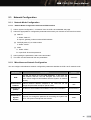
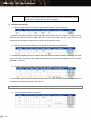
① Select “System Configuration”
“Network” from the CWP-100 embedded web page.
② Select the appropriate IP configuration parameters that match your network environment from below.
(a) Static IP
A. Select “Static IP”.
B. Input IP, gateway, subnet mask and DNS address.
(b) DHCP(Dynamic IP) or Cable modem
A. Select “DHCP”.
(c) ADSL
A. Select “ADSL”.
B. Input ADSL ID and the password.
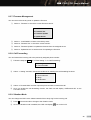
③ After inputting the parameters, select “save and restart.”
④ The CWP-100 will restart with the new parameters.
9.1.2. Miscellaneous Network Configuration
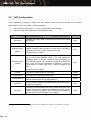
You can configure miscellaneous network configuration parameters besides the CWP-100 IP network mode.
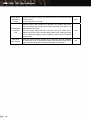
Parameter
Description
Default
DNS
The user can assign up to two DNS addresses. In this case, the
DNS address that the user had assigned acts even when the
DHCP server assigns a DNS address with the dynamic IP address
(DHCP).
automatic
External Enet
Address
External Ethernet address assigned to the CWP-100. Do not
change this parameter except for special cases.
N/A
Time Server
(SNTP)
Time Zone
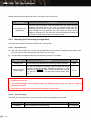
Password for
System
Access
Set the time server address that obtains current time information.
Set the local time that the CG is located.
The user can change the password for accessing the system with
HTTP, FTP protocol and phone lock function.
time.kriss.re.kr
+09:00
0000
28