1
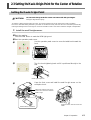
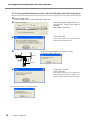
2-3 Setting the Y-axis Origin Point for the Center of Rotation
➏
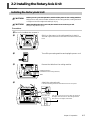
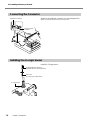
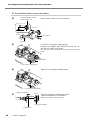
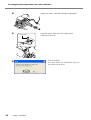
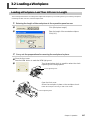
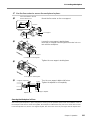
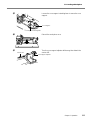
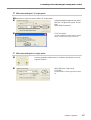
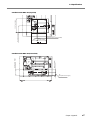
Open the front cover.
Turn the core-support retaining lever to move the core
support
Core support
Core-support retaining lever
➐
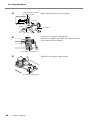
Detach the sensor cable and the small Y-origin sensor.
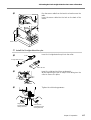
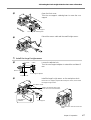
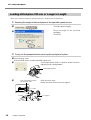
5. Install the large Y-origin sensor.
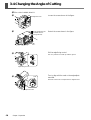
➊
1. Loosen
2. Turn
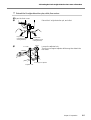
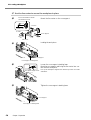
Loosen the adjuster lock.
Turn the core-support adjuster to extend the end about 5
mm.
About 5 mm
Core-support adjuster
Adjuster lock
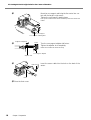
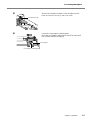
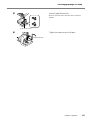
➋
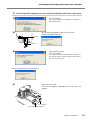
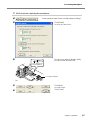
Install the large Y-origin sensor on the workpiece chuck.
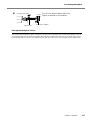
Move the core support, expand the workpiece chuck, then install
the large Y-origin sensor.
Workpiece chuck
Install it so that the holes in the
sensor are at the front and back.
Install with this
orientation.
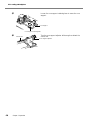
Core-support
Align the sensor with the notch and
install.
Chapter 2 Preparation
17