1
Configuration software for SINAUT ST7
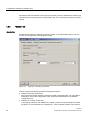
1.11 Saving and generating system data
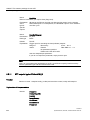
Dynamic data
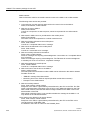
All dynamic data required by the SINAUT TD7 software for the CPU is stored in the following
data blocks:
● 1 DB BasicData
● n communication DBs
● m SMS data DBs
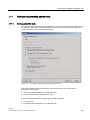
The quantity and numbers of the DBs are preset by the system. The numbers of the
communication DBs as well as the quantity and numbers of the SMS data DBs can be
modified in the DB configuration or SMS configuration tabs of the Properties of subscriber
dialog that can be opened with the Properties context menu of the CPU modules in the
subscriber list.
Basic blocks
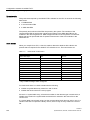
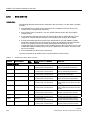
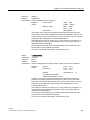
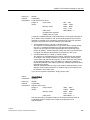
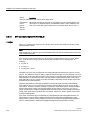
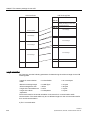
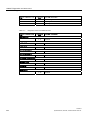
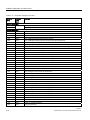
When you compile for a CPU, a check is made to determine whether all the blocks are
present that are required for the SINAUT ST7 software to run. The basic blocks are:
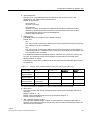
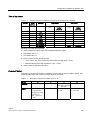
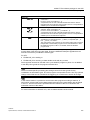
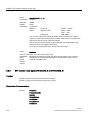
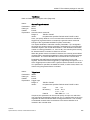
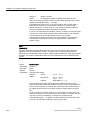
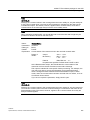
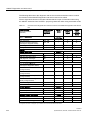
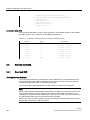
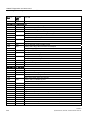
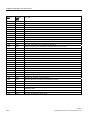
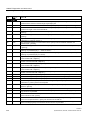
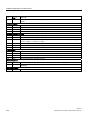
Table 1- 8
Basic blocks of TD7onCPU
Block name
Block type
Default block number
SubscriberObject
UDT
UDT127
ConnectionDescription
UDT
UDT126
Bcom
FB
FB127
Xcom
FB
FB126
Pcom
FB
FB125
SMS_Ctrl *
FB
FB124
BasicTask
FC
FC127
Search
FC
FC126
Diagnose
FC
FC125
Distribute
FC
FC124
Create
FC
FC123
Startup
FC
FC122
* Only if SMS messages were configured.
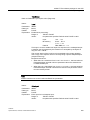
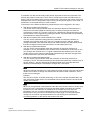
For each block there is a check to determine the following
● whether a symbol table entry exists for it and if it does
● whether the block exists in the user program
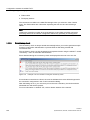
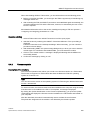
If there is no symbol table entry, a free block number for the relevant type is searched for, a
suitable entry made in the symbol table and the block is entered in the source file for the
current CPU.
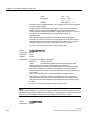
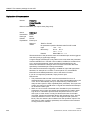
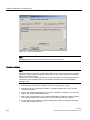
If a symbol table entry already exists, but the corresponding block does not exist or only in a
version lower than or equal to the library version, there is only an entry made in the source
file.
166
Software
System Manual, 07/2009, C79000-G8976-C222-07