1
AXIS Camera Station
How to...
Register a MyAxis Account
MyAxis is your personal area on Axis web site. From MyAxis you can download firmware and free software applications, submit
questions to customer support, subscribe to electronic newsletters etc.
To register an account, go to www.axis.com/reg/register.php and enter the required information.
Parameter Management
Important
Parameter management is intended for advanced users.
Parameters in Axis network products are internal parameters that define different device settings. For more information about
parameters, refer to the VAPIX® documentation available at www.axis.com/vapix
Using AXIS Camera Station, parameters from a device can be collected in a parameter file. The parameter file can then be applied
to other devices, for example to configure multiple devices at the same time or to reconfigure a device that has been reset to
factory default. Parameter files can be applied to devices with a different model or firmware even if some parameters do not
exist on all selected devices.
Note
All parameters cannot be accessed from AXIS Camera Station.
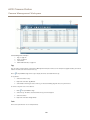
To create a parameter file, follow these steps:
1. Go to the Camera Management workspace.
2. Select the device to create the parameter file from.
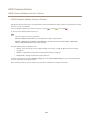
3. Right-click and select Parameter Management > Create Parameter File.
4. Select the parameters to include and modify values as required.
5. Click Save. The parameter file is save as a .cfg file.
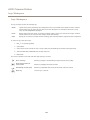
To apply a parameter file, follow these steps:
1. Go to the Camera Management workspace.
2. Select the devices to apply the parameter file to. Devices of different model and firmware can be selected.
3. Right-click and select Parameter Management > Apply Parameter File.
4. Browse to the .cfg file and click Open.
5. Verify the parameters to be applied and click OK.
48