1
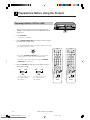
Timer Recording
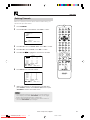
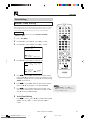
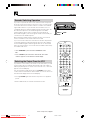
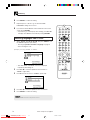
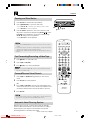
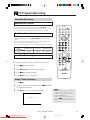
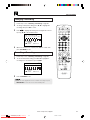
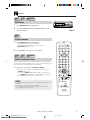
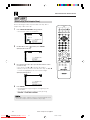
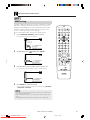
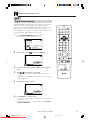
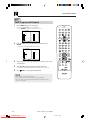
Changing a Recording
1
2
3
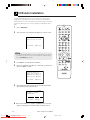
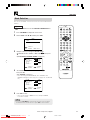
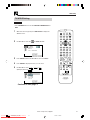
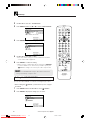
Follow steps 1 to 3 of Checking a Recording on page 68.
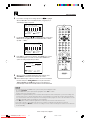
To change a delayed recording, press ' / " to highlight the
recording, then press SET to select.
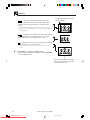
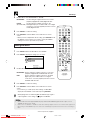
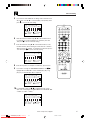
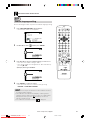
Press \ / | to highlight the setting to be changed and correct it
by using ' / " or the number buttons.
1/2
DATE
PR START STOP
21/06 02 12:00AM13:00PMSP*
/
:
:
/
:
:
/
:
:
2/2
CLEAR:CANCEL
:SELECT
SET :ENTER
MENU:EXIT
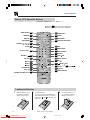
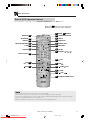
TIMER
OPERATE ON/OFF
VIDEO Plus+
EJECT
VCR/DVD VCR MENU
ON
SCREEN SELECTOR DVD SETUP
DISPLAY
FUNCTION PROG/
CONTROL REPEAT
OPEN/
CLOSE
ANGLE
TITLE
DVD MENU
CLEAR
RETURN
SET
ENTER
ZERO BACK
SKIP SEARCH
TV/VCR
4
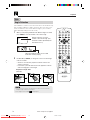
When all corrections are complete press SET to confirm, then
press VCR MENU to exit.
/
REV
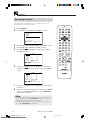
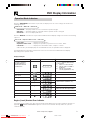
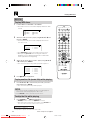
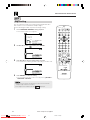
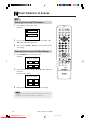
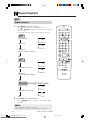
Cancelling a Recording
1
2
INPUT SELECT VCR DVD
AM/PM
FWD
PLAY
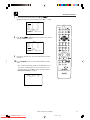
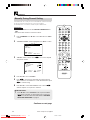
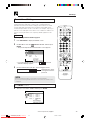
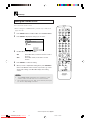
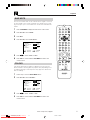
Follow steps 1 to 3 of Checking a Recording on page 68.
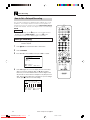
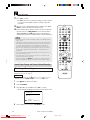
To cancel a delayed recording, press ' / " to highlight the
recording to be cancelled, then press CLEAR.
1/2
REC
PAUSE/STILL
STOP
DPSS
SKIP
TAPE
SPEED
CH
DATE
PR START STOP
21/06 02 12:00AM13:00PMSP*
/
:
:
/
:
:
/
:
:
2/2
CLEAR:CANCEL
:SELECT
SET :ENTER
MENU:EXIT
SLOW
AUDIO
OUTPUT
VCR
DVD
VCR/DVD COMBINATION
RRMCGA069WJSA
3
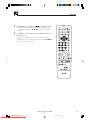
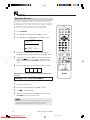
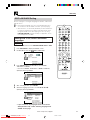
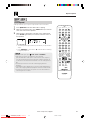
Press VCR MENU to exit.
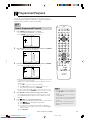
• If there are some programmes to be recorded, do not forget to press
TIMER ON/OFF to return the Unit to Timer Standby mode.
www.sharp.co.uk/support
DVNC65H063_070.pm6
Downloaded From Disc-Player.com
Sharp Manuals
69
69
30/8/02, 11:50 am