1
Configuration
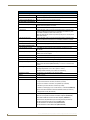
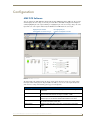
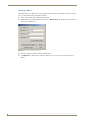
The Audio tab (FIG. 29) enables you to adjust its audio in and out settings.
FIG. 29 Device Setup - Audio tab
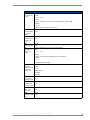
The following options appear on the Audio tab:
Audio Tab Options
Auxiliary In - Attenuation
Use the slider to preset the attenuation of the audio for the auxiliary in device.
You can set the attenuation between the range of +24dB to -100dB.
Balance Out - Volume
Use the slider to preset the volume of the audio for the balance out device. You
can set the volume between the range of +24dB to -100dB.
Amplifier Out - Volume
Use the slider to preset the volume of the audio for the amplifier out device.
You can set the volume between the range of +24dB to -100dB.
Amplifier Out - Equalizer
Use the sliders to set the equalizer settings for the amplifier out device. You
can set the levels for the 100Hz, 250Hz, 500Hz, 1KHz, 2.5 KHz, 5KHz, and
10KHz frequencies. You can set each level between the range of +20dB to
-20dB.
Center All
Press this button to reset all Amplifier Out settings to 0dB.
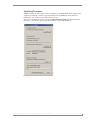
The Display tab (FIG. 30) enables you to select a display output and establish input display settings.
FIG. 30 Device Setup - Display tab
16
Enova AVX-400 Cat5 Presentation Switcher Operation/Reference Guide