1
Alarms
Your clock radio has four separate alarms which can be set to wake you to
radio (DAB, FM) or buzzer alarm. Each alarm can be set to sound once,
daily, on weekdays or at weekends. The alarms can be set whether the
clock radio is on or in standby mode. In the event of a power interruption
your clock radio has a built in memory chip that will maintain all your alarm
settings for when the power is restored.
Before setting an alarm ensure that the clock time is set correctly see
page 25.
Note: If no buttons are pressed for 10 seconds, the clock radio will exit
the alarm setup.
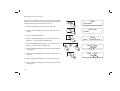
Alarm 1 Setup
Setting an alarm
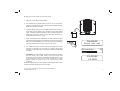
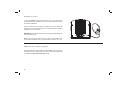
1,2
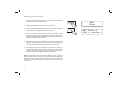
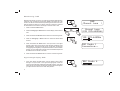
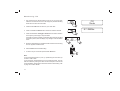
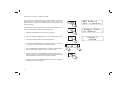
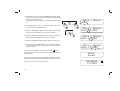
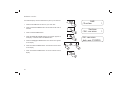
1. Press and release the Alarm button. 'Alarm 1 Setup' will show on the
display.
Alarm 1 Wizard
Alarm On
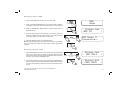
2. Repeatedly press the Alarm button to choose the desired alarm 1-4
and then press the Select button. 'Alarm Wizard' shows on the display
and the alarm status flashes on the display.
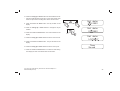
2-5
Alarm 1 Wizard
On time 09:00
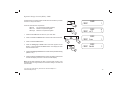
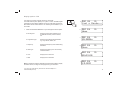
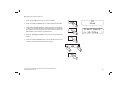
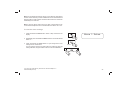
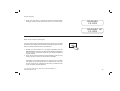
3. Press and release the Tuning Up or Down buttons to select On or Off.
If Off is selected any current setting for that alarm will be cancelled.
3,5
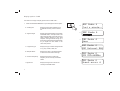
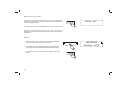
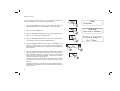
4. With 'On' selected, press and release the Select button to cause the
alarm hour digits to flash on the display.
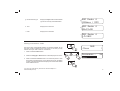
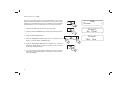
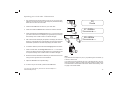
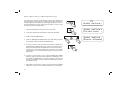
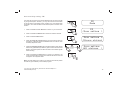
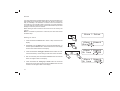
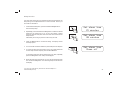
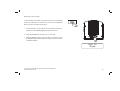
5. Press and release the Tuning Up or Down buttons to choose the
desired hour for the alarm and then press the Select button to cause
the alarm minute digits to flash on the display.
19
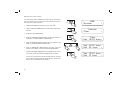
3,5
Alarm 1 Wizard
On time 09:30