1
When the maximum temperature setting is used, the frost
protection is also active. This means that the floor
temperature will never fall below +5 °C.
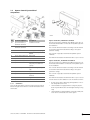
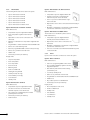
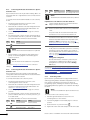
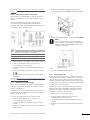
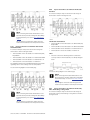
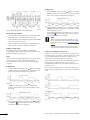
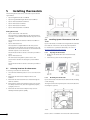
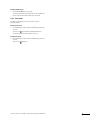
To set the floor sensor potentiometer:
1. Use a cross-headed screwdriver to set the potentiometer. See
figure below.
5.4.4
Connecting optional floor sensor
Uponor Thermostats T-33 and T-37 allow a floor sensor to be
fitted to the system. The temperatures thus measured ensure a
more efficient management of the system.
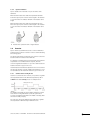
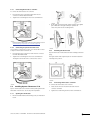
Wiring the floor sensor
1. Insert the two wires of the floor-sensor cable into the
connector labelled EXT.
2. Tighten the screws fixing the wires in the connector.
Setting the floor sensor potentiometer
When a floor sensor is connected to the thermostat to control the
temperature of the floor, the limitation of the floor temperature
can be adjusted with a potentiometer. The floor sensor setting
overrides the thermostat.
It is possible to set the floor sensor for either a maximum
temperature or a minimum temperature:
•
Minimum temperature range: +5 °C to +30 °C
NOTE!
The frost protection symbol,
, denotes the
minimum temperature, +5 °C.
•
Maximum temperature range: +25 °C to +35 °C
UPONOR CONTROL SYSTEM WIRED - INSTALLATION AND OPERATION MANUAL
21