1
Getting Started
Video Formats
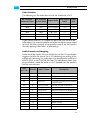
The following lists the video formats that are suitable for a DCP:
No. of Active
No. of Active
Pixel Aspect Frame
Aspect Ratio
Horizontal Pixels Vertical Pixels
Ratio
Rate
4096
2160
1.90:1 (full)
1:1
24
4096
1716
2.39:1 (scope)
1:1
24
3996
2160
1.85:1 (flat)
1:1
24
2048
1080
1.90:1 (full)
1:1
24/48
2048
858
2.39:1 (scope)
1:1
24/48
1998
1080
1.85:1 (flat)
1:1
24/48
If your source material is in a different aspect ratio than the ones detailed above, the material should be scaled for the digital cinema output
so that it fits either vertically or horizontally in one of the ’full’ formats
(thereby applying either letter- or pillarboxing).
Audio Formats and Mapping
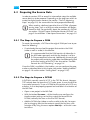
Audio should be saved in 24 bit at 48,000 Hz and the DCI specification
suggests the WAV file format. For a DCI Mastering the routing of the
audio tracks containing the audio data must be adapted as outlined in
SMPTE 428-3 in the CLIPSTER Edit Tool. The table below shows mapping and labels suitable for audio in a DCP (quoted from the specification for nine channels):
AES
Channel
Pair / Ch.
Label / Name
Description
1/1
1
L/Left
Far left screen loudspeaker
1/2
2
R/Right
Far right screen loudspeaker
2/1
3
C/Center
Center screen loudspeaker
2/2
4
LFE/Screen
Screen low frequency effects subwoofer loudspeakers
3/1
5
Ls/Left surround
Left wall surround loudspeakers
3/2
6
Rs/Right surround
Right wall surround loudspeakers
4/1
7
Lc/Left center
Mid-left to center screen loudspeaker
4/2
8
Rc/Right center
Mid-right to center screen loudspeaker
5/1
9
Cs/Center surround Rear wall surround loudspeakers
5/2
10
SMPTE reserved
6/1
11
SMPTE reserved
6/2
12
SMPTE reserved
7/1
13
SMPTE reserved
7/2
14
SMPTE reserved
2-5