1
IPmux-4 Installation and Operation Manual
Appendix E Parameters and Screens
Self-Test Results
Main Menu
↓
1. System
↓
2. Self-Test
Results
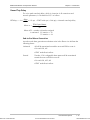
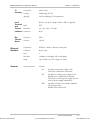
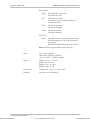
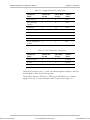
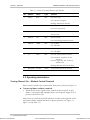
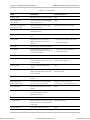
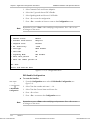
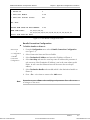
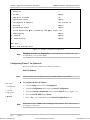
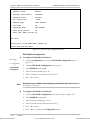
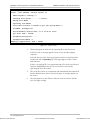
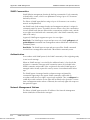
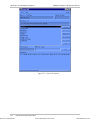
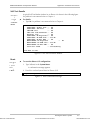
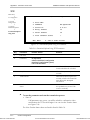
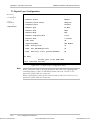
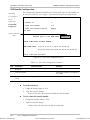
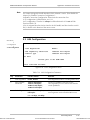
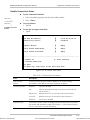
A typical Self-Test Results window for an IPmux-4 is shown in the following figure.
If a problem is encountered refer to Chapter 4
➤
For details:
•
Type M. If a problem is encountered refer to Chapter 4.
SELF
USER PORT: Framer Test -USER PORT: SAR Test
-LAN RAM test
-LAN card code download -Ethernet test
-USER PORT: RT Registers -USER PORT: RT RAM Size -USER PORT: RT Ext RAM -MAIN BOARD: RT Registers
MAIN BOARD: RT RAM Size -MAIN BOARD: RT Ext RAM -Self test ended
--
TEST RESULTS
Ok
Ok
Ok
Ok
Ok
Ok
512 KB
Ok
-- Ok
512 KB
Ok
successfully
Press ESC to exit
Figure E-2. Last Self-Test Results Window
Reset
Main Menu
↓
1. System
Menu
↓
3. Reset
Order from: Cutter Networks
➤
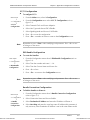
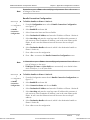
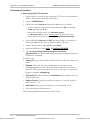
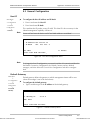
To reset the IPmux-1/1E configuration:
1. Type 3 (Reset) in the System Menu.
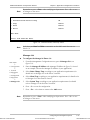
A confirmation message appears.
2. Press Y to confirm System Reset for IPmux-1/1E.
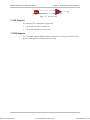
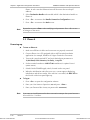
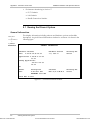
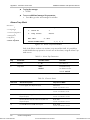
Are you sure you want a total reset??? (Y/N)
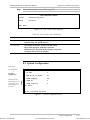
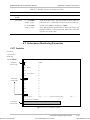
Figure E-3. Reset Confirmation Message
Viewing the IPmux-4 System
Ph:727-398-5252/Fax:727-397-9610
E-3
www.bestdatasource.com