1
Contents
1. YOUR ACN VIDEOPHON
NE .................................................................4
1-1. Videophone components............................................................................................................. 4
1-2. Safety instructions ....................................................................................................................... 5
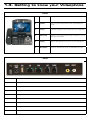
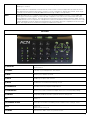
1-3. Getting to know your Videophone ............................................................................................... 6
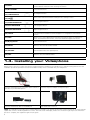
1-4. Installing your Videophone .......................................................................................................... 8
2. USING THE BASIC FUNCTIONS
2-1. Placing a call
OF YOUR
VIDEOPHONE ....................................9
............................................................................................................................. 9
2-1-1. Placing a call using the keypad ...................................................................................... 9
2-1-2. Placing a call in standby mode (when the LCD screen is off) ........................................ 9
2-1-3. Placing a call from your Call Log ................................................................................... 9
2-1-4. Placing a call from your Phonebook ............................................................................. 10
2-2. Receiving a call .......................................................................................................................... 11
2-3. Rejecting a call........................................................................................................................... 11
2-4. Ending a call............................................................................................................................... 11
2-5. Retrieving your Voicemail .......................................................................................................... 11
2-6. Your Videophone information .................................................................................................... 12
2-7. Useful functions during a call .................................................................................................... 12
2-7-1. Mute ............................................................................................................................ 12
2-7-2. Privacy.......................................................................................................................... 12
2-7-3. Volume control ............................................................................................................ 12
2-7-4. Brightness control ....................................................................................................... 13
2-7-5. Hold .............................................................................................................................. 13
2-7-6. Audio Conferencing (3-Way Calling) ............................................................................. 14
2-7-7. Call Waiting ................................................................................................................. 14
3. SET UP ...................................................................................15
3-1. Main Menu ................................................................................................................................ 15
3-2. Using the keypad ...................................................................................................................... 16
3-3. Entering characters.................................................................................................................... 16
3-3-1. Entering numbers ........................................................................................................ 17
3-3-2. Entering letters ........................................................................................................... 17
3-3-3. Entering numbers and letters ...................................................................................... 17
3-4. Phonebook ................................................................................................................................. 17
3-4-1. All contacts .................................................................................................................. 17
3-4-1-1. Add new entry .................................................................................................. 18
3-4-1-2. Place a call ....................................................................................................... 18
3-4-1-3. Edit a contact.................................................................................................... 18
3-4-1-4. Delete a contact ............................................................................................... 18
3-4-2. Search ......................................................................................................................... 19
3-4-2-1. Search by name................................................................................................ 19
3-4-2-2. Search by number ............................................................................................ 19
3-4-2-3. Placing a call, updating and deleting information ............................................. 19
3-4-3. Delete all ...................................................................................................................... 20