1
NOTE:Youcannotchangeyourdisplaysettingswhileonacall.Toseetheeffectsofthechangesimplyplaceacallafteradjustingyour
settings.Thecalledpartywillbeabletoconfirmwhetherthevideoyouaresendingisclearer.Ifyousettheuploadbandwidthspeed
toohighitwilldistortthequalityoftheimage.Toadjustsimplyresetyouruploadbandwidthspeedtothenextsettingdown.
Screen Size
ScreenSizereferstotheresolutionofyourvideo.Thescreensizewillautomaticallyadjusttotheappropriatesetting(CIForVGA)
basedonyourbandwidthandframeselection.
Frame Rate
TheFrameRateisthespeedatwhichyourVideophoneupdatesimages.YoucanselectLow,NormalorHighdependingonyour
bandwidthspeed.
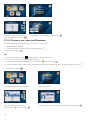
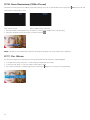
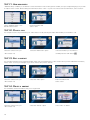
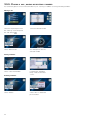
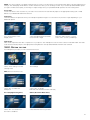
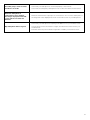
Goto“FrameRate”inthe
Displaymenu
SelecttheappropriateFrameRate
(Low,NormalorHigh)
Pressthe“Back”button
and
select“YES”tosaveyoursettings
Video Codec
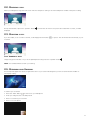
VideoCodecrepresentsthevideocompressiononyourphone.YourVideophoneusestwovideocodecs:H.263andH.264.TheVideo
Codewillautomaticallyadjusttotheappropriatesettingbasedontheuploadbandwidthandframerateselected.
3-6-2. settiNg
the tiMe
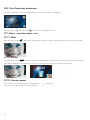
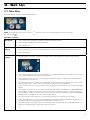
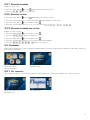
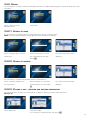
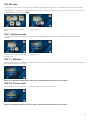
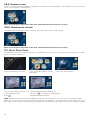
YourVideophoneprovidesyouwithaworldtimefunction.
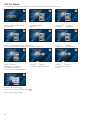
Select“TimeSetting”fromthe
Settingsmenu
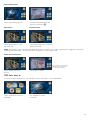
Timesettings
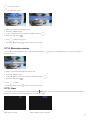
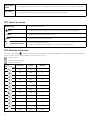
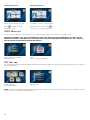
NTP(NetworkTimeProtocols)
Select“On”toenablethe
NTPoption
Select“Off”todisable
NTPandenterthedateandtimemanually
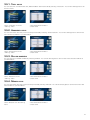
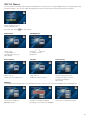
D.S.T (Daylight Saving Time)
G.M.T (Greenwich Mean Time)
Select“On”toactivateD.S.T.
and“Off“todisableit
Selectthetimezoneforyourarea
27