1
Chapter 4 Configuration
Installation and Operation Manual
Setting Management Access
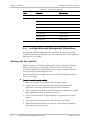
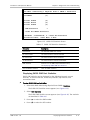
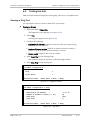
To modify Telnet, SNMP, or WEB access permissions for a user:
1. Select Main Menu>Configuration>System>Management.
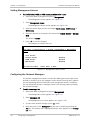
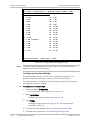
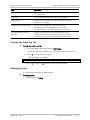
The Management screen appears (see Figure 4-3).
2. Select Management Access.
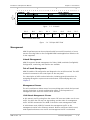
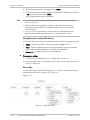
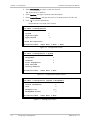
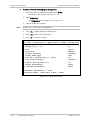
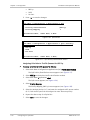
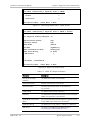
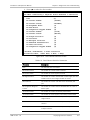
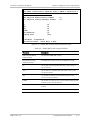
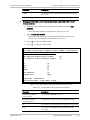
The Management Access screen appears (see Figure 4-9).
3. Select the access level you wish to change: Telnet Access, SNMP Access, or
WEB Access.
4. Select the permission setting for this access level: Enable, Disable or Manage
Only.
The default is Enable.
5. Press <S> to save the changes.
The changes are saved in the unit.
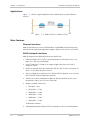
ASMi-54
Main Menu > Configuration > System > Management > Management
Access
1.
2.
3.
4.
User Access
Telnet Access
SNMP Access
WEB Access
(Enable)
(Enable)
(Enable)
ESC-Previous menu; !-Main menu; &-Exit
Figure 4-9. Management Access Screen
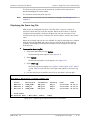
Configuring the Network Managers
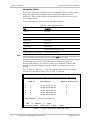
The network management stations to which the SNMP agent sends traps can be
defined or modified. Up to ten managers can be defined. Entering the IP address
and corresponding subnet mask defines each management station. In addition,
you can temporarily prevent a manager station from receiving traps by masking
the network manager.
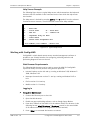
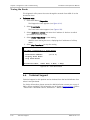
To edit the manager list:
1. Select Main Menu>Configuration>System>Management.
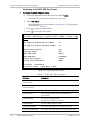
The Management screen appears (see Figure 4-3).
2. Select Managers List.
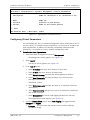
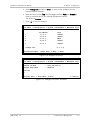
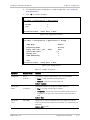
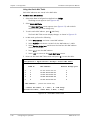
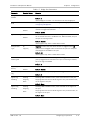
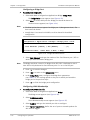
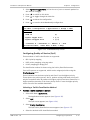
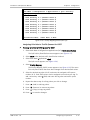
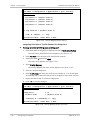
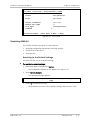
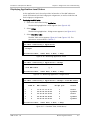
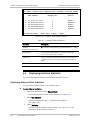
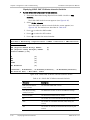
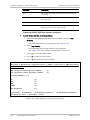
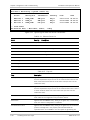
The Management List screen appears (see Figure 4-10).
3. To add a new network manager, press <A> (Add).
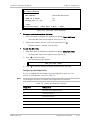
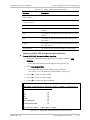
4. Move the cursor to the Manager IP cell you wish to modify by pressing the
Tab key. The selected cell is highlighted and the value appears in the Change
cell field.
4-6
Configuring for Management
ASMi-54 Ver. 1.0