1
LXE Diagnostics
91
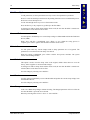
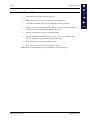
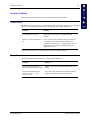
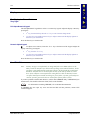
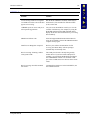
Backup Battery Test Utility (BBTST35.EXE)
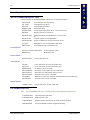
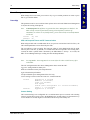
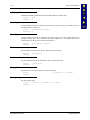
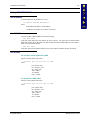
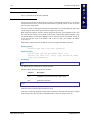
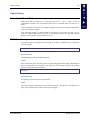
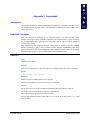
This command is run at the DOS prompt. There are no parameters. Run this command file to view
the current status of the backup battery and the voltage. If the backup battery needs to be
replaced, the unit must be returned to LXE for service (see Chapter 1, “Introduction”, section
titled “Getting Help”.)
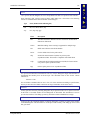
Battery Discharge Utility (BBDIS35.EXE)
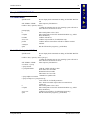
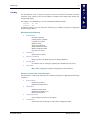
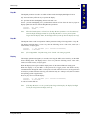
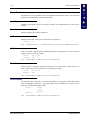
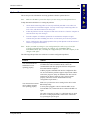
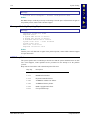
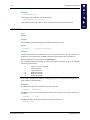
This command is run at the DOS prompt. There are no parameters. Use this command file to
condition the backup battery mounted on the system board. When the program is initiated, the
battery discharge process begins, “Discharging” is displayed on the screen and the voltage
changes are displayed. When discharge is complete (at approximately 4V), the battery charge
process begins. The word “Charging” appears on the screen and the voltage changes are
displayed.
If the backup battery needs to be replaced, the unit must be returned to LXE for service (see
Chapter 1, “Introduction”, section titled “Getting Help”.)
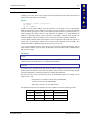
Communication Port Utility (COMTST35.EXE)
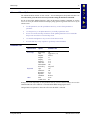
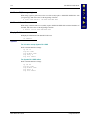
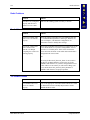
This command is run at the DOS prompt. There are no parameters. The program requires LXE
cable part number 155746-0001.
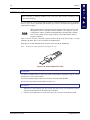
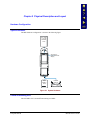
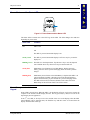
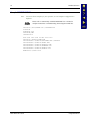
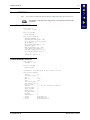
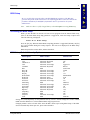
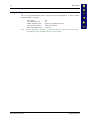
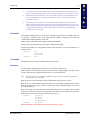
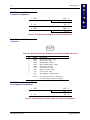
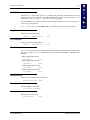
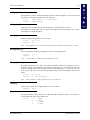
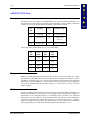
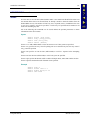
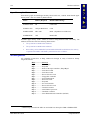
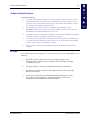
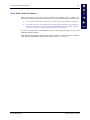
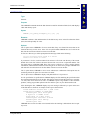
This command file is used to test the TX, RX and handshaking lines of the unit’s COM port. A
loopback connector is needed to perform this test. The configuration of the connector for each RS232 endcap follows.
Note:
The optional endcap with an RS-232 serial port, when installed in the MX1, is COM1. An
MX1 scanner endcap is COM1. An MX1 scanner / RS232 endcap is COM1. The MX1’s
IR Port is COM2.
1
3
2
6
7
5
4
8
9
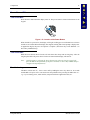
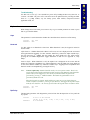
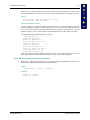
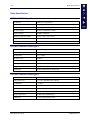
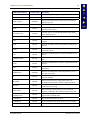
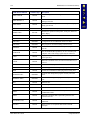
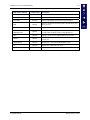
Figure 5-1 MX1 RS-232 Endcap Serial Connector (COM1) and Pinout
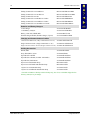
Pin
1
2
3
4
5
6
7
8
9
E-EQ-MX1RG-D
Signal
DCD
RXD
TXD
DTR
GND
DSR
RTS
CTS
RI
or
+5V DC
Description
Data Carrier Detect – Input
Receive Data – Input
Transmit Data – Output
Data Terminal Ready – Output
Signal/Power Ground
Data Set Ready – Input
Request to Send – Output
Clear to Send – Input
Ring Indicator – Input (Default)
or
Bar Code Scanner Power -400mA max
(Use BIOS Setup software to configure)
MX1 Reference Guide