1
System Testing
149
System Testing
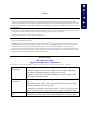
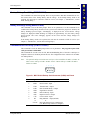
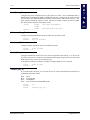
Power On Self Test (POST)
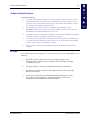
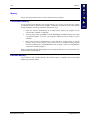
Each time the MX1 is turned on (or is rebooted using <Ctrl> + <Alt> + <Del>), a series of
comprehensive hardware tests are performed. These tests are called the Power On Self Test, or
POST.
In the event that the system does not complete the POST, a beep code will sound. If this happens,
contact LXE Customer Support.
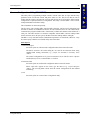
If the LXE MX1 display is operational and the unit appears to boot when you turn it on, yet
behaves in a manner that leads you to believe it is not working properly, contact LXE Customer
Support. You may need to return the MX1 for service.
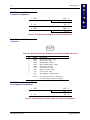
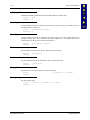
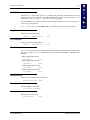
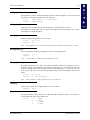
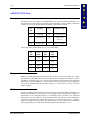
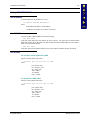
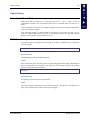
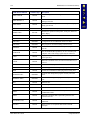
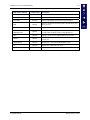
POST Error Messages
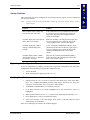
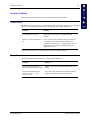
The following table lists the POST error messages for the MX1. If problems persist, contact LXE
Customer Support.
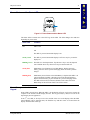
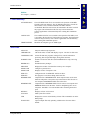
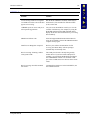
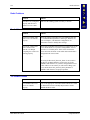
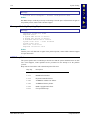
Message
System CMOS checksum bad – run SETUP
Possible Cause
The backup battery may be completely drained.
Action
Insert a new battery pack. The battery pack will begin charging the backup battery. Wait until the
AAA icon disappears from the display. Turn the power off, then back on again. If the problem
persists, contact LXE Customer Support.
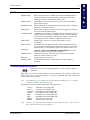
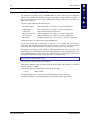
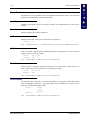
Message
Stuck Key
Possible Cause
A keypad key may be stuck in the down position.
Action
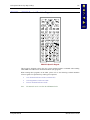
Check the keypad for a physically stuck key and loosen the key. Turn the power off, then back on
again. If the problem persists, contact LXE Customer Support.
E-EQ-MX1RG-D
MX1 Reference Guide