1
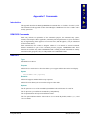
Installed Software
57
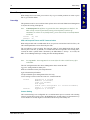
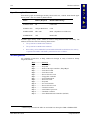
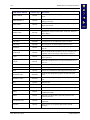
Utilities
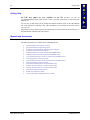
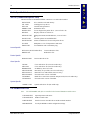
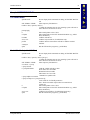
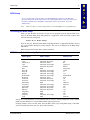
See Chapter 5, “Utilities”.
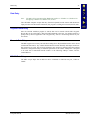
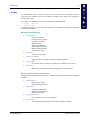
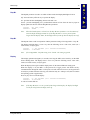
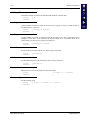
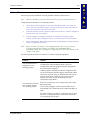
C Root Directory
AUTOEXEC.BAT
The AUTOEXEC.BAT file is not essential to the operation of the MX1.
The MX1 will boot without it. The AUTOEXEC.BAT file is a batch file
that contains a series of DOS commands. The MX1 reads the
AUTOEXEC.BAT file and executes the commands in the order in which
they appear. The information in this file may be altered and some
software applications will automatically alter it during their installation
process.
CONFIG.SYS
The CONFIG.SYS file is not essential to the operation of the MX1, but it
is essential to the operation of certain software programs. The information
in this file may be altered, some software applications will automatically
alter it during their installation process.
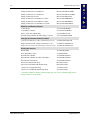
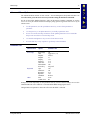
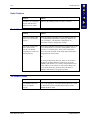
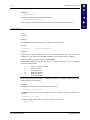
TERMTYPE.EXE
Identifies the computer type for SNMP agent.
ANSI.SYS
Interprets ANSI escape sequences.
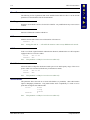
CHKDSK.EXE
Checks the status of a disk and displays a report. Can also fix disk errors.
COMMAND.COM
A DOS file that runs programs, manages files, controls information
processing, directs input and output, among other functions.
FORMAT.COM
Formats a read-write disk drive (flash and RAM drives only) removing
all data.
HIMEM.SYS
Extended memory manager.
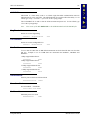
MEM.EXE
Displays the amount of used and free memory on a computer.
MODE.COM
Configures system devices.
MORE.COM
Displays 25 lines of output at a time.
NED.CFG
Configuration file for NED.EXE ASCII text editor.
NED.EXE
This program is used when editing ASCII text files.
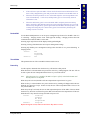
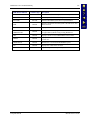
REMDISK.EXE
Companion file to REMSERV.EXE. Each computer must use the same
baud rate and packet or non-packet-style transmission. This file runs on
one computer and REMSERV.EXE runs on the other.
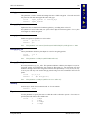
REMSERV.EXE
Companion file to REMDISK.EXE. This file runs on one computer and
REMDISK.EXE runs on the other. Used for manipulating files on two
computers’ hard disks. Use a null modem cable connecting both serial
ports.
REV.BAT
Displays software revision level.
SYS.COM
Adds system files to disks.
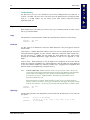
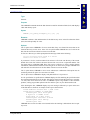
VER
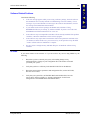
Displays the current version identity of DOS. This command is run at the
DOS prompt.
XCOPY.EXE
Copies multiple files and, optionally, subdirectories from one disk to
another.
\DOS Files
E-EQ-MX1RG-D
MX1 Reference Guide