1
Reference Guide
Read this guide first.
Please read this guide before operating this product.
After you finish reading this guide, store it in a safe place for future reference.
ENG
0
Ot¯
imageRUNNER
3045/3035/3030/3025
Reference Guide
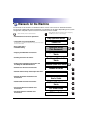
Manuals for the Machine
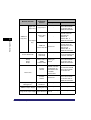
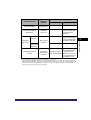
The manuals for this machine are divided as follows. Please refer to them for detailed information.
The manuals supplied with optional equipment are included in the list below. Depending on the system
configuration and product purchased, some manuals may not be needed.
Guides with this symbol are printed manuals.
• Quick Reference for Basic Operations
• Learn How to Use Your Machine
The Tutorial CD is a teaching aid, designed to help you learn the various
functions of the machine.
• Basic Operations
• Troubleshooting
• Copying and Mail Box Instructions
• Sending and Fax Instructions
• Setting Up the Network Connection and
Installing the CD-ROM Software
• Remote User Interface Instructions
• Network Connectivity and Setup Instructions
• Network ScanGear Installation and
Instructions
• PS/PCL/UFR II Printer Instructions
• PCL Printer Driver Installation and
Instructions
• PS Printer Driver Installation and
Instructions
CD-ROM
Guides with this symbol are included on the accompanying
CD-ROM. (See footnote on the next page.)
Easy Operation Guide
Tutorial CD
CD-ROM
Reference Guide
(This Document)
CD-ROM
Copying and Mail Box
Guide
CD-ROM
Sending and Facsimile
Guide
CD-ROM
Network Quick Start Guide
Remote UI Guide
CD-ROM
Network Guide
CD-ROM
Network ScanGear
User's Guide
CD-ROM
PS/PCL/UFR II Printer
Guide
CD-ROM
PCL Driver Guide
CD-ROM
PS Driver Guide
CD-ROM
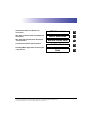
• UFR II Printer Driver Installation and
Instructions
• Mac OS X PS Printer Driver Installation and
Instructions
• Mac OS X UFR II Printer Driver Installation
and Instructions
• Fax Driver Installation and Instructions
• Installing MEAP Applications and Using the
Login Service
UFR II Driver Guide
CD-ROM
Mac PS Driver Guide
CD-ROM
Mac UFR II Driver Guide
CD-ROM
Fax Driver Guide
CD-ROM
MEAP SMS Administrator
Guide
CD-ROM
• To view the manual in PDF format, Adobe Reader/Acrobat Reader/Acrobat is required. If Adobe Reader/Acrobat Reader/Acrobat is not installed on
your system, please download it from the Adobe Systems Incorporated website (http://www.adobe.com).
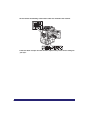
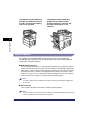
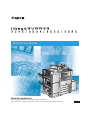
• The machine illustration on the cover may differ slightly from your machine.
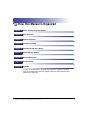
How This Manual Is Organized
Chapter 1
Before You Start Using This Machine
Chapter 2
Basic Operations
Chapter 3
Optional Equipment
Chapter 4
Customizing Settings
Chapter 5
Checking Job and Device Status
Chapter 6
System Manager Settings
Chapter 7
Routine Maintenance
Chapter 8
Troubleshooting
Chapter 9
Appendix
Includes the specifications of the main unit and optional equipment, Sample
Reports, the Relationship between Original Orientation and Preprinted Paper
Output Chart, and index.
Considerable effort has been made to ensure that this manual is free of inaccuracies and omissions. However, as we are constantly improving our
products, if you need an exact specification, please contact Canon.
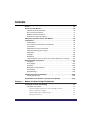
Contents
Preface . . . . . . . . . . . . . . . . . . . . . . . . . . . . . . . . . . . . . . . . . . . . . . . . . . . . . . . . . xiv
How To Use This Manual. . . . . . . . . . . . . . . . . . . . . . . . . . . . . . . . . . . . . . . . . . . xiv
Symbols Used in This Manual . . . . . . . . . . . . . . . . . . . . . . . . . . . . . . . . . . . . . xiv
Keys Used in This Manual . . . . . . . . . . . . . . . . . . . . . . . . . . . . . . . . . . . . . . . . .xv
Displays Used in This Manual . . . . . . . . . . . . . . . . . . . . . . . . . . . . . . . . . . . . . .xv
Illustrations Used in This Manual . . . . . . . . . . . . . . . . . . . . . . . . . . . . . . . . . . . xvi
Operations and Terms Used in This Manual. . . . . . . . . . . . . . . . . . . . . . . . . . xvii
Legal Notices . . . . . . . . . . . . . . . . . . . . . . . . . . . . . . . . . . . . . . . . . . . . . . . . . . . . xix
Product Name . . . . . . . . . . . . . . . . . . . . . . . . . . . . . . . . . . . . . . . . . . . . . . . . . xix
FCC (Federal Communications Commission) . . . . . . . . . . . . . . . . . . . . . . . . . xix
Laser Safety. . . . . . . . . . . . . . . . . . . . . . . . . . . . . . . . . . . . . . . . . . . . . . . . . . . .xx
Abbreviations Used in This Manual . . . . . . . . . . . . . . . . . . . . . . . . . . . . . . . . . xxi
International Energy Star Program . . . . . . . . . . . . . . . . . . . . . . . . . . . . . . . . . xxi
Trademarks . . . . . . . . . . . . . . . . . . . . . . . . . . . . . . . . . . . . . . . . . . . . . . . . . . . xxii
Copyright . . . . . . . . . . . . . . . . . . . . . . . . . . . . . . . . . . . . . . . . . . . . . . . . . . . . xxiii
Disclaimers . . . . . . . . . . . . . . . . . . . . . . . . . . . . . . . . . . . . . . . . . . . . . . . . . . xxiii
Legal Limitations on the Usage of Your Product and the Use of Images. . . . xxiv
Important Safety Instructions. . . . . . . . . . . . . . . . . . . . . . . . . . . . . . . . . . . . . . xxv
Installation . . . . . . . . . . . . . . . . . . . . . . . . . . . . . . . . . . . . . . . . . . . . . . . . . . . .xxv
Power Supply . . . . . . . . . . . . . . . . . . . . . . . . . . . . . . . . . . . . . . . . . . . . . . . . . xxvii
Handling. . . . . . . . . . . . . . . . . . . . . . . . . . . . . . . . . . . . . . . . . . . . . . . . . . . . xxviii
Maintenance and Inspections . . . . . . . . . . . . . . . . . . . . . . . . . . . . . . . . . . . . xxxi
Consumables . . . . . . . . . . . . . . . . . . . . . . . . . . . . . . . . . . . . . . . . . . . . . . . . . xxxii
Other Warnings . . . . . . . . . . . . . . . . . . . . . . . . . . . . . . . . . . . . . . . . . . . . . . . xxxii
Periodic Inspection of the Breaker . . . . . . . . . . . . . . . . . . . . . . . . . . . . . . . . xxxiii
Checking the Breaker . . . . . . . . . . . . . . . . . . . . . . . . . . . . . . . . . . . . . . . . . xxxiii
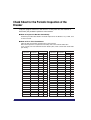
Check Sheet for the Periodic Inspection of the Breaker . . . . . . . . . . . . . . . xxxvi
Chapter 1
Before You Start Using This Machine
Installation Location and Handling . . . . . . . . . . . . . . . . . . . . . . . . . . . . . . . . . . 1-2
Installation Precautions . . . . . . . . . . . . . . . . . . . . . . . . . . . . . . . . . . . . . . . . . . 1-2
Avoid Installing the Machine in the Following Locations . . . . . . . . . . . . . . 1-2
Select a Safe Power Supply. . . . . . . . . . . . . . . . . . . . . . . . . . . . . . . . . . . . 1-5
Provide Adequate Installation Space. . . . . . . . . . . . . . . . . . . . . . . . . . . . . 1-6
Moving the Machine. . . . . . . . . . . . . . . . . . . . . . . . . . . . . . . . . . . . . . . . . . 1-7
v
Handling Precautions . . . . . . . . . . . . . . . . . . . . . . . . . . . . . . . . . . . . . . . . . . . .1-7
Parts and Their Functions. . . . . . . . . . . . . . . . . . . . . . . . . . . . . . . . . . . . . . . . .1-11
External View . . . . . . . . . . . . . . . . . . . . . . . . . . . . . . . . . . . . . . . . . . . . . . . . .1-11
Internal View . . . . . . . . . . . . . . . . . . . . . . . . . . . . . . . . . . . . . . . . . . . . . . . . .1-13
Control Panel Parts and Functions. . . . . . . . . . . . . . . . . . . . . . . . . . . . . . . . .1-14
Main Power and Control Panel Power . . . . . . . . . . . . . . . . . . . . . . . . . . . . . . .1-15
How to Turn ON the Main Power . . . . . . . . . . . . . . . . . . . . . . . . . . . . . . . . . .1-15
Control Panel Power Switch . . . . . . . . . . . . . . . . . . . . . . . . . . . . . . . . . . . . . .1-20
Shutting Down the Machine . . . . . . . . . . . . . . . . . . . . . . . . . . . . . . . . . . . . . .1-21
System Settings . . . . . . . . . . . . . . . . . . . . . . . . . . . . . . . . . . . . . . . . . . . . . . . . .1-26
Chapter 2
Basic Operations
What This Machine Can Do. . . . . . . . . . . . . . . . . . . . . . . . . . . . . . . . . . . . . . . . .2-2
Overview of the imageRUNNER 3045/3035/3030/3025 . . . . . . . . . . . . . . . . . . .2-5
The Touch Panel Display . . . . . . . . . . . . . . . . . . . . . . . . . . . . . . . . . . . . . . . . .2-5
Switching the Functions Indicated on the Touch Panel Display. . . . . . . . .2-5
Various Touch Panel Display Screens . . . . . . . . . . . . . . . . . . . . . . . . . . . .2-7
Adding New Functions . . . . . . . . . . . . . . . . . . . . . . . . . . . . . . . . . . . . . . . . . . .2-7
Specifying Settings. . . . . . . . . . . . . . . . . . . . . . . . . . . . . . . . . . . . . . . . . . . . . .2-9
Functions That Conserve Power . . . . . . . . . . . . . . . . . . . . . . . . . . . . . . . . . .2-10
Checking, Changing, and Canceling Print Jobs . . . . . . . . . . . . . . . . . . . . . . .2-11
Displaying a Help Screen . . . . . . . . . . . . . . . . . . . . . . . . . . . . . . . . . . . . . . . .2-13
Reading Messages from the System Manager . . . . . . . . . . . . . . . . . . . . . . .2-15
Types of Message Boards . . . . . . . . . . . . . . . . . . . . . . . . . . . . . . . . . . . .2-15
Other Useful Functions . . . . . . . . . . . . . . . . . . . . . . . . . . . . . . . . . . . . . . . . .2-16
Using the Touch Panel Display. . . . . . . . . . . . . . . . . . . . . . . . . . . . . . . . . . . . .2-19
Frequently Used Keys . . . . . . . . . . . . . . . . . . . . . . . . . . . . . . . . . . . . . . . . . .2-19
Touch Panel Key Display . . . . . . . . . . . . . . . . . . . . . . . . . . . . . . . . . . . . . . . .2-20
Adjusting the Brightness . . . . . . . . . . . . . . . . . . . . . . . . . . . . . . . . . . . . . . . .2-21
Entering Characters from the Touch Panel Display . . . . . . . . . . . . . . . . . . . .2-22
Entering Characters . . . . . . . . . . . . . . . . . . . . . . . . . . . . . . . . . . . . . . . . . . . .2-22
Values in Inches . . . . . . . . . . . . . . . . . . . . . . . . . . . . . . . . . . . . . . . . . . . . . . .2-23
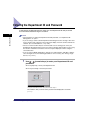
Entering the Department ID and Password . . . . . . . . . . . . . . . . . . . . . . . . . . .2-24
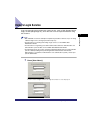
Using a Login Service . . . . . . . . . . . . . . . . . . . . . . . . . . . . . . . . . . . . . . . . . . . .2-27
Placing Originals . . . . . . . . . . . . . . . . . . . . . . . . . . . . . . . . . . . . . . . . . . . . . . . .2-31
Document Sizes . . . . . . . . . . . . . . . . . . . . . . . . . . . . . . . . . . . . . . . . . . . . . . .2-31
Orientation . . . . . . . . . . . . . . . . . . . . . . . . . . . . . . . . . . . . . . . . . . . . . . . . . . .2-32
Platen Glass. . . . . . . . . . . . . . . . . . . . . . . . . . . . . . . . . . . . . . . . . . . . . . . . . .2-33
Feeder . . . . . . . . . . . . . . . . . . . . . . . . . . . . . . . . . . . . . . . . . . . . . . . . . . . . . .2-36
vi
Making Prints Using the Stack Bypass . . . . . . . . . . . . . . . . . . . . . . . . . . . . . . 2-39
Multifunctional Operations . . . . . . . . . . . . . . . . . . . . . . . . . . . . . . . . . . . . . . . . 2-51
Available Paper Stock . . . . . . . . . . . . . . . . . . . . . . . . . . . . . . . . . . . . . . . . . . . . 2-54
Chapter 3
Optional Equipment
System Configuration . . . . . . . . . . . . . . . . . . . . . . . . . . . . . . . . . . . . . . . . . . . . . 3-3
Optional Equipment . . . . . . . . . . . . . . . . . . . . . . . . . . . . . . . . . . . . . . . . . . . . . 3-3
Sample System Configurations . . . . . . . . . . . . . . . . . . . . . . . . . . . . . . . . . . . . 3-5
System Options . . . . . . . . . . . . . . . . . . . . . . . . . . . . . . . . . . . . . . . . . . . . . . . . 3-6
Available Combination of Options . . . . . . . . . . . . . . . . . . . . . . . . . . . . . . . . . 3-10
Utilities . . . . . . . . . . . . . . . . . . . . . . . . . . . . . . . . . . . . . . . . . . . . . . . . . . . . . . 3-14
Cassette Feeding Unit-Y3 . . . . . . . . . . . . . . . . . . . . . . . . . . . . . . . . . . . . . . . . . 3-16
Parts and Their Functions . . . . . . . . . . . . . . . . . . . . . . . . . . . . . . . . . . . . . . . 3-16
Optional Accessories . . . . . . . . . . . . . . . . . . . . . . . . . . . . . . . . . . . . . . . . . . . 3-17
Paper Deck-Q1 . . . . . . . . . . . . . . . . . . . . . . . . . . . . . . . . . . . . . . . . . . . . . . . . . . 3-18
Parts and Their Functions . . . . . . . . . . . . . . . . . . . . . . . . . . . . . . . . . . . . . . . 3-18
Envelope Feeder Attachment-C2 . . . . . . . . . . . . . . . . . . . . . . . . . . . . . . . . . . . 3-19
Parts and Their Functions . . . . . . . . . . . . . . . . . . . . . . . . . . . . . . . . . . . . . . . 3-20
Feeder (DADF-N1) . . . . . . . . . . . . . . . . . . . . . . . . . . . . . . . . . . . . . . . . . . . . . . . 3-21
Parts and Their Functions . . . . . . . . . . . . . . . . . . . . . . . . . . . . . . . . . . . . . . . 3-22
Platen Cover Type H . . . . . . . . . . . . . . . . . . . . . . . . . . . . . . . . . . . . . . . . . . . . . 3-23
Parts and Their Functions . . . . . . . . . . . . . . . . . . . . . . . . . . . . . . . . . . . . . . . 3-23
Finisher-S1/Puncher Unit-R1 . . . . . . . . . . . . . . . . . . . . . . . . . . . . . . . . . . . . . . 3-24
Parts and Their Functions . . . . . . . . . . . . . . . . . . . . . . . . . . . . . . . . . . . . . . . 3-25
Finishing Modes. . . . . . . . . . . . . . . . . . . . . . . . . . . . . . . . . . . . . . . . . . . . . . . 3-26
Finisher-AE1/Saddle Finisher-AE2/Puncher Unit-M1 . . . . . . . . . . . . . . . . . . . 3-31
Parts and Their Functions . . . . . . . . . . . . . . . . . . . . . . . . . . . . . . . . . . . . . . . 3-31
Finishing Modes. . . . . . . . . . . . . . . . . . . . . . . . . . . . . . . . . . . . . . . . . . . . . . . 3-33
Inner 2 Way Tray-D1. . . . . . . . . . . . . . . . . . . . . . . . . . . . . . . . . . . . . . . . . . . . . . 3-39
Parts and Their Functions . . . . . . . . . . . . . . . . . . . . . . . . . . . . . . . . . . . . . . . 3-40
Copy Tray-J1 . . . . . . . . . . . . . . . . . . . . . . . . . . . . . . . . . . . . . . . . . . . . . . . . . . . 3-42
Parts and Their Functions . . . . . . . . . . . . . . . . . . . . . . . . . . . . . . . . . . . . . . . 3-42
Card Reader-C1 . . . . . . . . . . . . . . . . . . . . . . . . . . . . . . . . . . . . . . . . . . . . . . . . . 3-44
Procedure before Using the Machine . . . . . . . . . . . . . . . . . . . . . . . . . . . . . . 3-45
Procedure after Using the Machine . . . . . . . . . . . . . . . . . . . . . . . . . . . . . . . . 3-46
Department ID Management . . . . . . . . . . . . . . . . . . . . . . . . . . . . . . . . . . . . . 3-46
Flow of Additional Functions Operations . . . . . . . . . . . . . . . . . . . . . . . . . 3-46
Changing the Password and Page Limit . . . . . . . . . . . . . . . . . . . . . . . . . 3-49
Checking the Page Counts on a Control Card. . . . . . . . . . . . . . . . . . . . . 3-54
vii
Checking and Printing Counter Information . . . . . . . . . . . . . . . . . . . . . . .3-54
Clearing Page Totals . . . . . . . . . . . . . . . . . . . . . . . . . . . . . . . . . . . . . . . .3-56
Accepting Print and Scan Jobs with Unknown IDs . . . . . . . . . . . . . . . . .3-57
Chapter 4
Customizing Settings
What Are Additional Functions? . . . . . . . . . . . . . . . . . . . . . . . . . . . . . . . . . . . .4-3
Additional Functions Settings Table . . . . . . . . . . . . . . . . . . . . . . . . . . . . . . . . .4-6
Specifying Common Settings . . . . . . . . . . . . . . . . . . . . . . . . . . . . . . . . . . . . . .4-26
Initial Function at Power ON. . . . . . . . . . . . . . . . . . . . . . . . . . . . . . . . . . . . . .4-26
Default Display after Auto Clear . . . . . . . . . . . . . . . . . . . . . . . . . . . . . . . . . . .4-29
Tone Settings . . . . . . . . . . . . . . . . . . . . . . . . . . . . . . . . . . . . . . . . . . . . . . . . .4-30
Display the Remaining Paper Message . . . . . . . . . . . . . . . . . . . . . . . . . . . . .4-30
Inch Entry . . . . . . . . . . . . . . . . . . . . . . . . . . . . . . . . . . . . . . . . . . . . . . . . . . . .4-31
Auto Paper Selection/Auto Drawer Switching. . . . . . . . . . . . . . . . . . . . . . . . .4-31
Designating the Envelope Type . . . . . . . . . . . . . . . . . . . . . . . . . . . . . . . . . . .4-33
Identifying the Type of Paper in a Paper Source . . . . . . . . . . . . . . . . . . . . . .4-34
Paper Select Screen Priority . . . . . . . . . . . . . . . . . . . . . . . . . . . . . . . . . . . . .4-35
Energy Consumption in the Sleep Mode . . . . . . . . . . . . . . . . . . . . . . . . . . . .4-36
Output Tray Designation. . . . . . . . . . . . . . . . . . . . . . . . . . . . . . . . . . . . . . . . .4-37
Setting the Printing Priority. . . . . . . . . . . . . . . . . . . . . . . . . . . . . . . . . . . . . . .4-40
Image Form . . . . . . . . . . . . . . . . . . . . . . . . . . . . . . . . . . . . . . . . . . . . . . . . . .4-41
Storing an Image Form. . . . . . . . . . . . . . . . . . . . . . . . . . . . . . . . . . . . . . .4-41
Checking Image Form Details . . . . . . . . . . . . . . . . . . . . . . . . . . . . . . . . .4-43
Erasing an Image Form . . . . . . . . . . . . . . . . . . . . . . . . . . . . . . . . . . . . . .4-44
User-Defined Text for Page Numbers and Watermarks . . . . . . . . . . . . . . . . .4-44
Registering User-Defined Text . . . . . . . . . . . . . . . . . . . . . . . . . . . . . . . . .4-44
Editing User-Defined Text. . . . . . . . . . . . . . . . . . . . . . . . . . . . . . . . . . . . .4-45
Erasing User-Defined Text . . . . . . . . . . . . . . . . . . . . . . . . . . . . . . . . . . . .4-45
Standard Paper for the Stack Bypass . . . . . . . . . . . . . . . . . . . . . . . . . . . . . .4-46
Setting the Speed or Print Side Priority . . . . . . . . . . . . . . . . . . . . . . . . . . . . .4-47
Standard Local Print Settings. . . . . . . . . . . . . . . . . . . . . . . . . . . . . . . . . . . . .4-49
Changing the Language Shown on the Touch Panel Display. . . . . . . . . . . . .4-50
Reversing the Contrast of the Touch Panel Display . . . . . . . . . . . . . . . . . . . .4-51
Alternating the Print Output (Offset Jobs) . . . . . . . . . . . . . . . . . . . . . . . . . . .4-51
Inserting a Job Separation Sheet between Print Jobs . . . . . . . . . . . . . . . . . .4-52
Inserting a Job Separation Sheet between Copy Sets. . . . . . . . . . . . . . . . . .4-53
Job Duration Display . . . . . . . . . . . . . . . . . . . . . . . . . . . . . . . . . . . . . . . . . . .4-54
Setting an Output Tray to Hold Different Paper Sizes. . . . . . . . . . . . . . . . . . .4-54
Clean the Original Scanning Area Prompt . . . . . . . . . . . . . . . . . . . . . . . . . . .4-55
viii
Limiting Functions . . . . . . . . . . . . . . . . . . . . . . . . . . . . . . . . . . . . . . . . . . . . . 4-55
Returning the Common Settings to Their Defaults . . . . . . . . . . . . . . . . . . . . 4-56
Timer Settings . . . . . . . . . . . . . . . . . . . . . . . . . . . . . . . . . . . . . . . . . . . . . . . . . . 4-57
Current Time Adjustment . . . . . . . . . . . . . . . . . . . . . . . . . . . . . . . . . . . . . . . . 4-57
Auto Sleep Time . . . . . . . . . . . . . . . . . . . . . . . . . . . . . . . . . . . . . . . . . . . . . . 4-58
Auto Clear Time . . . . . . . . . . . . . . . . . . . . . . . . . . . . . . . . . . . . . . . . . . . . . . . 4-58
Daily Timer Settings. . . . . . . . . . . . . . . . . . . . . . . . . . . . . . . . . . . . . . . . . . . . 4-59
Adjusting the Machine . . . . . . . . . . . . . . . . . . . . . . . . . . . . . . . . . . . . . . . . . . . 4-60
Zoom Fine Adjustment. . . . . . . . . . . . . . . . . . . . . . . . . . . . . . . . . . . . . . . . . . 4-60
Saddle Stitch Staple Repositioning . . . . . . . . . . . . . . . . . . . . . . . . . . . . . . . . 4-60
Saddle Stitch Position Adjustment . . . . . . . . . . . . . . . . . . . . . . . . . . . . . . . . . 4-61
Exposure Recalibration . . . . . . . . . . . . . . . . . . . . . . . . . . . . . . . . . . . . . . . . . 4-62
Character/Background Contrast Adjustment . . . . . . . . . . . . . . . . . . . . . . . . . 4-62
Automatic Feeder Cleaning . . . . . . . . . . . . . . . . . . . . . . . . . . . . . . . . . . . . . . 4-65
Chapter 5
Checking Job and Device Status
Checking the Counter . . . . . . . . . . . . . . . . . . . . . . . . . . . . . . . . . . . . . . . . . . . . . 5-2
Checking Job Status . . . . . . . . . . . . . . . . . . . . . . . . . . . . . . . . . . . . . . . . . . . . . . 5-4
Checking Job Status from the System Monitor Screen . . . . . . . . . . . . . . . . . . 5-6
Checking Job Status from the Print Job Screen . . . . . . . . . . . . . . . . . . . . . . . 5-9
Job Details . . . . . . . . . . . . . . . . . . . . . . . . . . . . . . . . . . . . . . . . . . . . . . . . . . . . . 5-11
Checking Copy/Print Job Details . . . . . . . . . . . . . . . . . . . . . . . . . . . . . . . . . . 5-11
Checking Copy/Print Job Details from the System Monitor Screen. . . . . 5-11
Checking Copy/Print Job Details from the Print Job Screen . . . . . . . . . . 5-12
Printing the Copy/Print Log . . . . . . . . . . . . . . . . . . . . . . . . . . . . . . . . . . . . . . 5-13
Printing Copy/Print Log from the System Monitor Screen . . . . . . . . . . . . 5-13
Printing the Copy/Print Log from the Print Job Screen . . . . . . . . . . . . . . 5-14
Priority Printing . . . . . . . . . . . . . . . . . . . . . . . . . . . . . . . . . . . . . . . . . . . . . . . . . 5-15
Selecting the Job for Priority Printing from the System Monitor Screen . . . . 5-15
Selecting the Job for Priority Printing from the Print Job Screen. . . . . . . . . . 5-16
Chapter 6
System Manager Settings
Specifying the System Manager Settings . . . . . . . . . . . . . . . . . . . . . . . . . . . . . 6-3
Department ID Management . . . . . . . . . . . . . . . . . . . . . . . . . . . . . . . . . . . . . . . . 6-5
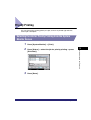
Registering the Department ID, Password, and Page Limit . . . . . . . . . . . . . . . 6-7
Changing the Password and Page Limit . . . . . . . . . . . . . . . . . . . . . . . . . . . . 6-10
Erasing the Department ID and Password. . . . . . . . . . . . . . . . . . . . . . . . . . . 6-12
Checking and Printing Counter Information . . . . . . . . . . . . . . . . . . . . . . . . . . 6-13
Clearing Page Totals . . . . . . . . . . . . . . . . . . . . . . . . . . . . . . . . . . . . . . . . . . . 6-14
ix
Accepting Print and Scan Jobs with Unknown IDs . . . . . . . . . . . . . . . . . . . .6-15
Remote UI . . . . . . . . . . . . . . . . . . . . . . . . . . . . . . . . . . . . . . . . . . . . . . . . . . . . . .6-17
Device Information Settings . . . . . . . . . . . . . . . . . . . . . . . . . . . . . . . . . . . . . . .6-19
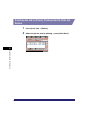
Clearing the Message Board. . . . . . . . . . . . . . . . . . . . . . . . . . . . . . . . . . . . . . .6-20
Auto Online/Offline . . . . . . . . . . . . . . . . . . . . . . . . . . . . . . . . . . . . . . . . . . . . . .6-21
Auto Online. . . . . . . . . . . . . . . . . . . . . . . . . . . . . . . . . . . . . . . . . . . . . . . . . . .6-21
Auto Offline. . . . . . . . . . . . . . . . . . . . . . . . . . . . . . . . . . . . . . . . . . . . . . . . . . .6-22
Current Date and Time . . . . . . . . . . . . . . . . . . . . . . . . . . . . . . . . . . . . . . . . . . .6-23
License Registration . . . . . . . . . . . . . . . . . . . . . . . . . . . . . . . . . . . . . . . . . . . . .6-25
Setting System Monitor Screen Restrictions . . . . . . . . . . . . . . . . . . . . . . . . .6-28
Restricting Access to the System Monitor Screen . . . . . . . . . . . . . . . . . . . . .6-28
Setting to Allow Secured Printing from the System Monitor Screen . . . . . . .6-29
Setting to Display Job Logs from the System Monitor Screen . . . . . . . . . . . .6-29
MEAP Settings . . . . . . . . . . . . . . . . . . . . . . . . . . . . . . . . . . . . . . . . . . . . . . . . . .6-31
Use HTTP Server . . . . . . . . . . . . . . . . . . . . . . . . . . . . . . . . . . . . . . . . . . . . . .6-31
Printing Installed Application Information . . . . . . . . . . . . . . . . . . . . . . . . . . . .6-32
Copy Set Numbering Options. . . . . . . . . . . . . . . . . . . . . . . . . . . . . . . . . . . . . .6-35
Displaying the Current Department ID/User Name . . . . . . . . . . . . . . . . . . . . .6-37
USB Settings . . . . . . . . . . . . . . . . . . . . . . . . . . . . . . . . . . . . . . . . . . . . . . . . . . .6-38
Using a USB Device. . . . . . . . . . . . . . . . . . . . . . . . . . . . . . . . . . . . . . . . . . . .6-38
Using a USB Host . . . . . . . . . . . . . . . . . . . . . . . . . . . . . . . . . . . . . . . . . . . . .6-38
Specifying Device Information Delivery Settings . . . . . . . . . . . . . . . . . . . . . .6-39
Registering/Deleting/Printing Delivery Destinations. . . . . . . . . . . . . . . . . . . .6-42
Registering Delivery Destinations . . . . . . . . . . . . . . . . . . . . . . . . . . . . . .6-42
Confirming Delivery Destination Settings . . . . . . . . . . . . . . . . . . . . . . . . .6-44
Deleting a Delivery Destination . . . . . . . . . . . . . . . . . . . . . . . . . . . . . . . .6-45
Printing the Delivery Destinations. . . . . . . . . . . . . . . . . . . . . . . . . . . . . . .6-46
Setting Automatic Delivery . . . . . . . . . . . . . . . . . . . . . . . . . . . . . . . . . . . . . . .6-47
Setting Manual Delivery . . . . . . . . . . . . . . . . . . . . . . . . . . . . . . . . . . . . . . . . .6-50
Restricting the Reception of Device Information . . . . . . . . . . . . . . . . . . . . . .6-51
Restoring Device Information . . . . . . . . . . . . . . . . . . . . . . . . . . . . . . . . . . . . .6-52
Restricting the Type of Information That Is Updated . . . . . . . . . . . . . . . . . . .6-53
Checking/Printing the Communication Log . . . . . . . . . . . . . . . . . . . . . . . . . .6-54
Checking the Communication Log. . . . . . . . . . . . . . . . . . . . . . . . . . . . . .6-54
Printing the Communication Log . . . . . . . . . . . . . . . . . . . . . . . . . . . . . . .6-54
Initializing All Data/Settings . . . . . . . . . . . . . . . . . . . . . . . . . . . . . . . . . . . . . . .6-56
Setting the Display Method When Entering a Password . . . . . . . . . . . . . . . .6-59
Forced Secure Watermark Mode . . . . . . . . . . . . . . . . . . . . . . . . . . . . . . . . . . .6-60
Specifying Encrypted Secured Printing Settings . . . . . . . . . . . . . . . . . . . . . .6-63
x
Setting to Receive Only Encrypted Secured Print Jobs. . . . . . . . . . . . . . . . . 6-63
Specifying Settings for All User Inboxes . . . . . . . . . . . . . . . . . . . . . . . . . . . . 6-64
Setting the Time until Documents Are Automatically Erased. . . . . . . . . . . . . 6-64
Printing upon Storing from the Printer Driver. . . . . . . . . . . . . . . . . . . . . . . . . 6-65
Storing/Editing Irregular Paper Types . . . . . . . . . . . . . . . . . . . . . . . . . . . . . . . 6-66
Storing Irregular Paper Types . . . . . . . . . . . . . . . . . . . . . . . . . . . . . . . . . . . . 6-66
Editing Irregular Paper Types. . . . . . . . . . . . . . . . . . . . . . . . . . . . . . . . . . . . . 6-67
Erasing Irregular Paper Types . . . . . . . . . . . . . . . . . . . . . . . . . . . . . . . . . . . . 6-69
Chapter 7
Routine Maintenance
Paper Drawers . . . . . . . . . . . . . . . . . . . . . . . . . . . . . . . . . . . . . . . . . . . . . . . . . . . 7-2
Loading Paper . . . . . . . . . . . . . . . . . . . . . . . . . . . . . . . . . . . . . . . . . . . . . . . . . 7-2
Adjusting a Paper Drawer to Hold a Different Paper Size . . . . . . . . . . . . . . . . 7-7
Paper Deck-Q1 (Optional) . . . . . . . . . . . . . . . . . . . . . . . . . . . . . . . . . . . . . . . . . 7-10
Loading Paper . . . . . . . . . . . . . . . . . . . . . . . . . . . . . . . . . . . . . . . . . . . . . . . . 7-10
Envelope Feeder Attachment-C2 (Optional) . . . . . . . . . . . . . . . . . . . . . . . . . . 7-14
How to Use the Envelope Feeder Attachment . . . . . . . . . . . . . . . . . . . . . . . . 7-14
Preparing the Envelopes . . . . . . . . . . . . . . . . . . . . . . . . . . . . . . . . . . . . . . . . 7-16
Loading Envelopes . . . . . . . . . . . . . . . . . . . . . . . . . . . . . . . . . . . . . . . . . . . . 7-18
Changing Envelope Sizes . . . . . . . . . . . . . . . . . . . . . . . . . . . . . . . . . . . . . . . 7-20
Feeder (DADF-N1) (Optional) . . . . . . . . . . . . . . . . . . . . . . . . . . . . . . . . . . . . . . 7-27
Replacing the Stamp Cartridge . . . . . . . . . . . . . . . . . . . . . . . . . . . . . . . . . . . 7-27
Finisher-S1/Puncher Unit-R1 (Optional) . . . . . . . . . . . . . . . . . . . . . . . . . . . . . 7-29
Replacing the Staple Cartridge . . . . . . . . . . . . . . . . . . . . . . . . . . . . . . . . . . . 7-29
Removing Punch Waste . . . . . . . . . . . . . . . . . . . . . . . . . . . . . . . . . . . . . . . . 7-33
Finisher-AE1/Saddle Finisher-AE2/Puncher Unit-M1 (Optional) . . . . . . . . . . 7-36
Replacing the Staple Cartridge in the Stapler Unit . . . . . . . . . . . . . . . . . . . . 7-36
Replacing the Staple Cartridge in the Saddle Stitcher Unit . . . . . . . . . . . . . . 7-40
Removing Punch Waste . . . . . . . . . . . . . . . . . . . . . . . . . . . . . . . . . . . . . . . . 7-43
Replacing the Toner Cartridge . . . . . . . . . . . . . . . . . . . . . . . . . . . . . . . . . . . . . 7-46
Routine Cleaning . . . . . . . . . . . . . . . . . . . . . . . . . . . . . . . . . . . . . . . . . . . . . . . . 7-51
Platen Glass and Cover . . . . . . . . . . . . . . . . . . . . . . . . . . . . . . . . . . . . . . . . . 7-52
Manual Feeder Cleaning . . . . . . . . . . . . . . . . . . . . . . . . . . . . . . . . . . . . . . . . 7-53
Automatic Feeder Cleaning . . . . . . . . . . . . . . . . . . . . . . . . . . . . . . . . . . . . . . 7-57
Consumables . . . . . . . . . . . . . . . . . . . . . . . . . . . . . . . . . . . . . . . . . . . . . . . . . . . 7-58
Chapter 8
Troubleshooting
Reducing the Frequency of Paper Jams . . . . . . . . . . . . . . . . . . . . . . . . . . . . . . 8-3
Clearing Paper Jams . . . . . . . . . . . . . . . . . . . . . . . . . . . . . . . . . . . . . . . . . . . . . . 8-4
xi
Screens Indicating the Locations of Paper Jams . . . . . . . . . . . . . . . . . . . . . . .8-4
Fixing Unit (Inside the Main Unit) . . . . . . . . . . . . . . . . . . . . . . . . . . . . . . . . . .8-11
Duplexing Unit (Inside the Main Unit). . . . . . . . . . . . . . . . . . . . . . . . . . . . . . .8-14
Stack Bypass . . . . . . . . . . . . . . . . . . . . . . . . . . . . . . . . . . . . . . . . . . . . . . . . .8-16
Paper Drawer 1 . . . . . . . . . . . . . . . . . . . . . . . . . . . . . . . . . . . . . . . . . . . . . . .8-19
Paper Drawer 2 . . . . . . . . . . . . . . . . . . . . . . . . . . . . . . . . . . . . . . . . . . . . . . .8-24
Cassette Feeding Unit-Y3 (Optional) . . . . . . . . . . . . . . . . . . . . . . . . . . . . . . .8-27
Paper Deck-Q1 (Optional) . . . . . . . . . . . . . . . . . . . . . . . . . . . . . . . . . . . . . . .8-30
Feeder (DADF-N1) (Optional) . . . . . . . . . . . . . . . . . . . . . . . . . . . . . . . . . . . .8-34
Finisher-S1 (Optional) . . . . . . . . . . . . . . . . . . . . . . . . . . . . . . . . . . . . . . . . . .8-38
Finisher-S1/Puncher Unit-R1 (Optional) . . . . . . . . . . . . . . . . . . . . . . . . . . . .8-43
Inside the Transfer Cover of the Finisher-S1 (Optional) . . . . . . . . . . . . . . . . .8-49
Inside the Top Cover of the Finisher-AE1/Saddle Finisher-AE2
(Optional) . . . . . . . . . . . . . . . . . . . . . . . . . . . . . . . . . . . . . . . . . . . . . . . . . . . .8-53
Inside the Buffer Pass Unit-E2 of the Finisher-AE1/Saddle Finisher-AE2
(Optional) . . . . . . . . . . . . . . . . . . . . . . . . . . . . . . . . . . . . . . . . . . . . . . . . . . . .8-56
Inside the Front Cover of the Saddle Finisher-AE2 (Optional) . . . . . . . . . . . .8-58
Saddle Stitcher Unit (Optional). . . . . . . . . . . . . . . . . . . . . . . . . . . . . . . . . . . .8-61
Puncher Unit-M1 (Optional) . . . . . . . . . . . . . . . . . . . . . . . . . . . . . . . . . . . . . .8-65
Inner 2 Way Tray-D1 (Optional) . . . . . . . . . . . . . . . . . . . . . . . . . . . . . . . . . . .8-67
Copy Tray-J1 (Optional) . . . . . . . . . . . . . . . . . . . . . . . . . . . . . . . . . . . . . . . . .8-71
Clearing Staple Jams. . . . . . . . . . . . . . . . . . . . . . . . . . . . . . . . . . . . . . . . . . . . .8-74
Finisher-S1 (Optional) . . . . . . . . . . . . . . . . . . . . . . . . . . . . . . . . . . . . . . . . . .8-74
Finisher-AE1/Saddle Finisher-AE2 (Optional) . . . . . . . . . . . . . . . . . . . . . . . .8-78
Saddle Stitcher Unit (Optional). . . . . . . . . . . . . . . . . . . . . . . . . . . . . . . . . . . .8-81
List of Error Messages . . . . . . . . . . . . . . . . . . . . . . . . . . . . . . . . . . . . . . . . . . .8-86
Self-Diagnostic Display . . . . . . . . . . . . . . . . . . . . . . . . . . . . . . . . . . . . . . . . .8-86
List of Error Codes without Messages . . . . . . . . . . . . . . . . . . . . . . . . . . . . . .8-89
If Memory Becomes Full during Scanning . . . . . . . . . . . . . . . . . . . . . . . . . . .8-97
Service Call Message . . . . . . . . . . . . . . . . . . . . . . . . . . . . . . . . . . . . . . . . . . .8-100
Contacting Your Local Authorized Canon Dealer . . . . . . . . . . . . . . . . . . . . .8-100
Setting the Limited Functions Mode from the Service Call Message
Screen . . . . . . . . . . . . . . . . . . . . . . . . . . . . . . . . . . . . . . . . . . . . . . . . . . . . .8-102
When the Power Does Not Turn ON . . . . . . . . . . . . . . . . . . . . . . . . . . . . . . . .8-104
Chapter 9
Appendix
Sample Reports . . . . . . . . . . . . . . . . . . . . . . . . . . . . . . . . . . . . . . . . . . . . . . . . . .9-3
Copy Log List . . . . . . . . . . . . . . . . . . . . . . . . . . . . . . . . . . . . . . . . . . . . . . . . . .9-3
Print Log List . . . . . . . . . . . . . . . . . . . . . . . . . . . . . . . . . . . . . . . . . . . . . . . . . .9-4
xii
Device Information Delivery Destination List . . . . . . . . . . . . . . . . . . . . . . . . . . 9-5
Device Information Communication Log Report . . . . . . . . . . . . . . . . . . . . . . . 9-6
Specifications . . . . . . . . . . . . . . . . . . . . . . . . . . . . . . . . . . . . . . . . . . . . . . . . . . . 9-8
Main Unit . . . . . . . . . . . . . . . . . . . . . . . . . . . . . . . . . . . . . . . . . . . . . . . . . . . . . 9-8
Feeder (DADF-N1). . . . . . . . . . . . . . . . . . . . . . . . . . . . . . . . . . . . . . . . . . . . . 9-10
Cassette Feeding Unit-Y3 . . . . . . . . . . . . . . . . . . . . . . . . . . . . . . . . . . . . . . . 9-11
Paper Deck-Q1 . . . . . . . . . . . . . . . . . . . . . . . . . . . . . . . . . . . . . . . . . . . . . . . 9-11
Envelope Feeder Attachment-C2. . . . . . . . . . . . . . . . . . . . . . . . . . . . . . . . . . 9-12
Finisher-S1 . . . . . . . . . . . . . . . . . . . . . . . . . . . . . . . . . . . . . . . . . . . . . . . . . . 9-12
Finisher-AE1 . . . . . . . . . . . . . . . . . . . . . . . . . . . . . . . . . . . . . . . . . . . . . . . . . 9-14
Saddle Finisher-AE2 . . . . . . . . . . . . . . . . . . . . . . . . . . . . . . . . . . . . . . . . . . . 9-15
Puncher Unit-M1 . . . . . . . . . . . . . . . . . . . . . . . . . . . . . . . . . . . . . . . . . . . . . . 9-16
Puncher Unit-R1 . . . . . . . . . . . . . . . . . . . . . . . . . . . . . . . . . . . . . . . . . . . . . . 9-17
Additional Finisher Tray-B1 . . . . . . . . . . . . . . . . . . . . . . . . . . . . . . . . . . . . . . 9-18
Inner 2 Way Tray-D1 . . . . . . . . . . . . . . . . . . . . . . . . . . . . . . . . . . . . . . . . . . . 9-19
Copy Tray-J1 . . . . . . . . . . . . . . . . . . . . . . . . . . . . . . . . . . . . . . . . . . . . . . . . . 9-19
Card Reader-C1 . . . . . . . . . . . . . . . . . . . . . . . . . . . . . . . . . . . . . . . . . . . . . . 9-20
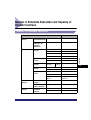
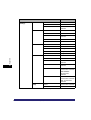
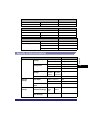
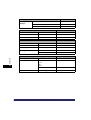
Number of Enterable Characters and Capacity of Various Functions . . . . . 9-21
Number of Enterable Characters . . . . . . . . . . . . . . . . . . . . . . . . . . . . . . . . . . 9-21
Capacity of Various Functions . . . . . . . . . . . . . . . . . . . . . . . . . . . . . . . . . . . . 9-23
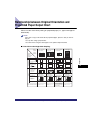
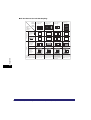
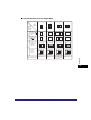
Relationship between Original Orientation and Preprinted Paper
Output Chart . . . . . . . . . . . . . . . . . . . . . . . . . . . . . . . . . . . . . . . . . . . . . . . . . . . 9-25
Index . . . . . . . . . . . . . . . . . . . . . . . . . . . . . . . . . . . . . . . . . . . . . . . . . . . . . . . . . . 9-28
System Management of the imageRUNNER 3045/3035/3030/3025 . . . . . . . . 9-35
Entering the System Management Mode . . . . . . . . . . . . . . . . . . . . . . . . . . . 9-35
If Department ID Management Is Enabled . . . . . . . . . . . . . . . . . . . . . . . 9-36
If Department ID Management Is Not Enabled . . . . . . . . . . . . . . . . . . . . 9-36
Canceling the System Management Mode . . . . . . . . . . . . . . . . . . . . . . . . . . 9-38
Managing Inboxes in the System Management Mode . . . . . . . . . . . . . . . . . . 9-38
Changing the Mail Box Settings in the System Management Mode . . . . . . . 9-39
xiii
Preface
Thank you for purchasing the Canon imageRUNNER 3045/3035/3030/3025. Please read
this manual thoroughly before operating the machine to familiarize yourself with its
capabilities, and to make the most of its many functions. After reading this manual, store it in
a safe place for future reference.
How To Use This Manual
Symbols Used in This Manual
The following symbols are used in this manual to explain procedures, restrictions,
handling precautions, and instructions that should be observed for safety.
.
WARNING
Indicates a warning concerning operations that may lead to death or
injury to persons if not performed correctly. To use the machine safely,
always pay attention to these warnings.
.
CAUTION
Indicates a caution concerning operations that may lead to injury to
persons, or damage to property if not performed correctly. To use the
machine safely, always pay attention to these cautions.
.
IMPORTANT
Indicates operational requirements and restrictions. Be sure to read
these items carefully to operate the machine correctly, and avoid
damage to the machine.
.
NOTE
xiv
Indicates a clarification of an operation, or contains additional
explanations for a procedure. Reading these notes is highly
recommended.
Keys Used in This Manual
The following symbols and key names are a few examples of how keys to be
pressed are expressed in this manual:
• Touch Panel Display Keys:
Examples:
[Cancel]
[Done]
• Control Panel Keys:
Examples:
[Key Name]
Key Icon (Key Name)
(Start)
(Stop)
Displays Used in This Manual
Screen shots of the touch panel display used in this manual are those taken when
the optional Universal Send Kit has been activated, and the following optional
equipment is attached to the imageRUNNER 3045: the Super G3 FAX Board, UFR
II/PCL Printer Kit, Finisher-S1, Additional Finisher Tray-B1, and Cassette Feeding
Unit-Y3.
Note that functions that cannot be used depending on the model or options, are not
displayed on the touch panel display.
The keys which you should press are marked with a
, as shown below.
When multiple keys can be pressed on the touch panel display, all keys are marked.
Select the keys which suit your needs.
Place your originals ➞ press [Special Features].
Press this key for operation.
xv
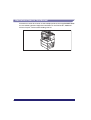
Illustrations Used in This Manual
Illustrations used in this manual are those displayed when the imageRUNNER 3045
has the following optional equipment attached to it: the Finisher-S1, Additional
Finisher Tray-B1, and Cassette Feeding Unit-Y3.
xvi
Operations and Terms Used in This Manual
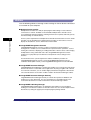
This machine makes effective use of memory to perform print operations efficiently.
For example, as soon as the machine has scanned the original that you want to
copy, it can immediately scan the next person's original. You can also print from this
machine, using a function other than the Copy function. In this machine, these
operations take place in a complex way, so that not only copies, but also various
kinds of prints may sometimes have to wait their turn before they can be printed.
To avoid confusion when reading this manual, the terms "scanning," "printing," and
"copying," used throughout this manual are defined below. When making a copy,
the process of scanning originals and printing copies may be described as separate
functions.
Scanning
Scanning an original to be copied, or
scanning an original to be stored as
data in an inbox.
Printing
Outputting a copy, outputting data stored in an inbox,
or outputting data sent from a personal computer
to the machine.
xvii
Copying
Printing data scanned from an original,
followed by finishing options, such as
stapling.
xviii
Legal Notices
Product Name
Safety regulations require the product's name to be registered. In some regions
where this product is sold, the following name(s) in ( ) may be registered instead.
imageRUNNER 3045/3035/3030 (F145400)
imageRUNNER 3025 (F143300)
FCC (Federal Communications Commission)
Note: This equipment has been tested and found to comply with the limits for a
Class A digital device, pursuant to Part 15 of the FCC Rules. These limits are
designed to provide reasonable protection against harmful interference when the
equipment is operated in a commercial environment. This equipment generates,
uses, and can radiate, radio frequency energy and, if not installed and used in
accordance with the Operator's Manual, may cause harmful interference to radio
communications. Operation of this equipment in a residential area is likely to cause
harmful interference in which case the user will be required to correct the
interference at his own expense.
Use of shielded cables are required to comply with Class A limits in Subpart B of
Part 15 of the FCC Rules.
Do not make any changes or modifications to the equipment unless otherwise
specified in the manual. If you make such changes or modifications, you could be
required to stop operation of the equipment.
If your equipment malfunctions, please contact your local authorized Canon dealer
from whom you purchased the equipment (if under warranty), or with whom you
have a servicing contract. If you are not sure who to contact, and have both
purchased and are using the equipment in the U.S.A., please refer to the
"SUPPORT" page on Canon U.S.A.'s Web site (http://www.usa.canon.com).
xix
Laser Safety
This product complies with 21 CFR Chapter 1 Subchapter J as a Class I laser
product under the U.S. Department of Health and Human Services (DHHS)
Radiation Performance Standard according to the Radiation Control for Health and
Safety Act of 1968. Also, this product is certified as a Class I laser product under
IEC60825-1: 1993 and EN60825-1: 1994. This means that the product does not
produce hazardous laser radiation.
Since radiation emitted inside the product is completely confined within protective
housings and external covers, the laser beam cannot escape from the machine
during any phase of user operation. Do not remove protective housings or external
covers, except as directed by the equipment's Reference Guide.
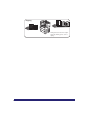
The labels shown below are attached to the Paper Drawer's Right Cover and Toner
Supply Port Cover.
CAUTION
Use of controls, adjustments, or performance of procedures other than those
specified in this manual may result in hazardous radiation exposure.
xx
Abbreviations Used in This Manual
In this manual, product names and model names are abbreviated as follows:
Novell NetWare®:
NetWare
International Energy Star Program
As an ENERGY STAR ® Partner, Canon USA, Inc. has determined
that this machine meets the ENERGY STAR ® Program guidelines
for energy efficiency.
The International ENERGY STAR ® Office Equipment Program is
an international program that promotes energy saving through
the use of computers and other office equipment. The
program backs the development and dissemination of
products with functions that effectively reduce energy
consumption. It is an open system in which business
proprietors can participate voluntarily. The targeted products
are office equipment, such as computers, displays, printers,
facsimiles, and copiers. The standards and logos are uniform
among participating nations.
xxi
Trademarks
Canon, the Canon logo, imageRUNNER, MEAP, and NetSpot are registered
trademarks, and the MEAP logo and imageWARE are trademarks of Canon Inc. in
the United States and may also be trademarks or registered trademarks in other
countries.
Adobe, Adobe Acrobat, PostScript, and PostScript 3 are trademarks of Adobe
Systems Incorporated.
Mac OS and AppleTalk are trademarks of Apple Computer, Inc.
Windows and Active Directory are registered trademarks of Microsoft Corporation
in the United States and other countries.
NetWare® is a registered trademark of Novell, Inc.
Java and all Java-based trademarks and logos are trademarks or registered
trademarks of Sun Microsystems, Inc. in the United States and other countries.
The following fonts are licensed from Bitstream Technologies, Inc.
Dutch 801 Bold, Dutch 801 Roman, Fixed Pitch 810 Courier 10 Pitch/Text.
The following font is a trademark of Bitstream Inc.
Dutch 801
© Copyright 1987, Bitstream Inc., Cambridge Massachusetts USA.
All rights reserved.
Other product and company names herein may be the trademarks of their
respective owners.
xxii
Copyright
Copyright 2006 by Canon Inc. All rights reserved.
No part of this publication may be reproduced or transmitted in any form or by any
means, electronic or mechanical, including photocopying and recording, or by any
information storage or retrieval system without the prior written permission of
Canon Inc.
Disclaimers
The information in this document is subject to change without notice.
CANON INC. MAKES NO WARRANTY OF ANY KIND WITH REGARD TO THIS
MATERIAL, EITHER EXPRESS OR IMPLIED, EXCEPT AS PROVIDED HEREIN,
INCLUDING WITHOUT LIMITATION, THEREOF, WARRANTIES AS TO
MARKETABILITY, MERCHANTABILITY, FITNESS FOR A PARTICULAR
PURPOSE OF USE OR NON-INFRINGEMENT. CANON INC. SHALL NOT BE
LIABLE FOR ANY DIRECT, INCIDENTAL, OR CONSEQUENTIAL DAMAGES OF
ANY NATURE, OR LOSSES OR EXPENSES RESULTING FROM THE USE OF
THIS MATERIAL.
LAMP(S) INSIDE THIS PRODUCT CONTAIN MERCURY AND MUST BE
RECYCLED OR DISPOSED OF ACCORDING TO LOCAL, STATE OR FEDERAL
LAWS.
xxiii
Legal Limitations on the Usage of Your Product and the
Use of Images
Using your product to scan, print or otherwise reproduce certain documents, and
the use of such images as scanned, printed or otherwise reproduced by your
product, may be prohibited by law and may result in criminal and/or civil liability. A
non-exhaustive list of these documents is set forth below. This list is intended to be
a guide only. If you are uncertain about the legality of using your product to scan,
print or otherwise reproduce any particular document, and/or of the use of the
images scanned, printed or otherwise reproduced, you should consult in advance
with your legal advisor for guidance.
xxiv
•
Paper Money
•
Travelers Checks
•
Money Orders
•
Food Stamps
•
Certificates of Deposit
•
Passports
•
Postage Stamps
(canceled or uncanceled)
•
Immigration Papers
•
Identifying Badges or Insignias
•
Internal Revenue Stamps
(canceled or uncanceled)
•
Selective Service or Draft Papers
•
Bonds or Other Certificates of
Indebtedness
•
Checks or Drafts Issued by
Governmental Agencies
•
Stock Certificates
•
Motor Vehicle Licenses and
Certificates of Title
•
Copyrighted Works/Works of Art
without Permission of Copyright Owner
Important Safety Instructions
Please read these "Important Safety Instructions" thoroughly before operating the
machine. As these instructions are intended to prevent injury to the user or other
persons or destruction of property, always pay attention to these instructions. Also,
since it may result in unexpected accidents or injuries, do not perform any operation
unless otherwise specified in the manual. Improper operation or use of this
machine could result in personal injury and/or damage requiring extensive repair
that may not be covered under your Limited Warranty.
Installation
WARNING
• Do not install the machine near alcohol, paint thinner, or other flammable
substances. If flammable substances come into contact with electrical parts inside
the machine, it may result in a fire or electrical shock.
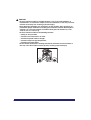
• Do not place the following items on the machine. If these items come into contact
with a high-voltage area inside the machine, it may result in a fire or electrical shock.
If these items are dropped or spilled inside the machine, immediately turn OFF the
main power switch, and disconnect the power cord from the power outlet. Then,
contact your local authorized Canon dealer.
- Necklaces and other metal objects
- Cups, vases, flowerpots, and other containers filled with water or liquids
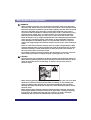
OFF
xxv
CAUTION
• Do not install the machine in unstable locations, such as unsteady platforms or
inclined floors, or in locations subject to excessive vibrations, as this may cause the
machine to fall or tip over, resulting in personal injury.
• Never block the ventilation slots and louvers on the machine. These openings are
provided for proper ventilation of working parts inside the machine. Blocking these
openings can cause the machine to overheat. Never place the machine on a soft
surface, such as a sofa or rug.
• Do not install the machine in the following locations:
- A damp or dusty location
- A location near water faucets or water
- A location exposed to direct sunlight
- A location subject to high temperatures
- A location near open flames
• Do not remove the machine's leveling feet after the machine has been installed, as
this may cause the machine to fall or tip over, resulting in personal injury.
xxvi
Power Supply
WARNING
• Do not damage or modify the power cord. Also, do not place heavy objects on the
power cord, or pull on or excessively bend it, as this could cause electrical damage
and result in a fire or electrical shock.
• Keep the power cord away from a heat source; failure to do this may cause the power
cord coating to melt, resulting in a fire or electrical shock.
• Do not connect or disconnect the power cord with wet hands, as this may result in
electrical shock.
• Do not connect the power cord to a multiplug power strip, as this may cause a fire or
electrical shock.
• Do not bundle up or tie the power cord in a knot, as this may result in a fire or
electrical shock.
• Insert the power plug completely into the power outlet, as failure to do so may result
in a fire or electrical shock.
• Do not use power cords other than the power cord provided, as this may result in a
fire or electrical shock.
• As a general rule, do not use extension cords. Using an extension cord may result in
a fire or electrical shock. If an extension cord must be used, however, use one rated
for voltages of 120V AC and over, untie the cord binding, and insert the power plug
completely into the extension cord outlet to ensure a firm connection between the
power cord and the extension cord.
CAUTION
• Do not use power supplies with voltages other than those specified herein, as this
may result in a fire or electrical shock.
• Always grasp the power plug when disconnecting the power cord. Pulling on the
power cord may expose or snap the core wire, or otherwise damage the power cord. If
the power cord is damaged, this could cause current to leak, resulting in a fire or
electrical shock.
• Leave sufficient space around the power plug so that it can be unplugged easily. If
objects are placed around the power plug, you will be unable to unplug it in an
emergency.
xxvii
Handling
WARNING
• Do not attempt to disassemble or modify the machine. There are high-temperature
and high-voltage components inside the machine which may result in a fire or
electrical shock.
• If the machine makes strange noises, or gives off smoke, heat, or strange smells,
immediately turn OFF the main power switch, and disconnect the power cord from
the power outlet. Then, contact your local authorized Canon dealer. Continued use of
the machine in this condition may result in a fire or electrical shock.
• Do not use highly flammable sprays near the machine. If gas from these sprays
comes into contact with the electrical components inside the machine, it may result
in a fire or electrical shock.
• To avoid damage to the power cord and creating a fire hazard, always turn OFF the
main power switch, and unplug the interface cable when moving the machine.
Otherwise, the power cord or interface cable may be damaged, resulting in a fire or
electrical shock.
• Do not drop paper clips, staples, or other metal objects inside the machine. Also, do
not spill water, liquids, or flammable substances (alcohol, benzene, paint thinner,
etc.) inside the machine. If these items come into contact with a high-voltage area
inside the machine, it may result in a fire or electrical shock. If these items are
dropped or spilled inside the machine, immediately turn OFF the main power switch,
and disconnect the power cord from the power outlet. Then, contact your local
authorized Canon dealer.
xxviii
CAUTION
• Do not place heavy objects on the machine, as they may tip over or fall resulting in
personal injury.
• Close the feeder/platen cover gently to avoid catching your hands, as this may result
in personal injury.
• Do not press down hard on the feeder/platen cover when using the platen glass to
make copies of thick books. Doing so may damage the platen glass and result in
personal injury.
• Do not touch the finisher while the machine is printing, as this may result in personal
injury.
• Turn OFF the control panel power switch for safety when the machine will not be used
for a long period of time, such as overnight. Also, turn OFF the main power switch,
and disconnect the power cord for safety when the machine will not be used for an
extended period of time, such as during consecutive holidays.
• Do not place your hands, hair, clothing, etc., near the exit and feed rollers. Even if the
machine is not in operation, your hands, hair, or clothing may get caught in the
rollers, which may result in personal injury or damage if the machine suddenly starts
printing.
• Do not place your hands in the part of the tray where stapling is performed (near the
rollers) when a finisher is attached, as this may result in personal injury.
Finisher-S1
Finisher-AE1/Saddle Finisher-AE2
• The laser beam can be harmful to human bodies. Since radiation emitted inside the
product is completely confined within protective housings and external covers, the
laser beam cannot escape from the machine during any phase of user operation.
Read the following remarks and instructions for safety.
• Never open covers other than those instructed in this manual.
xxix
• Do not remove the following caution labels which are attached to the machine.
• If the laser beam escapes from the machine, exposure may cause serious damage to
your eyes.
xxx
Maintenance and Inspections
WARNING
• When cleaning the machine, first turn OFF the main power switch, then disconnect
the power cord. Failure to observe these steps may result in a fire or electrical shock.
• Disconnect the power cord from the power outlet regularly, and clean the area around
the base of the power plug's metal pins and the power outlet with a dry cloth to
ensure that all dust and grime is removed. If the power cord is connected for a long
period of time in a damp, dusty, or smoky location, dust can build up around the
power plug and become damp. This may cause a short circuit and result in a fire.
• Clean the machine using a slightly dampened cloth with a mild detergent mixed with
water. Do not use alcohol, benzene, paint thinner, or other flammable substances.
Check detergent for flammability prior to use. If flammable substances come into
contact with a high-voltage area inside the machine, it may result in a fire or electrical
shock.
• There are some areas inside the machine which are subject to high-voltages. When
removing jammed paper or when inspecting the inside of the machine, do not allow
necklaces, bracelets, or other metal objects to touch the inside of the machine, as
this may result in burns or electrical shock.
• Do not burn or throw used toner cartridges into open flames, as this may cause the
toner remaining inside the cartridges to ignite, resulting in burns or a fire.
CAUTION
• The fixing unit and its surroundings inside the machine may become hot during use.
When removing jammed paper or when inspecting the inside of the machine, do not
touch the fixing unit and its surroundings, as doing so may result in burns or
electrical shock.
• When removing jammed paper or replacing the toner cartridge, take care not to allow
the toner to come into contact with your hands or clothing, as this will dirty your
hands or clothing. If they become dirty, wash them immediately with cold water.
Washing them with warm water will set the toner, and make it impossible to remove
the toner stains.
• When removing paper which has become jammed inside the machine, remove the
jammed paper gently to prevent the toner on the paper from scattering and getting
into your eyes or mouth. If the toner gets into your eyes or mouth, wash them
immediately with cold water and immediately consult a physician.
xxxi
• When loading paper or removing jammed originals or paper, take care not to cut your
hands on the edges of the originals or paper.
• When removing a used toner cartridge, remove the cartridge carefully to prevent the
toner from scattering and getting into your eyes or mouth. If the toner gets into your
eyes or mouth, wash them immediately with cold water and immediately consult a
physician.
• Do not dismantle the toner cartridge, as doing so may cause toner to fly out and enter
your eyes or mouth. If the toner gets into your eyes or mouth, wash them immediately
with cold water and immediately consult a physician.
• If toner escapes from the toner cartridge, make sure not to ingest the toner or allow it
to directly touch your skin. If toner touches your skin, wash it away with soap and
water. If your skin still feels irritated after washing it, or you ingest toner, consult a
doctor immediately.
Consumables
WARNING
• Do not burn or throw used toner cartridges into open flames, as this may cause the
toner remaining inside the cartridges to ignite, resulting in burns or a fire.
• Do not store toner cartridges or copy paper in places exposed to open flames, as this
may cause the toner or paper to ignite, resulting in burns or a fire.
• When discarding used toner cartridges, put the cartridges in a bag to prevent the
toner remaining inside the cartridges from scattering, and dispose of them in a
location away from open flames.
CAUTION
• Keep toner and other consumables out of the reach of small children. If these items
are ingested, consult a physician immediately.
• Do not dismantle the toner cartridge, as doing so may cause toner to fly out and enter
your eyes or mouth. If the toner gets into your eyes or mouth, wash them immediately
with cold water and immediately consult a physician.
• If toner escapes from the toner cartridge, make sure not to ingest the toner or allow it
to directly touch your skin. If toner touches your skin, wash it away with soap and
water. If your skin still feels irritated after washing it, or you ingest toner, consult a
doctor immediately.
Other Warnings
WARNING
For cardiac pacemaker users:
This product generates a low level magnetic field. If you use a cardiac pacemaker and
feel abnormalities, please move away from the product and consult your doctor.
xxxii
Periodic Inspection of the Breaker
This machine has a breaker that detects excess current or leakage current. Be sure
to test the breaker once or twice a month using the following procedure.
IMPORTANT
• Make sure that the main power is turned OFF, before inspecting the breaker.
• If a malfunction occurs after an inspection, contact your local authorized Canon dealer.
Checking the Breaker
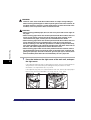
1
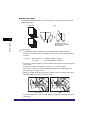
Push the test button with the tip of a ball-point pen, or a
similar object.
IMPORTANT
Briefly push the test button.
NOTE
• The breaker is located on the back side of the machine.
• For more information on the location of the breaker, see "External View," on p.
1-11.
xxxiii
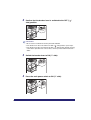
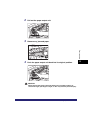
2
Confirm that the breaker lever is switched to the OFF (" "
side) position.
OFF
ON
( side)
( I side)
IMPORTANT
• Do not use the test button to turn the power ON and OFF.
• If the breaker lever does not switch to the OFF (" " side) position, repeat step 1.
• If the breaker lever does not switch to the OFF (" " side) position, despite carrying
out the above procedure two or three times, contact your local authorized Canon
dealer.
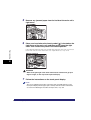
3
Switch the breaker lever to ON ("I" side).
OFF
ON
( side)
( I side)
4
Press the main power switch to ON ("I" side).
ON
( I side)
OFF
(
xxxiv
side)
5
Fill in the check sheet, located on the next page, to document
your periodic inspections of the breaker.
xxxv
Check Sheet for the Periodic Inspection of the
Breaker
Copy this page for future use, and store it in a safe place near the machine to
document your periodic inspections of the breaker.
■ How to Inspect the Breaker Periodically
Follow the procedure described in "Periodic Inspection of the Breaker," on p. xxxiii, once
or twice a month.
■ How to Fill in This Check Sheet
Fill in the date of inspection and the name of the inspector.
When the inspection is completed successfully, write a check mark under "OK."
If not, contact your local authorized Canon dealer. (Also, write a check mark under "NG"
(No Good).)
Date of
Inspection
xxxvi
Inspector
Result
OK
NG
Date of
Inspection
Inspector
Result
OK
NG
Before You Start Using This
Machine
CHAPTER
This chapter describes what you should know before using this machine, such as parts and
their functions, and how to turn ON the main power.
Installation Location and Handling . . . . . . . . . . . . . . . . . . . . . . . . . . . . . . . . . . . . . . . . . . 1-2
Installation Precautions . . . . . . . . . . . . . . . . . . . . . . . . . . . . . . . . . . . . . . . . . . . . . . . . . . . . . . . .1-2
Handling Precautions . . . . . . . . . . . . . . . . . . . . . . . . . . . . . . . . . . . . . . . . . . . . . . . . . . . . . . . . . .1-7
Parts and Their Functions. . . . . . . . . . . . . . . . . . . . . . . . . . . . . . . . . . . . . . . . . . . . . . . . 1-11
External View . . . . . . . . . . . . . . . . . . . . . . . . . . . . . . . . . . . . . . . . . . . . . . . . . . . . . . . . . . . . . . .1-11
Internal View. . . . . . . . . . . . . . . . . . . . . . . . . . . . . . . . . . . . . . . . . . . . . . . . . . . . . . . . . . . . . . . .1-13
Control Panel Parts and Functions . . . . . . . . . . . . . . . . . . . . . . . . . . . . . . . . . . . . . . . . . . . . . . .1-14
Main Power and Control Panel Power . . . . . . . . . . . . . . . . . . . . . . . . . . . . . . . . . . . . . . 1-15
How to Turn ON the Main Power . . . . . . . . . . . . . . . . . . . . . . . . . . . . . . . . . . . . . . . . . . . . . . . .1-15
Control Panel Power Switch . . . . . . . . . . . . . . . . . . . . . . . . . . . . . . . . . . . . . . . . . . . . . . . . . . . .1-20
Shutting Down the Machine . . . . . . . . . . . . . . . . . . . . . . . . . . . . . . . . . . . . . . . . . . . . . . . . . . . .1-21
System Settings . . . . . . . . . . . . . . . . . . . . . . . . . . . . . . . . . . . . . . . . . . . . . . . . . . . . . . . 1-26
1-1
Installation Location and Handling
Before You Start Using This Machine
1
This section describes precautions for installation location and handling. We
recommend that you read this section prior to using this machine.
Installation Precautions
Avoid Installing the Machine in the Following Locations
■ Avoid locations subject to temperature and humidity extremes, whether
low or high.
For example, avoid installing the machine near water faucets, hot water heaters,
humidifiers, air conditioners, heaters, or stoves.
■ Avoid installing the machine in direct sunlight.
If this is unavoidable, use curtains to shade the machine. Be sure that the curtains do not
block the machine's ventilation slots or louvers, or interfere with the electrical cord or
power supply.
1-2
Installation Location and Handling
■ Avoid poorly ventilated locations.
This machine generates a slight amount of ozone during normal use. Although sensitivity
to ozone may vary, this amount is not harmful. Ozone may be more noticeable during
extended use or long production runs, especially in poorly ventilated rooms. It is
recommended that the room be appropriately ventilated, sufficient to maintain a
comfortable working environment, in areas of machine operation.
Before You Start Using This Machine
1
■ Avoid locations where a considerable amount of dust accumulates.
■ Avoid locations where ammonia gas is emitted.
■ Avoid locations near volatile or flammable materials, such as alcohol or
paint thinner.
■ Avoid locations that are subject to vibration.
For example, avoid installing the machine on unstable floors or stands.
Installation Location and Handling
1-3
■ Avoid exposing the machine to rapid changes in temperature.
If the room in which the machine is installed is cold but rapidly heated, water droplets
(condensation) may form inside the machine. This may result in a noticeable degradation
in the quality of the copied image, the inability to properly scan an original, or the copies
having no printed image at all.
Before You Start Using This Machine
1
■ Avoid installing the machine near computers or other precision electronic
equipment.
Electrical interference and vibrations generated by the machine during printing can
adversely affect the operation of such equipment.
■ Avoid installing the machine near televisions, radios, or similar electronic
equipment.
The machine might interfere with sound and picture signal reception. Insert the power
plug into a dedicated power outlet, and maintain as much space as possible between the
machine and other electronic equipment.
■ Do not remove the machine's leveling feet.
Do not remove the machine's leveling feet after the machine has been installed. If you put
weight on the front of the machine while the drawers or units within the machine are pulled
out, the machine may fall forward. To prevent this from happening, make sure that the
machine's leveling feet are in place.
1-4
Installation Location and Handling
Select a Safe Power Supply
■ Plug the machine into a 120 V AC outlet.
■ Make sure that the power supply for the machine is safe, and has a steady
voltage.
■ Do not connect the power cord to a multiplug power strip, as this may
cause a fire or electrical shock.
■ The power cord may become damaged if it is often stepped on or if heavy
objects are placed on it. Continued use of a damaged power cord can lead
to an accident, such as a fire or electrical shock.
Installation Location and Handling
1-5
Before You Start Using This Machine
1
■ Do not connect other electrical equipment to the same power outlet to
which the machine is connected.
Provide Adequate Installation Space
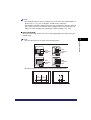
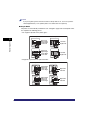
■ Provide enough space on each side of the machine for unrestricted
operation.
No option is attached.
1
Before You Start Using This Machine
4" (100 mm) or more
45 5/8" (1,158 mm)
40 3/4" (1,035 mm)
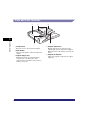
The optional Feeder (DADF-N1), Finisher-S1, and
Paper Deck-Q1 are attached.
4" (100 mm) or more
42 3/4" (1,087 mm)
61 1/8" (1,553 mm)
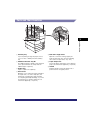
The optional Feeder (DADF-N1), Saddle Finisher-AE2,
Puncher Unit-M1, Buffer Pass Unit-E2, and Paper
Deck-Q1 are attached.
4" (100 mm) or more
46" (1,169 mm)
82" (2,082 mm)
1-6
Installation Location and Handling
Moving the Machine
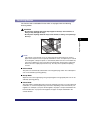
■ If you intend to move the machine, even to a location on the same floor of
your building, contact your local authorized Canon dealer beforehand. Do
not attempt to move the machine yourself.
Before You Start Using This Machine
1
Handling Precautions
■ Do not attempt to disassemble or modify the machine.
Installation Location and Handling
1-7
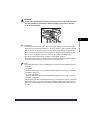
■ Some parts inside the machine are subject to high-voltages and
temperatures. Take adequate precautions when inspecting the inside of
the machine. Do not carry out any inspections not described in this
manual.
■ Be careful not to spill liquid or drop any foreign objects, such as paper
clips or staples inside the machine. If a foreign object comes into contact
with electrical parts inside the machine, it might cause a short circuit and
result in a fire or electrical shock.
Before You Start Using This Machine
1
■ If there is smoke, or unusual noise, immediately turn the main power
switch OFF, disconnect the power cord from the outlet, and call your local
authorized Canon dealer. Using the machine in this state may cause a fire
or electrical shock. Also, avoid placing objects around the power plug so
that the machine can be disconnected whenever necessary.
OFF
1-8
Installation Location and Handling
■ Do not turn the main power switch OFF or open the front covers while the
machine is in operation. This might result in paper jams.
■ Do not use flammable sprays, such as spray glue, near the machine. There
is a danger of ignition.
■ This machine generates a slight amount of ozone during normal use.
Although sensitivity to ozone may vary, this amount is not harmful. Ozone
may be more noticeable during extended use or long production runs,
especially in poorly ventilated rooms. It is recommended that the room be
appropriately ventilated, sufficient to maintain a comfortable working
environment, in areas of machine operation.
■ For safety reasons, turn OFF the control panel power switch of the
machine when it will not be used for a long period of time, such as
overnight. As an added safety measure, turn OFF the main power switch,
and disconnect the power cord when the machine will not be used for an
extended period of time, such as during consecutive holidays.
OFF
Installation Location and Handling
1-9
Before You Start Using This Machine
1
■ Use a modular cable that is shorter than three meters.
CAUTION
Canon recommends that data stored on the product's hard disk drive be
duplicated or backed up to prevent its loss in the event of failure or other
malfunction of the hard disk drive. Neither Canon nor any service provider will
be liable for damages for loss of data stored on the product's hard disk drive.
(See the terms of the product's Limited Warranty for more details).
Before You Start Using This Machine
1
1-10
Installation Location and Handling
Parts and Their Functions
External View
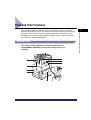
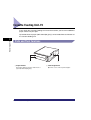
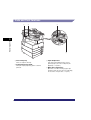
The optional Feeder (DADF-N1) (standard-equipped for the
imageRUNNER 3045/3035) and Cassette Feeding Unit-Y3 are
attached.
a
b
l
c
d
k
e
j
i
h
g
f
Parts and Their Functions
1-11
1
Before You Start Using This Machine
This section provides you with the names and functions of all the parts on the
outside and inside of the main unit, control panel, and the touch panel display. An
illustration of the machine with some optional equipment attached to it is also
provided. For more information on optional equipment, parts and their functions,
see Chapter 3, "Optional Equipment."
a Feeder (DADF-N1) (Optional)
Originals placed in the feeder are automatically
fed sheet by sheet to the platen glass for
scanning. The feeder also automatically turns
over two-sided originals to make two or one
sided copies. The feeder is standard-equipped
for the imageRUNNER 3045/3035.
Before You Start Using This Machine
1
b Control Panel
Includes the keys, touch panel display, and
indicators required for operating the machine.
(See "Control Panel Parts and Functions," on p.
1-14.)
c Main Unit's Right Cover
Open this cover when clearing a paper jam
inside the main unit. (See "Screens Indicating
the Locations of Paper Jams," on p. 8-4.)
d Stack Bypass
Use the stack bypass to feed paper manually,
and for loading nonstandard paper stock, such
as envelopes. (See "Making Prints Using the
Stack Bypass," on p. 2-39.)
e Main Power Switch
f Test Button
Press this button to periodically test the circuit
breaker. (See "Periodic Inspection of the
Breaker," on p. xxxiii.)
g Breaker
Detects excess current or leakage current. (See
"Periodic Inspection of the Breaker," on p. xxxiii.)
h Paper Drawer's Right Cover
Open this cover when clearing a paper jam in
Paper Drawers 1 and 2.
i Paper Drawer 2
Holds up to 550 sheets of paper (20 lb bond
(80 g/m2)).
j Paper Drawer 1
Holds up to 550 sheets of paper (20 lb bond
(80 g/m2)).
k Output Tray
Prints and copies are output to this tray.
l Output Paper Tray Guide
Tilt the output paper tray guide up to prevent
output papers from falling down.
Press to the "I" side to turn the power ON. (See
"Main Power and Control Panel Power," on p.
1-15.)
NOTE
For more information on the optional equipment that can be attached to the machine, see
Chapter 3, "Optional Equipment."
1-12
Parts and Their Functions
Internal View
The optional Feeder (DADF-N1) (standard-equipped for the imageRUNNER
3045/3035) and Cassette Feeding Unit-Y3 are attached.
Before You Start Using This Machine
1
a
b
c
e
d
a Platen Glass
Use the platen glass when scanning books, thick
originals, thin originals, transparencies, etc.
b Fixing Unit's Upper Cover
Open this cover to clear a paper jam in the fixing
unit. (See "Fixing Unit (Inside the Main Unit)," on
p. 8-11.)
d Toner Supply Port Cover
Open this cover to replace the toner cartridge.
e Toner Cartridge
When toner runs out, pull out the toner cartridge,
and replace it with a new one. Toner cartridges
are sold separately (not standard equipment).
(See "Consumables," on p. 7-58.)
c Duplexing Unit
Pull out the duplexing unit to clear a paper jam.
(See "Duplexing Unit (Inside the Main Unit)," on
p. 8-14.)
Parts and Their Functions
1-13
Control Panel Parts and Functions
a
Before You Start Using This Machine
1
b
c
d
p
o
n m l k j ih g f
a Control Panel Power Switch (Sub Power
Supply)
Press to turn the control panel ON or OFF. When
the control panel power switch is held for more
than three seconds, it initiates the Shutdown
mode. (See "Shutting Down the Machine," on
p. 1-21.) When turned OFF, the machine is in the
Sleep mode.
b Counter Check key
Press to display the copy and print count totals
on the touch panel display.
c Stop key
Press to stop a job in progress, such as a scan,
copy, or fax (scanning only) job.
d Start key
Press to start an operation.
e Main Power Indicator
Lights when the main power is turned ON.
f Error Indicator
Flashes or lights if there is an error in the
machine. When the Error indicator flashes,
follow the instructions that appear on the touch
panel display. When the Error indicator
maintains a steady red light, contact your local
authorized Canon dealer.
g Processing/Data Indicator
Flashes or blinks green when the machine is
performing operations, and maintains a steady
green light when fax data is stored in memory.
1-14
Parts and Their Functions
e
h Clear key
Press to clear entered values or characters.
i Numeric keys
Press to enter numerical values.
j ID (Log In/Out) key
Press when setting or enabling Department ID
Management.
k Display Contrast Dial
Use to adjust the brightness of the touch panel
display.
l Additional Functions key
Press to specify additional functions.
m Help key
Press to display explanations and instructions of
modes or functions on the touch panel display.
n Reset key
Press to restore the standard settings of the
machine.
o Touch Panel Display
The settings screen for each function is shown
on this display.
p Edit Pen
Use when operating the touch panel display,
such as to enter characters. If you lose the edit
pen, contact your local authorized Canon dealer.
Do not use an object with a sharp end on the
control panel, such as a pencil or ballpoint pen,
in place of the edit pen.
Main Power and Control Panel Power
1
Before You Start Using This Machine
The machine is provided with two power switches, a main power switch and a
control panel power switch, as well as a breaker that detects excess current or
leakage current.
How to Turn ON the Main Power
This section explains how to turn ON the main power.
1
Make sure that the power plug is firmly inserted into the
power outlet.
WARNING
Do not connect or disconnect the power cord with wet hands, as this may
result in electrical shock.
2
Press the main power switch to ON ("I" side). The main power
switch is located on the back right side of the machine.
ON
( I side)
OFF
(
side)
The main power indicator on the control panel lights when the main power switch
is turned ON.
IMPORTANT
If the main power indicator on the control panel does not light even though the main
power switch is ON, be sure to check the breaker to see if it is OFF. (See "When the
Power Does Not Turn ON," on p. 8-104.)
Main Power and Control Panel Power
1-15
3
The screens shown below are displayed while the system
software is loading.
● If login authentication by a login service (SDL (Simple Device Login)
or SSO (Single Sign-On)) is not set, and an application other than
MEAP is selected as the initial function in Common Settings (from
the Additional Functions screen):
Before You Start Using This Machine
1
❑ The Start Up screen is displayed until the machine is ready to scan.
If a message is displayed on the touch panel display, proceed to step 4.
❑ The screen below is displayed when the machine is ready to scan.
The machine is ready to scan in approximately 30 seconds after the screen
above appears.
1-16
Main Power and Control Panel Power
Main Power and Control Panel Power
1-17
1
Before You Start Using This Machine
NOTE
• Once the message <Reservation copies can be made.> appears on the touch
panel display, you can specify settings, and copying or printing begins
automatically as soon as the machine finishes warming up. (See Chapter 1,
"Introduction to the Copy Functions," in the Copying and Mail Box Guide.)
• In the case above, the standard settings are selected.
• The standard copy settings are:
- Copy Ratio: Direct (100%)
- Paper Selection: Auto Paper Selection
- Copy Exposure: Automatic Exposure Adjustment
- Copy Quantity: 1
- Copy Function: 1 1-sided copy
• The standard settings for each function of the machine (Copy, Mail Box, Send, and
Fax) are already set at the factory, but you can change them to suit your needs.
(See Chapter 8, "Customizing Settings," in the Copying and Mail Box Guide, and
Chapter 9, "Customizing Communications Settings," in the Sending and Facsimile
Guide.)
• You can select which functions to display on the Basic Features screen when
turning ON the main power, according to the Additional Functions settings. (See
"Initial Function at Power ON," on p. 4-26.)
• If you press [➞] on the Basic Features screen right after the machine is activated,
the screen will be blank. Wait for a moment, and then press [➞] again.
• If a Macintosh, which has been shut down, is connected to the machine via a USB
cable, when you turn the machine ON, the Macintosh may also turn ON. In this
case, disconnect the Macintosh from the machine. (You may also be able to solve
this problem by using a USB hub between the machine and the Macintosh).
● If login authentication by a login service (SDL or SSO) is not set, and
MEAP is selected as the initial function in Common Settings (from
the Additional Functions screen):
❑ The Start Up screen is displayed until the machine is ready to scan.
Before You Start Using This Machine
1
❑ After the Start Up screen disappears, the MEAP Start Up screen is displayed.
You can press [➞] to switch to the Basic Features screen to use the Copy, Mail
Box, etc. functions even if the MEAP Start Up screen is still displayed.
❑ The MEAP Application screen is displayed.
1-18
Main Power and Control Panel Power
● If login authentication by a login service (SDL or SSO) is set:
❑ The Start Up screen is displayed until the machine is ready to scan.
❑ After the Start Up screen disappears, the MEAP Start Up screen is displayed
regardless of the Set as Initial Function settings.
IMPORTANT
• If you turn OFF the main power, wait at least 10 seconds before turning the main
power back ON. For instructions on restarting (turning the main power switch OFF
and then ON) the machine, see "Main Power and Control Panel Power," on p. 1-15.
• Do not turn the main power OFF, if you want to send or receive I-fax documents.
Also, do not turn the main power OFF, if the optional Universal Send Kit is
activated, or the Super G3 FAX Board or Super G3 Multi-Line FAX Board is
installed, and you want to be able to send or receive fax documents. Sending or
receiving I-fax or fax documents cannot be done when the main power is turned
OFF.
• If SSO or SDL is set as the login service, the machine will take longer to become
ready to scan.
Main Power and Control Panel Power
1-19
Before You Start Using This Machine
1
4
NOTE
• If you are using Department ID Management with the optional Card Reader-C1,
see "Procedure before Using the Machine," on p. 3-45.
• If you are using Department ID Management, see "Entering the Department ID and
Password," on p. 2-24.
• If you are using SDL or SSO, see "Using a Login Service," on p. 2-27.
1
Before You Start Using This Machine
If you are using a login service, log in using the procedure for
the login service you are using.
Control Panel Power Switch
Press the control panel power switch to cancel the Sleep mode and resume normal
machine operations.
NOTE
• The machine can receive and print documents from a personal computer when it is in the
Sleep mode. I-fax and fax documents can also be received while the machine is in the
Sleep mode.
• It takes approximately 10 seconds to recover after the Sleep mode is deactivated.
• If Energy Consumption in Sleep Mode is set to 'Low', it may take more than 10 seconds
for the touch panel display to be displayed after pressing the control panel power switch.
1-20
Main Power and Control Panel Power
Shutting Down the Machine
1
Press and hold the control panel power switch for more than
three seconds.
If the machine is in the Sleep mode, press the control panel power switch one
time to cancel the Sleep mode, and then press and hold the control panel power
switch again for more than three seconds.
The job confirmation screen is displayed.
IMPORTANT
Do not initiate the Shutdown mode while fonts are being downloaded.
NOTE
• You can also force the machine into the Shutdown mode by pressing
(Additional Functions) ➞ [Common Settings] ➞ [Shutdown Mode].
• You cannot force the machine into the Shutdown mode in the following cases:
- When the machine is receiving and updating device information
- When the machine is browsing device information
- When the machine is importing or exporting data using the Remote UI function
• In a rare instance, the machine may not go into the Shutdown mode even if you
press and hold the control panel power switch for more than three seconds. In this
case, follow the instructions on the touch panel display to turn OFF the main power.
• If print data is sent while the machine is in the Shutdown mode, the machine may
receive the data, depending on the print data's size. However, the print data is not
printed.
Main Power and Control Panel Power
1-21
1
Before You Start Using This Machine
If there are any jobs currently being processed, or a MEAP application is running
when the Shutdown mode is activated, the machine asks you to confirm and cancel
any existing jobs, and then access to the hard disk is restricted. This procedure
protects the hard disk from access errors the next time the machine is turned ON.
Follow the instructions below to safely shutdown the machine.
2
Confirm the jobs currently being processed or waiting to be
processed ➞ press [Start].
Before You Start Using This Machine
1
Jobs continue to be processed until [Start] is pressed.
To cancel the Shutdown mode, press [Cancel].
If there are no current jobs, proceed to step 4.
NOTE
• Jobs that are displayed on the job confirmation screen are:
- Current copy, fax, and print jobs (including secured print jobs)
- Copy and print jobs (including secured print jobs) that are waiting to be processed
• On the job confirmation screen, the current job is displayed on the first line, and the
other jobs are processed in the order in which they were reserved (up to seven
jobs).
1-22
Main Power and Control Panel Power
Confirm the message displayed ➞ press [Yes].
1
Before You Start Using This Machine
3
If There Are Jobs Currently Being Processed or Waiting to Be Processed
If the Device Information Is Being Delivered
All of the jobs on the confirmation screen being processed or waiting to be
processed are canceled. The machine and any network communication
processes also start to shut down.
The Performing Shutdown screen appears.
Main Power and Control Panel Power
1-23
4
When the following screen appears, wait for the machine to
complete the shutdown process.
Before You Start Using This Machine
1
If you need to immediately operate the machine after starting the shutdown
process, press [Restart] ➞ [Yes].
If you press [Restart] when device information is being updated, a message
asking for your confirmation to continue appears on the screen. Press [Yes].
CAUTION
You can also force the shutdown of the machine (omitting the normal job
cancellation process) by pressing [Forced Off]. If you press [Forced Off]
while data is being processed, a message asking for your confirmation to
continue appears on the screen. Press [Yes]. However, as it is possible that
this will destroy data which is being processed, it is not recommended.
Note that Canon will not be liable for any damages resulting from the loss
of data on the hard disk drive. For more information, contact your local
authorized Canon dealer.
NOTE
• It may take some time for the machine to completely shut down depending on the
network you are using.
• The screen below is displayed when you press [Forced Off] in the following case.
- When device information is being updated
1-24
Main Power and Control Panel Power
Confirm the contents of the shutdown screen ➞ turn the main
power switch of the machine OFF (" " side).
1
Before You Start Using This Machine
5
ON
( I side)
OFF
(
side)
IMPORTANT
The machine may continue to operate during or after the shutdown process. Do not
unplug the power cord until the device sounds stop.
Main Power and Control Panel Power
1-25
System Settings
1
Before You Start Using This Machine
It is necessary to set up the machine before using it on a network, as a printer, or
with the Fax function.
To set up the machine, refer to the following guides or sections for instructions:
■ Connecting the Machine to the Network
See the Network Quick Start Guide.
■ Setting Up the Network
See the Network Guide.
■ Installing the Printer Driver
See the PS Driver Guide, PCL Driver Guide, UFR II Driver Guide, Mac PS Driver Guide,
or Mac UFR II Driver Guide.
■ Using the Send Function
See the Sending and Facsimile Guide.
■ Using the Fax Function
See the Sending and Facsimile Guide.
■ Date and Time Settings
See "Current Date and Time," on p. 6-23.
■ System Manager Settings
See "Specifying the System Manager Settings," on p. 6-3.
1-26
System Settings
Basic Operations
CHAPTER
This chapter describes the main features and basic operations of the machine.
What This Machine Can Do . . . . . . . . . . . . . . . . . . . . . . . . . . . . . . . . . . . . . . . . . . . . . . . 2-2
Overview of the imageRUNNER 3045/3035/3030/3025. . . . . . . . . . . . . . . . . . . . . . . . . . 2-5
The Touch Panel Display . . . . . . . . . . . . . . . . . . . . . . . . . . . . . . . . . . . . . . . . . . . . . . . . . . . . . . .2-5
Adding New Functions . . . . . . . . . . . . . . . . . . . . . . . . . . . . . . . . . . . . . . . . . . . . . . . . . . . . . . . . .2-7
Specifying Settings . . . . . . . . . . . . . . . . . . . . . . . . . . . . . . . . . . . . . . . . . . . . . . . . . . . . . . . . . . . .2-9
Functions That Conserve Power . . . . . . . . . . . . . . . . . . . . . . . . . . . . . . . . . . . . . . . . . . . . . . . .2-10
Checking, Changing, and Canceling Print Jobs . . . . . . . . . . . . . . . . . . . . . . . . . . . . . . . . . . . . .2-11
Displaying a Help Screen . . . . . . . . . . . . . . . . . . . . . . . . . . . . . . . . . . . . . . . . . . . . . . . . . . . . . .2-13
Reading Messages from the System Manager . . . . . . . . . . . . . . . . . . . . . . . . . . . . . . . . . . . . .2-15
Other Useful Functions. . . . . . . . . . . . . . . . . . . . . . . . . . . . . . . . . . . . . . . . . . . . . . . . . . . . . . . .2-16
Using the Touch Panel Display . . . . . . . . . . . . . . . . . . . . . . . . . . . . . . . . . . . . . . . . . . . . 2-19
Frequently Used Keys. . . . . . . . . . . . . . . . . . . . . . . . . . . . . . . . . . . . . . . . . . . . . . . . . . . . . . . . .2-19
Touch Panel Key Display . . . . . . . . . . . . . . . . . . . . . . . . . . . . . . . . . . . . . . . . . . . . . . . . . . . . . .2-20
Adjusting the Brightness. . . . . . . . . . . . . . . . . . . . . . . . . . . . . . . . . . . . . . . . . . . . . . . . . . . . . . .2-21
Entering Characters from the Touch Panel Display . . . . . . . . . . . . . . . . . . . . . . . . . . . . 2-22
Entering Characters . . . . . . . . . . . . . . . . . . . . . . . . . . . . . . . . . . . . . . . . . . . . . . . . . . . . . . . . . .2-22
Values in Inches . . . . . . . . . . . . . . . . . . . . . . . . . . . . . . . . . . . . . . . . . . . . . . . . . . . . . . . . . . . . .2-23
Entering the Department ID and Password . . . . . . . . . . . . . . . . . . . . . . . . . . . . . . . . . . 2-24
Using a Login Service. . . . . . . . . . . . . . . . . . . . . . . . . . . . . . . . . . . . . . . . . . . . . . . . . . . 2-27
Placing Originals. . . . . . . . . . . . . . . . . . . . . . . . . . . . . . . . . . . . . . . . . . . . . . . . . . . . . . . 2-31
Document Sizes . . . . . . . . . . . . . . . . . . . . . . . . . . . . . . . . . . . . . . . . . . . . . . . . . . . . . . . . . . . . .2-31
Orientation . . . . . . . . . . . . . . . . . . . . . . . . . . . . . . . . . . . . . . . . . . . . . . . . . . . . . . . . . . . . . . . . .2-32
Platen Glass . . . . . . . . . . . . . . . . . . . . . . . . . . . . . . . . . . . . . . . . . . . . . . . . . . . . . . . . . . . . . . . .2-33
Feeder . . . . . . . . . . . . . . . . . . . . . . . . . . . . . . . . . . . . . . . . . . . . . . . . . . . . . . . . . . . . . . . . . . . .2-36
Making Prints Using the Stack Bypass . . . . . . . . . . . . . . . . . . . . . . . . . . . . . . . . . . . . . . 2-39
Multifunctional Operations . . . . . . . . . . . . . . . . . . . . . . . . . . . . . . . . . . . . . . . . . . . . . . . 2-51
Available Paper Stock . . . . . . . . . . . . . . . . . . . . . . . . . . . . . . . . . . . . . . . . . . . . . . . . . . . 2-54
2-1
What This Machine Can Do
All the elements you will ever need in a digital
multitasking machine.
2
Basic Operations
Copy
Send
Remote UI
Mail Box
Fax
The imageRUNNER 3045/3035/3030/3025
incorporates a rich array of input and output features
that can greatly enhance your efficiency. Equipped
with features that meet the needs of document work
in a digitized office, the imageRUNNER 3045/3035/
3030/3025 represents the ultimate in digital
multitasking machines.
An asterisk (*) indicates functions which require
optional equipment. For information on the optional
equipment required to use each function, and the
available combinations of optional equipment, see
"Available Combination of Options," on p. 3-10.
Copying
1
2
3
4
7
2
1
5
8
4
In addition to normal copying functions,
convenient new functions, such as "Sample
Set" which helps to avoid copy errors,
"Booklet" for making copies into booklets,
and "Different Size Originals" for copying
originals of different sizes together in one
copy operation, are provided to increase
your productivity.
See the Copying and Mail Box Guide
6
3
1
8
6
3
5
6
Booklet Mode
7
8
Mail Box Function
The Mail Box function enables you to save
image or document data that has been
scanned from the scanner unit, or created
on a PC and sent to the machine's internal
hard disk. The saved data can be printed at
a specified time, or merged with separately
saved data or data created on a PC for
simultaneous processing.
2-2
What This Machine Can Do
See the Copying and Mail Box Guide
Printing merged
documents
Scanning
various
originals
1
Sending
data from
computers
Sending Function*
The Send function enables you to send
scanned image or document data to file
servers, or send it by e-mail or I-fax. A
variety of file formats are supported (PDF
and TIFF), which offer you greater flexibility
in accommodating digital workplace
environments.
See the Sending and Facsimile Guide
Original
E-mail
File
I-Fax
Faxing*
In addition to normal facsimile functions,
the machine offers you Super G3
compatibility, which enables you to transmit
documents at high speeds, greatly reducing
transmission costs as compared to
conventional facsimile machines. In a
mobile environment, you can also receive
faxes remotely from the machine outside of
the office.
See the Sending and Facsimile Guide
Original
Fax
If the optional Super G3 FAX Board or
Super G3 Multi-Line FAX Board, and Fax
Driver are installed, you can send facsimiles
from your computer. If you attach the
optional Super G3 Multi-Line FAX Board,
you can use two lines.
Printing*
If the UFR II/PCL Printer Kit is activated,
you can upgrade this machine to a
high-speed network printer. This kit
incorporates UFR II (Ultra Fast Rendering
II) Technology, which utilizes a newly
invented printing algorithm to minimize file
processing and achieve maximum
performance. It also supports PCL at
maximized speed.
See the PS/PCL/UFR II Printer Guide
1
Sending data
from computers
Printing
The optional PS Printer Kit enables the
machine to support PostScript 3 emulation
printing function.
What This Machine Can Do
2-3
Basic Operations
2
Using the Remote User Interface
See the Remote UI Guide
You can control functions, such as
confirming the status of the machine, job
operations, and printing instructions for
data saved in inboxes, all from your PC's
Web browser.
Network Scanning
2
Basic Operations
The Network Scan function enables you to
use the imageRUNNER 3045/3035/3030/
3025 as a conventional scanner. You can
scan a document using the machine, and
read the data in an application you are
using on your computer.
To use this function, the machine is
required to be connected to a network,
equipped with the Printer function, and
Network ScanGear* to be installed on your
computer. You can scan images of up to
11" x 17" in size at a resolution of
600 x 600 dpi.
* The Network ScanGear software is supplied on
the accompanying CD-ROM. For more
information on the Network Scan function, see
the Network ScanGear User's Guide.
2-4
What This Machine Can Do
Web
Browser
See the Network ScanGear User's Guide
Original
Scanning
image data
Exporting data
to a computer
Overview of the imageRUNNER 3045/3035/3030/
3025
CAUTION
Press the touch panel display keys gently with your fingers or the edit pen. Do
not press the touch panel display with a pencil, ballpoint pen, or other sharp
objects that can scratch the surface of the touch panel display or break it.
NOTE
Before using the touch panel display, peel off the protective film from the display.
The Touch Panel Display
Keys for using the machine's main functions are located on the top of the touch
panel display. To use any of the desired function's features, you must first press the
key for the desired function. The area on the bottom of the touch panel display is
used for messages that indicate the status of the machine. The System Monitor
key, which enables you to check the status of the various devices, jobs, and
consumables, is also displayed here.
Switching the Functions Indicated on the Touch Panel Display
After the power is turned ON, the following screen appears on the touch panel
display. You can press [Copy], [Send], [Mail Box], [Print Job], [Scan], or [System
Monitor] to change functions. (See "Initial Function at Power ON," on p. 4-26.) To
display other functions, such as an installed MEAP (Multifunctional Embedded
Application Platform) application, press [➞].
NOTE
• For information on the various keys displayed on the touch panel display, see "Various
Touch Panel Display Screens," on p. 2-7.
• You can set the initial screen (the first screen that appears when the machine is turned
ON) from the Additional Functions screen. The initial screen can be the Copy, Send or
Fax, Mail Box, Print Job, MEAP, or System Monitor screen.
Overview of the imageRUNNER 3045/3035/3030/3025
2-5
2
Basic Operations
Most operations on this machine are executed from the touch panel display. By
pressing the keys according to the instructions on the touch panel display, you can
utilize almost all of the functions of this machine.
■ Keys Displayed on the Touch Panel Display
The Copy Basic Features screen is shown as an example below.
a
b
c
d
e
Basic Operations
2
g
f
Page 1 of the Basic Features Screen
(Group A)
h
MEAP Application Screen
i
Page 2 of the Basic Features Screen
(Group B)
a Copy
Press this key to access the machine's copying
functions. (See Chapter 1, "Introduction to the
Copy Functions," in the Copying and Mail Box
Guide.)
b Send
Press this key to access the machine's sending
functions, and facsimile functions. (See Chapter
1, "Introduction to Sending and Fax Functions,"
in the Sending and Facsimile Guide.)
c Mail Box
Press this key to access the machine's mailbox
functions. (See Chapter 2, "Introduction to the
Mail Box Functions," in the Copying and Mail
Box Guide.)
d Print Job
Press this key to check or cancel print jobs, and
to check or print the print job log. (See Chapter
5, "Checking Job and Device Status.")
e➞
Press this key to gain access to hidden function
keys. The function keys are displayed on two
screens. You can also customize the order of the
function keys in Function Display Settings in
Common Settings (from the Additional Functions
screen). (See "Initial Function at Power ON," on
p. 4-26.)
f System Monitor
Press this key to change, check, or cancel jobs,
and to check or print the job log. (See Chapter 5,
"Checking Job and Device Status.")
g Job/Print Status Display Area
The progress of jobs and copy operations, and
the status of devices and consumables are
displayed here. Also, depending on the login
service you are using, the current ID or user
name can be displayed here. (See "Displaying
the Current Department ID/User Name," on p.
6-37.)
h Scan
Press this key to use the Network Scan function.
(See the Network ScanGear User's Guide.)
i Web Access
Press this key to view Web pages.
2-6
Overview of the imageRUNNER 3045/3035/3030/3025
Various Touch Panel Display Screens
The top of the touch panel display may differ according to the optional equipment
attached to the machine.
Attached Optional Equipment
Displayed Function Keys
None
Universal Send Kit
Basic Operations
2
Super G3 FAX Board or Super G3 Multi-Line FAX
Board
Universal Send Kit and Web Access Software
Adding New Functions
This machine is compliant with MEAP (Multifunctional Embedded Application
Platform). MEAP is a software platform that enables the development of custom
applications based on Sun Microsystems' Java and Java 2 Platform, Micro Edition
(J2ME).
MEAP enables you to do the following:
■ Install/Uninstall Customized Applications
Installing MEAP applications enables you to utilize new customizable functions for the
machine. You can also uninstall these applications.
NOTE
For instructions on installing and uninstalling MEAP applications, see the MEAP SMS
Administrator Guide.
Overview of the imageRUNNER 3045/3035/3030/3025
2-7
■ User Management and Restriction Using a Login Service
A login service manages data relating to users using the machine. The following three
login services are available:
• Default Authentication
Use the authentication method set on the machine, such as Department ID
Management or System Manager Settings, as the login service.
• SDL (Simple Device Login)
A login service that is linked to the Department ID Management function of this machine.
You can register user information from a Web browser, such as user and login names
corresponding to a specific Department ID. (See the MEAP SMS Administrator Guide.)
Basic Operations
2
• SSO (Single Sign-On)
A login service which can be used in an Active Directory environment network or in the
machine. It contains the following user authentication systems. (See the MEAP SMS
Administrator Guide.)
- Domain Authentication
- Local Device Authentication
- Domain Authentication + Local Device Authentication
IMPORTANT
To use SSO in an Active Directory environment domain, it is necessary to install Security
Agent on a DNS Server which is managed by Windows Active Directory. Security Agent
is supplied on the accompanying CD-ROM. For instructions on installing Security Agent,
see the Read Me.txt file on the CD-ROM.
NOTE
Default Authentication is selected as the default login service. For instructions on
selecting and setting a login service other than default authentication, see the MEAP
SMS Administrator Guide.
2-8
Overview of the imageRUNNER 3045/3035/3030/3025
Specifying Settings
The Additional Functions screen appears when you press (Additional Functions).
The Additional Functions screen enables you to make common settings related to
many functions of the machine, as well as customize specific functions to suit your
needs. For more information on the settings not explained in this manual, see the
following manuals:
• Copy
Settings:
The Copying and Mail Box Guide
2
Settings and
Address Book Settings:
• Mail
Box Settings:
• Printer
Settings:
• Network
Settings:
Basic Operations
• Communications
The Sending and Facsimile Guide
The Copying and Mail Box Guide
The PS/PCL/UFR II Printer Guide
The Network Guide
The Additional Functions Screen
The System Functions Screen
NOTE
• Settings made from the Additional Functions screen are not changed even if you press
(Reset).
• For instructions on customizing settings, see Chapter 4, "Customizing Settings."
• For instructions on specifying System Settings, see Chapter 6, "System Manager
Settings."
• For instructions on specifying Printer Settings, see the PS/PCL/UFR II Printer Guide.
• For instructions on specifying Network Settings, see the Network Guide.
• [Communications Settings] and [Address Book Settings] are displayed on the Additional
Functions screen only if the optional Universal Send Kit is activated, or the optional
Super G3 FAX Board or Super G3 Multi-Line FAX Board is installed.
• [Communications Settings], [Forwarding Settings], [Restrict Access to Destinations], and
[Register LDAP Server] are displayed on the System Settings screen only if the optional
Universal Send Kit is activated, or the optional Super G3 FAX Board or Super G3
Multi-Line FAX Board is installed.
Overview of the imageRUNNER 3045/3035/3030/3025
2-9
Functions That Conserve Power
You can conserve power efficiently when the machine is not being used by using
the following modes.
NOTE
• The touch panel display turns OFF when the machine enters one of the energy saving
modes.
• The machine can continue to receive I-fax or fax documents, and process or print data
sent from computers even if it is in one of the energy saving modes described below.
Basic Operations
2
■ Auto Sleep Mode
You can set the machine to enter the Sleep mode whenever you desire, by pressing the
control panel power switch, or specify to have the machine enter the Sleep mode at a
preset time. To reactivate the machine, press the control panel power switch again.
NOTE
• The machine may not enter the Sleep mode completely depending on certain conditions.
(For more information, see "Energy Consumption in the Sleep Mode," on p. 4-36.)
• Turn the control panel power switch OFF when not using the machine for a prolonged
period of time, for example, at night.
• If a Macintosh, which has been shut down, is connected to the machine via a USB cable,
when you turn the machine ON, the Macintosh may also turn ON. In this case,
disconnect the Macintosh from the machine. (You may also be able to solve this problem
by using a USB hub between the machine and the Macintosh).
• The time it takes for the machine to automatically enter the Sleep mode can be set from
10 seconds to 4 hours. The default setting is '2' minutes. (See "Auto Sleep Time," on p.
4-58.)
• If Energy Consumption in Sleep Mode is set to 'Low', it may take more than 10 seconds
for the touch panel to be displayed after pressing the control panel power switch.
■ Daily Timer
The machine automatically enters the Sleep mode at the specified time and day of the
week set with the daily timer. To reactivate the machine, press the control panel power
switch.
NOTE
The Daily Timer settings can be set from Sunday to Saturday and 00:00 to 23:59. (See
"Daily Timer Settings," on p. 4-59.)
2-10
Overview of the imageRUNNER 3045/3035/3030/3025
Checking, Changing, and Canceling Print Jobs
The System Monitor screen enables you to check the status of the machine, cancel
print jobs, or specify the printing priority.
The System Monitor Screen (Print)
The System Monitor Screen (Device)
On the Print Job screen, you can confirm, cancel, or change the priority of print
jobs.
The Print Job Screen
Overview of the imageRUNNER 3045/3035/3030/3025
2-11
Basic Operations
2
NOTE
• For instructions on checking the status of Copy, Fax, and Send jobs, see Chapter 5,
"Checking Job and Device Status," in this manual, and Chapter 8, "Checking/Changing
the Send/Receive Status," in the Sending and Facsimile Guide.
• The meanings of the icons that appear in the Job/Print Status Display Area (on the
bottom left of the screen) are described below:
Icon (Type of Job)
Description
Copy Job
2
Basic Operations
Send/Fax Job
Mail Box Job
Printer Job
Report Job
Network Scan Job
Remote Copy Job
Additional Functions Job
Icon (Machine Status)
Description
Error
Paper Jam
Staple Jam
Replace Toner Cartridge
2-12
Overview of the imageRUNNER 3045/3035/3030/3025
Displaying a Help Screen
Pressing (Help) brings up a guidance screen with information about the various
features that are available with your machine. Follow the instructions on the screen
to select the operation you want to perform. An explanation of the function and how
to set it is displayed.
■ Main Menu
(Help).
2
Basic Operations
This is the first screen displayed when you press
Press [Using the Help Function] to display an explanation of how to use the Help function.
NOTE
Press (Help) after selecting a mode of the Copying or Mail Box function to bring up a
guidance screen with an explanation of that mode.
■ List Screen
Displays a list of the functions selected on the main menu.
Overview of the imageRUNNER 3045/3035/3030/3025
2-13
■ Explanation Screen
Displays a detailed explanation of the function selected on the list screen.
Basic Operations
2
Press [Try It] to jump to the screen for setting the selected function.
Press [Display more detailed settings.] to display more detailed information and related
topics.
NOTE
The [Try It] key is only displayed on the Explanation Screen for some Copy functions.
Example:
The procedure for copying on a nonstandard paper size.
1
2
Press [Making Copies] ➞ [Copying on a Nonstandard Paper
Size].
Check the detailed information for the function.
Press [Try It] ➞ [Yes] to try using the function.
2-14
Overview of the imageRUNNER 3045/3035/3030/3025
Reading Messages from the System Manager
The System Manager uses the Message Board feature of the machine to convey
messages to the users of this machine. The messages are sent through the
Remote User Interface and displayed on the touch panel display. (See Chapter 3,
"Customizing Settings," in the Remote UI Guide.)
Types of Message Boards
The following three types of message boards are available:
■ A Message Board without [Done]
■ A Message Board with [Done]
If you press [Done] and close the message board, you can perform normal operations.
The message appears again when the main power is turned OFF, and then turned back
ON, or after the Auto Clear mode has activated.
Overview of the imageRUNNER 3045/3035/3030/3025
2-15
2
Basic Operations
NOTE
• The message board can be used only if the machine is connected to a network.
• For instructions on erasing the message board, see "Clearing the Message Board," on p.
6-20.
■ A Message Board Where the Message Appears in the Job/Print Status
Display Area
Basic Operations
2
Job/Print Status Display Area
Other Useful Functions
Other useful functions are:
■ Auto Drawer Switching
If a paper drawer runs out of paper during printing, the machine automatically locates
another paper drawer loaded with the same size paper, and begins feeding paper from
that paper drawer.
NOTE
You can set whether a paper drawer is subject to automatic paper drawer switching for
each function. The default setting is 'Off' for the stack bypass, and 'On' for the other paper
drawers. (See "Auto Paper Selection/Auto Drawer Switching," on p. 4-31.)
■ Auto Clear
If the machine is not used for a period of approximately two minutes after the last print job
or key operation is performed, the machine automatically restores the standard settings.
NOTE
• You can set the Auto Clear Time from 0 to 9 minutes in one minute increments. The
default setting is '2' minutes. (See "Auto Clear Time," on p. 4-58.)
• The Auto Clear mode does not activate if Auto Clear Time is set to '0'.
■ Job Duration Display
If you set Job Duration Display to 'On' in Common Settings (from the Additional Functions
screen), the display shows the time duration before a print job completes.
NOTE
Even if Job Duration Display is set to 'On', the job duration time is not displayed when the
wait time is less than one minute.
2-16
Overview of the imageRUNNER 3045/3035/3030/3025
■ Paper Supply Indicator
The paper supply indicator shows the remaining amount of paper in each paper drawer on
the Paper Select screen, and on the screen that appears when paper in a paper drawer
has run out during printing. (See Chapter 3, "Basic Copying and Mail Box Features," in the
Copying and Mail Box Guide.)
Basic Operations
2
The Paper Select Screen
Paper Supply Indicator
Display When Paper Has Run Out
There are four different paper supply indicators, as shown below:
Display
Remaining Paper
Paper drawer is approximately 50% - 100% full.
Paper drawer is approximately 10% - 50% full.
Paper drawer is less than 10% full.
Paper drawer is empty.
Overview of the imageRUNNER 3045/3035/3030/3025
2-17
■ Auto Orientation
Using information, such as the size of the original and zoom ratio, the machine
automatically rotates the image to the most suitable orientation for the selected paper
size.
If the image does not fit onto the paper after it is rotated, the machine will not rotate the
image, and will print it as is, with part of the image cut off.
Even if Auto Orientation is set to 'On', the image is not rotated if the Different Size
Originals, Cover/Sheet Insertion, Staple (Double), Transparency Interleaving, XY Zoom,
Shift, or Image Repeat mode is set. (See Chapter 8, "Customizing Settings," in the
Copying and Mail Box Guide.)
Basic Operations
2
2-18
Overview of the imageRUNNER 3045/3035/3030/3025
Using the Touch Panel Display
CAUTION
Press the touch panel display keys gently with your fingers or the edit pen. Do
not press the touch panel display with a pencil, ballpoint pen, or other sharp
objects that can scratch the surface of the touch panel display or break it.
NOTE
Before using the touch panel display, peel off the protective film from the display.
Frequently Used Keys
The following keys on the touch panel display are used frequently:
Press to cancel the mode that you are currently setting, or a mode
that has already been set, on screens other than the Additional
Functions screen. Also, press to close the current mode's setting
screen, and keep the original settings set from the Additional
Functions screen.
Press to confirm the current settings and proceed to the next step
in the procedure.
Press to go back to the previous step in the procedure, without
saving the current settings.
Press to close the current screen.
Press to confirm the current settings of a mode.
Using the Touch Panel Display
2-19
2
Basic Operations
This section describes the keys that are frequently used on the touch panel display.
Information on how to adjust the brightness of the touch panel display is also
provided.
Touch Panel Key Display
When you press a key on the touch panel display, that key is highlighted, and the
corresponding mode is set. When you set certain modes, the characters on some
keys may become grayed out. You cannot press keys that are grayed out. This
means that you cannot set these modes in combination with the presently set
mode.
■ Mode Setting Keys
2
Basic Operations
State of Keys
Description
The Shift mode is not set, and can be
selected.
The Shift mode is set, and can be selected.
(The key is highlighted)
(The characters on the key are grayed out.)
The Shift mode cannot be set in
combination with the presently set mode.
■ Keys That Indicate When a Mode Is Turned On or Off
Mode Is Turned Off
Mode Is Turned On
(Checked)
(Highlighted)
Keys that have a right triangle ( ) indicate that those keys have additional screens to set
their functions. If you press a key that does not have a right triangle ( ), it turns that mode
on or off.
Keys That Display Additional Settings
Keys That Turn Modes On/Off
Keys that have a colored triangle ( ) in the lower right corner and that appear on screens
for storing settings, are keys that already have settings stored in them.
Settings Are Stored
2-20
Using the Touch Panel Display
No Settings Are Stored
■ Keys That Display a Drop-Down List
Pressing a key that has a down triangle (▼) to the right of the name of the selection,
displays a drop-down list containing other setting options.
Before Selection
Drop-Down List
After Selection
■ Numeric Keys
Any time the numeric keys icon is displayed on the screen, you can use the numeric keys
on the control panel to enter values.
You can enter values using the numeric keys on
the touch panel display or on the control panel.
You can only enter values using the numeric keys
on the control panel.
Adjusting the Brightness
If the touch panel display is difficult to view, use the display contrast dial on the
control panel to adjust its brightness.
Display Contrast
Lighter
Darker
NOTE
To make the touch panel display brighter, turn the dial counterclockwise. To make it
darker, turn the dial clockwise.
Using the Touch Panel Display
2-21
Basic Operations
2
Entering Characters from the Touch Panel Display
For screens that require alphanumeric entries, enter characters using the keys
displayed on the touch panel display, as shown below.
Basic Operations
2
NOTE
When entering characters on the SDL or SSO authentication screen or in MEAP
application functions, the screen you actually see may be different.
Entering Characters
1
Press the entry mode drop-down list ➞ select the entry mode
➞ enter characters.
Entry Mode
The procedure for entering characters with the entry mode is as follows.
Entry Mode
Example
Procedure
Alphanum.
Canon
Enter 'Canon'.
Symbol
é
Press [é].
To enter uppercase letters, press [Shift].
To enter a space, press [Space].
To move the cursor, press [ ] or [ ].
To switch the entry mode, press the entry mode drop-down list ➞ select the entry
mode ➞ enter the desired characters or symbols.
2-22
Entering Characters from the Touch Panel Display
NOTE
• If you make a mistake when entering characters, press [ ] or [ ] to position the
cursor ➞ press [Backspace] to delete the characters ➞ enter the correct
characters.
• To delete all of the characters you have entered, press
(Clear).
• The available entry modes, and the maximum number of characters that you can
enter vary, depending on the type of entries you are making.
2
When you have entered all characters, press [OK].
Values in Inches
If you want to enter values in inches in all modes which require a numeric entry, set
Inch Entry to 'On' in Common Settings (from the Additional Functions screen). (See
"Inch Entry," on p. 4-31.) This enables you to enter values in inches when you press
[Inch] on a screen requiring a numeric entry or measurement.
The following example shows you how to enter 1 1/2" for Original Size in the Zoom
Program mode.
1
Press [1] ➞ [_] ➞ [1] ➞ [/] ➞ [2] using the numeric keys on the
touch panel display.
NOTE
• If you make a mistake when entering values, press [C] on the touch panel display
➞ enter the correct values.
• You can enter only 2, 4, 8, or 16 as the denominator.
• The value entered in inches is converted to millimeters by the machine each time it
is entered. Thus, there may be a slight difference between the value calculated and
the actual value entered.
• To enter values in millimeters, press [mm].
Entering Characters from the Touch Panel Display
2-23
Basic Operations
2
Entering the Department ID and Password
If Department ID Management has been set, the Department ID and password
must be entered before using this machine.
2
Basic Operations
NOTE
• For instructions on setting the Department ID and password, see "Department ID
Management," on p. 6-5.
• If you are using a control card for Department ID management, the message <You must
insert a control card.> appears on the touch panel display. Insert the control card into the
card slot. (See "Card Reader-C1," on p. 3-44.)
• The use of some functions may be restricted, and a screen asking you to enter your
Department ID and password or insert your control card may appear while you are using
the machine. Follow the instructions on the touch panel display to continue using the
selected function.
• If you are using a MEAP application to manage user authentication, and SDL or SSO is
set as the login service, the following procedure is not necessary. (See "Using a Login
Service," on p. 2-27.)
1
Use
(numeric keys) to enter your Department ID and
password.
❑ Press [Dept. ID] ➞ enter your Department ID.
❑ Press [Password] ➞ enter the password.
If no password has been set, proceed to step 2.
The numbers that you enter for the password are displayed as asterisks
(*******).
2-24
Entering the Department ID and Password
NOTE
If you make a mistake when entering the Department ID or password, press
(Clear) ➞ enter the correct values.
Press
(Log In/Out).
2
The Basic Features screen of the selected function appears on the touch panel
display.
NOTE
If the Department ID or password that you entered is incorrect, the message <This
number has not been registered. Enter the number again.> appears. Repeat this
procedure from step 1.
Entering the Department ID and Password
2-25
Basic Operations
2
3
When your operations are complete, press
the control panel.
(Log In/Out) on
If you are using a control card, remove the control card, and take it with you. (See
"Card Reader-C1," on p. 3-44.)
Basic Operations
2
The screen for entering the Department ID and password appears.
NOTE
• To perform operations again, you have to re-enter your Department ID and
password.
• If you do not press
(Log In/Out) after you are finished operating the machine,
any subsequent copies made are added to the total of the Department ID you
previously entered.
• Even if you forget to press
(Log In/Out) after you are finished operating the
machine, the screen for entering the Department ID and password automatically
appears after the set Auto Clear Time elapses. (See "Auto Clear Time," on p. 4-58.)
• After pressing
(Log In/Out), all settings are canceled, and the machine returns to
the Standard mode.
2-26
Entering the Department ID and Password
Using a Login Service
NOTE
• SDL and SSO are used as examples to explain the procedure. However, if you are using
a different login service, the login procedure may vary.
• For instructions on selecting and setting a login service, see the MEAP SMS
Administrator Guide.
• For instructions on registering user data for SDL and Local Device Authentication user
authentication system of SSO, see the MEAP SMS Administrator Guide.
• For information on the user name used for the Domain Authentication user authentication
system of SSO (including when performing Domain Authentication with 'Domain
Authentication + Local Device Authentication' user authentication system), contact your
system administrator.
1
Press [User Name].
If SSO is set as a login service, the login destination is also displayed.
Using a Login Service
2-27
2
Basic Operations
If you are managing the machine with a login service, such as SDL (Simple Device
Login) or SSO (Single Sign-On), enter the user name and password before using
this machine.
IMPORTANT
• To use the Domain Authentication user authentication system of SSO (including
when performing Domain Authentication with the Domain Authentication + Local
Device Authentication user authentication system), a Windows server in which
Active Directory is installed and Security Agent are necessary.
• If there is more than a 30 minute time difference between the current time set in the
registry of a computer using Windows Active Directory and the time set on the
machine, an error occurs when you log on using the Domain Authentication user
authentication system of SSO (including when performing Domain Authentication
with the Domain Authentication + Local Device Authentication user authentication
system). To be able to log on, the current time on both the computer and the
machine must match. For instructions on setting the current date and time on the
machine, see "Current Date and Time," on p. 6-23.
Basic Operations
2
NOTE
• You can also specify the number of user's logs displayed on the touch panel display
when logging in. (For more information, see the MEAP SMS Administrator Guide.)
• When using SDL, you can use only alphanumeric characters for user names and
passwords.
• When using the Domain Authentication user authentication system of SSO
(including when performing Domain Authentication with the Domain Authentication
+ Local Device Authentication user authentication system), you can use only
alphanumeric characters, . (period), - (hyphen), _ (underscore), or % (percent) for a
user name. You can log on only if you use valid characters.
2
2-28
Enter the user name ➞ press [OK].
Using a Login Service
3
Press [Password].
Basic Operations
2
The SDL Login Screen
4
Enter the password ➞ press [OK].
NOTE
• If you are using the Domain Authentication user authentication system of SSO
(including when performing Domain Authentication with the Domain Authentication
+ Local Device Authentication user authentication system), select the Login
destination from the drop-down list.
• For instructions on selecting the Login destination, see the MEAP SMS
Administrator Guide.
Using a Login Service
2-29
5
Press [Log In].
You can also press
(Log In/Out) instead of [Log In] to log on.
The Basic Features screen of the selected function (or the MEAP application
screen) appears on the touch panel display.
Basic Operations
2
If the user name or password that you entered is incorrect, a message appears
prompting you to verify your user name and password. Repeat the procedure
from step 1.
6
When your operations are complete, press
the control panel.
(Log In/Out) on
The screen for entering the user name and password appears.
NOTE
• To perform operations again, you have to re-enter your user name and password.
• If you do not press
(Log In/Out) after you are finished operating the machine,
any subsequent copies made are added to the total of the user who previously
logged on to the machine.
• Even if you forget to press
(Log In/Out) after you are finished operating the
machine, the screen for entering the user name and password automatically
appears after the set Auto Clear Time elapses. (See "Auto Clear Time," on p. 4-58.)
• After pressing
(Log In/Out), all settings are canceled, and the machine returns to
the Standard mode.
2-30
Using a Login Service
Placing Originals
Place your originals on the platen glass or into the feeder, depending on the size
and type of the original, and the copy modes that you want to use.
■ Platen Glass
Place the originals on the platen glass when copying bound originals (such as books and
magazines), heavy or lightweight originals, and transparencies.
■ Feeder
Place the originals into the feeder when you want to copy several originals at the same
time, and press
(Start). The machine automatically feeds the originals to the platen
glass and scans them. Two-sided originals can also be automatically turned over and
scanned as two-sided documents.
Document Sizes
The size of the original is automatically detected, and the document is scanned.
When you are sending fax documents, if the output paper in the recipient's machine
is not equal to the scanned document size, the original image may be either
reduced in size or divided into smaller parts before it is sent.
The machine cannot always detect the size of the original if it is a nonstandard
paper size, such as a book. In this case, specify the size at which you want to scan
the original. (See Chapter 3, "Basic Scanning Features," in the Sending and
Facsimile Guide.)
Placing Originals
2-31
2
Basic Operations
NOTE
If the original has too many pages to be placed in the feeder all at once, use the Job Build
mode on the Special Features screen. (See Chapter 4, "Special Copying and Mail Box
Features," in the Copying and Mail Box Guide or Chapter 4, "Special Scanning Features,"
in the Sending and Facsimile Guide.)
Orientation
You can place an original either vertically or horizontally. Always align the top edge
of your original with the back edge of the platen glass (by the arrow in the top left
corner) or the back edge of the feeder.
Platen Glass
Basic Operations
2
Place the original
face down.
Place the original
face down.
Vertical Placement
Horizontal Placement
Feeder
Place the original
face up.
Vertical Placement
Place the original
face up.
Horizontal Placement
NOTE
• If the top edge of the original is not aligned with the back edge of the platen glass (by the
arrow in the top left corner), your original may not be scanned correctly, depending on the
copy mode that you have set.
• LTR and STMT originals can be placed either vertically or horizontally. However, the
scanning speed for horizontally placed originals is somewhat slower than vertically
placed originals. Place originals horizontally when scanning with a Preset Zoom, such as
when enlarging an LTR original onto 11" x 17" paper.
• Horizontally placed LTR and STMT originals are referred to as LTRR and STMTR.
• 12" x 18", 11" x 17", and LGL originals must be placed horizontally.
2-32
Placing Originals
Platen Glass
NOTE
The machine automatically detects the size of the following originals: 11" x 17", LGL,
LTR, and LTRR.
1
Lift the feeder/platen cover.
Sensor
IMPORTANT
This machine is equipped with an open/close sensor on the feeder/platen cover
(see circled area in the above illustration). When placing originals on the platen
glass, lift the feeder/platen cover approximately 11 7/8" (300 mm) so that the
sensor detaches from the feeder/platen cover. If the sensor does not detach from
the feeder/platen cover, the size of the originals may not be detected correctly.
Placing Originals
2-33
2
Basic Operations
You should use the platen glass when copying bound originals (such as books and
magazines), heavy or lightweight originals, and transparencies. You should also
place originals onto the platen glass when you want to copy an 11" x 17" original
with an image that extends all the way to the edges without the periphery of the
original being cut off. (See Chapter 1, "Introduction to the Copy Functions," or
Chapter 3, "Basic Copying and Mail Box Features," in the Copying and Mail Box
Guide, or Chapter 3, "Basic Scanning Features," in the Sending and Facsimile
Guide.)
2
Place your originals face down.
Basic Operations
2
The surface of the original that you want to copy must be placed face down.
Align the top edge of your original with the back edge of the platen glass (by the
arrow in the top left corner).
Place books and other bound originals on the platen glass in the same way.
NOTE
When you are enlarging an LTR or STMT original onto 11" x 17" or LGL paper,
place the original horizontally on the platen glass, and align it with the LTRR or
STMTR marks.
3
2-34
Gently close the feeder/platen cover.
Placing Originals
CAUTION
• Close the feeder/platen cover gently to avoid catching your hands, as this
may result in personal injury.
• Do not press down hard on the feeder/platen cover when using the platen
glass to make copies of thick books. Doing so may damage the platen
glass and result in personal injury.
• Be aware that the light emitted from the platen glass may be very bright
when closing the feeder/platen cover.
NOTE
• Remove the original from the platen glass when scanning is complete.
• The size of STMT and STMTR originals cannot be detected. After pressing
(Start), follow the instructions on the screen to specify the original size. You can
also manually select the paper size.
Placing Originals
2-35
2
Basic Operations
IMPORTANT
If you are placing the original on the platen glass, the size of the original is detected
after the feeder/platen cover is closed. Be sure to close the feeder/platen cover
before copying.
Feeder
You should use the feeder when you want to copy several originals at the same
time. Place the originals into the feeder and press (Start). The machine
automatically feeds the originals to the platen glass and scans them. Two-sided
originals can also be automatically turned over and scanned as two-sided
documents.
• Weight:
2
Basic Operations
- One-sided scanning: 11 to 32 lb bond (42 to 128 g/m2)
- Two-sided scanning: 13 to 32 lb bond (50 to 128 g/m2)
• Size: 11" x 17", LGL, LTR, LTRR, or STMT
• Tray Capacity: up to 50 sheets (20 lb bond (80 g/m2))
(up to 10 sheets if using 11 lb bond (42 g/m2) paper)
IMPORTANT
• Thin originals may become creased, if used in a high temperature or high humidity
environment.
• Do not place the following types of originals into the feeder:
- Originals with tears or large binding holes
- Severely curled originals or originals with sharp folds
- Clipped or stapled originals
- Carbon backed paper or other originals which may not feed smoothly
- Transparencies and other highly transparent originals
• If the same original is fed through the feeder repeatedly, the original may fold or become
creased, and make feeding impossible. Limit repeated feeding to a maximum of 30 times
(this number varies, depending on the type and quality of the original).
• If the feeder rollers are dirty from scanning originals written in pencil, perform the feeder
cleaning procedure. (See "Routine Cleaning," on p. 7-51.)
• Always smooth out any folds in your originals before placing them into the feeder.
1
2-36
Adjust the slide guides to fit the size of your originals.
Placing Originals
Neatly place your originals with the side to be copied face up
into the original supply tray.
Place your originals as far into the feeder as they will go, until the Original Set
indicator is lit.
2
Original Set Indicator
If any dirt on the original scanning area is detected when the originals are placed
in the feeder, the following screen appears. Even though streaks may appear on
the copies, you can continue to scan your documents by pressing [Done].
It is recommended, however, that you open the feeder, clean the scanning area,
and then close the feeder. The following screen will not appear once the
scanning area is clean.
For instructions on cleaning the original scanning area, see "Routine Cleaning,"
on p. 7-51.
Placing Originals
2-37
Basic Operations
2
IMPORTANT
• Do not add or remove originals while they are being scanned.
• When scanning is complete, remove the originals from the original output area to
avoid paper jams.
Original Output Area
Basic Operations
2
NOTE
• When you are enlarging an LTR or STMT original onto 11" x 17" or LGL paper,
place the original horizontally.
• The scanned originals are output to the original output area in the order they are
fed into the feeder.
• You can place different size originals together into the feeder if you set the Different
Size Originals mode. (See Chapter 4, "Special Copying and Mail Box Features," in
the Copying and Mail Box Guide, and Chapter 4, "Special Scanning Features," in
the Sending and Facsimile Guide.)
2-38
Placing Originals
Making Prints Using the Stack Bypass
If you are making prints on tracing paper, labels, transparencies, nonstandard
paper size stock, or envelopes, load the paper stock into the stack bypass.
Making Prints Using the Stack Bypass
2-39
2
Basic Operations
IMPORTANT
• Note the following points when using the stack bypass:
- Paper Quantity: one to approximately 50 sheets (20 lb bond (80 g/m2), stack
approximately 1/4" (5 mm) high)
- Paper Size: 3 7/8" x 5 7/8" to 11 5/8" x 17" (99 mm x 148 mm to 297 mm x 432 mm)
- Paper Weight: 17 to 32 lb bond (64 to 128 g/m2)
- Paper which has been rolled or curled must be straightened out prior to use, to allow
the paper to feed smoothly through the stack bypass (allowable curl amount: less than
3/8" (10 mm) for normal paper, less than 1/5" (5 mm) for heavy paper). There are some
types of paper stock which may meet the above specifications, but cannot be fed into
the stack bypass.
• Do not load different size/type paper at the same time.
• Feed tracing paper one sheet at a time, and remove each sheet as it is delivered to the
output tray. Loading several sheets of tracing paper together may cause paper jams.
• Depending on the type of heavy paper you want to load, if you load multiple sheets of
heavy paper into the stack bypass, a paper jam may occur. In this case, load only one
sheet of heavy paper at a time.
• If you are making two-sided prints, select the 2-Sided mode. The printed paper may
crease depending on the moisture absorption condition of the paper, and if you copy the
two pages as two one-sided documents.
• To print on the back side of preprinted paper, load the paper into the stack bypass, and
press [2nd Side of 2-Sided Page] on the paper selection screen that appears.
• When printing on special types of paper, such as heavy paper or transparencies, be sure
to correctly set the paper type, especially if you are using heavy paper. If the type of
paper is not set correctly, it could adversely affect the quality of the image. Moreover, the
fixing unit may become dirty and require a service repair, or the paper could jam.
• If you are printing on envelopes, do not allow more than 10 envelopes to accumulate in
the output tray. Always empty the output tray once 10 envelopes have accumulated.
• If you select [Free Size] for copying, you cannot use the Auto, Entire Image, Finishing,
1 2-Sided, 2 2-Sided, Book 2-Sided, Two-page Separation, Cover/Sheet Insertion,
Image Combination, Shift, Booklet, Transparency Interleaving, Image Repeat, Form
Composition, Pg/Copy Set Numbering, or Watermark/Print Date mode. (See Chapter 1,
"Introduction to the Copy Functions," in the Copying and Mail Box Guide.)
• If you select [Envelope] for copying, you cannot use the Finishing, 1 2-Sided, 2 2-Sided,
Book 2-Sided, Two-page Separation, Cover/Sheet Insertion, Image Combination,
Booklet, Transparency Interleaving, or Form Composition mode. (See Chapter 1,
"Introduction to the Copy Functions," in the Copying and Mail Box Guide.)
• If you select [Free Size] for printing documents stored in an inbox, you cannot use the
Finishing, 2-Sided, Cover/Sheet Insertion, Cover/Job Separator, Booklet, Form
Composition, Pg/Copy Set Numbering, or Watermark/Print Date mode. (See Chapter 2,
"Introduction to the Mail Box Functions," in the Copying and Mail Box Guide.)
• If you select [Envelope] for printing documents stored in an inbox, you cannot use the
Finishing, 2-Sided, Cover/Sheet Insertion, Cover/Job Separator, Booklet, or Form
Composition mode. (See Chapter 2, "Introduction to the Mail Box Functions," in the
Copying and Mail Box Guide.)
NOTE
• When scanning the following originals, you cannot use the Automatic Paper Selection
mode. Use the Manual Paper Selection mode when scanning these types of originals:
- Highly transparent originals, such as transparencies
- Originals with an extremely dark background
• Envelopes may be creased in the printing process.
• For high-quality printouts, use paper recommended by Canon.
Basic Operations
2
■ Standard Size
You can select standard inch paper, or A or B series paper.
■ Free Size
You can load nonstandard paper sizes (3 7/8" x 5 7/8" to 11 5/8" x 17"
(99 mm x 148 mm to 297 mm x 432 mm)).
■ Envelope
The following envelopes can be loaded into the stack bypass:
4 1/8" x 9 1/2" (104.7 mm x 241.3 mm)
• COM10 No.10:
7" x 9 7/8" (176 mm x 250 mm)
• ISO-B5:
• Monarch: Catalog Glove No.8: 3 7/8" x 7 1/2" (98.4 mm x 190.5 mm)
6 3/8" x 9" (162 mm x 229 mm)
• ISO-C5:
4 3/8" x 8 5/8" (110 mm x 220 mm)
• DL:
4 1/8" x 9 1/4" (105 mm x 235 mm)
• Yougata 4:
For more information on specific envelope measurements, see "Available Paper Stock,"
on p. 2-54.
2-40
Making Prints Using the Stack Bypass
Open the stack bypass.
2
NOTE
If the paper size you are going to load into the stack bypass is different from the
paper size stored in Stack Bypass Standard Settings, set Stack Bypass Standard
Settings to 'Off' in Common Settings (from the Additional Functions screen). (See
"Standard Paper for the Stack Bypass," on p. 4-46.)
● If the paper you want to specify is already loaded in the stack
bypass:
❑ Press [Paper Select] ➞ [Stack Bypass] ➞ select the paper size and type loaded
in the stack bypass.
❑ Proceed to step 6.
● If the paper loaded in the stack bypass is not the paper that you
want to specify:
❑ Check to see if any job is reserved. (See "Checking Job Status," on p. 5-4.)
If there is a current or reserved job, you can reserve a change of paper for the
stack bypass. (See Chapter 1, "Introduction to the Copy Functions," in the
Copying and Mail Box Guide.)
If there is no reserved job, remove any paper remaining in the stack bypass ➞
continue the procedure from step 2.
Making Prints Using the Stack Bypass
2-41
Basic Operations
1
2
Adjust the slide guides to match the size of the paper.
2
Basic Operations
Slide Guide
If you are feeding large size paper, pull out the auxiliary tray.
Tray Extension
Auxiliary Tray
3
Load the paper into the stack bypass.
Make sure that the height of the paper stack does not exceed the loading limit
mark ( ).
2-42
Making Prints Using the Stack Bypass
When you use the stack bypass to make copies, straighten out curled paper
prior to use, as shown below. Curled paper may cause a paper jam.
2
To print on the back side of preprinted paper, load the preprinted paper face up
into the stack bypass, as shown in the illustration below.
Output
Direction
After the first one-sided
copy is made
Feeding
Direction
When copying on the back
side of a preprinted sheet.
IMPORTANT
• If the paper retaining lever is not set securely, a paper jam may occur, or paper may
be fed from a paper drawer instead of the stack bypass.
• When loading paper into the stack bypass, align the paper stack neatly between
the slide guides. If the paper is not loaded correctly, a paper jam may occur.
• If you are printing on heavyweight paper or envelopes using the stack bypass, and
find that the paper or envelopes are not being fed smoothly or evenly through the
stack bypass, remove the paper or envelopes, curl the feeding edges upward
approximately 1/8" (3 mm), and then reload the paper or envelopes. Curling the
feeding edges enables the rollers to grip the paper or envelopes as they are fed
into the stack bypass.
Making Prints Using the Stack Bypass
2-43
Basic Operations
Feeding Direction
NOTE
• If there are instructions on the paper package about which side of the paper to
load, follow those instructions.
• When the paper is loaded into the stack bypass, the side facing down is the one
printed on.
• If problems, such as poor print quality or paper jams occur, try turning the paper
stack over and reload it.
• For more information on the print direction of preprinted paper (paper which has
logos or patterns already printed on it), see "Relationship between Original
Orientation and Preprinted Paper Output Chart," on p. 9-25.
Basic Operations
2
● If you are loading envelopes into the stack bypass:
❑ Take five envelopes, loosen them as shown, and then stack them together.
Repeat this step five times for each set of five envelopes.
❑ Place the envelopes on a clean, level surface, and press all the way around the
envelopes by hand, in the direction of the arrows, to remove any curls. Repeat
this step five times for each set of five envelopes.
2-44
Making Prints Using the Stack Bypass
If you are using ISO-B5, ISO-C5, COM10 No.10, Monarch: Catalog Glove
No.8, or DL envelopes, hold down the four corners of the envelopes firmly, so
that they and the sealed or glued portion stay flat.
Flap
If you are using Yougata 4 envelopes, load the envelopes without folding
them.
IMPORTANT
• If you use envelopes that have glue attached to their flaps, the glue may melt due to
the heat and pressure of the fixing unit.
• Take particular care to spread the envelopes out in the direction that they will
be fed.
• Do not print on the back side of the envelopes (the side with the flap).
• If the envelopes become filled with air, flatten them by hand before loading them
into the stack bypass.
Flap
❑ Load the envelopes, as shown below.
Feeding
Direction
When printing on the front side
of the envelopes.
Making Prints Using the Stack Bypass
2-45
Basic Operations
2
IMPORTANT
• The stack bypass can hold five envelopes at a time.
• If the envelopes do not pass through the machine properly even if the procedures
up to this point have been followed, repeat the procedures by feeding one envelope
at a time.
• Envelopes may be creased in the printing process.
4
2
Select the desired paper size.
Basic Operations
● If you want to select a standard paper size:
❑ Select the desired paper size ➞ press [Next].
NOTE
To select an A or B series paper size, press [A/B-size].
● If you want to select a nonstandard paper size:
❑ Press [Free Size] ➞ [Next].
2-46
Making Prints Using the Stack Bypass
● If you want to select an envelope size:
❑ Press [Envelope].
Basic Operations
2
❑ Select the envelope type ➞ press [OK].
The display returns to the paper size selection screen.
IMPORTANT
If the envelope type is not selected correctly, a paper jam will occur.
Making Prints Using the Stack Bypass
2-47
❑ Press [OK] ➞ proceed to step 6.
If the following screen is displayed, press [OK] ➞ adjust the width of the slide
guides ➞ specify the desired envelope size.
Basic Operations
2
If the following screen is displayed, adjust the width of the slide guides to
match the paper or envelope size stored in Stack Bypass Standard Settings,
or set Stack Bypass Standard Settings to 'Off' in Common Settings (from the
Additional Functions screen). (See "Standard Paper for the Stack Bypass," on
p. 4-46.)
IMPORTANT
Set the paper or envelope size to the same size as the paper or envelopes loaded
in the stack bypass.
2-48
Making Prints Using the Stack Bypass
Select the desired paper type ➞ press [OK].
2
If you are using a paper type that is not listed, press [Detailed Settings] ➞ select
the paper type ➞ press [OK].
If you are printing on the back side of a previously printed sheet, press [2nd Side
of 2-Sided Page].
NOTE
• [Transparency] can be selected only if [LTR] is selected as the paper size.
• For more information on paper types, see "Available Paper Stock," on p. 2-54.
• You can register a paper type that is not listed in [Detailed Settings] in the Stack
Bypass Settings: Selecting the Paper Type screen. For details on registering paper
types, see "Storing/Editing Irregular Paper Types," on p. 6-66.
Making Prints Using the Stack Bypass
2-49
Basic Operations
5
6
Press [Done].
Paper Size/Type Selected
Paper Size/Type
Currently Loaded
Basic Operations
2
If you press [Stack Bypass Settings], follow the procedures and screens in steps
4 and 5 to reset the paper size and type settings.
7
If the Copy function is selected, place your originals ➞ select
the desired copy settings.
If you are printing documents that are stored in an inbox, this step is not
necessary.
8
Press
(Start).
If you are printing documents that are stored in an inbox, press [Start Print].
Copying or scanning starts.
NOTE
To cancel all settings and return the machine to the Standard mode, press
(Reset).
2-50
Making Prints Using the Stack Bypass
Multifunctional Operations
■ How to read the table
The table on the following page indicates the availability of the operations listed in the
horizontal rows when the operations listed in the vertical columns are already being
performed.
Examples:
• If the machine receives print data when it is already printing documents that have been
received by fax, print performance may be affected.
• You cannot scan originals for a copy job and send job at the same time.
Multifunctional Operations
2-51
2
Basic Operations
The imageRUNNER 3045/3035/3030/3025 offers the user many functions, such as
printing, scanning, copying, and sending, which can be used together. The
following table provides you with the details of multifunctional operations.
: Available
: Unavailable
: Available, but with conditions
Receive
via
Network
via
Fax
Send
Print
Data
*1
via
Network
Scan
via
Fax
*2
Copy/
Mail
Box
Print
RX
Send
Copy Docu*3
ment
Print
Data
Copy:
Scan
and
Print
via
Network*1
Basic Operations
2
Receive
via Fax
*7
Print
Data
Send
*6
*6
*6
*6
*6
*6
*7
*4*6
*4*6
*4*6
*4
*4
*4
*4*6
*4*6
*4*6
*5
*5
*5*6
via
Network*2
via Fax
Scan
*7
*7
Copy/
Mail
Box
Send*3
*6
*4
Copy
Print
RX
Document
*6
*4*6
*4
*4*6
*5
*5*6
Print
Data
*6
*4*6
*4
*4*6
*5
*5*6
Copy:
Scan and Print
*4
*5
*4
*5
*5
*5
*1 This is the operation of receiving the following data types via a network:
- E-mail and I-fax data sent as text or attached files
- Data sent to a file server via FTP or SMB protocol
- PDL data sent for network printing
*2 This is the operation of sending data to a file server on the network as a destination.
*3 This is the operation of scanning data from the Send Basic Features screen and sending the data as an e-mail
message or I-fax.
*4 The machine's performance may be affected if image processing, such as compression, enlargement/reduction,
and rotation, are carried out.
*5 The output order of competing jobs varies, depending on whether an optional finisher is attached.
- When an optional finisher is attached: one set is output alternately for each job
- When an optional finisher is not attached: one page is output alternately for each job
*6 The machine's processing speed may be slower.
*7 Only available if the optional Super G3 Multi-Line FAX Board is installed. Jobs three, four, etc. can only be
reserved.
2-52
Multifunctional Operations
NOTE
• The machine's performance may be affected if several network send and receive jobs are
being carried out at the same time.
• The operation of printing data from an inbox is included in "Print Data" under "Print" in the
table.
• The operation of printing remote copy jobs or cascade copy jobs is included in "Copy"
under "Print" in the table.
Basic Operations
2
Multifunctional Operations
2-53
Available Paper Stock
The paper types that can be used with this machine are shown in the following
table. Icons indicating the type of paper loaded in each paper drawer can be
displayed on the paper selection screen if you store that information in the machine
beforehand. (See "Identifying the Type of Paper in a Paper Source," on p. 4-34.)
Basic Operations
2
: Available
: Unavailable
Paper Source
Paper Type
Paper Drawer
(17 to 20 lb bond
(64 to 80 g/m2))
Stack Bypass
(17 to 32 lb bond
(64 to 128 g/m2))
Paper Deck (optional)
(17 to 20 lb bond
(64 to 80 g/m2))
Plain*1
Recycled*1
Color
Pre-punched
Bond Paper
Heavy*2
Tracing Paper*3
Transparency*4
Labels
Envelopes
*5
*1 Plain and Recycled paper are from 17 to 24 lb bond (64 to 90 g/m2). Load paper heavier than 20 lb bond (81 g/m2) in
the stack bypass.
*2 Heavy paper is from 24 to 32 lb bond (91 to 128 g/m2).
*3 Some types of tracing paper cannot be used.
*4 Use only LTR transparencies made especially for this machine.
*5 If the optional Envelope Feeder Attachment-C2 is attached to Paper Drawer 1, envelopes can be loaded.
2-54
Available Paper Stock
: Available
: Unavailable
Paper Source
Paper Size
11" x 17"
LGL
8 1/2" x 14"
LTR
8 1/2" x 11"
LTRR
11" x 8 1/2"
STMTR
5 1/2" x 8 1/2"
EXEC
7 1/4" x 10 1/2"
2
ISO-B5
7" x 9 7/8"
(176 mm x 250 mm)
*1
ISO-C5
6 3/8" x 9"
(162 mm x 229 mm)
*1
COM 10
No.10
4 1/8" x 9 1/2"
(104.7 mm x 241.3 mm)
*1
3 7/8" x 7 1/2"
(98.4 mm x 190.5 mm)
*1
DL
4 3/8" x 8 5/8"
(110 mm x 220 mm)
*1
Yougata 4
4 1/8" x 9 1/4"
(105 mm x 235 mm)
*1
Envelope Monarch:
Catalog
Glove
No.8
Free Size
Paper
Paper
Paper
Stack
Drawer
Deck
Drawer 1
Bypass
2, 3, 4
(optional)
Basic Operations
11" x 17"
Width x Length
3 7/8" x 5 7/8" to
11 5/8" x 17"
(99 mm x 148 mm to
297 mm x 432 mm)
*1 If the optional Envelope Feeder Attachment-C2 is attached to Paper Drawer 1, envelopes can be loaded.
NOTE
• For instructions on loading paper, see the following sections:
- Paper Drawers: "Loading Paper," on p. 7-10
- Paper Deck: "Paper Deck-Q1 (Optional)," on p. 7-10
- Stack Bypass: "Making Prints Using the Stack Bypass," on p. 2-39
• Paper Drawers 3, 4, and the Paper Deck-Q1 are optional.
Available Paper Stock
2-55
Basic Operations
2
2-56
Available Paper Stock
Optional Equipment
CHAPTER
This chapter describes the uses of optional equipment, and their special functions.
System Configuration . . . . . . . . . . . . . . . . . . . . . . . . . . . . . . . . . . . . . . . . . . . . . . . . . . . . 3-3
Optional Equipment . . . . . . . . . . . . . . . . . . . . . . . . . . . . . . . . . . . . . . . . . . . . . . . . . . . . . . . . . . .3-3
Sample System Configurations . . . . . . . . . . . . . . . . . . . . . . . . . . . . . . . . . . . . . . . . . . . . . . . . . .3-5
System Options . . . . . . . . . . . . . . . . . . . . . . . . . . . . . . . . . . . . . . . . . . . . . . . . . . . . . . . . . . . . . .3-6
Available Combination of Options. . . . . . . . . . . . . . . . . . . . . . . . . . . . . . . . . . . . . . . . . . . . . . . .3-10
Utilities . . . . . . . . . . . . . . . . . . . . . . . . . . . . . . . . . . . . . . . . . . . . . . . . . . . . . . . . . . . . . . . . . . . .3-14
Cassette Feeding Unit-Y3. . . . . . . . . . . . . . . . . . . . . . . . . . . . . . . . . . . . . . . . . . . . . . . . 3-16
Parts and Their Functions . . . . . . . . . . . . . . . . . . . . . . . . . . . . . . . . . . . . . . . . . . . . . . . . . . . . .3-16
Optional Accessories . . . . . . . . . . . . . . . . . . . . . . . . . . . . . . . . . . . . . . . . . . . . . . . . . . . . . . . . .3-17
Paper Deck-Q1 . . . . . . . . . . . . . . . . . . . . . . . . . . . . . . . . . . . . . . . . . . . . . . . . . . . . . . . . 3-18
Parts and Their Functions . . . . . . . . . . . . . . . . . . . . . . . . . . . . . . . . . . . . . . . . . . . . . . . . . . . . .3-18
Envelope Feeder Attachment-C2 . . . . . . . . . . . . . . . . . . . . . . . . . . . . . . . . . . . . . . . . . . 3-19
Parts and Their Functions . . . . . . . . . . . . . . . . . . . . . . . . . . . . . . . . . . . . . . . . . . . . . . . . . . . . .3-20
Feeder (DADF-N1) . . . . . . . . . . . . . . . . . . . . . . . . . . . . . . . . . . . . . . . . . . . . . . . . . . . . . 3-21
Parts and Their Functions . . . . . . . . . . . . . . . . . . . . . . . . . . . . . . . . . . . . . . . . . . . . . . . . . . . . .3-22
Platen Cover Type H . . . . . . . . . . . . . . . . . . . . . . . . . . . . . . . . . . . . . . . . . . . . . . . . . . . . 3-23
Parts and Their Functions . . . . . . . . . . . . . . . . . . . . . . . . . . . . . . . . . . . . . . . . . . . . . . . . . . . . .3-23
Finisher-S1/Puncher Unit-R1 . . . . . . . . . . . . . . . . . . . . . . . . . . . . . . . . . . . . . . . . . . . . . 3-24
Parts and Their Functions . . . . . . . . . . . . . . . . . . . . . . . . . . . . . . . . . . . . . . . . . . . . . . . . . . . . .3-25
Finishing Modes . . . . . . . . . . . . . . . . . . . . . . . . . . . . . . . . . . . . . . . . . . . . . . . . . . . . . . . . . . . . .3-26
Finisher-AE1/Saddle Finisher-AE2/Puncher Unit-M1 . . . . . . . . . . . . . . . . . . . . . . . . . . . 3-31
Parts and Their Functions . . . . . . . . . . . . . . . . . . . . . . . . . . . . . . . . . . . . . . . . . . . . . . . . . . . . .3-31
Finishing Modes . . . . . . . . . . . . . . . . . . . . . . . . . . . . . . . . . . . . . . . . . . . . . . . . . . . . . . . . . . . . .3-33
Inner 2 Way Tray-D1 . . . . . . . . . . . . . . . . . . . . . . . . . . . . . . . . . . . . . . . . . . . . . . . . . . . . 3-39
Parts and Their Functions . . . . . . . . . . . . . . . . . . . . . . . . . . . . . . . . . . . . . . . . . . . . . . . . . . . . .3-40
Copy Tray-J1. . . . . . . . . . . . . . . . . . . . . . . . . . . . . . . . . . . . . . . . . . . . . . . . . . . . . . . . . . 3-42
Parts and Their Functions . . . . . . . . . . . . . . . . . . . . . . . . . . . . . . . . . . . . . . . . . . . . . . . . . . . . .3-42
Card Reader-C1 . . . . . . . . . . . . . . . . . . . . . . . . . . . . . . . . . . . . . . . . . . . . . . . . . . . . . . . 3-44
Procedure before Using the Machine . . . . . . . . . . . . . . . . . . . . . . . . . . . . . . . . . . . . . . . . . . . . .3-45
3-1
3. Optional Equipment
Procedure after Using the Machine. . . . . . . . . . . . . . . . . . . . . . . . . . . . . . . . . . . . . . . . . . . . . . 3-46
Department ID Management. . . . . . . . . . . . . . . . . . . . . . . . . . . . . . . . . . . . . . . . . . . . . . . . . . . 3-46
Optional Equipment
3
3-2
System Configuration
This section provides you with illustrations of all the optional equipment that can be
attached to the machine, and shows you examples of different system
configurations.
Optional Equipment
Optional Equipment
3
b
c
a
g
d
Main Unit
h
f
e
k
i
j
System Configuration
3-3
m
q
l
p
o
n
Optional Equipment
3
a Platen Cover Type H
The Platen Cover Type H secures the originals
placed on the platen glass.
b Feeder (DADF-N1)
Originals placed in the feeder are automatically
fed sheet by sheet onto the platen glass for
scanning. The feeder also automatically turns
over two-sided originals to make one or
two-sided copies.
The Feeder (DADF-N1) is standard-equipped for
the imageRUNNER 3045/3035.
c Card Reader-C1
The Card Reader-C1 enables Department ID
Management to be performed automatically.
d Copy Tray-J1
The Copy Tray-J1 provides an additional paper
output tray.
e Paper Deck-Q1
The Paper Deck-Q1 provides an additional
source of paper for printing jobs.
The Paper Deck-Q1 holds up to 2,700 sheets of
paper (20 lb bond (80 g/m2)).
f Cassette Feeding Unit-Y3
The Cassette Feeding Unit-Y3 provides two
additional sources of paper for printing jobs.
Each paper drawer holds up to 550 sheets of
paper (20 lb bond (80 g/m2)).
g Inner 2 Way Tray-D1
The Inner 2 Way Tray-D1 is equipped with the
following features: Collate, Group, and Rotate.
h Envelope Feeder Attachment-C2
The Envelope Feeder Attachment-C2 can only
be attached to Paper Drawer 1, and holds only
envelopes.
3-4
System Configuration
i Puncher Unit-R1
The Puncher Unit-R1 can be attached to the
optional Finisher-S1, and is equipped with the
Hole Punch mode.
j Finisher-S1
The Finisher-S1 is equipped with the following
modes: Collate, Group, Offset, and Staple
(Corner).
k Additional Finisher Tray-B1
The Additional Finisher Tray-B1 can be attached
to the optional Finisher-S1 to provide an
additional paper output tray.
l Finisher-AE1
The Finisher-AE1 is equipped with the following
modes: Collate, Group, Offset, and Staple
(Corner and Double).
m Buffer Pass Unit-E2
The Buffer Pass Unit-E2 is required to attach the
Finisher-AE1 or Saddle Finisher-AE2 to the main
unit.
n Puncher Unit-M1
The Puncher Unit-M1 can be attached to the
optional Finisher-AE1 or Saddle Finisher-AE2,
and is equipped with the Hole Punch mode.
o Staple Cartridge-D2/D3
The Staple Cartridge-D2/D3 can be attached to
the optional Saddle Finisher-AE2 for saddle
stitching.
p Staple-J1
The Staple-J1 can be attached to the optional
finisher for stapling (Corner and Double).
q Saddle Finisher-AE2
The Saddle Finisher-AE2 is equipped with the
following modes: Collate, Group, Offset, and
Staple (Corner, Double, and Saddle Stitch).
NOTE
• Only one optional finisher can be attached to the main unit at a time.
• Either the optional Platen Cover Type H or Feeder (DADF-N1) can be attached to the
main unit.
Sample System Configurations
The optional Platen Cover
The optional Feeder (DADF-N1), Inner
Type H and Cassette Feeding Unit-Y3 2 Way Tray-D1, Copy Tray-J1, Cassette
are attached.
Feeding Unit-Y3, Paper Deck-Q1, and
Card Reader-C1 are attached.
System Configuration
3-5
3
Optional Equipment
Different optional equipment can be attached to the machine to form various
system configurations. The illustrations below are only examples of some of the
possible system configurations. For information on the complete range of optional
equipment configurations, contact your local authorized Canon dealer.
The optional Feeder (DADF-N1),
Finisher-S1, Additional Finisher
Tray-B1, and Cassette Feeding
Unit-Y3 are attached.
The optional Feeder (DADF-N1),
Saddle Finisher-AE2, Puncher
Unit-M1, Buffer Pass Unit-E2, and
Cassette Feeding Unit-Y3 are
attached.
Optional Equipment
3
System Options
By installing system related optional accessories, the user can expand the
functionality of the machine. This section describes the system related optional
accessories and their functions.
■ UFR II/PCL Printer Kit
You can upgrade this machine to a high-speed network printer by installing the optional
UFR II/PCL Printer Kit. This kit incorporates UFR II (Ultra Fast Rendering II) Technology,
which utilizes Canon's original printing algorithm to minimize file processing and achieve
maximum performance. This kit is also equipped with the Direct Print functions, which
enables you to print a TIFF or JPEG image without opening the file from your computer,
using the Remote UI. It supports PCL5e/6 emulation printing solutions.
NOTE
To use the features of the UFR II/PCL Printer Kit, it must be activated by registering a
license key.
■ PS Printer Kit
The PS Printer Kit supports PostScript 3 emulation printing solutions.
NOTE
To use the features of the PS Printer Kit, it must be activated by registering a license key
after the UFR II/PCL Printer Kit has been activated.
3-6
System Configuration
■ Expansion Bus
The Expansion Bus is necessary to install the USB Application Interface Board.
■ USB Application Interface Board
The USB (Universal Serial Bus) Application Interface Board is necessary to use the
machine as a USB host.
NOTE
The USB Application Interface Board can be installed only after installing the Expansion
Bus.
This option expands the memory capacity (512 MB as standard) of the machine. To
enable some optional functions, it is necessary to install the iR 256MB Expansion RAM to
expand the memory capacity of the machine to 768 MB.
■ Super G3 FAX Board
Installing the Super G3 FAX Board enables you to send and receive fax documents. You
can also send documents that have been created in applications directly from your PC via
a network.
NOTE
• The Canon Fax Driver is supplied with the Super G3 FAX Board, and enables you to
send fax images from a PC via the machine.
• The optional Super G3 FAX Board and Super G3 Multi-Line FAX Board cannot be
installed at the same time.
■ Super G3 Multi-Line FAX Board
Installing the Super G3 Multi-Line FAX Board enables you to use two lines to send and
receive fax documents that have been created in applications directly from your PC via a
network.
NOTE
The optional Super G3 FAX Board and Super G3 Multi-Line FAX Board cannot be
installed at the same time.
■ Universal Send Kit
The Universal Send Kit enables you to send scanned documents by e-mail or I-fax, as
well as send scanned data to be stored in file servers or User Inboxes.
NOTE
To enable the Send function, the Universal Send Kit must be activated.
System Configuration
3-7
3
Optional Equipment
■ iR 256MB Expansion RAM
■ Universal Send PDF Security Feature Set
The Universal Send PDF Security Feature Set improves the performance of PDF files
created on the machine. It enables you to encrypt the PDF files and set a password to
send them safely to a file server or e-mail address. It also enables the recipient of a PDF
file sent to an e-mail or file server destination to verify which device scanned it.
NOTE
To use the features of the Universal Send PDF Security Feature Set, it must be activated
by registering a license key after the Universal Send Kit has been activated.
■ Universal Send Searchable PDF Kit
The Universal Send Searchable PDF Kit enables you to process OCR (Optical Character
Recognition) to the scanned documents when making a PDF file. These files can then be
easily searched using the text embedded in the PDF file. This is called the Searchable
PDF mode.
Optional Equipment
3
NOTE
The Searchable PDF mode is available only if the Universal Send Searchable PDF Kit is
activated after the Universal Send Kit has been activated.
■ Digital User Signature PDF Kit
The Digital User Signature PDF Kit improves the performance of PDF files created on the
machine. It enables the recipient of a PDF file sent to an e-mail or file server destination to
verify which user signed it.
NOTE
To use the features of the Digital User Signature PDF Kit, it must be activated by
registering a license key after the Universal Send Kit has been activated.
■ Secure Watermark
The Secure Watermark enables you to embed hidden text in the background of copies.
You can embed text, such as "CONFIDENTIAL," the date and time, or a department
name. The embedded text only appears when the machine prints the copies.
■ HDD Data Encryption Kit
The HDD Data Encryption Kit is a tool that enables you to prevent data leakages by
encrypting all of the data stored in the hard disk of the machine. Encrypted hard disk data
that is extracted from the machine cannot be read properly.
■ HDD Data Erase Kit
The HDD Data Erase Kit enables you to erase the data stored on the hard disk
completely.
NOTE
To use the features of the HDD Data Erase Kit, it must be activated.
3-8
System Configuration
■ Web Access Software
The Web Access Software enables the user to view Web pages from the touch panel
display of the machine.
NOTE
• To print Web pages and PDF files using the Web Access Software, the optional PS
Printer Kit must be activated.
• To display Flash contents, the memory of the machine must be expanded to 768 MB.
■ Encrypted Secure Print Software
NOTE
The features of the Encrypted Secure Print Software are available only if the UFR II/PCL
Printer Kit or PS Printer Kit is activated.
■ Access Management System Kit
The Access Management System Kit enables you to restrict the various features of the
Copy, Print, Mail Box, and Send functions that each user can use. Restricting the Send
function enables you to reduce the risk of confidential information being leaked, and
restricting users to only allow two-sided printing of multiple page documents enables
printing costs to be reduced.
■ Workflow Composer
The Workflow Composer is an optional expansion kit that enables you to store
combinations of the machine's functions.
You can combine and register several functions, such as the Scan, Print, and Send
functions. The Workflow Composer enables you to carry out several functions as one
function flow, such as sending an original after scanning it, and printing booklets after
merging documents stored in a user inbox.
System Configuration
3-9
3
Optional Equipment
The Encrypted Secure Print Software enables you to encrypt print data sent from a
computer using the Secured Print function, and decrypt it at the machine. This enables
you to strengthen the security of print data by preventing the contents of your printed
documents from being seen by other users, and preventing the unauthorized use of
confidential information.
Available Combination of Options
This table describes the optional equipment that is needed to use each function,
the available combination of options that can be installed simultaneously, and the
limitations when installing optional equipment.
Machine Function
Optional Equipment
3
Copy Function
Mail Box Function
Optional
Equipment
Needed
Platen Cover
Type H or
Feeder
(DADF-N1)
Platen Cover
Type H or
Feeder
(DADF-N1)
Platen Cover
Type H or
Feeder
(DADF-N1)
Send Function
Universal Send
Kit (activated)
Simultaneous Installation
Required
Limitations
-
The Platen Cover Type
H and Feeder
(DADF-N1) cannot be
attached together. If
only the Platen Cover
Type H is attached,
some functions may be
unavailable.
-
The Platen Cover Type
H and Feeder
(DADF-N1) cannot be
attached together. If
only the Platen Cover
Type H is attached,
some functions may be
unavailable.
-
The Platen Cover Type
H and Feeder
(DADF-N1) cannot be
attached together. If
only the Platen Cover
Type H is attached,
some functions may be
unavailable.
-
To use the Send
function, the Universal
Send Kit must be
activated.
Universal Send
Searchable
Universal Send Kit
PDF Kit
3-10
System Configuration
To use the features of
the Universal Send
Searchable PDF Kit, it
must be activated after
the optional Universal
Send Kit has been
activated.
Optional
Equipment
Needed
Simultaneous Installation
Required
Limitations
Universal Send
PDF Security Universal Send Kit
Feature Set
To use the features of
the Universal Send
PDF Security Feature
Set, it must be
activated after the
optional Universal
Send Kit has been
activated.
Digital User
Signature PDF Universal Send Kit
Kit
To use the features of
the Digital User
Signature PDF Kit, it
must be activated after
the optional Universal
Send Kit has been
activated.
Send Function
Platen Cover
Type H or
Feeder
(DADF-N1)
-
The Platen Cover Type
H and Feeder
(DADF-N1) cannot be
attached together. If
only the Platen Cover
Type H is attached,
some functions may be
unavailable.
-
The Super G3 FAX
Board and Super G3
Multi-Line FAX Board
cannot be installed
together.
-
To use the UFR II/PCL
Printer function, the
UFR II/PCL Printer Kit
must be activated.
Fax Function
Super G3 FAX
Board or Super
G3 Multi-Line
FAX Board
UFR II/PCL Printer
Function and TIFF/JPEG
Direct Print Function
PS Printer Function and
PDF/PS Direct Print
Function
UFR II/PCL
Printer Kit
PS Printer Kit
To use the features of
the PS Printer Kit, it
UFR II/PCL Printer must be activated after
the optional UFR II/
Kit
PCL Printer Kit has
been activated.
System Configuration
3-11
3
Optional Equipment
Machine Function
Machine Function
Right Side
Output Tray
Copy Tray-J1
Inner 2 Way
Tray-D1
Additional
Copy Tray
3
Optional
Equipment
Needed
Simultaneous Installation
Required
-
The Copy Tray-J1
cannot be used with
the Finisher-AE1 or
Saddle Finisher-AE2.
-
The Inner 2 Way
Tray-D1 cannot be
used with the
Finisher-S1,
Finisher-AE1, or
Saddle Finisher-AE2.
Optional Equipment
Inner Output
Tray
Additional
Finisher-S1
Finisher Tray-B1
Secure Watermark
Collate
Group
Offset
Staple
Secure
Watermark
(activated)
Hole Punch
Puncher
Unit-R1
3-12
-
Finisher-S1,
Finisher-AE1, or Buffer Pass
Saddle
Unit-E2*1
Finisher-AE2
Puncher
Unit-M1
Limitations
The Additional Finisher
Tray-B1 cannot be
used with the Inner 2
Way Tray-D1,
Finisher-AE1, or
Saddle Finisher-AE2.
To use the features of
the Secure Watermark,
it must be activated.
The Copy Tray-J1
cannot be used with
the Finisher-AE1 or
Saddle Finisher-AE2.
Buffer Pass
Unit-E2, Cassette
Feeding Unit-Y3,
and Finisher-AE1
or Saddle
Finisher-AE2
The Puncher Unit-M1
cannot be used with
the Finisher-S1.
Finisher-S1
The Puncher Unit-R1
cannot be used with
the Finisher-AE1 or
Saddle Finisher-AE2.
Department ID
Management*2
Card
Reader-C1
-
-
Additional Paper Supply
Cassette
Feeding Unit-Y3
-
-
Large Scale Paper Supply
Paper Deck-Q1
System Configuration
Cassette Feeding
Unit-Y3
-
Optional
Equipment
Needed
Security Management
(Data Encryption)
HDD Data
Encryption Kit
Security Management
(Data Erase)
HDD Data
Erase Kit
Viewing
Displaying
Web Pages
Printing
Web Pages/
PDF Files
Encrypted Secured
Printing
Web Access
Software
Simultaneous Installation
Required
Limitations
-
-
-
To use the Data Erase
function, the HDD Data
Erase Kit must be
activated.
-
To display Flash
contents, the memory
of the machine must be
expanded to 768 MB.
PS Printer Kit
-
Encrypted
Secure Print
Software
To use the features of
the Encrypted Secure
UFR II/PCL Printer Print Software, the
Kit or PS Printer Kit UFR II/PCL Printer Kit
or PS Printer Kit must
be available for use.
*1 If the Finisher-S1 is attached, the Buffer Pass Unit-E2 is not necessary.
*2 The Department ID Management function is a standard function in this machine. If the optional Card Reader-C1 is
attached, Department ID Management is performed automatically, and you do not have to enter the Department ID
and password manually. The Card Reader-C1 enables you to check the print totals and the remaining number of
pages that can be printed on the touch panel display.
System Configuration
3-13
3
Optional Equipment
Machine Function
Utilities
Use the following utilities to manage various settings for Canon devices connected
to a network on your computer.
■ NetSpot Device Installer
NetSpot Device Installer is a utility for specifying the initial settings of Canon devices
connected to a network. Available on the CD-ROM, NetSpot Device Installer can be
accessed directly without installation, enabling network users to quickly and easily specify
the initial settings of network devices.
For the system requirements for NetSpot Device Installer and instructions on how to install
the utility, see the Readme file for NetSpot Device Installer. For instructions on how to
display the Readme file, see the Network Quick Start Guide.
Optional Equipment
3
■ imageWARE Management Console
imageWARE Management Console is a utility for performing centralized device
management. It enables you use a Web browser to perform various operations, such as
viewing lists of devices, displaying or sending notification of device status, and managing
multiple devices using automated tasks. Also, imageWARE Management Console
enables you to jump directly to the Remote UI and perform various settings for the
machine.
For information on the system requirements and the installation procedure for
imageWARE Management Console, see the imageWARE Management Console
Installation Guide (PDF manual), on the imageWARE Management Console CD-ROM.
■ imageWARE Document Manager
imageWARE Document Manager is software that enables you to manage and view image
data and documents created with various applications. By using it together with a device
via a network connection, you can conduct highly-functional management of documents.
The saved documents are stored in a folder created in the Document Manager cabinet.
■ imageWARE Document Manager Gateway
imageWARE Document Manager Gateway is software that operates in Windows and
enables you to store documents. You can send and store scanned documents and
received fax documents in a folder created in the Document Manager cabinet.
■ imageWARE Publishing Manager
imageWARE Publishing Manager is an application that enables for easy printing by
making use of the device's functions to the fullest extent. You can create and print various
documents, by setting the page layout and specifying the printing method.
3-14
System Configuration
■ imageWARE Access Management System
imageWARE Access Management System is a system that controls the usage restrictions
of the device. By allocating information about usage restriction to users and user groups,
you can restrict the use of the device's functions.
Optional Equipment
3
System Configuration
3-15
Cassette Feeding Unit-Y3
If you attach the Cassette Feeding Unit-Y3 to the machine, you have two additional
paper sources for print jobs.
Up to 550 sheets of paper (20 lb bond (80 g/m2)) can be loaded into each drawer of
the cassette feeding unit.
Optional Equipment
3
Parts and Their Functions
a
a Paper Drawers
Each paper drawer holds up to 550 sheets of
paper (20 lb bond (80 g/m2)).
3-16
Cassette Feeding Unit-Y3
b
b Lower Right Cover
Open this cover to remove jammed paper.
Optional Accessories
■ FL Cassette-Y1
This cassette can be adjusted to hold various paper sizes. (See "Adjusting a Paper
Drawer to Hold a Different Paper Size," on p. 7-7.)
• Available Locations: Paper Drawers 2, 3, or 4
• Available Paper Sizes: 11" x 17", LGL, LTR, LTRR, STMTR, or EXEC
Optional Equipment
3
■ FL Cassette-Z1
This cassette can be adjusted to hold various paper sizes. (See "Adjusting a Paper
Drawer to Hold a Different Paper Size," on p. 7-7.)
• Available Locations: Paper Drawer 1
• Available Paper Sizes: LGL, LTR, LTRR, STMTR, or EXEC
Cassette Feeding Unit-Y3
3-17
Paper Deck-Q1
If you attach the Paper Deck-Q1 to the machine, you have one additional source of
paper for print jobs.
Up to 2,700 sheets of paper (20 lb bond (80 g/m2)) can be loaded into the paper
deck.
3
Optional Equipment
IMPORTANT
If the machine is in the Sleep mode (the touch panel is not displayed, and only the main
power indicator is lit), you may not be able to open the paper deck. In this case, press the
control panel power switch to reactivate the machine, and then press the open button on
the paper deck.
NOTE
The paper size of the paper deck is fixed to LTR.
Parts and Their Functions
a
b
c
a Release Button
Press to move the paper deck away from the
main unit when you want to detach it from the
machine.
b Open Button
Press to open the paper deck when you need to
load paper or check for a paper jam.
c Paper Supply Indicator
Enables you to check the amount of paper
remaining in the paper deck.
3-18
Paper Deck-Q1
Envelope Feeder Attachment-C2
The following six types of envelopes can be loaded into the envelope feeder
attachment:
10 No.10:
• Monarch:
4 1/8" x 9 1/2" (104.7 mm x 241.3 mm)
Catalog Glove No.8: 3 7/8" x 7 1/2" (98.4 mm x 190.5 mm)
• DL:
4 3/8" x 8 5/8" (110 mm x 220 mm)
• ISO-C5:
6 3/8" x 9" (162 mm x 229 mm)
• ISO-B5:
7" x 9 7/8" (176 mm x 250 mm)
• Yougata
4:
3
Optional Equipment
• COM
4 1/8" x 9 1/4" (105 mm x 235 mm)
Envelope Feeder Attachment-C2
3-19
Parts and Their Functions
The Envelope Feeder Attachment-C2 can only be attached to Paper Drawer 1.
Optional Equipment
3
a Left Guide
Use the Left Guide to align the length of the
envelopes being loaded.
b Envelope Receptacle
The Envelope Receptacle pushes the envelopes
up so that they can be fed correctly, even when
there are only a few envelopes left.
c Back Width Guide
Fix the Back Width Guide in place using the
provided screws to match the width of the
envelopes.
3-20
Envelope Feeder Attachment-C2
d Front Width Guide
Fix the Front Width Guide in place using the
provided screws to match the width of the
envelopes.
e Paper Size Dial
When the Envelope Feeder Attachment-C2 is
attached to the paper drawer, make sure that the
Paper Size Dial is set to 'ENV.'.
f Size Switch
Select either 'ENV.1' or 'ENV.2' for the envelope
type.
Feeder (DADF-N1)
Originals placed in the feeder are automatically fed sheet by sheet to the platen
glass for scanning. The feeder also automatically turns over two-sided originals to
make one or two-sided copies.
CAUTION
IMPORTANT
• When using the platen glass to copy or scan thick originals, such as books or magazines,
do not press down hard on the feeder.
• If the original output area is blocked, originals may get damaged, and printing may not be
performed correctly. Therefore, do not place any objects in the original output area.
Feeder (DADF-N1)
3-21
3
Optional Equipment
Do not insert your fingers into the gaps around the original supply tray, as your
fingers may get caught. Also, be careful not to drop objects, such as paper clips
into the gaps, as doing so may cause damage to the machine or cause it to
break down.
Parts and Their Functions
2
1
3
Optional Equipment
3
5
a Feeder Cover
Open this cover to remove jammed originals.
b Slide Guides
Adjust the slide guides to match the width of the
original.
c Original Supply Tray
Originals placed here are automatically fed
sheet by sheet to the platen glass. Place
originals into this tray with the surface that you
want to scan face up.
3-22
Feeder (DADF-N1)
4
d Original Output Area
Originals that have been scanned from the
original supply tray are output into the Original
Output Area in the order that they are fed into the
feeder.
e Original Set Indicator
Lights when originals are placed in the original
supply tray.
Platen Cover Type H
The Platen Cover Type H secures originals that are placed on the platen glass for
copying.
Parts and Their Functions
Optional Equipment
3
a
a Platen Cover
Close the platen cover to secure originals that
have been placed on the platen glass.
Platen Cover Type H
3-23
Finisher-S1/Puncher Unit-R1
The Finisher-S1 is equipped with the following finishing modes: Collate, Group,
Offset, and Staple. (See "Finishing Modes," on p. 3-26.)
The Puncher Unit-R1 is equipped with the Hole Punch mode.
If the optional Copy Tray-J1 is attached to the right side of the machine, and the
optional Additional Finisher Tray-B1 is attached to the Finisher-S1, prints can be
delivered to three different locations.
Optional Equipment
3
IMPORTANT
The Finisher-S1 cannot be attached with the optional Inner 2 Way Tray-D1.
3-24
Finisher-S1/Puncher Unit-R1
Parts and Their Functions
a
b
c
d
3
f
a Auxiliary Tray
If you are printing on large size paper, such as
11" x 17", LGL, or LTRR, pull out the auxiliary
tray.
b Additional Finisher Tray-B1
The Additional Finisher Tray-B1 can be attached
to the optional Finisher-S1, and provides an
additional paper output tray.
c Output Tray
Paper is output to the output tray.
Optional Equipment
g
e
e Main Unit's Right Cover
Open this cover when clearing a paper jam
inside the main unit. (See "Screens Indicating
the Locations of Paper Jams," on p. 8-4.)
f Paper Output Unit
Pull out the paper output unit to remove jammed
paper. (See "Finisher-S1 (Optional)," on p. 8-38.)
g Handle
Grip this handle to pull out the Finisher-S1 or
push it back into its original position.
d Front Cover
Open this cover to replace the staple cartridge in
the stapler unit, or to clear a staple jam. (For
instructions on replacing the staple cartridge,
see "Replacing the Staple Cartridge," on p. 7-29.
For instructions on clearing a staple jam, see
"Finisher-S1 (Optional)," on p. 8-74.)
Finisher-S1/Puncher Unit-R1
3-25
Finishing Modes
The Finisher-S1 is equipped with the following finishing modes.
NOTE
If the Collate or Group mode is set, the output tray moves downward as the stack of
paper that is output increases in quantity and thickness. Once the output tray has
reached its stacking limit, printing stops temporarily. Remove all of the prints from the
output tray, and printing resumes.
■ Collate Mode
3
Optional Equipment
The prints are automatically collated into sets arranged in page order. The collated print
sets can be shifted by pressing [Offset].
■ Group Mode
All prints of the same original page are grouped together. The grouped print sets can be
shifted by pressing [Offset].
■ Offset Mode
The print output is shifted alternately to the front and back of the tray, in a vertical (portrait)
orientation, or a horizontal (landscape) orientation, depending on the orientation of your
originals.
NOTE
If you press [Offset] when either the Collate or Group mode is set, each set of prints is
shifted approximately 1 1/4" (30 mm) before it is delivered to the output tray.
3-26
Finisher-S1/Puncher Unit-R1
■ Staple Mode
The prints are automatically collated into sets arranged in page order and stapled. Prints
are stapled in the following places:
• If an original is placed on the platen glass:
Upper Left
Upper Left
3
Upper Left
Optional Equipment
• If originals are placed in the optional feeder:
Upper Left
CAUTION
• Do not place your hands in the part of the tray where stapling is performed (near
the rollers) when a finisher is attached, as this may result in personal injury.
Finisher-S1/Puncher Unit-R1
3-27
• Do not place your hands into the open spaces around the moving finisher trays.
Doing so may result in personal injury or damage to the finisher.
• Do not place objects or lean against the finisher unit when it is extended. Doing
3
Optional Equipment
so may damage the finisher or cause the machine to tip over, resulting in
personal injury.
• Do not place anything under the trays of the finisher, as doing so may damage
the trays.
IMPORTANT
• If the Staple mode is set, the output tray moves downward as the stack of paper that is
output increases in quantity and thickness. Once the output tray has reached its stacking
limit, or after 30 sets of prints have been output, printing and stapling stop temporarily.
Remove all of the stapled prints from the output tray, and printing and stapling resume.
• Only the following paper sizes can be stapled: 11" x 17", LGL, LTR, or LTRR.
• You cannot staple envelopes, transparencies, tracing paper, or labels.
3-28
Finisher-S1/Puncher Unit-R1
NOTE
• The maximum number of sheets, including cover sheets, that can be stapled together is
30 sheets of 11" x 17", LGL, or LTR paper, and 50 sheets of LTR paper.
• If the machine stops while stapling and the message <Load staples.> appears, almost all
of the staples have been used, and the staple cartridge must be replaced. To proceed,
replace the staple cartridge. (See "Replacing the Staple Cartridge," on p. 7-29.)
■ Hole Punch Mode
The Hole Punch mode punches two or three holes (depending on the paper size) in the
printed sheets.
3
Optional Equipment
NOTE
• The hole punched areas are shown in the illustration below.
Feeder
Platen Glass
Hole
Punched
Area
Hole
Punched
Area
Hole
Punched
Area
Hole
Punched
Area
• The distance between the punch holes is shown in the illustration below.
4 1/4"
4 1/4"
(108 mm) (108 mm)
2 3/4"
(70 mm)
Three Holes
Two Holes
Finisher-S1/Puncher Unit-R1
3-29
IMPORTANT
• The Hole Punch mode is available only if the Puncher Unit-R1 is attached.
• Only the following paper sizes can be hole punched: 11" x 17", LGL, LTR, or LTRR.
• Holes cannot be punched in transparencies, envelopes, pre-punched paper, tracing
paper, or labels.
• The machine automatically selects how many holes to punch depending on the selected
paper size.
3
- Two holes:
LGL, LTRR
- Three holes:
11" x 17", LTR
Optional Equipment
NOTE
The following are paper sizes that can be output to the output trays of the machine.
However, some paper sizes may not be output, depending on the set functions.
: Available
: Unavailable
Paper Size
11" x 17"
LGL
LTR
LTRR
STMTR
EXEC
COM10 No.10
Monarch: Catalog Glove No.8
DL
Envelope
ISO-B5
ISO-C5
Yougata
Free size
3-30
3 7/8" x 5 7/8" to 11 3/4" x 17"
(99 mm x 148 mm to 299 mm x
432 mm)
Finisher-S1/Puncher Unit-R1
Output Tray
Finisher-AE1/Saddle Finisher-AE2/Puncher Unit-M1
The Finisher-AE1 and Saddle Finisher-AE2 are equipped with the following
finishing modes: Collate, Group, Offset, and Staple.
The Saddle Finisher-AE2 is also equipped with the Saddle Stitch mode.
The Puncher Unit-M1 is equipped with the Hole Punch mode.
NOTE
• Either the Finisher-AE1 or Saddle Finisher-AE2 can be attached to the main unit.
• The Puncher Unit-M1 can be attached only if the Finisher-AE1 or Saddle Finisher-AE2 is
attached.
Parts and Their Functions
a b
c
d
a e
j
j
i
i
h
g
f
The Saddle Finisher-AE2, Puncher Unit-M1,
and Buffer Pass Unit-E2 are attached.
The Finisher-AE1
Finisher-AE1/Saddle Finisher-AE2/Puncher Unit-M1
3-31
Optional Equipment
3
IMPORTANT
To attach the Finisher-AE1 or Saddle Finisher-AE2, the optional Buffer Pass Unit-E2 is
required.
a Top Cover of the Finisher
f Front Cover of the Saddle Finisher-AE2
Open this cover to remove jammed paper. (See
"Inside the Top Cover of the Finisher-AE1/
Saddle Finisher-AE2 (Optional)," on p. 8-53.)
Open this cover to replace the staple cartridge,
remove jammed paper, or to clear a staple jam in
the stapler unit and saddle stitcher unit. (For
instructions on replacing the staple cartridge in
the stapler unit, see "Replacing the Staple
Cartridge in the Stapler Unit," on p. 7-36. For
instructions on replacing the staple cartridge in
the saddle stitcher unit, see "Replacing the
Staple Cartridge in the Saddle Stitcher Unit," on
p. 7-40. For instructions on clearing a paper jam,
see "Inside the Front Cover of the Saddle
Finisher-AE2 (Optional)," on p. 8-58, and
"Saddle Stitcher Unit (Optional)," on p. 8-61. For
instructions on clearing a staple jam in the
stapler unit, see "Finisher-AE1/Saddle
Finisher-AE2 (Optional)," on p. 8-78. For
instructions on clearing a staple jam in the
saddle stitcher unit, see "Saddle Stitcher Unit
(Optional)," on p. 8-81.)
b Top Cover of the Puncher Unit-M1
Open this cover to remove jammed paper. (See
"Puncher Unit-M1 (Optional)," on p. 8-65.)
c Front Cover of the Punch Waste Tray
Open this cover to remove punch waste or to
remove jammed paper. (For instructions on
removing punch waste, see "Removing Punch
Waste," on p. 7-43. For instructions on clearing a
paper jam, see "Puncher Unit-M1 (Optional)," on
p. 8-65.)
Optional Equipment
3
d Buffer Pass Unit-E2
Open the Buffer Pass Unit-E2 to remove jammed
paper. (See "Inside the Buffer Pass Unit-E2 of
the Finisher-AE1/Saddle Finisher-AE2
(Optional)," on p. 8-56.)
e Front Cover of the Finisher-AE1
Open this cover to replace the staple cartridge in
the stapler unit, or to clear a staple jam. (For
instructions on replacing the staple cartridge,
see "Replacing the Staple Cartridge in the
Stapler Unit," on p. 7-36. For instructions on
clearing a staple jam, see "Finisher-AE1/Saddle
Finisher-AE2 (Optional)," on p. 8-78.)
g Booklet Tray (Saddle Finisher-AE2 Only)
Prints that are saddle stitched are output to this
tray.
h Booklet Tray Guide (Saddle
Finisher-AE2 Only)
Set this guide to match the size of the output
paper. (See "Finishing Modes," on p. 3-33.)
i Lower Output Tray
Prints are output to this tray. You can set the Tray
Designation mode to designate this tray for
outputting prints when using certain functions.
(See "Output Tray Designation," on p. 4-37.)
j Upper Output Tray
Prints are output to this tray. You can set the Tray
Designation mode to designate this tray for
outputting prints when using certain functions.
(See "Output Tray Designation," on p. 4-37.)
3-32
Finisher-AE1/Saddle Finisher-AE2/Puncher Unit-M1
Finishing Modes
The Finisher-AE1 and Saddle Finisher-AE2 are equipped with the following
finishing modes.
CAUTION
• Do not place anything other than output paper in the trays of the finisher, as
doing so may damage the trays.
• Do not place anything under the trays of the finisher, as doing so may damage
the trays.
Optional Equipment
3
NOTE
If the Collate or Group mode is set, the output trays move downward as the stack of
paper that is output increases in quantity and thickness. Once an output tray has reached
its stacking limit, subsequent prints are automatically delivered to the next available tray.
If all of the available trays have reached their stacking limits, printing stops temporarily.
Remove all of the output paper from the trays. The trays move upward, and printing
resumes.
■ Collate Mode
The prints are automatically collated into sets arranged in page order. The collated print
sets can be shifted by pressing [Offset].
■ Group Mode
All prints of the same original page are grouped together. The grouped print sets can be
shifted by pressing [Offset].
■ Offset Mode
The print output is shifted alternately to the front and back of the tray, in a vertical (portrait)
orientation, or a horizontal (landscape) orientation, depending on the orientation of your
originals. For example, if you place LTRR originals, the paper is output and shifted in the
horizontal direction. If you place LTR originals, the paper is output and shifted in the
vertical direction.
Finisher-AE1/Saddle Finisher-AE2/Puncher Unit-M1
3-33
NOTE
If you press [Offset] when either the Collate or Group mode is set, each set of prints is
shifted approximately 1 1/4" (30 mm) before it is delivered to the output tray.
■ Staple Mode
The prints are automatically collated into sets arranged in page order and stapled. Prints
are stapled in the following places:
• If an original is placed on the platen glass:
Corner Staple Area
3
Double Staple Area
Optional Equipment
Upper Left
Upper Right
Lower Right
Lower Left
Left Side
Right Side
Upper Left
Upper Right
Lower Right
Lower Left
Left Side
Right Side
• If originals are placed in the optional feeder:
Corner Staple Area
3-34
Double Staple Area
Upper Right
Upper Left
Lower Left
Lower Right
Right Side
Upper Right
Upper Left
Lower Left
Lower Right
Right Side
Finisher-AE1/Saddle Finisher-AE2/Puncher Unit-M1
Left Side
Left Side
CAUTION
If a finisher is attached to the machine, do not place your hand in the part of the
tray where stapling is performed or where the rollers are located, as this may
result in personal injury.
IMPORTANT
• If the Staple mode is set, the output trays move downward as the stack of paper that is
output increases in quantity and thickness. Once an output tray has reached its stacking
limit, or after 30 sets of prints have been output, printing and stapling stop temporarily.
Remove all of the stapled prints from the output tray, and printing and stapling resume.
• You can corner and double staple 11" x 17", LGL, LTR, LTRR, and EXEC paper.
• You cannot staple transparencies, envelopes, tracing paper, or labels.
• Do not pull copies or prints out of the output area while they are being stapled. Remove
the copies or prints after they are output to one of the output trays.
NOTE
• The maximum number of sheets, including cover sheets, that can be stapled together is
as follows:
- LTR, EXEC
50 sheets (Main Document: 17 to 20 lb bond (64 to 80 g/m2); Cover Page: 17 to 32 lb
bond (64 to 128 g/m2))
- 11" x 17", LGL, LTRR
30 sheets (Main Document: 17 to 20 lb bond (64 to 80 g/m2); Cover Page: 17 to 32 lb
bond (64 to 128 g/m2))
• If the machine stops while stapling and the message <Load staples.> appears, almost all
of the staples have been used, and the staple cartridge must be replaced. To proceed,
replace the staple cartridge. (See "Replacing the Staple Cartridge in the Stapler Unit," on
p. 7-36.)
Finisher-AE1/Saddle Finisher-AE2/Puncher Unit-M1
3-35
Optional Equipment
3
■ Saddle Stitch Mode
The Saddle Stitch mode enables you to make booklets, consisting of pages folded and
stapled in the center.
Originals
Copy
1
2
3
4
7
2
8
1
5
4
3
Optional Equipment
6
3
1
8
3
6
The pages are folded
and stapled in the center to
form a booklet.
5
6
7
8
IMPORTANT
• The Saddle Stitch mode is available only if the Saddle Finisher-AE2 is attached.
• The maximum number of sheets, including cover sheets, that can be saddle stitched is
as follows:
- 15 sheets:
Main Document:
17 to 20 lb bond (64 to 80 g/m2)
Cover Page:
17 to 32 lb bond (64 to 128 g/m2)
• To change the amount of pages that can be saddle stitched, contact your local authorized
Canon dealer.
• The paper sizes that can be saddle stitched are: 11" x 17", LGL, or LTRR.
• The accuracy of folds created in the Saddle Stitch mode may vary depending on the
paper type and the number of sheets.
• Make sure to adjust the Booklet Tray guide to match the size of the output paper before
outputting saddle stitched prints, as shown below.
11" x 17"/LGL
LTRR
• A paper jam may occur if the Booklet Tray guide is not adjusted to match the size of the
output paper.
3-36
Finisher-AE1/Saddle Finisher-AE2/Puncher Unit-M1
■ Hole Punch Mode
The Hole Punch mode punches two or three holes (depending on the paper size) in the
printed sheets.
NOTE
• The hole punched areas are shown in the illustration below.
Feeder
Hole
Punched
Area
Hole
Punched
Area
Hole
Punched
Area
Hole
Punched
Area
3
Optional Equipment
Platen Glass
• The distance between the punch holes is shown in the illustration below.
4 1/4"
4 1/4"
(108 mm) (108 mm)
2 3/4"
(70 mm)
Three Holes
Two Holes
IMPORTANT
• Only the following paper sizes can be hole punched: 11" x 17", LGL, LTR, or LTRR.
• Holes cannot be punched in transparencies, envelopes, pre-punched paper, tracing
paper, or labels.
• The machine automatically selects how many holes to punch depending on the selected
paper size.
- Two holes:
LGL, LTRR
- Three holes: 11" x 17", LTR
Finisher-AE1/Saddle Finisher-AE2/Puncher Unit-M1
3-37
NOTE
The following are paper sizes that can be output to the output trays of the machine.
However, some paper sizes may not be output, depending on the set functions.
: Available
: Unavailable
Output Tray
Paper Size
Tray A Tray B Tray C
11" x 17"
LGL
3
Optional Equipment
LTR
LTRR
STMTR
EXEC
Envelope
COM10 No.10
Monarch: Catalog Glove No.8
DL
ISO-B5
ISO-C5
Yougata 4
Free Size
3 7/8" x 5 7/8" to 11 3/4" x 17"
(99 mm x 148 mm to 297 mm x
432 mm)
The Booklet Tray can only be used when the Saddle Finisher-AE2 is attached.
3-38
Finisher-AE1/Saddle Finisher-AE2/Puncher Unit-M1
Booklet
Tray
Inner 2 Way Tray-D1
If you attach the Inner 2 Way Tray-D1 to the machine, prints can be delivered to
both the main tray and the Inner 2 Way Tray-D1.
Additionally, if the optional Copy Tray-J1 is attached to the right side of the machine,
prints can be delivered to three different locations.
IMPORTANT
If the optional Finisher-S1, Finisher-AE1, or Saddle Finisher-AE2 is attached, the Inner 2
Way Tray-D1 cannot be attached.
■ Collate Mode
The prints are automatically collated into sets arranged in page order before they are
delivered to the Inner 2 Way Tray-D1.
■ Group Mode
All prints of the same original page are grouped together into sets before they are
delivered to the Inner 2 Way Tray-D1.
■ Rotate Mode
If originals of the same size are printed, the prints are automatically collated into sets
arranged in page order, and are output in alternating directions to the Inner 2 Way
Tray-D1.
Inner 2 Way Tray-D1
3-39
3
Optional Equipment
When the Inner 2 Way Tray-D1 is attached to the machine, the following finishing
modes are available:
Parts and Their Functions
a
b
c
Optional Equipment
3
d
a Inner 2 Way Tray
Prints are output to this tray.
b Output Paper Tray Guide
Tilt up the output paper tray guide to catch the
printouts.
c Paper Output Unit
Pull out the Paper Output Unit to remove
jammed paper. (See "Inner 2 Way Tray-D1
(Optional)," on p. 8-67.)
d Main Unit's Right Cover
Open this cover when clearing a paper jam
inside the main unit. (See "Screens Indicating
the Locations of Paper Jams," on p. 8-4.)
3-40
Inner 2 Way Tray-D1
NOTE
The following are paper sizes that can be output to the output trays of the machine.
However, some paper sizes may not be output, depending on the set functions.
: Available : Unavailable
Paper Size
Output Tray
Tray A Tray B
11" x 17"
LGL
3
LTR
Optional Equipment
LTRR
STMTR
EXEC
Envelope
COM10 No.10
Monarch: Catalog Glove No.8
DL
ISO-B5
ISO-C5
Yougata 4
Free Size
3 7/8" x 5 7/8" to 11 3/4" x 17"
(99 mm x 148 mm to 297 mm x
432 mm)
Inner 2 Way Tray-D1
3-41
Copy Tray-J1
If the Copy Tray-J1 is attached to the machine, the following finishing modes are
available:
■ Collate Mode
The prints are automatically collated into sets arranged in page order before they are
delivered to the output tray.
Optional Equipment
3
■ Group Mode
All prints of the same original page are grouped together into sets before they are
delivered to the output tray.
■ Rotate Mode
If originals of the same size are printed, the prints are automatically collated into sets
arranged in page order, and are output in alternating directions to the output tray.
NOTE
[Rotate] can only be selected when the Copy Tray-J1 and the optional Inner 2 Way
Tray-D1 are attached.
Parts and Their Functions
a
a Output Tray
Prints are output to this tray.
3-42
Copy Tray-J1
b
b Auxiliary Tray
Pull out the auxiliary tray if you are printing on
large size paper (11" x 17", LGL, or LTRR).
NOTE
The following are paper sizes that can be output to the output trays of the machine.
However, some paper sizes may not be output, depending on the set functions.
: Available : Unavailable
Paper Size
Output Tray
11" x 17"
LGL
LTR
3
LTRR
Optional Equipment
STMTR
EXEC
Envelope
COM10 No.10
Monarch: Catalog Glove No.8
DL
ISO-B5
ISO-C5
Yougata 4
Free Size
3 7/8" x 5 7/8" to 11 3/4" x 17"
(99 mm x 148 mm to 297 mm x
432 mm)
Copy Tray-J1
3-43
Card Reader-C1
If the Card Reader-C1 is attached to the machine, you must insert a control card to
operate it. The Card Reader-C1 performs Department ID Management by using the
control card.
IMPORTANT
• If you are using a login service other than default authentication, the Limit Functions
mode will not be available.
• If SSO is set as the login service, you cannot use the optional Card Reader-C1.
• If SDL is set as the login service, enter your card number in the Card ID field. For more
information, see the MEAP SMS Administrator Guide.
Optional Equipment
3
NOTE
• If the Basic Features screen does not appear on the touch panel display when the control
card is inserted, make sure that:
- The control card is inserted in the correct direction.
- The control card is inserted as far as it can go.
- An unusable control card is not inserted. (For example, cards which are damaged or
cards prohibited from use.)
• Insert a usable control card correctly.
• For instructions on turning the power ON, see "Main Power and Control Panel Power," on
p. 1-15.
• If the Card Reader-C1 is attached, the type of card shown below can be used. An optical
type card can manage up to 200 departments.
Optical Type Card
CONTROL CARD III
123
001
3-44
Card Reader-C1
Procedure before Using the Machine
Insert the control card into the card slot, making sure that it is
facing in the correct direction.
3
The Basic Features screen of the selected function appears on the touch panel
display.
Card Reader-C1
3-45
Optional Equipment
1
Procedure after Using the Machine
1
After you finish using the machine, remove the control card.
Optional Equipment
3
The touch panel display returns to the screen for inserting the control card.
IMPORTANT
Once you have removed the control card, you cannot operate the machine until the
control card is inserted again.
Department ID Management
This section describes how to change the password and page limit, and how to
check the print totals when the control card is being used.
NOTE
The maximum number of digits that you can register for the password is seven. If you
enter fewer than seven digits, the machine registers the password with leading zeros.
- Example: If <321> is entered, <0000321> is registered.
Flow of Additional Functions Operations
This section describes the flow of Additional Functions operations when the
optional Card Reader-C1 is attached.
NOTE
Settings specified from the Additional Functions screen are never changed when you
press
(Reset).
3-46
Card Reader-C1
1
Press
(Additional Functions) ➞ [System Settings].
If the System Manager ID and System Password have been set, enter the System
Manager ID and System Password using
(numeric keys) ➞ press
(Log
In/Out).
The System Settings screen is displayed.
2
Press [Dept. ID Management].
NOTE
If the desired setting is not displayed, press [▼] or [▲] to scroll to the desired
setting.
Card Reader-C1
3-47
Optional Equipment
3
3
Select the desired mode.
4
Specify the desired mode ➞ press [OK].
Optional Equipment
3
5
3-48
Press [Done] repeatedly until the Basic Features screen
appears.
Card Reader-C1
Changing the Password and Page Limit
1
2
Press
(Additional Functions) ➞ [System Settings] ➞ [Dept.
ID Management].
Press [Register Dept. ID/Password].
3
Optional Equipment
3
Press [▼] or [▲] to display the department whose password
you want to change ➞ select the department ➞ press [Edit].
NOTE
Press and hold down [▼] or [▲] to quickly and continuously scroll through the
available Department ID pages. Continuous scrolling is useful when a large
number of Department IDs are registered.
Card Reader-C1
3-49
4
Enter the new password (up to seven digits) using
(numeric keys).
3
Optional Equipment
❑ Press [Password].
❑ Press [Password] ➞ enter the desired password.
❑ Press [Confirm] ➞ enter the same number to confirm the password ➞ press
[OK].
You cannot store a password with only zeros as the number, such as
<0000000>. If you enter a number that begins with zeros, the leading zeros
are ignored.
Example: If <02> or <002> is entered, <0000002> is stored.
NOTE
• If you make a mistake when entering the password, press
(Clear) to clear the
password.
• You cannot change the Department ID.
• If Use Asterisks to Enter Access No./Passwords in System Settings (from the
Additional Functions screen) is set to 'Off', passwords you enter are not displayed
as asterisks (*******). (See "Setting the Display Method When Entering a
Password," on p. 6-59.)
5
6
If you want to change or set a page limit restriction, press
[Turn Limits On/Off and Set Page Limits].
Set the page limit restriction.
❑ Press [On] under the desired function(s).
To cancel setting a page limit restriction for a function, press [Off] under the
desired function's name.
NOTE
<Total Print Limit> is the sum of <Copy Limit> and <Print Limit>.
3-50
Card Reader-C1
❑ Press [
] (Page Limit) next to [On]/[Off] of the desired function(s) ➞ enter the
page limit restriction using
(numeric keys).
IMPORTANT
• The machine stops sending a fax if the Scan Limit is reached while faxing a
document either from memory or directly to the recipient.
• The machine stops scanning if a scan limit is reached while the machine is
scanning originals that are being fed from the optional feeder. (Those originals that
were scanned before the limit is reached are not added to the scan count.)
❑ Press [OK] ➞ [OK].
7
8
If you would like to limit users to certain functions of the
machine, press [Limit Functions].
Press [On] or [Off] next to the functions you want to limit
using Department ID Management ➞ press [OK].
If you select [On] for all of the functions on the screen, Department ID
Management is set for all of the machine's functions.
If you select [Off] for all of the functions on the screen, Department ID
Management is set only for copying or printing operations from computers.
[Send] appears if the Universal Send Kit is activated, and the optional Super G3
FAX Board or Super G3 Multi-Line FAX Board is installed, or if only the Universal
Send Kit is activated. If only the optional Super G3 FAX Board or Super G3
Multi-Line FAX Board is installed, [Fax] appears.
Card Reader-C1
3-51
3
Optional Equipment
NOTE
• If you make a mistake when entering a number, press
(Clear) to clear the
number.
• You can set the page limit from 0 to 999,999 pages. Once the page limit is reached,
copying, scanning, or printing is not possible.
• The page limit refers to the number of printed surfaces. Therefore, a two-sided print
is counted as two pages.
9
Press [Done] ➞ [OK].
If the page limit setting is set to 'On', the remaining number of pages that can be
printed (page limit minus the current page count) is displayed on the screen, as
shown below.
Optional Equipment
3
Copy Basic Features Screen
The icons that are displayed on the screen are explained below:
Total number of sheets remaining that can be copied or printed
Remaining number of sheets that can be copied
Scan Screen
The item that is displayed on the Scan screen is explained below:
Remaining number of sheets that can be scanned
3-52
Card Reader-C1
Print Screen
3
Optional Equipment
The icon that is displayed on the Print screen is displayed below.
Total number of sheets remaining that can be copied or printed
Remaining number of sheets that can be printed
Send Screen
The icon that is displayed on the Send screen is explained below:
Remaining number of sheets that can be scanned
NOTE
• Only the page limits for functions that are set to 'On' are displayed.
• The Send screen appears only if the optional Universal Send Kit is activated, and
the optional Super G3 FAX Board or Super G3 Multi-Line FAX Board is installed, or
if only the Universal Send Kit is activated.
Card Reader-C1
3-53
Checking the Page Counts on a Control Card
You can check the page counts on the control card you are currently using.
1
Press [System Monitor].
2
Press [Pg Ct Check].
3
Check the page counts ➞ press [Done] ➞ [Done].
Optional Equipment
3
Checking and Printing Counter Information
You can display and print a list of how much paper was used by each department.
1
2
3-54
Press
(Additional Functions) ➞ [System Settings] ➞
[Dept. ID Management].
Press [Page Totals].
Card Reader-C1
3
Check or print the page total count.
The print page totals that belong to print jobs without a Department ID (left blank)
are the number of prints from computers that do not correspond with a registered
Department ID. These prints are referred to as prints with unknown IDs.
The scan page totals that belong to scan jobs without a Department ID (left
blank) are the number of pages that have been scanned from computers that do
not correspond with a registered Department ID. The scanned pages from
computers are referred to as network scans with unknown IDs.
● If you only want to check the counter information:
❑ Press [▼] or [▲] to display the desired Department ID ➞ press [ ] or [ ] to
NOTE
Press and hold down [▼] or [▲] to quickly and continuously scroll through the
available Department ID pages. Continuous scrolling is useful when a large
number of Department IDs are registered.
● If you want to print the displayed list:
❑ Press [Print List].
❑ Press [Yes].
NOTE
• To cancel printing, press [Cancel].
• To close the screen that is displayed while the machine is printing the Page Count
List, press [Done].
• The counter information can be printed only if 11" x 17", LGL, LTR, or LTRR (plain,
recycled, or color paper) is loaded in a paper source that is set to 'On' when you
press [Other] to select a paper source in Drawer Eligibility For APS/ADS in
Common Settings (from the Additional Functions screen). (See "Auto Paper
Selection/Auto Drawer Switching," on p. 4-31.)
4
Press [Done] ➞ [OK].
Card Reader-C1
3
Optional Equipment
display and view the desired page totals.
3-55
Clearing Page Totals
You can clear the page totals made for all departments or for specific departments.
1
2
Press
(Additional Functions) ➞ [System Settings] ➞
[Dept. ID Management].
Press [Page Totals].
If necessary, see the screen shot is step 2 of "Checking and Printing Counter
Information," on p. 3-54.
Optional Equipment
3
3
Press [Clear All Totals].
To clear one page total at a time by department, press [▼] or [▲] to display the
desired department ➞ select the department ➞ press [Clear].
3-56
4
Press [Yes].
5
Press [Done] ➞ [OK].
Card Reader-C1
Accepting Print and Scan Jobs with Unknown IDs
You can specify whether to accept or reject print and network scan jobs from
computers that do not correspond with a registered Department ID.
NOTE
• The setting for <Allow Printer Jobs with Unknown IDs> is valid only if the machine is
equipped with the Printer function. The setting for <Allow Remote Scan Jobs with
Unknown IDs> is valid only if the machine is equipped with the Network Scan function.
• For more information on the Network Scan function, see the Network ScanGear User's
Guide.
1
Press
(Additional Functions) ➞ [System Settings] ➞
[Dept. ID Management].
2
Select [On] or [Off] ➞ press [OK].
Optional Equipment
3
<Allow Printer Jobs with Unknown IDs>:
[On]:
The machine accepts print jobs from computers that do not correspond
with a registered Department ID.
[Off]:
The machine does not accept print jobs from computers that do not
correspond with a registered Department ID.
<Allow Remote Scan Jobs with Unknown IDs>:
[On]:
The machine accepts remote scan jobs from computers that do not
correspond with a registered Department ID.
[Off]:
The machine does not accept remote scan jobs from computers that do
not correspond with a registered Department ID.
Card Reader-C1
3-57
Optional Equipment
3
3-58
Card Reader-C1
Customizing Settings
CHAPTER
This chapter explains how to change the machine's Common Settings, and customizing them
to suit your needs.
What Are Additional Functions? . . . . . . . . . . . . . . . . . . . . . . . . . . . . . . . . . . . . . . . . . . . . 4-3
Additional Functions Settings Table . . . . . . . . . . . . . . . . . . . . . . . . . . . . . . . . . . . . . . . . . 4-6
Specifying Common Settings . . . . . . . . . . . . . . . . . . . . . . . . . . . . . . . . . . . . . . . . . . . . . 4-26
Initial Function at Power ON . . . . . . . . . . . . . . . . . . . . . . . . . . . . . . . . . . . . . . . . . . . . . . . . . . . .4-26
Default Display after Auto Clear . . . . . . . . . . . . . . . . . . . . . . . . . . . . . . . . . . . . . . . . . . . . . . . . .4-29
Tone Settings . . . . . . . . . . . . . . . . . . . . . . . . . . . . . . . . . . . . . . . . . . . . . . . . . . . . . . . . . . . . . . .4-30
Display the Remaining Paper Message . . . . . . . . . . . . . . . . . . . . . . . . . . . . . . . . . . . . . . . . . . .4-30
Inch Entry . . . . . . . . . . . . . . . . . . . . . . . . . . . . . . . . . . . . . . . . . . . . . . . . . . . . . . . . . . . . . . . . . .4-31
Auto Paper Selection/Auto Drawer Switching. . . . . . . . . . . . . . . . . . . . . . . . . . . . . . . . . . . . . . .4-31
Designating the Envelope Type . . . . . . . . . . . . . . . . . . . . . . . . . . . . . . . . . . . . . . . . . . . . . . . . .4-33
Identifying the Type of Paper in a Paper Source . . . . . . . . . . . . . . . . . . . . . . . . . . . . . . . . . . . .4-34
Paper Select Screen Priority . . . . . . . . . . . . . . . . . . . . . . . . . . . . . . . . . . . . . . . . . . . . . . . . . . .4-35
Energy Consumption in the Sleep Mode . . . . . . . . . . . . . . . . . . . . . . . . . . . . . . . . . . . . . . . . . .4-36
Output Tray Designation . . . . . . . . . . . . . . . . . . . . . . . . . . . . . . . . . . . . . . . . . . . . . . . . . . . . . . .4-37
Setting the Printing Priority. . . . . . . . . . . . . . . . . . . . . . . . . . . . . . . . . . . . . . . . . . . . . . . . . . . . .4-40
Image Form . . . . . . . . . . . . . . . . . . . . . . . . . . . . . . . . . . . . . . . . . . . . . . . . . . . . . . . . . . . . . . . .4-41
User-Defined Text for Page Numbers and Watermarks . . . . . . . . . . . . . . . . . . . . . . . . . . . . . . .4-44
Standard Paper for the Stack Bypass. . . . . . . . . . . . . . . . . . . . . . . . . . . . . . . . . . . . . . . . . . . . .4-46
Setting the Speed or Print Side Priority . . . . . . . . . . . . . . . . . . . . . . . . . . . . . . . . . . . . . . . . . . .4-47
Standard Local Print Settings . . . . . . . . . . . . . . . . . . . . . . . . . . . . . . . . . . . . . . . . . . . . . . . . . . .4-49
Changing the Language Shown on the Touch Panel Display . . . . . . . . . . . . . . . . . . . . . . . . . . .4-50
Reversing the Contrast of the Touch Panel Display . . . . . . . . . . . . . . . . . . . . . . . . . . . . . . . . . .4-51
Alternating the Print Output (Offset Jobs) . . . . . . . . . . . . . . . . . . . . . . . . . . . . . . . . . . . . . . . . .4-51
Inserting a Job Separation Sheet between Print Jobs . . . . . . . . . . . . . . . . . . . . . . . . . . . . . . . .4-52
Inserting a Job Separation Sheet between Copy Sets . . . . . . . . . . . . . . . . . . . . . . . . . . . . . . . .4-53
Job Duration Display . . . . . . . . . . . . . . . . . . . . . . . . . . . . . . . . . . . . . . . . . . . . . . . . . . . . . . . . .4-54
Setting an Output Tray to Hold Different Paper Sizes. . . . . . . . . . . . . . . . . . . . . . . . . . . . . . . . .4-54
Clean the Original Scanning Area Prompt . . . . . . . . . . . . . . . . . . . . . . . . . . . . . . . . . . . . . . . . .4-55
Limiting Functions. . . . . . . . . . . . . . . . . . . . . . . . . . . . . . . . . . . . . . . . . . . . . . . . . . . . . . . . . . . .4-55
Returning the Common Settings to Their Defaults . . . . . . . . . . . . . . . . . . . . . . . . . . . . . . . . . . .4-56
4-1
4. Customizing Settings
Timer Settings. . . . . . . . . . . . . . . . . . . . . . . . . . . . . . . . . . . . . . . . . . . . . . . . . . . . . . . . . 4-57
Current Time Adjustment . . . . . . . . . . . . . . . . . . . . . . . . . . . . . . . . . . . . . . . . . . . . . . . . . . . . . 4-57
Auto Sleep Time . . . . . . . . . . . . . . . . . . . . . . . . . . . . . . . . . . . . . . . . . . . . . . . . . . . . . . . . . . . . 4-58
Auto Clear Time . . . . . . . . . . . . . . . . . . . . . . . . . . . . . . . . . . . . . . . . . . . . . . . . . . . . . . . . . . . . 4-58
Daily Timer Settings . . . . . . . . . . . . . . . . . . . . . . . . . . . . . . . . . . . . . . . . . . . . . . . . . . . . . . . . . 4-59
Adjusting the Machine . . . . . . . . . . . . . . . . . . . . . . . . . . . . . . . . . . . . . . . . . . . . . . . . . . 4-60
Zoom Fine Adjustment . . . . . . . . . . . . . . . . . . . . . . . . . . . . . . . . . . . . . . . . . . . . . . . . . . . . . . . 4-60
Saddle Stitch Staple Repositioning . . . . . . . . . . . . . . . . . . . . . . . . . . . . . . . . . . . . . . . . . . . . . . 4-60
4
Exposure Recalibration . . . . . . . . . . . . . . . . . . . . . . . . . . . . . . . . . . . . . . . . . . . . . . . . . . . . . . . 4-62
Customizing Settings
Saddle Stitch Position Adjustment . . . . . . . . . . . . . . . . . . . . . . . . . . . . . . . . . . . . . . . . . . . . . . 4-61
Automatic Feeder Cleaning. . . . . . . . . . . . . . . . . . . . . . . . . . . . . . . . . . . . . . . . . . . . . . . . . . . . 4-65
Character/Background Contrast Adjustment. . . . . . . . . . . . . . . . . . . . . . . . . . . . . . . . . . . . . . . 4-62
4-2
What Are Additional Functions?
Additional Functions enable you to customize the machine's various settings.
NOTE
Settings specified from the Additional Functions screen are never changed, even if you
press
(Reset).
1
Press
(Additional Functions).
The Additional Functions screen is displayed.
2
Select an Additional Functions setting.
If you select System Settings and the System Manager ID and System Password
have been set, enter the System Manager ID and System Password using (numeric keys) ➞ press
(Log In/Out).
What Are Additional Functions?
4-3
4
Customizing Settings
IMPORTANT
• If you are performing user authentication using the SDL or SSO login service, you cannot
change the Additional Functions settings of the machine if you are logged in as a general
user.
• If you are logged in as an Administrator, you can change the Additional Functions
settings of the machine. (When the dialog box prompting you to enter the System
Manager ID and System Password appears, enter the System Manager ID and System
Password).
3
Press a mode key to specify its settings.
For an overview of all the settings you can change from the Additional Functions
screen, see "Additional Functions Settings Table," on p. 4-6.
4
Customizing Settings
NOTE
The Common Settings, Adjustment/Cleaning, System Settings, and Copy Settings
screens consist of a list of individual settings. Press [▼] or [▲] to scroll to the
desired setting.
4
Specify the desired mode ➞ press [OK].
The selected mode is set.
4-4
What Are Additional Functions?
Press [Done] repeatedly until the Basic Features screen
appears.
4
Customizing Settings
5
What Are Additional Functions?
4-5
Additional Functions Settings Table
The following settings can be selected or stored from the Additional Functions
screen. (*1 indicates the default setting.) For more information, consult the following
guides.
• Copy Settings:
Copying and Mail Box Guide
• Report Settings, Communications Settings,
and Address Book Settings:
Sending and Facsimile Guide
Customizing Settings
4
• Mail Box Settings:
Copying and Mail Box Guide
• Printer Settings and Report Settings:
PS/PCL/UFR II Printer Guide
• Network Settings and Report Settings:
Network Guide
• Remote UI Settings:
Remote UI Guide
The Additional Functions Screen
4-6
Additional Functions Settings Table
The System Settings Screen
■ Common Settings
Item
Settings
Delivered
Applicable
Page
No
p. 4-26
Function Display
Settings
Initial Function and
Function Order
Settings
Copy*1, Send, Mail Box, Print Job,
Scan, MEAP
Copy Screen Display
Settings
Regular Copy Only*1, Regular and
Express Copy (Regular Copy Screen
Priority: On*1, Off), Express Copy Only
Set System Monitor
On, Off*1
as the Default Screen
Auto Clear Setting
4
Copy, Send, Fax, Print, Receive,
Device*1
Initial Function*1, Selected Function
Yes
p. 4-29
Audible Tones
Off
Entry Tone:
Invalid Entry Tone: On, Off*1
Restock Supplies Tone: On, Off*1
Error Tone: On*1, Off
Job Done Tone: On*1, Off
Yes
p. 4-30
Display Remaining
Paper Message
On*1, Off
No
p. 4-30
Inch Entry
On*1, Off
Yes
p. 4-31
Copy, Printer, Mail Box, Receive/Fax,
Other: (Stack Bypass: On, Off*1, All
Other Paper Sources: On*1, Off)
No
p. 4-31
Envelope Cassette
Env. 1: COM10 No.10, ISO-B5,
Monarch: Catalog Glove No.8,
ISO-C5, DL, Yougata 4*1
Env. 2: COM10 No.10 *1, ISO-B5,
Monarch: Catalog Glove No.8,
ISO-C5, DL, Yougata 4
Yes
p. 4-33
Register Paper Type
Plain*1, Recycled, Color,
Pre-punched, Bond Paper, Heavy,
Tracing Paper, Transparency, Labels
No
p. 4-34
Paper Select Screen
Priority
Simple*1, Detailed
No
p. 4-35
On*1,
Drawer Eligibility For
APS/ADS
Copy: Consider Paper Type: On, Off*1
Additional Functions Settings Table
4-7
Customizing Settings
Set the Default
Screen for System
Monitor
Item
Settings
Energy Consumption in
Low*1, High
Sleep Mode
Delivered
Applicable
Page
Yes
p. 4-36
Yes*3
p. 4-37
If the Optional Copy Tray-J1 Is
Attached
Tray A:
Copy*1, Mail Box*1, Printer,
Receive/Fax, Other
Tray B:
Copy, Mail Box, Printer*1,
Receive/Fax*1, Other*1
If the Optional Inner 2 Way Tray-D1 Is
Attached
Customizing Settings
4
Tray A:
Copy*1, Mail Box*1, Printer,
Receive/Fax, Other
Tray B:
Copy, Mail Box, Printer*1,
Receive/Fax*1, Other*1
If the Optional Inner 2 Way Tray-D1
and Copy Tray-J1 Are Attached
Tray Designation*2
Tray A:
Copy*1, Mail Box*1, Printer,
Receive/Fax, Other
Tray B:
Copy, Mail Box, Printer*1,
Receive/Fax, Other
Tray C:
Copy, Mail Box, Printer,
Receive/Fax*1, Other*1
If the Optional Finisher-S1 and
Additional Finisher Tray-B1 Are
Attached
Tray A:
Copy*1, Mail Box*1, Printer,
Receive/Fax, Other
Tray B:
Copy, Mail Box, Printer*1,
Receive/Fax*1, Other*1
If the Optional Finisher-S1 and Copy
Tray-J1 Are Attached
4-8
Tray A:
Copy*1, Mail Box*1,
Printer*1, Receive/Fax,
Other
Tray B:
Copy, Mail Box, Printer,
Receive/Fax*1, Other*1
Additional Functions Settings Table
Delivered
Applicable
Page
Yes*3
p. 4-37
Yes
p. 4-40
Register (Entire Image Composition/
Register Form for Form
Transparent Image), Erase, Check
Composition
Print, Details
No
p. 4-41
Register Characters for
Register, Edit, Erase
Page No./Watermark
Yes
p. 4-44
Stack Bypass Standard
On, Off*1
Settings
No
p. 4-46
Paper Feed Method
Switch
No
p. 4-47
Item
Settings
If the Optional Finisher-S1, Copy
Tray-J1, and Additional Finisher
Tray-B1 Are Attached
Copy*1, Mail Box*1, Printer,
Receive/Fax, Other
Tray B:
Copy, Mail Box, Printer*1,
Receive/Fax, Other
Tray C:
Copy, Mail Box, Printer,
Receive/Fax*1, Other*1
If the Optional Finisher-AE1 or Saddle
Finisher-AE2, and Buffer Pass Unit-E2
Are Attached
Tray A:
Copy*1, Mail Box*1, Printer,
Receive/Fax, Other
Tray B:
Copy, Mail Box, Printer*1,
Receive/Fax, Other
Tray C:
Copy, Mail Box, Printer,
Receive/Fax*1, Other*1
Tray Home Position:
Tray A*1, Tray B, Off
Printing Priority
Copy: 1*1, 2, 3
Printer: 1, 2*1, 3
Mail Box, Receive/Fax, Other: 1, 2, 3*1
Speed Priority*1, Print Side Priority
4
Customizing Settings
Tray Designation*2
Tray A:
Additional Functions Settings Table
4-9
Item
Settings
Delivered
Applicable
Page
No
p. 4-49
Standard Local Print
Settings
Paper Select
All Paper Sources, Auto*1
Copies
1*1 to 9,999 sets
If No Finisher Is Attached or Only the
Optional Inner 2 Way Tray-D1 is
Attached:
Do Not Collate, Collate*1, Rotate
Collate, Group, Rotate Group
If the Optional Finisher-S1 Is
Attached:
4
Customizing Settings
Do Not Collate, Collate, Offset
Collate*1, Group, Offset Group,
Staple (Corner)
If the Optional Finisher-S1 and
Puncher Unit-R1 Are Attached:
Finishing
Do Not Collate, Collate, Offset
Collate*1, Group, Offset Group,
Staple (Corner), Hole Punch
If the Optional Finisher-AE1 or Saddle
Finisher-AE2, and Buffer Pass Unit-E2
Are Attached:
Do Not Collate, Collate, Offset
Collate*1, Group, Offset Group,
Staple (Corner: Top Left, Bottom
Left, Top Right, Bottom Right),
(Double: Left, Right)
If the Optional Finisher-AE1 or Saddle
Finisher-AE2, and Buffer Pass Unit-E2
and Puncher Unit-M1 Are Attached:
Do Not Collate, Collate, Offset
Collate*1, Group, Offset Group,
Staple (Corner: Top Left, Bottom
Left, Top Right, Bottom Right),
(Double: Left, Right), Hole Punch
2-Sided Print
On, Off*1
Erase Document After
On, Off*1
Printing
Merge Documents
4-10
On, Off*1
Additional Functions Settings Table
Settings
Delivered
Applicable
Page
Language Switch
On, Off*1
Yes
p. 4-50
Reversed Display
(Color)
On, Off*1
Yes
p. 4-51
Offset Jobs*2
On*1, Off
Yes
p. 4-51
Job Separator between
On, Off*1
Jobs
Yes
p. 4-52
Job Separator between
On, Off*1
Copies
No
p. 4-53
Copy:
On, Off*1
Mail Box: On, Off*1
Other:
On, Off*1
No
p. 4-54
Different Paper Sizes
for the Output Tray*2
On*1, Off
Yes
p. 4-54
Cleaning Display for
the Original Scanning
Area*4
On*1, Off
No
p. 4-55
Limited Functions
Mode*2
On, Off*1
Yes
p. 4-55
Shutdown Mode
Press [Start]
No
p. 1-21
Initialize Common
Settings
Initialize
No
p. 4-56
Job Duration Display
4
*1 Indicates the default setting.
*2 Indicates items that appear only when the appropriate optional equipment is attached.
*3 Indicates information that is delivered only if the number of output trays in the host machine and client machines
is the same.
*4 Indicates items that appear only when the appropriate optional equipment is attached to the imageRUNNER
3030/3025. For the imageRUNNER 3045/3035, these items are displayed by default.
Additional Functions Settings Table
4-11
Customizing Settings
Item
■ Timer Settings
Item
Settings
Delivered
Applicable
Page
Time Fine Adjustment
00:00 to 23:59, in one minute
increments
No
p. 4-57
Auto Sleep Time
10 seconds, 1*1, 2, 10, 15, 20, 30, 40,
50 min., 1 hour, 90 min., 2, 3, 4 hours
Yes
p. 4-58
Auto Clear Time
0 (Off) to 9 minutes, in one minute
increments; 2 min.*1
Yes
p. 4-58
Daily Timer Settings
Sunday to Saturday, 00:00 to 23:59,
in one minute increments
Yes
p. 4-59
Delivered
Applicable
Page
*1 Indicates the default setting.
4
Customizing Settings
■ Adjustment/Cleaning
Item
Settings
Zoom Fine Adjustment
X, Y: -1.0% to +1.0%, in 0.1%
increments; 0.0%*1
No
p. 4-60
Saddle Stitcher Staple
Repositioning*2
Press [Start]
No
p. 4-60
Saddle Stitch Position
Adjustment*2
All paper sizes: -2.0 mm to +2.0 mm,
in 0.25 mm increments; 0.00 mm*1
Yes
p. 4-61
Exposure Recalibration
Copy/Inbox, Send:
Light, Dark: 1 to 9 levels; 5*1
No
p. 4-62
No
p. 4-62
No
p. 4-65
Relative Contrast Value: -7 to +7; 1*1
(for the imageRUNNER 3045/3035/
3030), -1*1 (for the imageRUNNER
3025), Sample Print, Sample Print
Settings
Character/Background
Contrast Adjustment*2
Standard Value Settings: 0 to 64;
16*1 (for the imageRUNNER 3045/
3035/3030), 28*1 (for the
imageRUNNER 3025), Print, Print
Settings
Latent String Density: 0 to 36; 7*1 (for
the imageRUNNER 3045/3035/
3030), 11*1 (for the imageRUNNER
3025)
Feeder Cleaning*4
Press [Start]
*1 Indicates the default setting.
*2 Indicates items that appear only when the appropriate optional equipment is attached.
4-12
Additional Functions Settings Table
*4 Indicates items that appear only when the appropriate optional equipment is attached to the imageRUNNER
3030/3025. For the imageRUNNER 3045/3035, these items are displayed by default.
■ Report Settings*2
Item
Settings
Delivered
Applicable
Page
Settings: Send
TX Report
For Error Only*1, On, Off
Yes
Report with TX Image: On*1, Off
Activity Report
On*1, Off
Daily Activity Report
Time
On, Off*1
Send/Receive
Separate
Yes
4
Timer Setting: 00:00 to 23:59
On, Off*1
Settings: Fax
Fax TX Report
For Error Only*1, On, Off
Yes
Report with TX Image: On*1, Off
Sending
and
Facsimile
Guide
Fax Activity Report
Auto Print
On*1, Off
Daily Activity Report
Time
On, Off*1
Send/Receive
Separate
Yes
Timer Setting: 00:00 to 23:59
On, Off*1
Fax RX Report
For Error Only, On, Off*1
Yes
Confidential Fax Inbox
RX Report
On*1, Off
Yes
Address Book List
Address Book 1 to 10;
One-touch Buttons, Print List
No
User Data List
Print List
No
Print List
No
Print List: Send
Print List: Fax
User Data List
*1 Indicates the default setting.
*2 Indicates items that appear only when the appropriate optional equipment is attached.
Additional Functions Settings Table
4-13
Customizing Settings
Auto Print
■ System Settings
Item
Settings
Delivered
Applicable
Page
Yes
p. 6-3
System Manager
Settings
Seven digit number maximum
System Password
Seven digit number maximum
System Manager
32 characters maximum
E-mail Address
64 characters maximum
Contact Information
32 characters maximum
Comment
32 characters maximum
4
Dept. ID Management
Customizing Settings
System Manager ID
Dept. ID Management
On, Off*1
Yes
Register Dept. ID/
Password
Register, Edit, Erase, Limit Functions
Yes
Page Totals
Clear, Print List, Clear All Totals
No
Allow Printer Jobs with
Unknown IDs
On*1, Off
Yes
Allow Remote Scan
On*1, Off
Jobs with Unknown IDs
Yes
p. 6-5
Communications
Settings*2
E-mail/I-Fax Settings
Maximum Data Size
for Sending
0 (Off), 1 to 99 MB; 3 MB*1
Full Mode TX Timeout 1 to 99 hours; 24 hours*1
4-14
Divided Data RX
Timeout
0 to 99 hours; 24 hours*1
Default Subject
40 characters maximum;
Attached Image*1
Additional Functions Settings Table
Yes
Sending
and
Facsimile
Guide
Item
Print MDN/DSN on
Receipt
Settings
Delivered
Applicable
Page
On, Off*1
Always send notice for
On*1, Off
RX errors
Use Send Via Server
On, Off*1
Allow MDN Not Via
Server
On*1, Off
Yes
Fax Settings
Send Start Speed
33600 bps*1, 14400 bps,
9600 bps, 7200 bps,
4800 bps, 2400 bps
Yes
Receive Start Speed
33600 bps*1, 14400 bps,
9600 bps, 7200 bps,
4800 bps, 2400 bps
Yes
Receive Password
20 digits maximum
No
On,
Sending
and
Facsimile
Guide
Yes
Memory RX Inbox
Settings
Memory RX Inbox
Password
Seven digit number
No
Use Fax Memory Lock On, Off*1
Yes
Use I-Fax Memory
Lock
On, Off*1
Yes
Memory Lock Start
Time
Everyday, Select Days, Off*1
Yes
Memory Lock End
Time
Everyday, Select Days, Off*1
Yes
On*1, Off
Use SSL*5: On, Off*1
Yes
Remote UI
p. 6-17
Additional Functions Settings Table
4-15
Customizing Settings
PIN Code Access
Off*1
4
Item
Settings
Delivered
Applicable
Page
Restrict the Send
Function*2
Address Book
Password
Seven digit number
Yes
Access Number
Management
On, Off*1
Yes
Fax: On, Off*1
E-mail: On, Off*1
Restrict New Addresses
I-fax: On, Off*1
File: On, Off*1
Customizing Settings
4
Yes
Allow Fax Driver TX
On*1, Off
Yes
Confirm Entered Fax
Numbers
On, Off*1
Yes
E-mail/I-Fax Domain
Sending Restriction
Restrict Sending to Domains;
On, Off*1
Register, Edit, Erase
Yes
Allow PDF Send with
Expired Certificates
On, Off*1
Yes
Always Add Device
Signature to Send PDF
On, Off*1
Yes
Sending
and
Facsimile
Guide
Device Information
Settings
No
p. 6-19
Receive Type, E-mail Priority, Edit,
Erase, Print List
No
Validate/Invalidate, Register
(Registered Forwarding Settings),
Forward w/o Conditions
Yes
Sending
and
Facsimile
Guide
Clear
No
p. 6-20
Device Name
32 characters maximum
Location
32 characters maximum
Forwarding Settings
Clear Message Board
Auto Online/Offline
4-16
p. 6-21
Auto Online
On, Off*1
Auto Offline
On, Off*1
Additional Functions Settings Table
Yes
p. 6-21
p. 6-22
Delivered
Applicable
Page
No
p. 6-23
24 characters maximum
No
p. 6-25
Display Status Before
Authentication
On*1, Off
No
p. 6-28
Allow Secured Print
from Print Status
Screen
On, Off*1
No
p. 6-29
No
p. 6-29
No
Sending
and
Facsimile
Guide
Yes
p. 6-31
Item
Settings
Date and Time Setting (12 digit
number)
Date & Time Settings
Time Zone:
GMT -12:00 to GMT +12:00;
GMT -05:00*1
Daylight Saving Time: On*1, Off
License Registration
System Monitor
Screen Restriction
Job Log Display
Register LDAP
Server*2
Obtain Job Log From Management
Software: Permit, Do Not Allow*1
Register, Edit, Erase, Register/Edit
LDAP Search, Print List
MEAP Settings
Use HTTP
On*1, Off
Use SSL*5: On, Off*1
Print System
Information
Print
No
p. 6-32
Copy Set Numbering
Option Settings
Copy Set Num. Op:
On (ID/User Name: On, Off; Date:
On, Off; Characters: On, Off), Off*1
Yes
p. 6-35
Display ID/User Name
On*1, Off
No
p. 6-37
Use USB Device
On*1, Off
Yes
p. 6-38
Use USB Host
On*1, Off
Yes
p. 6-38
USB Settings
Additional Functions Settings Table
4-17
Customizing Settings
On*1, Off
4
Item
Settings
Delivered
Device Information
Delivery Settings
Register Destinations
Applicable
Page
p. 6-39
Auto Search/Register, Register,
Details, Erase, Print List
p. 6-42
Everyday, Select Days, Off*1
Add. Functions Settings Value: On
(Network Settings: Include,
Exclude*1), Off*1
Auto Delivery Settings
p. 6-47
Dept. ID: On, Off*1
Address Book: On, Off*1
4
Customizing Settings
Printer Settings: On, Off*1
Add. Functions Settings Value: On
(Network Settings: Include,
Exclude*1), Off*1
Manual Delivery
p. 6-50
Dept. ID: On, Off*1
Address Book: On, Off*1
Printer Settings: On, Off*1
Restrictions for
On*1, Off
Receiving Device Info.
Restore Data
p. 6-51
Add. Functns Set. Value, Dept. ID,
Address Book, Printer Settings
p. 6-52
Add. Functions Settings Value: On*1,
Off
Receive Restriction for Dept. ID: On*1, Off
Each Function
Address Book: On*1, Off
p. 6-53
Printer Settings: On, Off*1
Details, Print List, Report Settings
Auto Print: On*1, Off
Communication Log
p. 6-54
Daily Activity Report Time: On (00:00
to 23:59), Off*1
Separate Report Type: On, Off*1
Initialize All Data/
Settings
4-18
Initialize
Additional Functions Settings Table
No
p. 6-56
Delivered
Applicable
Page
Yes
p. 6-59
Copy:
Do Not Set*1, Set
Mail Box: Do Not Set*1, Set
Printer:
Do Not Set*1, Set
Yes
p. 6-60
On, Off*1
No
p. 6-63
Item
Settings
Use Asterisks to Enter
Access No./
On*1, Off
Passwords
Forced Secure
Watermark Mode*2
Encrypted Print
Settings*2
Settings for All User
Inboxes
Time until Document
Auto Erase
4
0 = Off, 1, 2, 3, 6, 12 hours, 1, 2, 3*1,
7, 30 days
Print Upon Storing From
On, Off*1
the Printer Driver
No
p. 6-64
No
p. 6-65
Details/Edit
Paper Type
Management Settings
Name, Category, Basis Weight,
Finish, Type
Yes
Duplicate, Erase, Sort List by
p. 6-66
No
*1 Indicates the default setting.
*2 Indicates items that appear only when the appropriate optional equipment is attached.
*5 Indicates items that are not delivered as device information.
Additional Functions Settings Table
4-19
Customizing Settings
Only Allow Encrypted
Print Jobs
■ Copy Settings
Item
Customizing Settings
4
Settings
Delivered
Paper Select Key Size
for Express Copy
Screen
Large*1: Four paper sources
maximum (Stack Bypass, Stack
Bypass Settings,
1: Paper Drawer 1,
2: Paper Drawer 2,
3: Paper Drawer 3,
4: Paper Drawer 4,
5: Paper Deck-Q1),
Small
No
Standard Key 1, 2
Settings for Regular
Screen
Various modes; No Settings*1
No
Standard Key Settings
for Express Copy
Screen
Displayed Standard Keys:
Up to 5 Set Keys*1, Up to 10 Set
Keys, Settings:
Various modes; No Settings*1
No
Auto Collate*4
On*1, Off
Yes
Auto Orientation
On*1, Off
Yes
Off*1
Yes
Photo Mode
On,
Standard Settings
Store, Initialize
No
Register Remote
Device
Register (Seven devices maximum),
Details, Erase, Move To Top
No
Remote Device
Transmission Timeout
5 to 30 seconds; 30 seconds *1
Yes
Initialize Copy Settings
Initialize
No
Applicable
Page
Copying
and Mail
Box Guide
*1 Indicates the default setting.
*4 Indicates items that appear only when the appropriate optional equipment is attached to the imageRUNNER
3030/3025. For the imageRUNNER 3045/3035, these items are displayed by default.
4-20
Additional Functions Settings Table
■ Communications Settings*2
Item
Settings
Delivered
Applicable
Page
Common Settings:
TX Settings
Sender's Names (TTI)
01 to 99, Register/Edit, Erase
No
Unit Name
24 characters maximum
No
Erase Failed TX
On*1,
Yes
Handle Documents with
Always Print, Store/Print, Off*1
Forwarding Errors
Yes
Photo Mode
On, Off*1
Yes
Retry Times
0 to 5 times; 3 times*1
Yes
Edit Standard Send
Settings
Scanning Mode: Black 200x200 dpi
File Format: TIFF/PDF
Stamp: Off
No
Register Favorites
Button
Register/Edit, Erase (M1 to M18),
Display Comment: On, Off*1
Yes
Display Confirmation for
On*1, Off
Favorites Button
PDF(OCR) Settings
No
Smart Scan: On*1, Off
Num. of Char. for Doc. Name
Setting:
1 to 24 characters; 24 characters*1
Sending
and
Facsimile
Guide
Yes
Check Device Signature Certificate Details: Certificate
Certificate
Verification
No
Check User Signature
Certificate
Certificate Details: Certificate
Verification
No
Default Screen for Send
Favorites Buttons, One-touch
Buttons, New Address*1
No
TX Terminal ID
On*1 (Printing Position: Inside,
Outside*1;Display Destination
Name: On*1, Off; Telephone # Mark:
FAX*1, TEL), Off
Yes
Use Chunked Encoding
On*1, Off
with WebDav Sending
Yes
Initialize TX Settings
No
Initialize
4
Additional Functions Settings Table
4-21
Customizing Settings
Off
Item
Settings
Delivered
Applicable
Page
Common Settings:
RX Settings
2-Sided Print
On, Off*1
Yes
Select Drawer
Switch A: On*1, Off
Switch B: On*1, Off
Switch C: On*1, Off
Switch D: On*1, Off
Yes
On*1:
4
RX Reduction: Auto*1, Fixed
Reduction
Reduce %: 75 to 97% (in 1%
increments); 90%*1
Reduce Direction: Vertical &
Horizontal, Vertical Only*1
Customizing Settings
Receive Reduction
Yes
Off
Received Page Footer
On, Off*1
Yes
2 On 1 Log
On, Off*1
Yes
Unit Telephone #
20 digits maximum
No
Tel Line Type
Pulse, Tone*1
No
Volume Control
Alarm Volume: 0 to 8 levels; 4*1
Monitor Volume: 0 to 8 levels; 4*1
Yes
Fax Settings:
User Settings
4-22
Additional Functions Settings Table
Sending
and
Facsimile
Guide
Item
Settings
Delivered
Applicable
Page
Fax Settings:
TX Settings*2
ECM TX
On*1, Off
Yes
Pause Time
1 to 15 seconds; 2 seconds*1
Yes
On*1:
Option:
Redial Times:
1 to 10 times;
2 times*1
Redial Interval:
Yes
4
TX Error Resend
Sending
and
Facsimile
Guide
Error and 1st Page*1, All
pages, Off
Off
Check Dial Tone Before
On*1, Off
Sending
Yes
Fax Settings:
RX Settings
On, Off*1
Yes
Unit Telephone #
20 digits maximum
No
Unit Name
24 characters maximum
No
Tel Line Type
Pulse, Tone*1
No
TX Line Selection
Line 1: Priority TX*1, Prohibit TX
Line 2: Priority TX, Prohibit TX
No
ECM RX
Fax Settings:
Dual Line Options
*1 Indicates the default setting.
*2 Indicates items that appear only when the appropriate optional equipment is attached.
Additional Functions Settings Table
4-23
Customizing Settings
2 to 99 minutes;
2 minutes*1
Auto Redial
■ Mail Box Settings
Item
Delivered
Inbox No.: 00 to 99
Register Inbox Name: 24 characters
maximum
Password: Seven digits
Time until Document Auto Erase: 0
(Off), 1, 2, 3, 6, 12 hours, 1, 2, 3*1, 7,
30 days
URL Send Settings
Print upon storing from the printer
driver: On, Off*1
Initialize*5
Yes*6
4
Photo Mode
On, Off*1
Yes
Standard Scan Settings
Store, Initialize
No
Inbox No.: 00 to 49
Register Inbox Name: 24 characters
Confidential Fax Inboxes maximum
Password: Seven digits maximum
Settings*2
URL Send Settings
Initialize*5
Applicable
Page
Copying
and Mail
Box Guide
Customizing Settings
User Inboxes Settings
Settings
Yes*6
*1 Indicates the default setting.
*2 Indicates items that appear only when the appropriate optional equipment is attached.
*5 Indicates items that are not delivered as device information.
*6 Information is not delivered if a password is set for the inbox.
■ Address Book Settings*2
Item
Settings
Delivered
Register Address
Register New Address, Edit, Erase
Yes
Register Address Book
Name
Register Name
Yes
One-touch Buttons
Register/Edit (from 001 to 200),
Erase
Yes
*2 Indicates items that appear only when the appropriate optional equipment is attached.
4-24
Additional Functions Settings Table
Applicable
Page
Sending
and
Facsimile
Guide
IMPORTANT
• If you are performing user authentication using the SDL or SSO login service, you cannot
change the Additional Functions settings of the machine if you are logged in as a general
user.
• If you are logged in as an Administrator, you can change the Additional Functions
settings of the machine. (When the dialog box prompting you to enter the System
Manager ID and System Password appears, enter the System Manager ID and System
Password).
NOTE
Information that is delivered when the Device Information Delivery Settings mode is set,
is marked with "Yes" in the "Delivered" column. For information on the Device Information
Delivery Settings, see "Specifying Device Information Delivery Settings," on p. 6-39.
Customizing Settings
4
Additional Functions Settings Table
4-25
Specifying Common Settings
You can specify the settings that are common to the Copy, Mail Box, Send, and Fax
functions.
Initial Function at Power ON
You can specify the screen that is displayed when you turn ON the main power, or
after the Auto Clear mode initiates.
Customizing Settings
4
1
Press
(Additional Functions) ➞ [Common Settings] ➞
[Function Display Settings].
2
Specify each setting ➞ press [OK].
● If you want to change the initial function screen or change the order
of the function keys:
❑ Press [Settings] for <Initial Function and Function Order Settings>.
❑ Select a function.
To set the screen of the selected function as the initial function screen, press
[Set as Initial Function].
NOTE
If you select [MEAP], it takes longer to start the machine. If no MEAP applications
are installed, a message telling you that there are no MEAP applications installed
appears.
4-26
Specifying Common Settings
❑ Press [Up] or [Down] to move the function's key to the desired position or group
➞ press [Next].
The function keys are divided into the following groups:
The selected function keys are displayed on page 1 of the Basic
Features screen.
Group B:
The selected function keys are displayed on page 2 of the Basic
Features screen.
❑ Select a function group.
❑ Press [Up] or [Down] to move the function group to the desired position ➞
press [OK].
Specifying Common Settings
4-27
4
Customizing Settings
Group A:
● If you want to set the display for the Copy Basic Features screen:
❑ Press [Settings] for <Copy Screen Display Settings>.
❑ Press [Regular Copy Only], [Regular and Express Copy], or [Express Copy
Only] ➞ press [OK].
4
Customizing Settings
If you select [Regular and Express Copy], select [On] or [Off] for <Regular
Copy Screen Priority>.
[On]:
When the main power switch is turned ON, the Regular Copy Basic
Features screen is displayed. Press [Express Copy] to display the
Express Copy Basic Features screen.
[Off]:
When the main power switch is turned ON, the Express Copy Basic
Features screen is displayed.
● If you want to set the System Monitor screen as the initial function
screen:
❑ Press [On] for <Set System Monitor as the Default Screen>.
● If you want to set the default System Monitor screen:
❑ Press [Settings] for <Set the Default Screen for System Monitor>.
❑ Select [Copy], [Send], [Fax], [Print], [Receive], or [Device] under <Default
Status Type> ➞ select [Status] or [Log] under <Status/Log>.
❑ Press [OK].
4-28
Specifying Common Settings
Default Display after Auto Clear
You can set whether the screen specified as the Initial Function is displayed after
the Auto Clear mode initiates.
NOTE
The time necessary for the Auto Clear mode to initiate can be set. (See "Auto Clear
Time," on p. 4-58.)
Press
(Additional Functions) ➞ [Common Settings] ➞ [Auto
Clear Setting].
2
Select [Initial Function] or [Selected Function] ➞ press [OK].
Details of each item are shown below.
[Initial Function]:
The screen specified as the initial function is displayed
after the Auto Clear mode initiates. For example, if you set
the System Monitor screen as the initial screen, and the
Auto Clear mode initiates while a settings screen for the
Mail Box function is shown, the display returns to the
System Monitor screen.
[Selected Function]: The display returns to the main screen of the function that
was displayed before the Auto Clear mode initiated. For
example, if you set the System Monitor screen as the initial
screen, and the Auto Clear mode initiates while a settings
screen for the Mail Box function is shown, the display
returns to the Inbox Selection screen of the Mail Box
Function.
Specifying Common Settings
4-29
4
Customizing Settings
1
Tone Settings
You can set whether to sound audible tones. The following tones sound at the
following times:
• Entry Tone:
When pressing keys on the control panel or keys on the
touch panel display
• Invalid Entry Tone:
When an invalid key on the control panel or touch panel
display is pressed, or when the maximum number of
characters allowed is exceeded
• Restock Supplies Tone: When the toner cartridge needs to be replaced
Customizing Settings
4
• Error Tone:
When a malfunction occurs (e.g., paper jam or
operational error)
• Job Done Tone:
After a job completes (e.g., outputting, stapling, or faxing
is complete)
1
Press
(Additional Functions) ➞ [Common Settings] ➞
[Audible Tones].
2
Select [On] or [Off] for the desired tones ➞ press [OK].
Display the Remaining Paper Message
You can set to display the message indicating that the remaining paper loaded in a
paper drawer is low.
4-30
1
Press
(Additional Functions) ➞ [Common Settings] ➞
[Display Remaining Paper Message].
2
Select [On] or [Off] ➞ press [OK].
Specifying Common Settings
Inch Entry
Specifying this setting ensures that the key for entering values in inches is
displayed on the various numeric entry screens.
NOTE
Even if Inch Entry is set to 'On', you still have the option to enter measurements in
millimeters by pressing [mm] on the various numeric entry screens.
2
Press
Entry].
(Additional Functions) ➞ [Common Settings] ➞ [Inch
4
Select [On] or [Off] ➞ press [OK].
Auto Paper Selection/Auto Drawer Switching
You can set which paper sources can be used for Automatic Paper Selection and
Auto Drawer Switching. This setting can be made independently for all functions of
the machine, and is especially useful when you want to use different paper sources
for different purposes.
NOTE
Paper sources set to 'On' are used for the following functions:
- APS (Auto Paper Selection): The machine automatically selects the appropriate paper
size (paper source) based on the original's size and copy ratio settings (when making a
copy), or the set ratio of the image (when receiving a fax).
- ADS (Auto Drawer Switching): If a paper source runs out of paper during a continuous
print job, the machine automatically selects another paper source with the same paper
size, and begins feeding paper from that paper source.
1
Press
(Additional Functions) ➞ [Common Settings] ➞
[Drawer Eligibility For APS/ADS].
Specifying Common Settings
4-31
Customizing Settings
1
2
Select [Copy], [Printer], [Mail Box], [Receive/Fax], or [Other].
[Printer] appears only if the optional UFR II/PCL Printer Kit or PS Printer Kit is
activated.
[Receive/Fax] appears if the Universal Send Kit is activated, and the optional
Super G3 FAX Board or Super G3 Multi-Line FAX Board is installed. If only the
Universal Send Kit is activated, [Receive] appears. If only the optional Super G3
FAX Board or Super G3 Multi-Line FAX Board is installed, [Fax] appears.
[Other] is used for specifying the paper source for printing reports.
3
Select [On] or [Off] for the stack bypass and the other paper
sources ➞ press [OK].
Details of each item are shown below.
Customizing Settings
4
[On]:
The paper source is eligible for APS/ADS.
[Off]:
The paper source is ineligible for APS/ADS.
The numbers on the screen represent the following paper sources:
Stack Bypass
Paper Drawer 1
Paper Drawer 2
Paper Drawer 3
Paper Drawer 4
Paper Deck-Q1 (optional)
The optional Cassette Feeding Unit-Y3 and Paper Deck-Q1 are attached.
4-32
Specifying Common Settings
Designating the Envelope Type
You can use Paper Drawer 1 as an envelope cassette, if you attach the optional
Envelope Feeder Attachment-C2, set the size switch to the appropriate envelope
type, and the paper size dial to 'ENV.'.
IMPORTANT
This procedure is necessary only if the optional Envelope Feeder Attachment-C2 is
attached to Paper Drawer 1.
1
Press
(Additional Functions) ➞ [Common Settings] ➞
[Envelope Cassette].
2
Select [ENV.1] or [ENV.2] ➞ select the envelope type ➞
press [OK].
Make sure that the selected envelope type is the same envelope type that is
loaded in Paper Drawer 1.
Specifying Common Settings
4-33
4
Customizing Settings
NOTE
• Regardless of the stack bypass setting, you cannot select 'Off' for all of the paper
sources at the same time. At least one of the paper sources, besides the stack
bypass must be set to 'On'.
• The settings under [Copy] include an option called [Consider Paper Type], which
determines whether the machine considers the paper type loaded in a paper
source.
- If [Consider Paper Type] is set to 'On', paper is not fed from another paper source
when the original paper source runs out of paper, unless another paper source is
loaded with the same paper size and type. For more information on stored paper
types, see "Identifying the Type of Paper in a Paper Source," on p. 4-34.
- If [Consider Paper Type] is set to 'Off', paper is fed from another paper source
when paper in the current paper source runs out, as long as the same paper size/
type is loaded in that paper source.
• If you selected [Printer] in step 2, the Stack Bypass icon ( ) will not be displayed
on the paper selection screen.
Identifying the Type of Paper in a Paper Source
This setting enables you to specify the paper type loaded in each paper source.
IMPORTANT
Be sure to correctly set the paper type. If the type of paper is not set correctly, it could
adversely affect the quality of the image. Moreover, the fixing unit may become dirty and
require a service repair, or the paper could jam.
1
4
Customizing Settings
2
Press
(Additional Functions) ➞ [Common Settings] ➞
[Register Paper Type].
Select the paper source in which you want to register the
paper type.
The numbers on the screen represent the following paper sources:
Paper Drawer 1
Paper Drawer 2
Paper Drawer 3
Paper Drawer 4
Paper Deck-Q1 (optional)
The optional Cassette Feeding Unit-Y3 and Paper Deck-Q1 are attached.
3
Select the desired paper type loaded in the paper source ➞
press [OK].
Make sure that the registered paper type setting is the same paper type that is
loaded in the paper source.
4-34
Specifying Common Settings
NOTE
• For more information on paper types, see "Available Paper Stock," on p. 2-54.
• You can register a paper type that is not listed in [Detailed Settings] in the Stack
Bypass Settings: Selecting the Paper Type screen. For details on registering paper
types, see "Storing/Editing Irregular Paper Types," on p. 6-66.
• The registered paper type information is displayed through the use of icons on the
paper selection screen, as shown below.
Paper Select Screen Priority
You can set whether priority is given to the simple setting screen for paper type, or
the detailed setting screen when displaying the paper type selection screen from
the paper size selection screen.
1
Press
(Additional Functions) ➞ [Common Settings] ➞
[Paper Select Screen Priority].
2
Select [Simple] or [Detailed] ➞ press [OK].
Specifying Common Settings
4-35
Customizing Settings
4
Energy Consumption in the Sleep Mode
You can set the amount of energy that the machine consumes when it is in the
Sleep mode.
NOTE
• The machine may not enter the Sleep mode completely, depending on the status and
type of installed MEAP applications (e.g., there still may be applications running in the
background consuming power).
• If there are less than 10 minutes remaining before a Delayed Send job is to be sent, the
machine will not enter the Sleep mode completely.
• If you are using a management application (such as NetSpot Console) to view or
manage the settings and status of the machine via the network, the machine may not
enter the Sleep mode completely.
• If you are using the machine as a Windows printer, the machine may not enter the Sleep
mode completely if SNMP Status is enabled for your operating system (unless your
computer is turned OFF). For more information on disabling SNMP Status, contact your
network administrator.
• In some cases, the energy consumption level in the Sleep mode is 'High' even when the
energy consumption level is set to 'Low' when:
- A job is being processed (including a forwarding job, report job, receive job, and
sending a forwarding done notice).
- Any of the following settings are set from the Additional Functions screen:
Customizing Settings
4
Report Settings
Settings
Send
The Daily Activity Report Time setting for
the Activity Report is set to 'On'.*1
Fax
The Daily Activity Report Time setting for
the FAX Activity Report is set to 'On'.*1
Communications
Settings
Memory RX Inbox
Settings
Time limit for receiving fax documents in
memory is set.*1
Network Settings
TCP/IP Settings
DHCP is set to 'On'.
NetWare Settings
NetWare is set to 'On'.
AppleTalk Settings
AppleTalk is set to 'On'.
SMB Settings
SMB is set to 'On'.
E-Mail/I-Fax
The POP Interval setting is set to less
than '10' minutes (except when the POP
Interval setting is set to '0').
System Settings
*1 If there is more than 10 minutes remaining before the specified time, the machine consumes the same amount
of energy as when the energy consumption level is set to 'Low'.
4-36
Specifying Common Settings
1
Press
(Additional Functions) ➞ [Common Settings] ➞
[Energy Consumption in Sleep Mode].
2
Select [Low] or [High] ➞ press [OK].
Details of each item are shown below.
Energy consumption in the Sleep mode is low, but it takes longer to
recover from the Sleep mode.
[High]:
Energy consumption in the Sleep mode is high, but it takes shorter to
recover from the Sleep mode.
NOTE
If Energy Consumption in Sleep Mode is set to 'Low', it may take more than 10
seconds for the touch panel to be displayed after pressing the control panel power
switch.
Output Tray Designation
You can designate the machine's output trays to be used for specific functions.
The output trays indicated by Tray A, B, and C vary according to the attached
optional equipment.
Options Attached
Default Settings
Tray A/B/C
Copy Tray-J1
Tray A: Copy, Mail Box
Tray B: Printer, Receive/Fax,
Other
Inner 2 Way Tray-D1
Tray A: Copy, Mail Box
Tray B: Printer, Receive/Fax,
Other
Inner 2 Way Tray-D1 and
Copy Tray-J1
Tray A: Copy, Mail Box
Tray B: Printer
Tray C: Receive/Fax, Other
Specifying Common Settings
4-37
4
Customizing Settings
[Low]:
Options Attached
Customizing Settings
4
Default Settings
Finisher-S1 and Additional
Finisher Tray-B1
Tray A: Copy, Mail Box
Tray B: Printer, Receive/Fax,
Other
Finisher-S1 and Copy
Tray-J1
Tray A: Copy, Mail Box,
Printer
Tray B: Receive/Fax, Other
Finisher-S1, Additional
Finisher Tray-B1, and Copy
Tray-J1
Tray A: Copy, Mail Box
Tray B: Printer
Tray C: Receive/Fax, Other
Finisher-AE1 or Saddle
Finisher-AE2, and Buffer
Pass Unit-E2
Tray A: Copy, Mail Box
Tray B: Printer
Tray C: Receive/Fax, Other
Tray Home Position: Tray A
Tray A/B/C
NOTE
The same output tray can be designated for multiple functions.
1
4-38
Press
(Additional Functions) ➞ [Common Settings] ➞ [Tray
Designation].
Specifying Common Settings
Select the functions for which to designate output Trays A, B,
and C ➞ press [OK].
The optional Saddle Finisher-AE2 is attached.
4
[Printer] appears only if the optional UFR II/PCL Printer Kit or PS Printer Kit is
activated.
[Other] is used for designating a tray for printing reports.
[Receive/Fax] appears if the Universal Send Kit is activated, and the optional
Super G3 FAX Board or Super G3 Multi-Line FAX Board is installed. If only the
Universal Send Kit is activated, [Receive] appears. If only the optional Super G3
FAX Board or Super G3 Multi-Line FAX Board is installed, [Fax] appears.
If the optional Super G3 Multi-Line FAX Board is installed, you can set two
different trays for receiving faxes.
If you want to use an output tray for only one function, select only that function.
IMPORTANT
• If a certain tray reaches its stacking limit, the machine automatically uses another
tray that is designated for the same function. However, it is recommended that you
only designate one tray for fax/I-fax documents to prevent them from getting lost.
• If the optional Finisher-S1 and Copy Tray-J1 are attached and the Staple mode is
set, the sheets are output to Tray A, regardless of the Tray Designation settings.
• If the optional Finisher-S1 and Copy Tray-J1 are attached and the following paper is
selected, the sheets are output to trays other than the Copy Tray-J1, regardless of
the Tray Designation settings: nonstandard, envelopes, heavy paper,
transparencies, labels, or tracing paper.
• If the optional Inner 2 Way Tray-D1 and Copy Tray-J1 are attached and the
following paper is selected, the sheets are output to trays other than the Copy
Tray-J1, even if the Copy Tray-J1 is specified as the destination: nonstandard,
envelopes, heavy paper, transparencies, labels, or tracing paper.
Specifying Common Settings
4-39
Customizing Settings
2
● If you want to select the tray home position (when the optional
Finisher-AE1, Saddle Finisher-AE2, or Finisher-S1 and Additional
Finisher Tray-B1 are attached):
❑ Press the Tray Home Position drop-down list ➞ select the tray home position to
be used while jobs are being processed.
Tray Home Position
[Tray A]: Tray A moves closer to the output area.
[Tray B]: Tray B moves closer to the output area.
[Off]:
Setting the Printing Priority
You can set the machine's printing priority. A job that belongs to a function with a
higher set priority is printed after the job currently being processed is complete.
Customizing Settings
4
The tray home position is not set. The output tray stops at the
position it is in when printing finishes.
NOTE
Priority printing does not take place until the current job is complete. However, if the
current job is paused, the printing of a job that belongs to a function with a higher set
priority may start, depending on the settings.
1
Press
(Additional Functions) ➞ [Common Settings] ➞
[Printing Priority].
2
Select the printing priority for the various functions ➞
press [OK].
If you select [1] for a function, that function is given the highest printing priority.
[Printer] appears only if the optional UFR II/PCL Printer Kit or PS Printer Kit is
activated.
[Receive/Fax] appears if the Universal Send Kit is activated, and the optional
Super G3 FAX Board or Super G3 Multi-Line FAX Board is installed. If only the
Universal Send Kit is activated, [Receive] appears. If only the optional Super G3
FAX Board or Super G3 Multi-Line FAX Board is installed, [Fax] appears.
<Other> is used for setting the priority for printing reports.
PDL prints from MEAP applications are included in <Printer>. However, local
print jobs from MEAP applications are included in <Mail Box>.
4-40
Specifying Common Settings
NOTE
If the same printing priority has been specified for multiple functions, printing starts
with the first processed print job.
Image Form
You can store image forms and superimpose them on the output using the Form
Composition mode in the Copy and Mail Box functions. For instructions on using
the Form Composition mode, see Chapter 4, "Special Copying and Mail Box
Features," in the Copying and Mail Box Guide.
NOTE
Image forms can also be retrieved from a personal computer and stored in the machine.
Storing an Image Form
1
2
3
Press
(Additional Functions) ➞ [Common Settings] ➞
[Register Form for Form Composition].
Press [Register].
Select the size of the original that contains the image form ➞
press [Next].
NOTE
To select an A or B series paper size, press [A/B-size].
Specifying Common Settings
4-41
4
Customizing Settings
IMPORTANT
• Up to 100 image forms can be stored. However, this number varies depending on the
capacity of the hard disk.
• Be sure to place the original that contains the image form on the platen glass. It is not
possible to scan an image form from the feeder.
4
Select [Entire Image Composition] or [Transparent Image] ➞
press [Next].
● If [Transparent Image] is selected:
4
Customizing Settings
❑ Press [-] or [+] to adjust the halftone density ➞ press [Next].
5
Set the desired scan settings.
If you want to change the zoom ratio, press [Copy Ratio]. (See Chapter 3, "Basic
Copying and Mail Box Features," in the Copying and Mail Box Guide.)
If you want to change the scan exposure, press [ ] or [ ]. (See Chapter 3,
"Basic Copying and Mail Box Features," in the Copying and Mail Box Guide.)
If you want to select the image quality for scanning, select the original type from
the original type drop-down list. (See Chapter 3, "Basic Copying and Mail Box
Features," in the Copying and Mail Box Guide.)
If you want to invert images, adjust the contrast of images, or set the automatic
copy/scan exposure, press [Special Features], and then set each function. (See
Chapter 4, "Special Copying and Mail Box Features," in the Copying and Mail
Box Guide.)
If you want to assign a name to the image form, press [Form Name] ➞ enter a
name ➞ press [OK].
4-42
Specifying Common Settings
NOTE
• For instructions on entering characters, see "Entering Characters from the Touch
Panel Display," on p. 2-22.
• If you press [OK] without entering any characters, the machine automatically
assigns the image form a name using the year, month, day, and time the image
form was stored.
6
Place the original that contains the image form on the platen
glass ➞ press
(Start).
NOTE
The following two types of icons appear on the screen:
- : Transparent Image
- : Entire Image Composition
Customizing Settings
4
Checking Image Form Details
1
Press
(Additional Functions) ➞ [Common Settings] ➞
[Register Form for Form Composition].
2
Select the desired image form ➞ press [Details].
NOTE
To check the image of the stored form, press [Check Print] ➞ select the paper size
➞ press [Start Print]. (See Chapter 4, "Special Copying and Mail Box Features," in
the Copying and Mail Box Guide.)
3
Check the detailed information ➞ press [Done].
If you want to change the name of the image form, press [Change Form Name].
NOTE
For instructions on entering characters, see "Entering Characters from the Touch
Panel Display," on p. 2-22.
Specifying Common Settings
4-43
Erasing an Image Form
1
Press
(Additional Functions) ➞ [Common Settings] ➞
[Register Form for Form Composition].
2
Select the image form that you want to erase ➞ press [Erase].
NOTE
To check the image of the stored form, press [Check Print] ➞ select the paper size
➞ press [Start Print]. (See Chapter 4, "Special Copying and Mail Box Features," in
the Copying and Mail Box Guide.)
Customizing Settings
4
3
Press [Yes].
User-Defined Text for Page Numbers and Watermarks
You can register specific text to be placed on your documents using the Pg/Copy
Set Numbering, Print Watermark/Date, or [Watermark] for the Secure Watermark
mode. For instructions on using the Pg/Copy Set Numbering, Print Watermark/
Date, and Secure Watermark modes, see Chapter 4, "Special Copying and Mail
Box Features," in the Copying and Mail Box Guide.
NOTE
The maximum number of user-defined text strings for watermarks and page numbers
that can be registered is 30.
Registering User-Defined Text
1
Press
(Additional Functions) ➞ [Common Settings] ➞
[Register Characters for Page No./Watermark].
2
Press [Register] ➞ enter the desired characters ➞ press [OK].
NOTE
For instructions on entering characters, see "Entering Characters from the Touch
Panel Display," on p. 2-22.
3
4-44
Press [Done].
Specifying Common Settings
Editing User-Defined Text
1
Press
(Additional Functions) ➞ [Common Settings] ➞
[Register Characters for Page No./Watermark].
2
Select the text to edit ➞ press [Edit].
3
Enter the new text ➞ press [OK].
4
Press [Done].
Erasing User-Defined Text
1
Press
(Additional Functions) ➞ [Common Settings] ➞
[Register Characters for Page No./Watermark].
2
Select the text to erase ➞ press [Erase].
3
Press [Yes].
4
Press [Done].
Specifying Common Settings
4
Customizing Settings
NOTE
For instructions on entering characters, see "Entering Characters from the Touch
Panel Display," on p. 2-22.
4-45
Standard Paper for the Stack Bypass
You can set the paper size and type that the stack bypass uses beforehand. This
setting is useful if you always load the same paper size and type into the stack
bypass.
If the Stack Bypass Standard Settings are stored when using the optional Fax
function, you can also use the stack bypass to receive faxes.
IMPORTANT
When printing on special types of paper, such as heavy paper or transparencies, be sure
to correctly set the paper type, especially if you are using heavy paper. If the type of
paper is not set correctly, it could adversely affect the quality of the image. Moreover, the
fixing unit may become dirty and require a service repair, or the paper could jam.
4
Customizing Settings
NOTE
If you are using the stack bypass as a paper source for the Copy, Mail Box, and Fax
(Receive) functions, you must select the stack bypass when specifying the Drawer
Eligibility for APS/ADS setting. (See "Auto Paper Selection/Auto Drawer Switching," on p.
4-31.)
1
Press
(Additional Functions) ➞ [Common Settings] ➞
[Stack Bypass Standard Settings].
2
Press [On] ➞ [Store].
If you press [Off], proceed to step 5.
3
Select the desired paper size.
● If you want to select a standard paper size:
❑ Select the desired paper size ➞ press [Next].
NOTE
To select an A or B series paper size, press [A/B-size].
● If you want to select an irregular paper size:
❑ Press [Free Size].
❑ Press [Next].
4-46
Specifying Common Settings
● If you want to select an envelope size:
❑ Press [Envelope].
❑ Select the envelope type ➞ press [OK].
IMPORTANT
If the envelope type is not selected correctly, a paper jam will occur.
❑ Press [OK] ➞ proceed to step 5.
Select the desired paper type ➞ press [OK].
NOTE
• [Transparency] can be selected only if [LTR] is selected as the paper size.
• For more information on paper types, see "Available Paper Stock," on p. 2-54.
• You can register a paper type that is not listed in [Detailed Settings] in the Stack
Bypass Settings: Selecting the Paper Type screen. For details on registering paper
types, see "Storing/Editing Irregular Paper Types," on p. 6-66.
5
Press [OK].
Setting the Speed or Print Side Priority
You can set whether the printer speed is the priority for your job, or whether to print
on a specific side of the paper. This is useful when you want to make one or
two-sided prints on preprinted paper (paper which has logos or patterns already
printed on it) without changing the orientation of the paper loaded in a paper
source.
NOTE
When using preprinted paper (paper which has logos or patterns already printed on it)
whose orientation is important, it is recommended that you set [Print Side Priority] for the
paper source which is loaded with that paper.
1
Press
(Additional Functions) ➞ [Common Settings] ➞
[Paper Feed Method Switch].
Specifying Common Settings
4-47
4
Customizing Settings
4
2
Select [Speed Priority] or [Print Side Priority] for each paper
source ➞ press [OK].
Details of each item are shown below.
[Speed Priority]:
When you feed one or two-sided prints into the machine,
the method for delivering paper inside the machine
changes, and this affects the printing speed. Therefore, to
maximize the printing speed, load the paper manually as
follows:
One-Sided Prints: Load the paper face up in a paper
drawer, or face down into the stack
bypass and the optional paper deck.
The side facing up in the paper drawer,
and the side facing down in the stack
bypass and paper deck are the sides
printed on.
Customizing Settings
4
Two-Sided Prints:
Load the paper face down in a paper
drawer, or face up in the stack bypass
and the paper deck. The side facing
down in the paper drawer, and the side
facing up in the stack bypass and
paper deck are the first sides that are
printed on.
[Print Side Priority]: If you load paper in a paper drawer and select [Print Side
Priority], no matter whether you are printing one or
two-sided prints, the side of the paper facing up is always
the one printed on first. (The side facing down is the one
printed on first for the stack bypass and paper deck.)
However, some speed will be sacrificed when printing
one-sided prints.
If [Print Side Priority] is selected for a paper source, and Drawer Eligibility For
APS/ADS in Common Settings (from the Additional Functions screen) is set to
'On', the Automatic Paper Selection and Automatic Drawer Switching settings are
ignored. Also, the machine's printing speed may become slower when you print
one-sided documents.
4-48
Specifying Common Settings
Standard Local Print Settings
You can set the standard print settings for the machine. The Standard Local Print
Settings are used in the following cases:
• If
you print documents stored in inboxes without changing the print settings
you merge and print multiple documents stored in an inbox
• If you reset the settings before printing a document that has been sent from a
computer and stored in an inbox
• If
2
Press
(Additional Functions) ➞ [Common Settings] ➞
[Standard Local Print Settings].
4
Select the desired standard local print settings for each mode
➞ press [Done].
Details of each item are shown below.
[Paper Select]: Select the paper source.
[Copies]: Set the number of copies from 1 to 9,999 sets.
[Finishing]: Set the type of collating.
[2-Sided Print]: Set whether to perform two-sided printing.
[Erase Document After Printing]: Set whether to erase a document from memory
after it prints.
[Merge Documents]: Set whether to merge documents, if you select multiple
documents that are stored in an inbox for printing.
Specifying Common Settings
4-49
Customizing Settings
1
Changing the Language Shown on the Touch Panel Display
You can select the language displayed on the touch panel display.
NOTE
• If Language Switch is set to 'On', some characters are restricted and cannot be entered.
To be able to enter all characters, set Language Switch to 'Off'.
• Even if Language Switch is set to 'On', there are some languages that cannot be
displayed.
1
Press
(Additional Functions) ➞ [Common Settings] ➞
[Language Switch].
2
Press [On] ➞ select the desired language ➞ press [OK].
Customizing Settings
4
If you do not want to change the display language, press [Off].
If you press [Display Shortcut Key], [ ] will be displayed next to [System
Monitor] on the Basic Features screen. [ ] is a shortcut key to the Language
Switch screen.
IMPORTANT
• Some messages may not be displayed properly in the language that you just
selected. In this case, restart the machine (turn the machine OFF, and then back
ON). For instructions on restarting (turning the main power switch OFF and then
ON) the machine, see "Main Power and Control Panel Power," on p. 1-15.
• If SSO is set as the login service, and there is a difference between the language
set on the machine and the one set in Active Directory, the sender's full name will
not be displayed in e-mail messages sent to the recipient.
4-50
Specifying Common Settings
Reversing the Contrast of the Touch Panel Display
You can reverse the contrast on the touch panel display for better viewing. The
Reversed Display mode reverses the light and dark areas on the touch panel
display. If you find it hard to read what is being shown on the touch panel display, try
using this mode.
1
Press
(Additional Functions) ➞ [Common Settings] ➞
[Reversed Display (Color)].
2
Select [On] or [Off] ➞ press [OK].
[On]:
The colors of the touch panel display screen are reversed (i.e., the areas
that are normally light become dark, and the dark areas become light).
[Off]:
The touch panel display screen returns to its default colors.
Alternating the Print Output (Offset Jobs)
The Offset Jobs mode automatically sorts the print output by job when multiple print
jobs are specified. It also ensures that output pages are always sorted even if you
forget to specify a finishing mode.
NOTE
[Offset Jobs] is displayed only if an optional finisher is attached.
1
Press
(Additional Functions) ➞ [Common Settings] ➞
[Offset Jobs].
2
Select [On] or [Off] ➞ press [OK].
Specifying Common Settings
4-51
Customizing Settings
4
Details of each item are shown below.
Inserting a Job Separation Sheet between Print Jobs
This mode enables you to insert blank pages before the first page of each print job
from a selected paper drawer. This is useful when you want to separate one print
job from another when printing multiple jobs.
IMPORTANT
If you are using the Booklet or Saddle Stitch mode, job separation sheets cannot be
inserted between jobs.
1
Customizing Settings
4
2
Press
(Additional Functions) ➞ [Common Settings] ➞ [Job
Separator between Jobs].
Select [On] or [Off].
● If you select [On]:
❑ Press [Paper Select] ➞ select the paper drawer containing the desired paper
size for the job separation sheet ➞ press [OK].
❑ Press [OK].
● If you select [Off]:
❑ Press [OK].
4-52
Specifying Common Settings
Inserting a Job Separation Sheet between Copy Sets
If you are using the Collate, Offset Collate, or Staple mode, you can insert blank
pages from a selected paper drawer to separate a specified number of copies.
IMPORTANT
If you are using the Do not Collate, Rotate Collate, Group, Offset Group, Booklet, or
Saddle Stitch mode, job separation sheets cannot be inserted between copy sets.
2
Press
(Additional Functions) ➞ [Common Settings] ➞ [Job
Separator between Copies].
4
Select [On] or [Off].
● If you select [On]:
❑ Press [Paper Select] ➞ select the paper drawer containing the desired paper
size for the job separation sheet ➞ press [OK].
❑ Use
(numeric keys) to specify the number of pages after which a job
separation sheet will be inserted.
❑ Press [OK].
● If you select [Off]:
❑ Press [OK].
Specifying Common Settings
4-53
Customizing Settings
1
Job Duration Display
If the Job Duration Display mode is set to 'On', the remaining time that it takes to
complete an operation is displayed in minutes on the touch panel display.
NOTE
• The wait time is displayed as <Approx Prt Time> (approximate printing time) on the
screen that is displayed when the machine is printing.
• Even if Job Duration Display is set to 'On', the wait time is not displayed if the wait time is
less than one minute.
Customizing Settings
4
1
Press
(Additional Functions) ➞ [Common Settings] ➞ [Job
Duration Display].
2
Select [On] or [Off] for each function ➞ press [OK].
Setting an Output Tray to Hold Different Paper Sizes
This mode enables you to output different paper sizes to the same output tray.
IMPORTANT
This mode is available only if an optional finisher is attached.
1
Press
(Additional Functions) ➞ [Common Settings] ➞
[Different Paper Sizes for the Output Tray].
2
Select [On] or [Off] ➞ press [OK].
If Different Paper Sizes for the Output Tray is set to 'Off', and the message
<Remove the paper from the output tray.> is displayed, printing stops. Remove
all of the paper from the output tray, and printing resumes.
If both the Different Size Originals and Staple modes are set, outputs are stapled
and collated, regardless of the Different Paper Sizes settings.
4-54
Specifying Common Settings
NOTE
• Even if you set Different Paper Sizes for the Output Tray to 'Off', different paper
sizes are output to the same output tray in the same way as when Different Paper
Sizes for the Output Tray is set to 'On' when outputting to the Copy Tray-J1 or Buffer
Pass Unit-E2.
• Even if you set Different Paper Sizes for the Output Tray to 'Off', different paper size
may be output to the same output tray if there is only a small amount of paper in the
paper tray.
Clean the Original Scanning Area Prompt
NOTE
[Cleaning Display for the Original Scanning Area] appears only if the optional Feeder
(DADF-N1) (standard-equipped for the imageRUNNER 3045/3035) is attached.
1
Press
(Additional Functions) ➞ [Common Settings] ➞
[Cleaning Display for the Original Scanning Area].
2
Select [On] or [Off] ➞ press [OK].
Limiting Functions
If a problem frequently occurs when using the Finishing modes, such as Offset
Collate and Staple, you can temporarily limit the use of these finishing modes by
setting Limited Functions Mode to 'On'.
In addition, when the Service Call Message screen appears indicating a finishing
mode malfunction and you temporally set the Limited Functions Mode to clear the
Service Call Message screen, you can deactivate the Limited Functions Mode by
setting this mode to 'Off' from the Additional Functions screen. However, after the
Limited Functions Mode is deactivated, the Service Call Message screen may
appear again, unless the cause of the malfunction is cleared. (See "Setting the
Limited Functions Mode from the Service Call Message Screen," on p. 8-102.)
Specifying Common Settings
4-55
4
Customizing Settings
You can use the Cleaning Display for the Original Scanning Area mode to prompt
you to clean the scanning area when the machine detects streaks or stains. If the
feeder is not clean, the machine will scan and print dust and grime on the output.
The Clean the Original Scanning Area Prompt appears when originals are placed in
the feeder. For instructions on cleaning the feeder's scanning area, see "Manual
Feeder Cleaning," on p. 7-53.
NOTE
[Limited Functions Mode] is displayed only if an optional finisher is attached.
1
Press
(Additional Functions) ➞ [Common Settings] ➞
[Limited Functions Mode].
2
Select [On] or [Off] ➞ press [OK].
NOTE
The Limited Functions Mode is enabled only after you restart the machine (the
main power switch is turned OFF, and then back ON). For instructions on restarting
(turning the main power switch OFF and then ON) the machine, see "Main Power
and Control Panel Power," on p. 1-15.
Customizing Settings
4
Returning the Common Settings to Their Defaults
You can restore all of the Common Settings to their defaults (initial settings).
NOTE
• If you set Language Switch to 'On', and then return the Common Settings to their default
settings, Language Switch is turned 'Off', but the language shown on the touch panel
display remains unchanged. (See "Changing the Language Shown on the Touch Panel
Display," on p. 4-50.)
• If you set Limited Functions Mode to 'On', and then return the Common Settings to their
default settings, the setting for the Limited Functions Mode remains unchanged.
• Image forms registered for Register Form for Form Composition are not erased.
1
2
4-56
Press
(Additional Functions) ➞ [Common Settings] ➞
[Initialize Common Settings].
Press [Yes].
Specifying Common Settings
Timer Settings
You can make various timer related settings for the machine, such as adjusting the
current time, and specifying the time it takes for the machine to enter into the Sleep
mode or Low-Power mode.
Current Time Adjustment
You can make adjustments to the current time. For instructions on setting the
current date and time, see "Current Date and Time," on p. 6-23.
1
Press
(Additional Functions) ➞ [Timer Settings] ➞ [Time
Fine Adjustment].
2
Press [-] or [+] to adjust the current time ➞ press [OK].
NOTE
Even if you change the time from 00:00 to 23:59, or 23:59 to 00:00, the date will not
be changed.
Timer Settings
4-57
Customizing Settings
4
Auto Sleep Time
If the machine is idle for a certain period of time (after the last print job or key
operation is performed), the control panel power switch automatically switches OFF
to save power. The machine has entered the Sleep mode.
NOTE
• You can register a paper type that is not listed in [Detailed Settings] in the Stack Bypass
Settings: Selecting the Paper Type screen. For details on registering paper types, see
"Storing/Editing Irregular Paper Types," on p. 6-66.
• For more information on the Sleep mode, see "Energy Consumption in the Sleep Mode,"
on p. 4-36.
Customizing Settings
4
1
Press
(Additional Functions) ➞ [Timer Settings] ➞ [Auto
Sleep Time].
2
Press [▼] or [▲] to enter the desired Auto Sleep Time ➞ press
[OK].
Auto Clear Time
If the machine is idle for a certain period of time (after the last print job or key
operation is performed), the display returns to the Basic Features screen (standard
settings) of the selected function. This period of time is called the "Auto Clear
Time."
NOTE
If '0' is selected, the Auto Clear Time mode is not set.
4-58
1
Press
(Additional Functions) ➞ [Timer Settings] ➞ [Auto
Clear Time].
2
Press [-] or [+] to enter the desired Auto Clear Time ➞
press [OK].
Timer Settings
Daily Timer Settings
You can set the time that the machine automatically enters the Sleep mode each
day of the week.
NOTE
If the Auto Sleep Time and Daily Timer modes are both set, the Auto Sleep Time setting
has priority.
1
Press
(Additional Functions) ➞ [Timer Settings] ➞ [Daily
Timer Settings].
2
Select the day of the week ➞ enter the time using
(numeric keys) ➞ press [OK].
Enter the time in 24-hour notation as four digits (including zeros) without a space.
Examples: 7:05 a.m.
➞ 0705
11:18 p.m. ➞ 2318
If you make a mistake when entering the time, select the day of the week again ➞
enter another four digit number.
You can also press
(Clear) to clear the incorrect values.
Timer Settings
4-59
Customizing Settings
4
Adjusting the Machine
This section describes how you can make fine adjustments to the settings of the
machine, such as making a fine adjustment to the printed image and the page
number or watermark position.
It is recommended that you perform an Automatic Gradation Adjustment and clean
the machine regularly.
Zoom Fine Adjustment
When you print a copy or a document from an inbox, a slight difference in size may
occur between the size of the original image, and the size of the copied/printed
image. In this case, you can perform a fine adjustment to compensate for this
difference.
Customizing Settings
4
1
Press
(Additional Functions) ➞ [Adjustment/Cleaning] ➞
[Zoom Fine Adjustment].
2
Press [-] or [+] to adjust the percentage (%) ➞ press [OK].
If you are making an adjustment to either the X (horizontal) or Y (vertical)
direction, press [-] or [+] to enter a value for that direction only.
Saddle Stitch Staple Repositioning
You can reposition the stapler of the saddle stitcher unit after clearing a staple jam,
or after replacing the staple cartridge. Saddle stitch staple repositioning works by
feeding several sheets of paper into the saddle stitcher unit and stapling them
together.
IMPORTANT
• Only use 12" x 18", 11" x 17", LGL, or LTRR paper for the saddle stitch staple
repositioning procedure.
• Make sure to remove all output booklets from the optional Booklet Tray before performing
the saddle stitch staple repositioning procedure.
4-60
Adjusting the Machine
NOTE
• Saddle stitch staple repositioning can be performed only if the optional Saddle
Finisher-AE2 is attached.
• Paper that is required for the saddle stitch staple repositioning procedure is automatically
fed to the saddle stitcher unit by the machine.
2
Press
(Additional Functions) ➞ [Adjustment/Cleaning] ➞
[Saddle Stitcher Staple Repositioning].
Press [Start].
4
Saddle Stitch Position Adjustment
If you are using the Saddle Stitch mode of the optional Saddle Finisher-AE2, and
you notice that the folds of the paper are not exactly in the middle of the booklet,
you can make adjustments to the saddle stitch position to compensate for this error.
NOTE
The saddle stitch position can only be adjusted if the optional Saddle Finisher-AE2 is
attached.
1
2
Press
(Additional Functions) ➞ [Adjustment/Cleaning] ➞
[Saddle Stitch Position Adjustment].
Select the paper size for which you want to adjust the saddle
stitch position.
NOTE
Some of the paper sizes displayed may not be available in certain countries.
3
Press [▼] or [▲] to adjust the saddle stitch position ➞
press [OK].
Adjusting the Machine
4-61
Customizing Settings
1
Exposure Recalibration
You can recalibrate the exposure adjustment scale if differences between the image
on the original and the print occur.
1
2
Customizing Settings
4
Press
(Additional Functions) ➞ [Adjustment/Cleaning] ➞
[Exposure Recalibration].
Press [Light] or [Dark] for each function to adjust the
exposure ➞ press [OK].
Character/Background Contrast Adjustment
This mode enables you to adjust the relative contrast (brightness) of the hidden text
and the background when using the Secure Watermark mode. For more
information on the Secure Watermark mode, see Chapter 4, "Special Copying and
Mail Box Features," in the Copying and Mail Box Guide.
IMPORTANT
Load LTR or 11" x 17" size regular or heavy paper when making sample prints.
NOTE
[Character/Background Contrast Adjustment] is displayed only if the optional Secure
Watermark is activated.
1
Press
(Additional Functions) ➞ [Adjustment/Cleaning] ➞
[Character/Background Contrast Adjustment].
You can adjust the relative contrast (brightness) of the hidden text and the
background when using the Secure Watermark mode.
4-62
Adjusting the Machine
Press [Sample Print] ➞ [Yes].
The setting range for the Relative Contrast Value will differ, depending on the
Standard Value Settings you have set.
Standard Value Settings
Relative Contrast Value
0
0 to +7
4
-4 to +7
8 to 56
-7 to +7
60
-7 to +4
64
-7 to 0
4
Customizing Settings
2
● If you want to specify print settings for the sample print:
❑ Press [Sample Print Settings] ➞ specify the desired settings ➞ press [OK].
You can set the background pattern, text size, color, and orientation.
Adjusting the Machine
4-63
3
Refer to the sample print and set the contrast value indicated
for an image where the hidden text is difficult to see using [▼]
or [▲].
● If there is no image where the text is difficult to see:
❑ Press [Standard Value Settings] ➞ [Sample Print] ➞ [Yes].
Customizing Settings
4
❑ Refer to the standard value sample print and set the standard value indicated
for the image which has the most even contrast for the inner and outer squares.
❑ Press [OK] ➞ return to step 2.
● If you want to adjust the density of the text:
❑ Press [Latent String Density] ➞ adjust the density using [-] or [+].
❑ Press [OK] ➞ return to step 2.
4
Press [OK].
The more even the contrast between the hidden text and the background, the
harder it will be to see the hidden text on the original, but the less the hidden text
will appear when it is copied. It is recommended you make a copy of the original
after adjusting the contrast to confirm that the secure watermark becomes visible
as desired.
4-64
Adjusting the Machine
Automatic Feeder Cleaning
If your originals have black streaks or appear dirty after scanning them through the
feeder, clean the rollers of the feeder.
NOTE
• [Feeder Cleaning] appears only if the optional Feeder (DADF-N1) (standard-equipped for
the imageRUNNER 3045/3035) is attached.
• It takes approximately 20 seconds to clean the feeder.
2
Press
(Additional Functions) ➞ [Adjustment/Cleaning] ➞
[Feeder Cleaning].
Place 10 sheets of blank paper into the feeder ➞ press [Start].
Make sure that you fan the sheets of paper well.
Use LTR paper (16 to 20 lb bond (60 to 80 g/m2)).
When cleaning is complete, try scanning again.
NOTE
To cancel feeder cleaning while it is in progress, press [Cancel].
Adjusting the Machine
4-65
4
Customizing Settings
1
Customizing Settings
4
4-66
Adjusting the Machine
Checking Job and Device
Status
CHAPTER
This chapter explains how to check the counter, and how to use the System Monitor screen to
change or check the status of print and copy jobs.
Checking the Counter . . . . . . . . . . . . . . . . . . . . . . . . . . . . . . . . . . . . . . . . . . . . . . . . . . . . 5-2
Checking Job Status. . . . . . . . . . . . . . . . . . . . . . . . . . . . . . . . . . . . . . . . . . . . . . . . . . . . . 5-4
Checking Job Status from the System Monitor Screen . . . . . . . . . . . . . . . . . . . . . . . . . . . . . . . .5-6
Checking Job Status from the Print Job Screen. . . . . . . . . . . . . . . . . . . . . . . . . . . . . . . . . . . . . .5-9
Job Details . . . . . . . . . . . . . . . . . . . . . . . . . . . . . . . . . . . . . . . . . . . . . . . . . . . . . . . . . . . 5-11
Checking Copy/Print Job Details . . . . . . . . . . . . . . . . . . . . . . . . . . . . . . . . . . . . . . . . . . . . . . . .5-11
Printing the Copy/Print Log. . . . . . . . . . . . . . . . . . . . . . . . . . . . . . . . . . . . . . . . . . . . . . . . . . . . .5-13
Priority Printing . . . . . . . . . . . . . . . . . . . . . . . . . . . . . . . . . . . . . . . . . . . . . . . . . . . . . . . . 5-15
Selecting the Job for Priority Printing from the System Monitor Screen. . . . . . . . . . . . . . . . . . .5-15
Selecting the Job for Priority Printing from the Print Job Screen . . . . . . . . . . . . . . . . . . . . . . . .5-16
5-1
Checking the Counter
You can check the machine's copy and print page counts.
You can also check print and scan page counts that are performed by users who
log on to MEAP applications using a login service.
1
Press
(Counter Check) on the control panel.
Checking Job and Device Status
5
The various counts are shown on the touch panel display.
2
Check the Send/Fax or MEAP counter.
● To check the Send/Fax counter:
❑ Press [Send/Fax Cntr Check].
[Send/Fax Cntr Check] appears if the Universal Send Kit is activated, and the
optional Super G3 FAX Board or Super G3 Multi-Line FAX Board is installed.
[Send Counter Check] appears if the Universal Send Kit is activated, but the
optional Super G3 FAX Board or Super G3 Multi-Line FAX Board is not
installed.
[Fax Counter Check] appears if the optional Super G3 FAX Board or Super G3
Multi-Line FAX Board is installed, but the Universal Send Kit is not activated.
❑ Press [Done].
5-2
Checking the Counter
● To check the MEAP counter:
❑ Press [MEAP Counter].
❑ Press the Application Name drop-down list ➞ select the desired application.
To check the version information of an application, the MEAP Contents version
information, etc., press [Version Information].
❑ Press [Done].
Press [Done].
5
Checking Job and Device Status
3
Checking the Counter
5-3
Checking Job Status
If you press [System Monitor], the System Monitor screen appears, enabling you to
check and change the status of Copy, Send, Fax, Print, and Receive jobs. For
example, you can change the order of jobs in the print queue, cancel a job, or check
the details of a job.
By displaying the status for each job type, it is possible to check the current job or a
job waiting to be processed. By displaying the Log, you can view all of the
completed jobs or confirm that a job has been processed. It is also possible to print
a fax transmissions/receptions report from the System Monitor screen.
Press [Print Jobs] to confirm or edit print jobs on the Print Job screen.
5
Checking Job and Device Status
From the System Monitor screen, it is possible to quickly acquire information about
the machine, check the amount of paper remaining in all of the standard and
optional paper sources, check the available system memory, and the status of
consumables. You can also view a list of error messages.
5-4
Checking Job Status
Checking Job Status
5-5
5
Checking Job and Device Status
NOTE
• If Department ID Management or a login service (such as SSO or SDL) is set and
Display Status Before Authentication in System Monitor Screen Restriction in System
Settings (from the Additional Functions screen) is set to 'Off', operations other than
displaying the Device Status screen cannot be performed from the System Monitor
screen before logging in to the machine. (See "Restricting Access to the System Monitor
Screen," on p. 6-28.)
• If the Job Log Display in System Settings (from the Additional Functions screen) is set to
'Off', the following items are not displayed:
- On the System Monitor screen
<Activity Report (RX)>, [Details], and [Print List] on the Receive screen
Copy, Send, Fax, and Print job logs
- On the Print Job screen
[Log]
• For information on the operations that can be performed on printer jobs using the Print
function, see the PS/PCL/UFR II Printer Guide.
• Many of the check/change operations can also be performed from the Remote User
Interface. (See Chapter 2, "Checking and Managing Functions," in the Remote UI
Guide.)
• The status bars on the keys located on the bottom of the System Monitor screen, flash in
red or green to indicate the status of jobs. The status bars flash green when there are
current jobs that are being processed, and maintain a steady green light when there are
jobs in the print queue. Flashing red status bars indicate errors. For instructions on
resolving errors, see Chapter 8, "Troubleshooting."
• The Send function is available only if the Universal Send Kit is activated.
• The Fax function is available only if the optional Super G3 FAX Board or Super G3
Multi-Line FAX Board is installed.
• The Print function is available only if the UFR II/PCL Printer Kit or PS Printer Kit is
activated.
Checking Job Status from the System Monitor Screen
1
Press [System Monitor].
To cancel remote or cascade copy jobs from the machine that is scanning the
original, press [Copy] on the System Monitor Screen.
Checking Job and Device Status
5
2
From the keys located at the bottom of the System Monitor
screen, select the job type that you want to check or change,
or press [Device] to display the current status of the machine.
● If a job type ([Copy], [Send], [Fax], [Print], or [Receive]) is selected:
❑ Press [Status] to check the jobs currently being processed or waiting to be
processed.
The example above shows the screen that is displayed when [Print] is
selected.
If [Fax] is selected, press [Send Job Status] or [Received Job Status] instead.
If [Receive] is selected, press [Forwarding Status].
5-6
Checking Job Status
NOTE
For instructions on checking the status of Send, Fax, or Receive jobs, see Chapter
8, "Checking/Changing the Send/Receive Status," in the Sending and Facsimile
Guide.
❑ Press [Log] to check the jobs that have already been processed.
The log is organized according to the type of job. Press the Select Type
drop-down list ➞ select the type of job whose log you want to check.
5
Checking Job and Device Status
If you select [RX Print] from the Select Type drop-down list, the log for all
receive jobs is displayed in chronological order.
NOTE
• The status of Receive jobs can only be confirmed by the log.
• The table below describes the icons that are displayed on the status and log
screens.
Icon (Job Status)
Description
Executing
Waiting
Error
Canceling
Paused
Secured Print
Sent
Checking Job Status
5-7
Icon (Job Type)
Description
Copy Job
Send/Fax Job
Mail Box Job
Print Job
Report Print Job
• The most recent 100 copy, fax, or print jobs, and a total of the most recent 100
send and receive jobs are displayed in the log.
● If [Device] is selected:
❑ Check the current machine status.
5
Checking Job and Device Status
The status of the
device and the current
job are displayed here.
This area displays
recovery procedures
for problems, such as
clearing a paper jam or
replacing the toner and
staple cartridges.
The remaining amount of available system
memory is displayed in percentage, and the
status of consumables are displayed.
The remaining amount of paper, the paper type, and
paper size loaded in the paper sources are displayed.
❑ Press [Consumables] to display the remaining amount of toner and staples.
❑ When you are finished checking the status of the consumables, press [Done].
NOTE
All displays are approximations of the actual amount of consumables remaining.
3
5-8
Press [Done].
Checking Job Status
Checking Job Status from the Print Job Screen
1
Press [Print Job].
2
Check the status of the print jobs.
5
Checking Job and Device Status
❑ Press [Status] to check the jobs currently being processed or waiting to be
processed.
NOTE
If you are using a login service, [My Job Status] is displayed. Press this key to
display only the jobs for the user that is currently logged on to the machine.
Checking Job Status
5-9
❑ Press [Log] to check the jobs that have already been processed.
❑ Press the Select Type drop-down list ➞ select the type of job whose log you
want to check.
NOTE
For information on the displayed icons, see "Checking Job Status from the System
Monitor Screen," on p. 5-6.
Checking Job and Device Status
5
5-10
Checking Job Status
Job Details
You can check the details of copy and print jobs, such as the date and time the
machine received and processed the jobs, and the number of pages.
Checking Copy/Print Job Details
Checking Copy/Print Job Details from the System Monitor Screen
1
Press [System Monitor] ➞ select the job type ([Copy] or
[Print]).
IMPORTANT
To check the details of jobs specified through a MEAP application, select [Print] for
both MEAP copy and print jobs.
Job Details
5-11
5
Checking Job and Device Status
NOTE
• If the Job Log Display in System Settings (from the Additional Functions screen) is set to
'Off', the following items are not displayed on the System Monitor screen:
- On the System Monitor screen
<Activity Report (RX)>, [Details], and [Print List] on the Receive screen
Copy, Send, Fax, and Print job logs
- On the Print Job screen
[Log]
• For information on the operations that can be performed on printer jobs using the Print
function, see the PS/PCL/UFR II Printer Guide.
• Only operations for print jobs can be performed on the Print Job screen.
2
Press [Status] or [Log] ➞ select the job whose details you
want to check ➞ press [Details].
3
Check the detailed information ➞ press [Done] repeatedly
until the Basic Features screen appears.
5
Checking Job and Device Status
Checking Copy/Print Job Details from the Print Job Screen
1
Press [Print Job].
If necessary, see the screen shot in step 1 of "Checking Job Status from the
System Monitor Screen," on p. 5-6.
5-12
2
Press [Status] or [Log] ➞ select the job whose details you
want to check ➞ press [Details].
3
Check the detailed information ➞ press [Done] repeatedly
until the Basic Features screen appears.
Job Details
Printing the Copy/Print Log
Printing Copy/Print Log from the System Monitor Screen
1
Press [System Monitor] ➞ select the job type ([Copy] or
[Print]).
If necessary, see the screen shot in step 1 of "Checking Job Status from the
System Monitor Screen," on p. 5-6.
2
Press [Log] ➞ [Print List].
If you selected [Print], press the Select Type drop-down list ➞ select the type of
job whose log you want to print ➞ press [Print List].
NOTE
The log can be printed only if 11" x 17", LGL, LTR, or LTRR (plain, recycled, or
color paper) is loaded in one of the paper sources that are set to 'On' when you
press [Other] to select a paper source in Drawer Eligibility For APS/ADS in
Common Settings (from the Additional Functions screen). (See "Auto Paper
Selection/Auto Drawer Switching," on p. 4-31.)
3
Press [Yes].
If you selected [Copy], the Copy Log List is printed. If you selected [Print], the Print
Log List is printed.
4
Press [Done].
NOTE
For samples of the Copy and Print Logs, see "Sample Reports," on p. 9-3.
Job Details
5-13
Checking Job and Device Status
5
Printing the Copy/Print Log from the Print Job Screen
1
Press [Print Job] ➞ [Log].
2
Press the Select Type drop-down list ➞ select the type of job
whose log you want to print ➞ press [Print List].
Checking Job and Device Status
5
3
5-14
Job Details
Press [Yes].
Priority Printing
You can change the printing priority of a job, so that it is printed right after the
current job is complete.
Selecting the Job for Priority Printing from the System
Monitor Screen
Press [System Monitor] ➞ [Print].
2
Press [Status] ➞ select the job for priority printing ➞ press
[Print Next].
3
5
Checking Job and Device Status
1
Press [Done].
Priority Printing
5-15
Selecting the Job for Priority Printing from the Print Job
Screen
1
Press [Print Job] ➞ [Status].
2
Select the job for priority printing ➞ press [Print Next].
Checking Job and Device Status
5
5-16
Priority Printing
System Manager Settings
CHAPTER
This chapter describes the settings that can be made by the person in charge of the machine's
operation, such as the System Manager.
Specifying the System Manager Settings . . . . . . . . . . . . . . . . . . . . . . . . . . . . . . . . . . . . . 6-3
Department ID Management . . . . . . . . . . . . . . . . . . . . . . . . . . . . . . . . . . . . . . . . . . . . . . 6-5
Registering the Department ID, Password, and Page Limit . . . . . . . . . . . . . . . . . . . . . . . . . . . . .6-7
Changing the Password and Page Limit. . . . . . . . . . . . . . . . . . . . . . . . . . . . . . . . . . . . . . . . . . .6-10
Erasing the Department ID and Password . . . . . . . . . . . . . . . . . . . . . . . . . . . . . . . . . . . . . . . . .6-12
Checking and Printing Counter Information . . . . . . . . . . . . . . . . . . . . . . . . . . . . . . . . . . . . . . . .6-13
Clearing Page Totals . . . . . . . . . . . . . . . . . . . . . . . . . . . . . . . . . . . . . . . . . . . . . . . . . . . . . . . . .6-14
Accepting Print and Scan Jobs with Unknown IDs. . . . . . . . . . . . . . . . . . . . . . . . . . . . . . . . . . .6-15
Remote UI. . . . . . . . . . . . . . . . . . . . . . . . . . . . . . . . . . . . . . . . . . . . . . . . . . . . . . . . . . . . 6-17
Device Information Settings . . . . . . . . . . . . . . . . . . . . . . . . . . . . . . . . . . . . . . . . . . . . . . 6-19
Clearing the Message Board . . . . . . . . . . . . . . . . . . . . . . . . . . . . . . . . . . . . . . . . . . . . . 6-20
Auto Online/Offline . . . . . . . . . . . . . . . . . . . . . . . . . . . . . . . . . . . . . . . . . . . . . . . . . . . . . 6-21
Auto Online. . . . . . . . . . . . . . . . . . . . . . . . . . . . . . . . . . . . . . . . . . . . . . . . . . . . . . . . . . . . . . . . .6-21
Auto Offline. . . . . . . . . . . . . . . . . . . . . . . . . . . . . . . . . . . . . . . . . . . . . . . . . . . . . . . . . . . . . . . . .6-22
Current Date and Time . . . . . . . . . . . . . . . . . . . . . . . . . . . . . . . . . . . . . . . . . . . . . . . . . . 6-23
License Registration . . . . . . . . . . . . . . . . . . . . . . . . . . . . . . . . . . . . . . . . . . . . . . . . . . . . 6-25
Setting System Monitor Screen Restrictions . . . . . . . . . . . . . . . . . . . . . . . . . . . . . . . . . 6-28
Restricting Access to the System Monitor Screen . . . . . . . . . . . . . . . . . . . . . . . . . . . . . . . . . . .6-28
Setting to Allow Secured Printing from the System Monitor Screen. . . . . . . . . . . . . . . . . . . . . .6-29
Setting to Display Job Logs from the System Monitor Screen . . . . . . . . . . . . . . . . . . . . . . . . . .6-29
MEAP Settings . . . . . . . . . . . . . . . . . . . . . . . . . . . . . . . . . . . . . . . . . . . . . . . . . . . . . . . . 6-31
Use HTTP Server . . . . . . . . . . . . . . . . . . . . . . . . . . . . . . . . . . . . . . . . . . . . . . . . . . . . . . . . . . . .6-31
Printing Installed Application Information . . . . . . . . . . . . . . . . . . . . . . . . . . . . . . . . . . . . . . . . . .6-32
Copy Set Numbering Options . . . . . . . . . . . . . . . . . . . . . . . . . . . . . . . . . . . . . . . . . . . . . 6-35
Displaying the Current Department ID/User Name. . . . . . . . . . . . . . . . . . . . . . . . . . . . . 6-37
USB Settings . . . . . . . . . . . . . . . . . . . . . . . . . . . . . . . . . . . . . . . . . . . . . . . . . . . . . . . . . 6-38
Using a USB Device . . . . . . . . . . . . . . . . . . . . . . . . . . . . . . . . . . . . . . . . . . . . . . . . . . . . . . . . . .6-38
6-1
6. System Manager Settings
Using a USB Host . . . . . . . . . . . . . . . . . . . . . . . . . . . . . . . . . . . . . . . . . . . . . . . . . . . . . . . . . . . 6-38
Specifying Device Information Delivery Settings . . . . . . . . . . . . . . . . . . . . . . . . . . . . . . 6-39
Registering/Deleting/Printing Delivery Destinations . . . . . . . . . . . . . . . . . . . . . . . . . . . . . . . . . 6-42
Setting Automatic Delivery . . . . . . . . . . . . . . . . . . . . . . . . . . . . . . . . . . . . . . . . . . . . . . . . . . . . 6-47
Setting Manual Delivery . . . . . . . . . . . . . . . . . . . . . . . . . . . . . . . . . . . . . . . . . . . . . . . . . . . . . . 6-50
Restricting the Reception of Device Information . . . . . . . . . . . . . . . . . . . . . . . . . . . . . . . . . . . . 6-51
Restoring Device Information . . . . . . . . . . . . . . . . . . . . . . . . . . . . . . . . . . . . . . . . . . . . . . . . . . 6-52
Restricting the Type of Information That Is Updated . . . . . . . . . . . . . . . . . . . . . . . . . . . . . . . . . 6-53
Checking/Printing the Communication Log . . . . . . . . . . . . . . . . . . . . . . . . . . . . . . . . . . . . . . . . 6-54
Initializing All Data/Settings . . . . . . . . . . . . . . . . . . . . . . . . . . . . . . . . . . . . . . . . . . . . . . 6-56
Setting the Display Method When Entering a Password. . . . . . . . . . . . . . . . . . . . . . . . . 6-59
Forced Secure Watermark Mode . . . . . . . . . . . . . . . . . . . . . . . . . . . . . . . . . . . . . . . . . . 6-60
Setting to Receive Only Encrypted Secured Print Jobs . . . . . . . . . . . . . . . . . . . . . . . . . . . . . . 6-63
System Manager Settings
Specifying Encrypted Secured Printing Settings . . . . . . . . . . . . . . . . . . . . . . . . . . . . . . 6-63
6
Specifying Settings for All User Inboxes . . . . . . . . . . . . . . . . . . . . . . . . . . . . . . . . . . . . . 6-64
Setting the Time until Documents Are Automatically Erased . . . . . . . . . . . . . . . . . . . . . . . . . . 6-64
Printing upon Storing from the Printer Driver . . . . . . . . . . . . . . . . . . . . . . . . . . . . . . . . . . . . . . 6-65
Storing/Editing Irregular Paper Types . . . . . . . . . . . . . . . . . . . . . . . . . . . . . . . . . . . . . . . 6-66
Storing Irregular Paper Types . . . . . . . . . . . . . . . . . . . . . . . . . . . . . . . . . . . . . . . . . . . . . . . . . . 6-66
Editing Irregular Paper Types . . . . . . . . . . . . . . . . . . . . . . . . . . . . . . . . . . . . . . . . . . . . . . . . . . 6-67
Erasing Irregular Paper Types. . . . . . . . . . . . . . . . . . . . . . . . . . . . . . . . . . . . . . . . . . . . . . . . . . 6-69
6-2
Specifying the System Manager Settings
You can set an ID and a password for the System Manager. Once the System
Manager ID/password is set, restrictions can be placed on storing or changing the
System Settings.
NOTE
• If the optional Card Reader-C1 is attached, the numbers 1 to 1,000 cannot be used for
the System Manager ID. Numbers 1 to 1,000 are reserved for control cards by default.
• For instructions on entering characters, see "Entering Characters from the Touch Panel
Display," on p. 2-22.
• The maximum number of digits that you can store for the System Manager ID and
System Password is seven. If you enter fewer than seven digits for either setting, the
machine stores them with leading zeros.
- Example: If <321> is entered, <0000321> is stored.
1
Press
(Additional Functions) ➞ [System Settings] ➞
[System Manager Settings].
Specifying the System Manager Settings
6-3
6
System Manager Settings
IMPORTANT
• Attaching the optional Card Reader-C1 erases the System Manager ID and System
Password that have been stored.
• Depending on the login service being used, if Department ID Management is set to 'Off'
and a System Manager ID or password is not specified, all users of the machine may be
considered as the Administrator even without authentication.
• If you are performing user authentication using the SDL or SSO login service, the System
Settings mode is restricted in the following way:
- Users registered as a general user cannot change the System Settings, regardless of
the System Manager ID setting.
- Users registered as an Administrator can change the System Settings by entering the
correct System Manager ID and System Password or registering them in their user data
in advance.
2
Specify the desired settings ➞ press [OK].
[System Manager ID]:
Press [System Manager ID] ➞ enter a number (up to seven digits) using
(numeric keys).
-
You must set a System Manager ID in order to manage the operations of the
machine.
[System Password]:
Press [System Password] ➞ [Password] ➞ enter a number (up to seven digits) ➞
press [Confirm] ➞ enter same number to confirm the password ➞ press [OK].
System Manager Settings
6
You cannot store a System Manager ID or System Password with only zeros as
the number, such as <0000000>. If you enter a number that begins with zeros,
the leading zeros are ignored.
Example: If <02> or <002> is entered, <0000002> is stored.
[System Manager]:
Press [System Manager] ➞ enter the System Manager's name ➞ press [OK].
[E-mail Address]:
Press [E-mail Address] ➞ enter the System Manager's e-mail address ➞ press
[OK].
[Contact Information]:
Press [Contact Information] ➞ enter the contact information for the System
Manager ➞ press [OK].
[Comment]:
Press [Comment] ➞ enter any comment for the System Manager ➞ press [OK].
NOTE
• If you make a mistake when entering a number or character, press
(Clear) to
clear your entry.
• If Asterisks for Entering Access No./Passwords in Use Asterisks to Enter Access
No./Passwords in System Settings (from the Additional Functions screen) is set to
'Off', passwords you enter are not displayed as asterisks (********). (See "Setting
the Display Method When Entering a Password," on p. 6-59.)
6-4
Specifying the System Manager Settings
Department ID Management
You can register a Department ID and password for each department, and manage
the machine by limiting its use to only those who enter the correct Department ID
and password. This is called Department ID Management. Department IDs and
passwords for up to 1,000 departments can be registered. Use Department ID
Management to keep track of the copy, scan, and print totals for each department.
With Department ID Management, the following settings can be specified:
• Turn
Department ID Management 'On' or 'Off'.
the Department ID and password.
• Set page limits for scans, prints, and copies.
• Set whether to use Department ID Management for the Mail Box, Send, Fax, and
Network Scan functions. If the Copy function is specified, it is automatically
restricted when Department ID Management is set.
• Set up copy, scan, and print restrictions.
• Register
Department ID Management
6-5
System Manager Settings
6
IMPORTANT
• Optional imageWARE Accounting Manager software is necessary to use the Domain
Authentication system of SSO (including when performing domain authentication with the
'Domain Authentication + Local Device Authentication' system) and Department ID
Management simultaneously. If imageWARE Accounting Manager is not installed, and
SSO is set as the login service, make sure that Department ID Management is set to
'Off'. Otherwise, you will not be able to log on.
• If you are using SSO and set Department ID Management to 'On', you may not be able to
log on. In this case, change the login service to Default Authentication, and then set
Department ID Management to 'Off'. For instructions on setting a login service, see
Chapter 4, "MEAP System Management," in the MEAP SMS Administrator Guide.
• If the optional Card Reader-C1 is attached, and SDL or Default Authentication is set as
the login service, Department ID Management is automatically activated. (See "Card
Reader-C1," on p. 3-44.)
• If SDL or SSO is set as the login service, Department ID Management is performed on
the Department ID that shares the same user name and password as the one registered
for MEAP User Authentication.
• The user information registered for SDL or the Local Device Authentication system of
SSO, and the registered Department ID and password set for Department ID
Management must match. If the registered Department ID and password have been
changed because information was updated or changed by the Device Information
Delivery Settings mode, make sure that you change/update the user information
registered for SDL or the Local Device Authentication system of SSO accordingly. For
instructions on registering SDL or SSO user information, see the MEAP SMS
Administrator Guide.
• If SDL or SSO is set as the login service, the Limit Functions mode will not be available.
System Manager Settings
6
NOTE
• The maximum number of digits that you can store for the Department ID and password is
seven. If you enter fewer than seven digits for either setting, the machine stores them
with leading zeros.
- Example: If <321> is entered, <0000321> is stored.
• Other than using Department ID Management, this machine enables you to manage user
information using SDL or SSO.
6-6
Department ID Management
Registering the Department ID, Password, and Page Limit
Press
(Additional Functions) ➞ [System Settings] ➞
[Dept. ID Management].
2
Press [On] ➞ [Register Dept. ID/Password].
If you do not want to store a Department ID, password, or page limit restriction,
proceed to step 10.
3
Press [Register].
Department ID Management
6-7
6
System Manager Settings
1
4
Use
(numeric keys) to enter the Department ID and
password.
❑ Press [Dept. ID] ➞ enter the Department ID.
❑ Press [Password].
❑ Press [Password] ➞ enter the desired password.
❑ Press [Confirm] ➞ enter the same number to confirm the password ➞ press
[OK].
6
System Manager Settings
You cannot register a Department ID or password with only zeros as the
number, such as <0000000>. If you enter a number that begins with zeros, the
leading zeros are ignored.
Example: If <02> or <002> is entered, <0000002> is stored.
NOTE
• If you make a mistake when entering a number, press
(Clear) to clear the entire
number ➞ enter the correct number.
• If you do not want to set a password, you can use the machine by entering only the
Department ID.
• If Use Asterisks to Enter Access No./Passwords in System Settings (from the
Additional Functions screen) is set to 'Off', passwords you enter are not displayed
as asterisks (********). (See "Setting the Display Method When Entering a
Password," on p. 6-59.)
5
Press [Turn Limits On/Off and Set Page Limits].
6
Set the page limits.
❑ Press [On] under the desired function(s).
If you do not want to set a page limit restriction for a function, press [Off] under
the desired function's name.
NOTE
<Total Print Limit> is the sum of <Copy Limit> and <Print Limit>.
6-8
Department ID Management
❑ Press [
] (Page Limit) next to [On]/[Off] of the desired function(s) ➞ enter the
page limit restriction using
(numeric keys).
IMPORTANT
• The machine stops sending a fax if the Scan Limit is reached while faxing a
document either from memory or directly to the recipient.
• The machine stops scanning if a scan limit is reached while the machine is
scanning originals that are being fed from the optional feeder. (Those originals that
were scanned before the limit is reached are not added to the scan count.)
NOTE
• If you make a mistake when entering a number, press
(Clear) to clear the
number ➞ enter the correct number.
• You can set the page limit from 0 to 999,999 pages. Once a page limit is reached,
copying, scanning, or printing is not possible.
• The page limit refers to the number of printed surfaces. Therefore, a two-sided print
is counted as two pages.
❑ Press [OK] ➞ [OK].
7
8
System Manager Settings
6
If you would like to limit users to certain functions of the
machine, press [Limit Functions].
Select [On] or [Off] next to the functions (other than the Copy
function) you want to limit using Department ID Management
➞ press [OK].
Details of each item are shown below.
[On]:
Department ID Management is set for the selected function(s).
[Off]:
Department ID Management is set only for copying and printing
operations from computers.
Department ID Management
6-9
[Send] appears if the Universal Send Kit is activated, and the optional Super G3
FAX Board or Super G3 Multi-Line FAX Board is installed, or if only the Universal
Send Kit is activated. If only the optional Super G3 FAX Board or Super G3
Multi-Line FAX Board is installed, [Fax] appears.
9
Press [Done].
10
Press [OK].
NOTE
If you selected [On] in step 2, pressing [OK] activates Department ID Management.
Changing the Password and Page Limit
You can change the password and page limit settings that you have registered.
System Manager Settings
6
1
Press
(Additional Functions) ➞ [System Settings] ➞
[Dept. ID Management].
2
Press [On] ➞ [Register Dept. ID/Password].
3
Press [▼] or [▲] to display the department whose password
you want to change ➞ select the department ➞ press [Edit].
NOTE
Press and hold down [▼] or [▲] to quickly and continuously scroll through the
available Department ID pages. Continuous scrolling is useful when a large
number of Department IDs are registered.
6-10
Department ID Management
4
Enter the new password (up to seven digits) using
(numeric keys).
❑ Press [Password].
❑ Press [Password] ➞ enter the desired password using
-
(numeric keys).
❑ Press [Confirm] ➞ enter the same number to confirm the password using
-
(numeric keys) ➞ press [OK].
You cannot store a password with only zeros as the number, such as
<0000000>. If you enter a number that begins with zeros, the leading zeros
are ignored.
Example: If <02> or <002> is entered, <0000002> is stored.
5
6
If you want to change or set a page limit restriction, press
[Turn Limits On/Off and Set Page Limits].
Change the page limit restriction, if necessary.
❑ Press [On] under the desired function(s).
❑ Press [
] (Page Limit) next to [On]/[Off] of the desired function(s) ➞ enter the
page limit restriction using
(numeric keys).
❑ Press [OK] ➞ [OK].
If you do not want to set a page limit restriction for a function, press [Off] under
the desired function's name.
NOTE
• If you make a mistake when entering a number, press
(Clear) to clear the
number ➞ enter the correct number.
• You can set the page limit from 0 to 999,999 pages. Once a page limit is reached,
copying, scanning, or printing is not possible.
• The page limit refers to the number of printed surfaces. Therefore, a two-sided print
is counted as two pages.
Department ID Management
6-11
6
System Manager Settings
NOTE
• If you make a mistake when entering the password, press
(Clear) to clear the
password ➞ enter the correct password.
• You cannot change the Department ID.
• If Use Asterisks to Enter Access No./Passwords in System Settings (from the
Additional Functions screen) is set to 'Off', passwords you enter are not displayed
as asterisks (********). (See "Setting the Display Method When Entering a
Password," on p. 6-59.)
7
Press [Done] ➞ [OK].
NOTE
If you selected [On] in step 2, pressing [OK] activates Department ID Management.
Erasing the Department ID and Password
You can erase the Department ID and password that you have registered.
NOTE
If Department ID Management is activated through the optional Card Reader-C1, you
cannot delete the Department ID.
System Manager Settings
6
1
Press
(Additional Functions) ➞ [System Settings] ➞
[Dept. ID Management].
2
Press [On] ➞ [Register Dept. ID/Password].
3
Press [▼] or [▲] to display the Department ID that you want to
erase ➞ select the Department ID ➞ press [Erase].
NOTE
Press and hold down [▼] or [▲] to quickly and continuously scroll through the
available Department ID pages. Continuous scrolling is useful when a large
number of Department IDs are registered.
4
6-12
Press [Yes].
Department ID Management
5
Press [Done] ➞ [OK].
NOTE
If you selected [On] in step 2, pressing [OK] activates Department ID Management.
Checking and Printing Counter Information
You can display and print a list of how much paper was used by each department.
1
Press
(Additional Functions) ➞ [System Settings] ➞
[Dept. ID Management].
2
Press [On] ➞ [Page Totals].
3
System Manager Settings
6
Check or print the page total count.
The page totals that belong to print jobs without a Department ID (left blank) are
the number of prints from computers that do not correspond with a registered
Department ID. These prints are referred to as prints with unknown IDs.
The page totals that belong to scan jobs without a Department ID (left blank) are
the number of pages that have been scanned from computers that do not
correspond with a registered Department ID. These scanned pages from
computers are referred to as network scans with unknown IDs.
● If you only want to check the counter information:
❑ Press [▼] or [▲] to display the desired Department ID ➞ view the desired page
totals.
Department ID Management
6-13
NOTE
Press and hold down [▼] or [▲] to quickly and continuously scroll through the
available Department ID pages. Continuous scrolling is useful when a large
number of Department IDs are registered.
● If you want to print the displayed list:
❑ Press [Print List].
❑ Press [Yes].
NOTE
• To cancel printing, press [Cancel].
• To close the screen that is displayed while the machine is printing the Page Count
List, press [Done].
• The counter information can be printed only if 11" x 17", LGL, LTR, or LTRR (plain,
recycled, or color paper) is loaded in a paper source that is set to 'On' when you
press [Other] to select a paper source in Drawer Eligibility For APS/ADS in
Common Settings (from the Additional Functions screen). (See "Auto Paper
Selection/Auto Drawer Switching," on p. 4-31.)
System Manager Settings
6
4
Press [Done] ➞ [OK].
NOTE
If you selected [On] in step 2, pressing [OK] activates Department ID Management.
Clearing Page Totals
You can clear the page totals for all departments or for specific departments.
1
Press
(Additional Functions) ➞ [System Settings] ➞
[Dept. ID Management].
2
Press [On] ➞ [Page Totals].
If necessary, see the screen shot is step 2 of "Checking and Printing Counter
Information," on p. 6-13.
3
Press [Clear All Totals].
To clear one page total at a time by department, press [▼] or [▲] to display the
desired department ➞ select the department ➞ press [Clear].
6-14
Department ID Management
4
Press [Yes].
5
Press [Done] ➞ [OK].
NOTE
If you selected [On] in step 2, pressing [OK] activates Department ID Management.
Accepting Print and Scan Jobs with Unknown IDs
You can specify whether to accept or reject print and network scan jobs from
computers that do not correspond with a registered Department ID.
NOTE
<Allow Printer Jobs with Unknown IDs> is displayed only if the optional UFR II/PCL
Printer Kit or PS Printer Kit is activated.
6
Press
(Additional Functions) ➞ [System Settings] ➞
[Dept. ID Management].
2
Press [On].
3
Select [On] or [Off] ➞ press [OK].
System Manager Settings
1
Allow Printer Jobs with Unknown IDs
[On]:
The machine accepts print jobs from computers that do not correspond
with a registered Department ID.
[Off]:
The machine does not accept print jobs from computers that do not
correspond with a registered Department ID
Department ID Management
6-15
Allow Remote Scan Jobs with Unknown IDs
[On]:
The machine accepts network scan jobs from computers that do not
correspond with a registered Department ID.
[Off]:
The machine does not accept network scan jobs from computers that do
not correspond with a registered Department ID.
NOTE
If you selected [On] in step 2, pressing [OK] activates Department ID Management.
System Manager Settings
6
6-16
Department ID Management
Remote UI
You can set whether to enable the Remote UI (User Interface) to operate the
machine and change settings.
NOTE
For more information on the Remote UI, see the Remote UI Guide.
2
Press
(Additional Functions) ➞ [System Settings] ➞
[Remote UI].
Select [On] or [Off].
6
Details of each item are shown below.
[On]:
Settings can be specified and the machine can be
operated through the Remote UI.
[Off]:
Settings cannot be specified and the machine cannot be
operated through the Remote UI.
System Manager Settings
1
● If you select [On]:
❑ Select [On] or [Off] for <Use SSL> ➞ press [OK].
Use SSL (Secure Sockets Layer)
[On]:
SSL is used to communicate.
[Off]:
SSL is not used to communicate.
● If you select [Off]:
❑ Press [OK].
Remote UI
6-17
NOTE
• Before setting <Use SSL> to 'On', it is necessary to set a default key in Network
Settings (from the Additional Functions screen). (See Chapter 3, "Using a TCP/IP
Network," in the Network Guide.)
• The Remote UI is enabled only after you restart the machine (the main power
switch is turned OFF, and then back ON). For instructions on restarting (turning the
main power switch OFF and then ON) the machine, see "Main Power and Control
Panel Power," on p. 1-15.
• Any changes made to <Use SSL> are also applied to <Use SSL> in <Use HTTP>
in MEAP Settings in System Settings (from the Additional Functions screen).
System Manager Settings
6
6-18
Remote UI
Device Information Settings
Device Information Settings enables you to set a name for the machine, and enter
information regarding its location.
2
Press
(Additional Functions) ➞ [System Settings] ➞
[Device Information Settings].
Enter the name and location of the machine.
❑ Press [Device Name] ➞ enter the name of the machine ➞ press [OK].
❑ Press [Location] ➞ enter the place where the machine is located ➞
press [OK].
6
❑ Press [OK].
System Manager Settings
1
NOTE
For instructions on entering characters, see "Entering Characters from the Touch
Panel Display," on p. 2-22.
Device Information Settings
6-19
Clearing the Message Board
The Message Board is a function used by the System Manager to display
messages for users on the touch panel display. Message board settings are made
from the Remote UI, but can be cleared from the main unit.
NOTE
For instructions on creating messages using the Remote UI, see Chapter 3,
"Customizing Settings," in the Remote UI Guide.
1
6
System Manager Settings
2
6-20
Press
(Additional Functions) ➞ [System Settings] ➞
[Clear Message Board].
Press [Yes].
Clearing the Message Board
Auto Online/Offline
To use the optional Network Scan function, the machine must be connected to a
network, and must be separately switched online to the network. This section
explains how to switch the machine online and offline to use the Network Scan
function.
NOTE
For more information on the Network Scan function, see the Network ScanGear User's
Guide.
Auto Online
1
Press
(Additional Functions) ➞ [System Settings] ➞
[Auto Online/Offline] ➞ [Auto Online].
2
Select [On] or [Off] ➞ press [OK].
Auto Online/Offline
6
System Manager Settings
If Auto Online is set to 'On', the machine automatically goes online when you press
[Scan] on the Basic Features screen.
6-21
Auto Offline
If the machine is connected to a network that is online, scanning is not possible with
the Copy or Mail Box function. By setting Auto Offline to 'On', the machine
automatically goes offline when the Auto Clear mode initiates.
1
Press
(Additional Functions) ➞ [System Settings] ➞
[Auto Online/Offline] ➞ [Auto Offline].
2
Select [On] or [Off] ➞ press [OK].
NOTE
If Auto Offline is set to 'On', the machine automatically goes offline once the Auto
Clear mode initiates. If the Auto Clear mode is not set (the Auto Clear Time is set to
'0'), the machine automatically goes offline after approximately two minutes. (See
"Auto Clear Time," on p. 4-58.)
System Manager Settings
6
6-22
Auto Online/Offline
Current Date and Time
Setting the current date and time is very important. The current date and time
settings are used as standard timer settings for functions that require them.
The time at the Greenwich Observatory in England is
called GMT (Greenwich Mean Time).
• Time Zone:
The standard time zones of the world are expressed
globally in terms of the difference in hours ( up to 12
hours) from GMT ( 0 hours). A time zone is a region
throughout which this time difference is the same.
• Daylight Saving Time: In some countries, time is advanced throughout the
summer season. The period in which this is applied is
called "Daylight Saving Time."
6
NOTE
You can also specify to automatically synchronize the date and time with a server on the
network from the Additional Functions screen. (See Chapter 3, "Using a TCP/IP
Network," in the Network Guide.)
1
2
Press
(Additional Functions) ➞ [System Settings] ➞ [Date
& Time Settings].
Enter the current date (month, day, year) and time using
(numeric keys).
Enter the month and the day using four digits (including zeros).
Current Date and Time
6-23
System Manager Settings
• GMT:
Enter all four digits of the year, and the time in 24-hour notation, as four digits
(including zeros) without a space.
Examples: May 6
7:05 a.m.
➞ 0506
➞ 0705
11:18 p.m. ➞ 2318
NOTE
If you make a mistake when entering values, press
again, starting with the month.
(Clear) ➞ enter the values
● If you are setting the Time Zone:
❑ Press the Time Zone drop-down list ➞ select the time zone in which the
machine is located.
● If you are setting Daylight Saving Time:
❑ Press [On] ➞ [Start Date].
❑ Select the month and day from the Month and Day drop-down lists,
6
System Manager Settings
respectively.
❑ Press [-] or [+] to enter the time of day you want Daylight Saving Time to take
effect ➞ press [OK].
❑ Press [End Date] ➞ select the month, day, and time at which Daylight Saving
Time ends ➞ press [OK].
NOTE
If you set Daylight Saving Time, the machine automatically sets the standard time
of the machine one hour forward at the specified date and time.
3
6-24
Press [OK].
Current Date and Time
License Registration
You must register a license key to enable optional modes and functions.
Each optional mode and function requires their own license key to be registered.
There is no limit to the number of license keys that can be registered in the
machine.
IMPORTANT
Some optional modes and functions require optional equipment to be installed in addition
to obtaining and registering a license key. For more information, see "System Options,"
on p. 3-6, and "Available Combination of Options," on p. 3-10.
1
Press
(Additional Functions) ➞ [System Settings] ➞
[License Registration].
License Registration
6-25
6
System Manager Settings
NOTE
A license key can be obtained via a Web browser to access the license management
system. Access the system by entering the following URL: http://www.canon.com/lms/
license/. For more information on obtaining the license key, see the License Access
Number Certificate and the License Registration Booklet included with the various
optional kits.
2
Enter the license key using
[Start].
-
(numeric keys) ➞ press
Details of each item are shown below.
[ ][ ]:
Press to move the cursor to the desired position.
[Backspace]:
Press to delete the last number entered.
If the following screen is displayed, press [OK] ➞ enter the correct license key.
System Manager Settings
6
If the following screen is displayed, the required optional equipment needed for
license registration has not been installed. Press [OK] ➞ install the required
optional equipment or make sure that the required optional equipment is installed
properly ➞ try registering the license key again.
6-26
License Registration
Press [OK].
6
System Manager Settings
3
License Registration
6-27
Setting System Monitor Screen Restrictions
You can set restrictions relating to the System Monitor screen.
Restricting Access to the System Monitor Screen
If you are using a login service, you can restrict access to the System Monitor
screen.
1
Press
(Additional Functions) ➞ [System Settings] ➞
[System Monitor Screen Restriction] ➞ [Display Status Before
Authentication].
2
Select [On] or [Off] ➞ press [OK].
System Manager Settings
6
If the Display Status Before Authentication mode is set to 'Off':
: Displayed
: Not Displayed
Department ID
Management or Log In
Service, such as SSO
and SDL
The System Monitor Screen
Print, Copy, Send, Fax,
and Receive Status
Screens
Device Status Screen
Before Logging In
After Logging In
IMPORTANT
Even if you set the Display Status Before Authentication mode to 'Off', access to
the System Monitor screen is only restricted if a login service is set.
6-28
Setting System Monitor Screen Restrictions
Setting to Allow Secured Printing from the System Monitor
Screen
You can set whether to allow secured printing from the System Monitor screen.
1
Press
(Additional Functions) ➞ [System Settings] ➞
[System Monitor Screen Restriction] ➞ [Allow Secured Print
from Print Status Screen].
2
Select [On] or [Off] ➞ press [OK].
Setting to Display Job Logs from the System Monitor
Screen
6
1
2
System Manager Settings
You can set whether to display job logs from the System Monitor screen.
Press
(Additional Functions) ➞ [System Settings] ➞
[System Monitor Screen Restriction] ➞ [Job Log Display].
Select [On] or [Off].
Details of each item are shown below.
[On]:
Job logs are displayed.
[Off]:
Job logs are not displayed.
If [Off] is selected, the following items are not displayed/cannot be selected.
- On the System Monitor screen:
[Details] and [Print List] on the Receive screen
[Log] on the Copy, Send, Fax, and Print screens
- On the Print Job screen:
[Log]
● If you select [On]:
❑ Press [OK].
Setting System Monitor Screen Restrictions
6-29
● If you select [Off]:
❑ Select [Permit] or [Do Not Allow] for <Obtain Job Log From Management
Software> ➞ press [OK].
Obtain Job Log From Management Software
[Permit]:
Permits collection of job logs using management software.
[Do Not Allow]:
Does not permit collection of job logs using management
software.
System Manager Settings
6
6-30
Setting System Monitor Screen Restrictions
MEAP Settings
You can print information about installed MEAP applications.
Use HTTP Server
Set Use HTTP to 'On' to access this machine from a Web browser, and utilize the
installed MEAP applications.
NOTE
• Set Use HTTP to 'On' if HTTP is required for MEAP functions and MEAP applications. To
use HTTP for functions other than MEAP (e.g., the Remote UI), set Use HTTP in
Network Settings (from the Additional Functions screen) to 'On'. (See Chapter 3, "Using
a TCP/IP Network," in the Network Guide.)
• If you set Use HTTP in System Settings (from the Additional Functions screen) to 'On',
the port number for MEAP functions and MEAP applications is automatically set to
'8000'.
1
2
Press
(Additional Functions) ➞ [System Settings] ➞ [MEAP
Settings] ➞ [Use HTTP].
Select [On] or [Off].
Details of each item are shown below.
[On]:
An HTTP server is used.
[Off]:
An HTTP server is not used.
MEAP Settings
6-31
6
System Manager Settings
IMPORTANT
• To access [User Management/Settings] from the SDL, set USE HTTP to 'On'.
• To manage user information for the Local Device Authentication system of SSO, set USE
HTTP to 'On'.
• To change the SSO user authentication system to Domain Authentication, Domain
Authentication + Local Device Authentication, or Local Device Authentication, set USE
HTTP to 'On'.
• To use the Remote UI, set USE HTTP to 'On'.
● If you select [On]:
❑ Select [On] or [Off] for <Use SSL> ➞ press [OK].
Use SSL (Secure Sockets Layer)
[On]:
SSL is used to communicate.
[Off]:
SSL is not used to communicate.
● If you select [Off]:
❑ Press [OK].
NOTE
• Before setting <Use SSL> to 'On', it is necessary to set a default key in Network
Settings (from the Additional Functions screen). (See Chapter 3, "Using a TCP/IP
Network," in the Network Guide.)
• The Use HTTP mode is enabled only after you restart the machine (the main power
switch is turned OFF, and then back ON). For instruction on restarting (turning the
main power switch OFF and then ON) the machine, see "Main Power and Control
Panel Power, " on p. 1-15.
• Any changes made to <Use SSL> are also applied to <Use SSL> in Remote UI in
System Settings (from the Additional Functions screen).
System Manager Settings
6
Printing Installed Application Information
You can print the MEAP application information, as well as certain system
application information.
NOTE
The information is printed as a report.
1
6-32
Press
(Additional Functions) ➞ [System Settings] ➞ [MEAP
Settings] ➞ [Print System Information].
MEAP Settings
Press [Yes].
*******************************
*** System Information ***
*******************************
MEAP Specifications : 5,6,7,9,10,11,13
MEAP Contents : 00.16
Application Name : PortalService
Application ID/System Application Name : 0906ebfc-d39e-4149-9cc5-3caa528fcd03
Application Version : 2.0.0
Status : Active
Installed on : Thu Apr 14 15:53:24 GMT+09:00 2005
Vendor : Canon Inc.
License Status : Unnecessary
Maximum Memory Usage : 220
Registered Service : com.canon.meap.service.portalservice.PortalService
Items printed for each application are as follows:
• MEAP Specifications: Prints information regarding the MEAP function.
• MEAP Contents: Prints the MEAP version.
• Application Name: Prints the name of the application.
• Application ID/System Application Name: Prints the system application's file
name or the Application ID of a standard application.
6
• Application Version: Prints the application's version number.
System Manager Settings
2
• Status: Prints the status of the application.
- Installed:
The application has been installed successfully.
- Active:
The application is running.
- Stopped:
The application is idle.
• Installed on: Prints the date and time the application was installed.
• Vendor: Prints the name of the application vendor.
• License Status: Prints the license status.
- Installed:
An effective license has been installed.
- Invalid:
The license is invalid.
- Overlimit:
The installed license has exceeded its user limit.
- Unnecessary:
You do not need a license to run the application.
• License Expires After: Prints the expiration date of the license. If License Status
shows "Unnecessary" as its value, the expiration date is not printed.
• License Upper Limit: Prints the upper license limit for each counter. If License
Status shows "Unnecessary" as its value, the upper license limit is not printed.
• Counter Value: Prints the current value for each counter. If License Status shows
"Unnecessary" as its value, the current counter value is not printed.
MEAP Settings
6-33
• Maximum Memory Usage: Prints the maximum amount of memory that can be
used by each application. The Maximum Memory Usage number is printed in
kilobytes (KB).
• Registered Service: Prints the service registered on the MEAP framework from
the application. The Registered Service is printed only if there is data that
corresponds to it.
NOTE
• The printed items are subject to change, as we are constantly improving our
products.
• In the sample printout, an application called "PortalService" is installed on the
machine. This application can be installed using the MEAP Administration Software
CD-ROM.
System Manager Settings
6
6-34
MEAP Settings
Copy Set Numbering Options
You can specify the detailed settings of the Copy Set Numbering mode for both the
Copying and Mail Box functions. For instructions on using the Copy Set Numbering
mode, see Chapter 4, "Special Copying and Mail Box Features," in the Copying and
Mail Box Guide.
2
Press
(Additional Functions) ➞ [System Settings] ➞ [Copy
Set Numbering Option Settings].
Select [On] or [Off] for <Copy Set Num. Op>.
Details of each item are shown below.
[On]:
[Full Surface] and [Numbers in 5 Locations] are grayed out, and cannot
be selected on the Orientation and Position Settings screen when you set
the Copy Set Numbering mode. The font sizes of the copy set numbers
are as follows: [Small]: 10.5 point, [Medium]: 12 point, [Large]: 14 point
[Off]:
[Full Surface] and [Numbers in 5 Locations] can be selected on the
Orientation and Position Settings screen when you set the Copy Set
Numbering mode. The font sizes of the copy set numbers are as follows:
[Small]: 12 point, [Medium]: 24 point, [Large]: 36 point
Copy Set Numbering Options
6-35
6
System Manager Settings
1
● If you select [On]:
❑ Select [On] or [Off] for each of the items ➞ press [Next].
ID/User Name
[On]:
The Department ID is printed. If you are using a login service other
than Department ID Management, the user name is printed instead.
[Off]:
Only the user name is printed.
Date
System Manager Settings
6
[On]:
The date is printed.
[Off]:
The date is not printed.
Characters
[On]:
User-defined text is printed.
[Off]:
User-defined text is not printed.
❑ If you select [On] for <Date>, select the date format ➞ press [Next].
If you select [Off] for <Date>, proceed to the next step.
❑ If you select [On] for <Characters>, press [Enter] ➞ enter the text to print ➞
press [OK] ➞ [Next].
If you select [Off] for <Characters>, proceed to the next step.
If you have registered characters in Register Characters for Page No./
Watermark in Common Settings (from the Additional Functions screen), you
can select the characters from the list.
❑ Select the way you would like to align the selected or entered characters on the
page ➞ press [OK].
● If you select [Off]:
❑ Press [OK].
6-36
Copy Set Numbering Options
Displaying the Current Department ID/User Name
If you are using a login service, you can display the Department ID or user name
which is currently being used to log on to the machine in the Job/Print Status
Display Area.
The item displayed for each login service is shown below:
Login Service
Item Displayed
Default Authentication
Department ID
SDL (Simple Device Login)
User Name
If you logged on to the domain to which the machine
belongs:
If you logged on to a domain to which the machine
SSO
(Single Sign-On) does not belong:
User Name
User Name
6
1
Press
(Additional Functions) ➞ [System Settings] ➞
[Display ID/User Name].
2
Select [On] or [Off] ➞ press [OK].
System Manager Settings
If you logged on using the Local Device Authentication
User Name
system:
IMPORTANT
If you set Display ID/User Name to 'On', and you are not using a login service, the
Department ID/user name is not displayed.
Displaying the Current Department ID/User Name
6-37
USB Settings
This mode enables you to specify the USB settings.
NOTE
Changes are only effective after you restart the machine (the main power switch is turned
OFF, and then back ON). For instruction on restarting (turning the main power switch
OFF and then ON) the machine, see "Main Power and Control Panel Power," on p. 1-15.
Using a USB Device
Set Use USB Device to 'On' to connect a computer to the machine via the USB
port.
System Manager Settings
6
1
Press
(Additional Functions) ➞ [System Settings] ➞ [USB
Settings] ➞ [Use USB Device].
2
Select [On] or [Off] ➞ press [OK].
Using a USB Host
Set Use USB Host to 'On' to connect a host device with the machine via the USB
port.
NOTE
[Use USB Host] is displayed only if the optional USB Application Interface Board is
attached.
6-38
1
Press
(Additional Functions) ➞ [System Settings] ➞ [USB
Settings] ➞ [Use USB Host].
2
Select [On] or [Off] ➞ press [OK].
USB Settings
Specifying Device Information Delivery Settings
Registering device information in your machine enables you to set the machine to
deliver the same device information to other machines that are connected to the
same network. This enables you to easily manage multiple machines at the same
time.
Your machine is capable of both sending and receiving device information, which
can be delivered manually and automatically.
Host
The host machine delivers
device information to client
machines on the same network.
Client
Client
System Manager Settings
6
Client
Specifying Device Information Delivery Settings
6-39
The following device information can be delivered:
Delivered Information
Address Book
Contents
The Address Book,
forwarding settings,
and favorites buttons
Notes
• All of the currently stored destinations
are deleted, and then the destinations
that are delivered are registered.
• Sending and receiving of the Address
Book is available only if the Universal
Send Kit is activated or the optional
Super G3 FAX Board or Super G3
Multi-Line FAX Board is attached.
• Only Department IDs existing in the
client machines are deleted.
• If an identical Department ID exists in
the client machine, its password and
set counter limits are overwritten.
Counter values, however, are not
overwritten.
6
System Manager Settings
Department ID
System Manager and
Department ID
Management settings
• If a Department ID exists in the host
machine, but not in the client machine,
the Department ID, password, and set
counter limits from the host machine
are added to the client machine.
Counter values are also added and
reset.
• If the optional Card Reader-C1 is
attached to the host machine and is not
attached to the client machine, or vice
versa, only System Manager Settings
are delivered.
Printer Settings
6-40
Printer Settings
Specifying Device Information Delivery Settings
• Some Additional Functions settings are
not delivered. For more information,
see the PS/PCL/UFR II Printer Guide.
Delivered Information
Contents
Notes
• Some Additional Functions settings are
not delivered. For more information,
see "Additional Functions Settings
Table," on p. 4-6.
Additional Functions
Settings Value
Settings made from the
Additional Functions
screen (excluding the
above settings)
• Information for inboxes set with a
password is not delivered. Information
for inboxes set with a password in the
client machine is not overwritten.
• If you do not deliver Additional
Functions settings and the Address
Book at the same time, the settings in
URL Send Settings in Mail Box Settings
(from the Additional Functions screen)
may be erased.
CAUTION
IMPORTANT
• Device information can be shared between machines of the same model
(imageRUNNER 3045/3035/3030/3025), and which have the Device Information Delivery
Settings mode. However, some information may not be delivered correctly depending on
the optional equipment that is attached to the machines.
• If [Restrictions for Receiving Device Info.] under <Receiving Settings> is set to 'Off' in
System Settings (from the Additional Functions screen), device information can be
delivered from different machine models; however, some information may not be
delivered correctly. (See "Restricting the Reception of Device Information," on p. 6-51.)
• Device information cannot be delivered if the System Manager ID and System Password
registered in the client machine differs from the System Manager ID and System
Password registered in the host machine.
NOTE
Unique machine information, such as the IP address, is not delivered.
Specifying Device Information Delivery Settings
6-41
6
System Manager Settings
Preparing for delivery and updating the information after it is received may take
several minutes. Do not turn the main power OFF until these operations are
complete. Doing so may result in loss of data or damage to the data.
Registering/Deleting/Printing Delivery Destinations
You can register, confirm, and delete delivery destinations.
NOTE
The maximum number of destinations you can register is 100.
Registering Delivery Destinations
1
2
Press
(Additional Functions) ➞ [System Settings] ➞
[Device Information Delivery Settings] ➞ [Register
Destinations] under <Transmitting Settings>.
Register a destination.
● To manually register a destination:
6
System Manager Settings
❑ Press [Register].
❑ Enter the IP address of the destination or FQDN (Fully Qualified Domain
Name) (i.e., starfish.organization.company.com) ➞ press [OK].
6-42
Specifying Device Information Delivery Settings
NOTE
• For instructions on entering characters, see "Entering Characters from the Touch
Panel Display," on p. 2-22.
• If any of the following is true for the destination machine, a message <Could not
retrieve information for the device to register. Register as a destination?> is
displayed. If you press [Yes], <Deliverable Settings> on the Details screen will be
blank.
- The main power is turned OFF
- The destination machine is not connected to the network
- A default key is not set
- Every function in Receive Restriction for Each Function under <Receiving
Settings> in Device Information Delivery Settings is set to 'On'
● To automatically search for destinations:
❑ Press [Auto Search/Register].
❑ Press [Auto Search Start].
Press [-] or [+] to set the search depth (how many routers to search).
❑ Select the destination ➞ press [OK].
To select all of the destinations, press [Select All]. However, if a destination is
selected, this key changes to [Clear Selection].
Specifying Device Information Delivery Settings
6-43
6
System Manager Settings
NOTE
• Since searching uses SLP (Service Location Protocol), machines behind a router
will not be detected if the router is set to restrict passing with the SLP protocol.
• If any of the following is true for the destination machine, you cannot search the
destination.
- The main power is turned OFF
- The destination machine is not connected to the network
- Every function in Receive Restriction for Each Function under <Receiving
Settings> in Device Information Delivery Settings is set to 'On'
NOTE
• You can cancel a selection by selecting the destination again.
• To cancel all destinations, press [Clear Selection]. ([Clear Selection] changes to
[Select All].)
3
Press [Done].
Confirming Delivery Destination Settings
1
Press
(Additional Functions) ➞ [System Settings] ➞
[Device Information Delivery Settings] ➞ [Register
Destinations] under <Transmitting Settings>.
2
Select the destination whose settings you want to confirm ➞
press [Details].
3
Confirm the settings ➞ press [OK].
System Manager Settings
6
If you have changed the destination machine's settings in Receive Restriction for
Each Function under <Receiving Settings> in Device Information Delivery
Settings, press [Get Information] to update the destination machine's
information.
NOTE
If any of the following is true for the destination machine whose settings you want to
confirm, <Deliverable Settings> on the Details screen will be blank.
- The main power is turned OFF
- The destination machine is not connected to the network
- Every function in Receive Restriction for Each Function under <Receiving
Settings> in Device Information Delivery Settings is set to 'On'
6-44
Specifying Device Information Delivery Settings
Deleting a Delivery Destination
Press
(Additional Functions) ➞ [System Settings] ➞
[Device Information Delivery Settings] ➞ [Register
Destinations] under <Transmitting Settings>.
2
Select the destination that you want to erase ➞ press [Erase].
To select all destinations, press [Select All]. However, if a destination is selected,
this key changes to [Clear Selection].
NOTE
• You can cancel a selection by selecting the destination again.
• To cancel all destinations, press [Clear Selection]. ([Clear Selection] changes to
[Select All].)
3
Press [Yes].
Specifying Device Information Delivery Settings
6-45
6
System Manager Settings
1
Printing the Delivery Destinations
1
2
6
Press
(Additional Functions) ➞ [System Settings] ➞
[Device Information Delivery Settings] ➞ [Register
Destinations] under <Transmitting Settings>.
Press [Print List].
System Manager Settings
NOTE
The delivery destination list can be printed only if 11" x 17", LGL, LTR, or LTRR
(plain, recycled, or color paper) is loaded in a paper source that is set to 'On' when
you press [Other] to select a paper source in Drawer Eligibility For APS/ADS in
Common Settings (from the Additional Functions screen). (See "Auto Paper
Selection/Auto Drawer Switching," on p. 4-31.)
3
6-46
Press [Yes].
Specifying Device Information Delivery Settings
Setting Automatic Delivery
You can set to automatically deliver device information at a specified time. You can
also select which information to deliver.
IMPORTANT
• When delivering device information, the following machines will not update their
information:
- Machines which are processing a send job
- Machines importing or exporting data via the Remote UI
- Machines which are executing functions from the Additional Functions screen
• In addition to the above, machines which are having their address books accessed or are
sending a job will not update their address books, and machines performing a print job
will not update their Printer Settings.
• Machines which could not receive device information because of a power failure or
network trouble, will not receive updated information until the first automatic update after
the machine recovers.
1
2
Press
(Additional Functions) ➞ [System Settings] ➞
[Device Information Delivery Settings] ➞ [Auto Delivery
Settings] under <Transmitting Settings>.
Select [Everyday], [Select Days], or [Off].
● If you select [Everyday]:
❑ Select a number ([1] to [5]) ➞ enter the start time using
-
(numeric keys)
➞ press [Next].
Specifying Device Information Delivery Settings
6-47
6
System Manager Settings
NOTE
Device information is not delivered if the machine goes into the Shutdown mode, even if
an automatic delivery time is set.
You can store up to five different start times.
Enter all four digits of the time (including zeros), using 24-hour notation.
Examples: 7:05 a.m.
➞ 0705
11:18 p.m. ➞ 2318
If you make a mistake when entering the time, press
entry ➞ enter another four digit number.
(Clear) to clear your
● If you select [Select Days]:
❑ Select a day of the week ([Sun] to [Sat]) ➞ select a number ([1] to [5]).
❑ Enter the start time using
-
(numeric keys) ➞ press [Next].
System Manager Settings
6
You can store up to five different start times for each day of the week.
Enter all four digits of the time (including zeros), using 24-hour notation.
Examples: 7:05 a.m.
➞ 0705
11:18 p.m. ➞ 2318
If you make a mistake when entering the time, press
entry ➞ enter another four digit number.
● If you select [Off]:
❑ Press [OK].
6-48
Specifying Device Information Delivery Settings
(Clear) to clear your
3
Select which device information you want to deliver ➞ press
[Next].
Details of each item are shown below.
[On]:
The machine will deliver the selected device information.
[Off]:
The machine will not deliver the selected device information.
<Network Settings>:
4
Select the destinations ➞ press [OK].
Specifying Device Information Delivery Settings
6-49
6
System Manager Settings
Available when [On] is selected for <Add. Functions Settings Value>. Select
[Include] to deliver the network settings, or [Exclude] to not deliver the network
settings ➞ press [Done].
Setting Manual Delivery
You can set to manually deliver device information.
IMPORTANT
• When delivering device information, the following machines will not update their
information:
- Machines which are processing a send job
- Machines importing or exporting data via the Remote UI
- Machines which are executing functions from the Additional Functions screen
- Machines which are having their address books accessed
• In addition to the above, machines which are having their address books accessed or are
sending a job will not update their address books, and machines performing a print job
will not update their Printer Settings.
1
Press
(Additional Functions) ➞ [System Settings] ➞
[Device Information Delivery Settings] ➞ [Manual Delivery]
under <Transmitting Settings>.
2
Select which device information you want to deliver ➞ press
[Next].
System Manager Settings
6
Details of each item are shown below.
[On]:
The machine delivers the selected device information.
[Off]:
The machine does not deliver the selected device information.
<Network Settings>:
Available when [On] is selected for <Add. Functions Settings Value>. Select
[Include] to deliver the network settings, or [Exclude] to not deliver the network
settings ➞ press [Done].
6-50
Specifying Device Information Delivery Settings
3
Select the destinations ➞ press [Manual delivery Start].
NOTE
Even if you press [Cancel] on the delivery in progress screen, delivery will not be
canceled for machines to which information has already been delivered. Delivery to
the next selected machine will be canceled.
4
When delivery is complete, confirm the delivery results
displayed in the <Status> column on the Manual Delivery
screen.
Restricting the Reception of Device Information
You can set whether to receive delivered device information from other model
machines, besides the imageRUNNER 3045/3035/3030/3025, which have the
Device Information Delivery Settings mode.
1
Press
(Additional Functions) ➞ [System Settings] ➞
[Device Information Delivery Settings] ➞ [Restrictions for
Receiving Device Info.] under <Receiving Settings>.
2
Select [On] or [Off] ➞ press [OK].
Details of each item are shown below.
[On]:
Device information can only be delivered from other imageRUNNER
3045/3035/3030/3025 machines with the Device Information Delivery
Settings mode.
[Off]:
Device information can be delivered from different machine models.
Specifying Device Information Delivery Settings
6-51
System Manager Settings
6
Restoring Device Information
You can restore device information to what it was before it was updated. This is
useful when you have accidentally updated the device information.
NOTE
You can return device information only to what it was at the time of the very last update.
1
Press
(Additional Functions) ➞ [System Settings] ➞
[Device Information Delivery Settings] ➞ [Restore Data] under
<Receiving Settings>.
2
Select the information to restore ➞ press [Start].
System Manager Settings
6
IMPORTANT
If you do not restore the Additional Functions settings and the Address Book at the
same time, the URL Send Settings in Mail Box Settings (from the Additional
Functions screen) may be erased.
3
6-52
Press [Yes].
Specifying Device Information Delivery Settings
Restricting the Type of Information That Is Updated
You can restrict the type of device information that is received and updated.
IMPORTANT
While receiving and updating device information, the screen indicating that the settings
are being updated is displayed. Operations on this machine cannot be performed until
the update completes.
1
Press
(Additional Functions) ➞ [System Settings] ➞
[Device Information Delivery Settings] ➞ [Receive Restriction
for Each Function] under <Receiving Settings>.
2
Select [On] or [Off] next to the functions you want to restrict ➞
press [Done].
Details of each item are shown below.
[On]:
The machine is restricted, and does not update the selected device
information.
[Off]:
The machine is not restricted, and updates the device information.
Specifying Device Information Delivery Settings
6-53
System Manager Settings
6
NOTE
• Before setting <Add. Functions Settings Value>, <Dept. ID>, or <Address Book> to
'Off', it is necessary to set a default key in Network Settings (from the Additional
Functions screen). (See Chapter 3, "Using a TCP/IP Network," in the Network
Guide.)
• Changes are only effective after you restart the machine (the main power switch is
turned OFF, and then back ON). For instructions on restarting (turning the main
power switch OFF and then ON) the machine, see "Main Power and Control Panel
Power," on p. 1-15.
Checking/Printing the Communication Log
You can check and print the following information on the Communication log: Start
time, destination address, delivery result, end time, data content, and end code.
Checking the Communication Log
System Manager Settings
6
1
Press
(Additional Functions) ➞ [System Settings] ➞
[Device Information Delivery Settings] ➞ [Communication
Log].
2
Check the communication logs ➞ press [Done].
NOTE
To view the detailed information of a communication log, select the log ➞ press
[Details].
Printing the Communication Log
NOTE
For details on the Device Information Communication Log, see "Device Information
Communication Log Report," on p. 9-6.
1
6-54
Press
(Additional Functions) ➞ [System Settings] ➞
[Device Information Delivery Settings] ➞ [Communication
Log].
Specifying Device Information Delivery Settings
2
Press [Print List].
If you want to print the list automatically at a specified time, press [Report
Settings].
● If you select [Report Settings]:
❑ Specify the desired print settings ➞ press [OK].
Auto Print
[On]:
The communication log is automatically printed when the number of
send and receive transmissions reaches 100.
[Off]:
The communication log is not printed automatically.
Daily Activity Report Time
If you select [On], enter the time using
-
(numeric keys).
Enter all four digits of the time (including zeros), using 24-hour notation.
Examples: 7:05 a.m.
➞ 0705
11:18 p.m. ➞ 2318
(Clear) to clear your
If the number of send and receive transmissions exceed 100 before the
specified Auto Print time is reached, a communication log of the most recent
100 transmissions is printed.
[Separate Report Type]
If you want to print the delivery and receive logs separately, press [Separate
Report Type].
NOTE
The communication log can be printed only if 11" x 17", LGL, LTR, or LTRR (plain,
recycled, or color paper) is loaded in a paper source that is set to 'On' when you
press [Other] to select a paper source in Drawer Eligibility For APS/ADS in
Common Settings (from the Additional Functions screen). (See "Auto Paper
Selection/Auto Drawer Switching," on p. 4-31.)
3
Press [Yes].
Specifying Device Information Delivery Settings
6-55
6
System Manager Settings
If you make a mistake when entering the time, press
entry ➞ enter another four digit number.
Initializing All Data/Settings
This mode enables you to erase the following data stored in the machine. It is not
normally necessary to use this mode, but it is useful to erase personal or
confidential information when returning or disposing of the machine.
• Data
stored in inboxes
data stored in the Address Book
• Scan settings registered for the Sending function
• Mode Memory settings registered for the Copy or Mail Box function
• MEAP applications and license files
• Data saved from MEAP applications
• The password for the SMS (Service Management Service) login service of MEAP
(If you changed the password, it returns to the default password.)
• User authentication information registered in SDL (Simple Device Login)
• User authentication information registered in the Local Device Authentication
system of SSO (Single Sign-On)
• Unsent documents (reserved documents and documents set with the Delayed
Send mode)
• Job history
• Additional Functions settings
• Forms registered for the Image Composition mode
• Registered forwarding settings
• Key Pair and Server Certificate registered in Certificate Settings in TCP/IP
Settings in Network Settings in System Settings (from the Additional Functions
screen)
• Address
System Manager Settings
6
CAUTION
• Before initiating the Initialize All Data/Settings mode, make sure that the data
you are erasing is completely unnecessary. Note that Canon will not be liable for
any damages resulting from the loss of data.
• If the optional Card Reader-C1 is attached to the machine, and does not operate
properly after initializing the data, contact your local authorized Canon dealer.
6-56
Initializing All Data/Settings
Initializing All Data/Settings
6-57
6
System Manager Settings
IMPORTANT
• To prevent other users from accidentally erasing all the data on the hard disk, it is
recommended to register a System Manager ID and System Password so that only the
System Manager can perform this procedure.
• Confirm that there are no current jobs being processed before using the Initialize All
Data/Settings mode.
• Back up any necessary data before initializing the data in the machine. You can back up
the following data:
- Address Book, Additional Functions settings, Forwarding Settings, and User Inbox
Document Data
(For information on exporting this data, see the Remote UI Guide.)
- License files for MEAP applications
(For information on downloading license files, see the MEAP SMS Administrator
Guide.)
- User authentication information registered in SDL (Simple Device Login)
- User authentication information registered in the Local Device Authentication System of
SSO (Single Sign-On)
(For information on exporting authentication information, see the MEAP SMS
Administrator Guide.)
- Settings which can be sent using the Device Information Delivery mode
(Can only be backed up if you have another imageRUNNER machine with the Device
Information Delivery mode. It is not necessary to back up this data if you want to use
the data already registered in the other imageRUNNER machine. For more information
on the Device Information Delivery mode, see "Specifying Device Information Delivery
Settings," on p. 6-39.)
- Data saved from MEAP applications
(Depending on the MEAP application, you may be able to back up this data. For more
information, see the MEAP SMS Administrator Guide.)
• You cannot access the machine while the hard disk is being initialized.
• The Initialize All Data/Settings mode does not delete any data the machine has stored on
a server or computer.
1
2
Press
(Additional Functions) ➞ [System Settings] ➞
[Initialize All Data/Settings].
Press [Yes].
It may take more than 30 minutes to initialize the hard disk.
IMPORTANT
If there are any current jobs being processed, they will be canceled, and then
erased.
3
After the hard disk is initialized, press the main power switch
to OFF (" " side).
System Manager Settings
6
6-58
Initializing All Data/Settings
Setting the Display Method When Entering a
Password
You can set whether to display asterisks when entering confidential information,
such as a password.
NOTE
When the information is being displayed as asterisks, a screen prompting the user to
re-enter the information for confirmation purposes is displayed.
2
Press
(Additional Functions) ➞ [System Settings] ➞ [Use
Asterisks to Enter Access No./Passwords].
Select [On] or [Off].
6
Details of each item are shown below.
[On]:
When registering confidential information, it will be displayed as
asterisks.
[Off]:
When registering confidential information, it will be displayed directly on
the screen.
Setting the Display Method When Entering a Password
6-59
System Manager Settings
1
Forced Secure Watermark Mode
The Forced Secure Watermark mode enables you to set the machine to always
print the specified hidden watermark on prints and copies. For more information on
the Secure Watermark mode, see Chapter 4, "Special Copying and Mail Box
Features," in the Copying and Mail Box Guide.
NOTE
The Forced Secure Watermark Mode can be set only if the optional Secure Watermark is
activated.
1
Press
(Additional Functions) ➞ [System Settings] ➞
[Forced Secure Watermark Mode].
6
System Manager Settings
2
3
Press [Set] for the desired function.
Select the type of secure watermark to embed (Watermark,
Date, Copy Set Numbering, Serial Number, or ID/User Name).
● If you select [Watermark]:
❑ Select a preset watermark ➞ press [Next].
● If you select [Watermark] ➞ [Create]:
❑ Press [Enter] ➞ enter the desired text ➞ press [OK] ➞ [OK] ➞ [Next].
If you have registered characters in Register Characters for Page No./
Watermark in Common Settings (from the Additional Functions screen), you
can select the characters from the list.
6-60
Forced Secure Watermark Mode
NOTE
For instructions on entering characters, see "Entering Characters from the Touch
Panel Display," on p. 2-22.
● If you select [Date]:
❑ Select the date format ➞ press [Next].
● If you select [Copy Set Numbering]:
-
(numeric keys) ➞ press [Next].
6
System Manager Settings
❑ Enter the starting number using
● If you select [Serial Number]:
❑ Press [Next].
Forced Secure Watermark Mode
6-61
NOTE
The serial number that is displayed in the Job/Print Status Display Area when you
press (Counter Check) on the control panel is printed.
● If you select [ID/User Name]:
❑ Press [Next].
NOTE
• The ID or User Name of the user printing the document is printed.
• The watermark "COPY" is printed if a login service is not set.
4
Select the background pattern ➞ select the size of the text ➞
press [OK].
System Manager Settings
6
To print pattern on the background of copy, select the background pattern from
the Background Pattern drop-down list.
You can select [Small] (36 pt.), [Medium] (54 pt.), or [Large] (72 pt.) for the size
of the text.
To print the characters vertically across the page, press [Print Characters
Vertically].
To use white letters on a colored background, press [White Letters on Colored
Backgnd].
6-62
Forced Secure Watermark Mode
Specifying Encrypted Secured Printing Settings
You can specify settings relating to encrypted secured printing.
NOTE
Encrypted Print Settings can be set only if the Encrypted Secure Print Software is
activated.
Setting to Receive Only Encrypted Secured Print Jobs
You can set the machine to only receive encrypted secured print jobs from
computers.
Press
(Additional Functions) ➞ [System Settings] ➞
[Encrypted Print Settings] ➞ [Only Allow Encrypted Print
Jobs].
2
Select [On] or [Off] ➞ press [OK].
Specifying Encrypted Secured Printing Settings
6
System Manager Settings
1
6-63
Specifying Settings for All User Inboxes
You can specify settings for the time until documents in all of the user inboxes are
erased automatically, as well as whether to print upon storing from the printer
driver.
IMPORTANT
• If these settings have been previously specified for individual user inboxes, the settings
set in [Settings for All User Inboxes] are given priority, regardless of password settings for
each user inbox.
• If settings for individual user inboxes are changed after specifying settings in [Setting for
All User Inboxes], the settings for each individual user inbox are given priority.
System Manager Settings
6
Setting the Time until Documents Are Automatically
Erased
You can specify the time until the documents in user inboxes are automatically
erased.
1
2
6-64
Press
(Additional Functions) ➞ [System Settings] ➞
[Settings for All User Inboxes] ➞ [Time until Document Auto
Erase].
Press [▼] or [▲] to set the time until documents are
automatically erased ➞ press [OK].
Specifying Settings for All User Inboxes
Printing upon Storing from the Printer Driver
When storing documents from a computer into a user inbox, you can set whether to
print the result of the storing process. Select [On] to print the results.
1
Press
(Additional Functions) ➞ [System Settings] ➞
[Settings for All User Inboxes] ➞ [Print Upon Storing From the
Printer Driver].
2
Select [On] or [Off] ➞ press [OK].
System Manager Settings
6
Specifying Settings for All User Inboxes
6-65
Storing/Editing Irregular Paper Types
You can register up to 200 paper types with new names other than the default
paper types registered in the machine. You can register a paper type by editing the
name after duplicating the closest paper type from a registered paper type.
IMPORTANT
When printing the received document, paper types that the user specifies are not
available.
Storing Irregular Paper Types
1
System Manager Settings
6
2
6-66
Press
(Additional Functions) ➞ [System Settings] ➞ [Paper
Type Management Settings].
Select from the list a paper type that has closely resembling
characteristics to the paper type you are going to register ➞
press [Duplicate].
Storing/Editing Irregular Paper Types
3
Enter a name ➞ press [OK].
Editing Irregular Paper Types
2
3
Press
(Additional Functions) ➞ [System Settings] ➞ [Paper
Type Management Settings].
6
Select a paper type that you have registered from the list ➞
press [Details/Edit].
Press [Change].
Storing/Editing Irregular Paper Types
6-67
System Manager Settings
1
IMPORTANT
If you change the name of irregular paper types that are currently loaded in a paper
source, you must re-register the paper type for paper drawers, stack bypass, and
paper decks. For more information on registering the paper type in a paper source,
see "Identifying the Type of Paper in a Paper Source," on p. 4-34.
NOTE
• The names of the paper types registered by default cannot be changed.
• You can only edit the contents for <Name>. Detailed information for <Category>,
<Basis Weight>, <Finish>, and <Type> are displayed.
4
Enter the name ➞ press [OK].
System Manager Settings
6
6-68
Storing/Editing Irregular Paper Types
Erasing Irregular Paper Types
1
Press
(Additional Functions) ➞ [System Settings] ➞ [Paper
Type Management Settings].
2
Select a paper type that you have registered from the list ➞
press [Erase].
System Manager Settings
6
IMPORTANT
Confirm the contents to be erased.
3
Press [Yes].
Storing/Editing Irregular Paper Types
6-69
System Manager Settings
6
6-70
Storing/Editing Irregular Paper Types
Routine Maintenance
CHAPTER
This chapter describes how to load paper, perform routine cleaning operations, and replace
consumables, such as toner and staple cartridges.
Paper Drawers . . . . . . . . . . . . . . . . . . . . . . . . . . . . . . . . . . . . . . . . . . . . . . . . . . . . . . . . . 7-2
Loading Paper . . . . . . . . . . . . . . . . . . . . . . . . . . . . . . . . . . . . . . . . . . . . . . . . . . . . . . . . . . . . . . .7-2
Adjusting a Paper Drawer to Hold a Different Paper Size. . . . . . . . . . . . . . . . . . . . . . . . . . . . . . .7-7
Paper Deck-Q1 (Optional) . . . . . . . . . . . . . . . . . . . . . . . . . . . . . . . . . . . . . . . . . . . . . . . 7-10
Loading Paper . . . . . . . . . . . . . . . . . . . . . . . . . . . . . . . . . . . . . . . . . . . . . . . . . . . . . . . . . . . . . .7-10
Envelope Feeder Attachment-C2 (Optional). . . . . . . . . . . . . . . . . . . . . . . . . . . . . . . . . . 7-14
How to Use the Envelope Feeder Attachment . . . . . . . . . . . . . . . . . . . . . . . . . . . . . . . . . . . . . .7-14
Preparing the Envelopes . . . . . . . . . . . . . . . . . . . . . . . . . . . . . . . . . . . . . . . . . . . . . . . . . . . . . .7-16
Loading Envelopes . . . . . . . . . . . . . . . . . . . . . . . . . . . . . . . . . . . . . . . . . . . . . . . . . . . . . . . . . . .7-18
Changing Envelope Sizes. . . . . . . . . . . . . . . . . . . . . . . . . . . . . . . . . . . . . . . . . . . . . . . . . . . . . .7-20
Feeder (DADF-N1) (Optional). . . . . . . . . . . . . . . . . . . . . . . . . . . . . . . . . . . . . . . . . . . . . 7-27
Replacing the Stamp Cartridge . . . . . . . . . . . . . . . . . . . . . . . . . . . . . . . . . . . . . . . . . . . . . . . . .7-27
Finisher-S1/Puncher Unit-R1 (Optional) . . . . . . . . . . . . . . . . . . . . . . . . . . . . . . . . . . . . . 7-29
Replacing the Staple Cartridge . . . . . . . . . . . . . . . . . . . . . . . . . . . . . . . . . . . . . . . . . . . . . . . . .7-29
Removing Punch Waste . . . . . . . . . . . . . . . . . . . . . . . . . . . . . . . . . . . . . . . . . . . . . . . . . . . . . . .7-33
Finisher-AE1/Saddle Finisher-AE2/Puncher Unit-M1 (Optional) . . . . . . . . . . . . . . . . . . 7-36
Replacing the Staple Cartridge in the Stapler Unit. . . . . . . . . . . . . . . . . . . . . . . . . . . . . . . . . . .7-36
Replacing the Staple Cartridge in the Saddle Stitcher Unit . . . . . . . . . . . . . . . . . . . . . . . . . . . .7-40
Removing Punch Waste . . . . . . . . . . . . . . . . . . . . . . . . . . . . . . . . . . . . . . . . . . . . . . . . . . . . . . .7-43
Replacing the Toner Cartridge . . . . . . . . . . . . . . . . . . . . . . . . . . . . . . . . . . . . . . . . . . . . 7-46
Routine Cleaning . . . . . . . . . . . . . . . . . . . . . . . . . . . . . . . . . . . . . . . . . . . . . . . . . . . . . . 7-51
Platen Glass and Cover . . . . . . . . . . . . . . . . . . . . . . . . . . . . . . . . . . . . . . . . . . . . . . . . . . . . . . .7-52
Manual Feeder Cleaning . . . . . . . . . . . . . . . . . . . . . . . . . . . . . . . . . . . . . . . . . . . . . . . . . . . . . .7-53
Automatic Feeder Cleaning . . . . . . . . . . . . . . . . . . . . . . . . . . . . . . . . . . . . . . . . . . . . . . . . . . . .7-57
Consumables . . . . . . . . . . . . . . . . . . . . . . . . . . . . . . . . . . . . . . . . . . . . . . . . . . . . . . . . . 7-58
7-1
Paper Drawers
This section describes how to load paper into the paper drawers.
NOTE
• The following paper sizes can be loaded into Paper Drawers 1, 2, 3, and 4.
- Paper Drawer 1: LGL, LTR, LTRR, STMTR, EXEC, and envelopes
- Paper Drawer 2, 3, 4: 11" x 17", LGL, LTR, LTRR, STMTR, and EXEC
- Envelopes can be loaded into Paper Drawer 1 only if the optional Envelope Feeder
Attachment-C2 is attached.
- Paper Drawers 3 and 4 can only be used if the optional Cassette Feeding Unit-Y3 is
attached.
• For more information on available paper stock that can be loaded into the paper drawers,
see "Available Paper Stock," on p. 2-54.
Loading Paper
7
Routine Maintenance
If the selected paper runs out, or the selected paper drawer runs out of paper
during printing, a screen prompting you to load paper appears on the touch panel
display.
Follow the procedure below to load paper into the paper drawers.
CAUTION
When loading paper, take care not to cut your hands on the edges of the paper.
7-2
Paper Drawers
IMPORTANT
• A screen prompting you to load paper also appears if the selected paper drawer is not
fully inserted into the machine. Make sure that the paper drawer is properly in place.
• Do not load nonstandard paper sizes into the paper drawers.
• Do not load the following types of paper into the paper drawers. Doing so may cause a
paper jam.
- Severely curled or wrinkled paper
- Thin straw paper
- Transparencies
- Paper which has been printed on using a thermal transfer printer (Do not print on the
reverse side of this paper either.)
• Fan the stack of paper well before loading it, and align the edges of the paper stack on a
flat surface.
• Never place paper or any other items in the empty part of the drawer next to the paper
stack. Doing so may cause paper jams.
7
Routine Maintenance
NOTE
• If a message prompting you to load paper appears during printing, the remaining prints
are automatically made after you load the correct paper. If you select another paper
drawer, the remaining prints are made after you press [OK].
• To cancel printing, press [Cancel].
• To use another available function, press [Another Function] ➞ select [Copy], [Send], [Mail
Box], or [Scan] ➞ press [Done].
Paper Drawers
7-3
1
Press and release the button on the paper drawer in which
you want to load paper.
2
Grip the handle, and pull out the paper drawer until it stops.
3
Open a package of paper, and remove the paper stack.
Routine Maintenance
7
CAUTION
When loading paper, take care not to cut your hands on the edges of the
paper.
7-4
Paper Drawers
IMPORTANT
Rewrap any remaining paper in its original package, and store it in a dry place,
away from direct sunlight.
NOTE
• For high-quality printouts, use paper recommended by Canon.
• Before loading paper, always fan the sheets several times, and align the edges to
facilitate feeding.
Load the paper stack into the paper drawer.
Even out the edges of the paper stack. Load the paper stack against the right
wall of the paper drawer.
When loading paper into the paper drawer for the first time, set the paper size
dial to match the paper size being loaded. (See "Adjusting a Paper Drawer to
Hold a Different Paper Size," on p. 7-7.)
When loading paper into the paper drawer, make sure that the paper size setting
is the same size as the paper being loaded.
IMPORTANT
• Paper which has been rolled or curled must be straightened out prior to use.
• Make sure that the height of the paper stack does not exceed the loading limit mark
( ) at the back of the paper drawer.
Paper Drawers
7-5
7
Routine Maintenance
4
NOTE
• Each paper drawer holds approximately 550 sheets of paper (20 lb bond
(80 g/m2)).
• If there are instructions on the package of paper about which side of the paper to
load, follow those instructions.
• When the paper is loaded into the paper drawer, the side facing up is the one
printed on.
• If problems occur, such as poor print quality or paper jams, try turning the paper
stack over, and reload it.
• For more information on the print direction of preprinted paper (paper which has
logos or patterns already printed on it), see "Relationship between Original
Orientation and Preprinted Paper Output Chart," on p. 9-25.
5
Gently push the paper drawer back into the machine until it
clicks into place in the closed position.
Routine Maintenance
7
CAUTION
When returning the paper drawer to its original position, be careful not to
get your fingers caught, as this may result in personal injury.
IMPORTANT
You will not be able to make copies or print if you load paper that exceeds the
loading limit, or if the paper drawer is not completely pushed into the machine.
Always check that the paper drawers are in place, and that the paper does not
exceed the loading limit.
NOTE
If paper runs out during copying or printing, load a new paper stack, and follow the
instructions on the touch panel display. The machine automatically restarts, and
produces the remaining copies or prints.
7-6
Paper Drawers
Adjusting a Paper Drawer to Hold a Different Paper Size
If you want to load a different paper size into a paper drawer, follow the procedure
described below to adjust the paper drawer guides.
IMPORTANT
Only LTR transparencies can be used. Make sure that the paper size dial is set to 'LTR'
when loading transparencies in a paper drawer. If transparencies of a different size (other
than LTR) are loaded in a paper drawer, the paper size and remaining amount of paper
will not be detected correctly.
1
Press and release the button on the paper drawer that you
want to adjust. Grip the handle, and pull out the paper drawer
until it stops. Remove all of the remaining paper.
2
Lift out the left guide, and insert it into the holes marked for
the desired paper size.
Left Guide
Paper Drawers
7-7
Routine Maintenance
7
3
Squeeze the lever on the front guide, as shown below. Without
releasing the lever, slide the front guide to align it with the
mark for the desired paper size.
Front Guide
IMPORTANT
Adjust the guides correctly to avoid causing a paper jam, dirty prints, or making the
inside of the machine dirty.
4
7
Load the appropriate size paper into the paper drawer.
CAUTION
Routine Maintenance
When loading paper, take care not to cut your hands on the edges of the
paper.
5
Turn the paper size dial on the right side of the paper drawer,
so that the arrow points to the paper size being loaded.
c
11x
17
E
XE
C
Paper Size Dial
Arrow
IMPORTANT
If the paper size dial is not positioned correctly to the paper size loaded in the
paper drawer, the wrong paper size will be shown on the touch panel display. This
may also cause paper jams, dirty prints, or make the inside of the machine dirty.
7-8
Paper Drawers
6
Change the paper drawer's size sticker to match the new
paper size.
Size Sticker
Gently push the paper drawer back into the machine until it
clicks into place in the closed position.
CAUTION
When returning the paper drawer to its original position, be careful not to
get your fingers caught, as this may result in personal injury.
7
Routine Maintenance
7
Paper Drawers
7-9
Paper Deck-Q1 (Optional)
If you attach the optional Paper Deck-Q1 to the machine, you have one additional
source of paper for printing jobs. The Paper Deck-Q1 holds up to 2,700 sheets of
paper (20 lb bond (80 g/m2)).
IMPORTANT
If the machine is in the Sleep mode (the touch panel is not displayed, and only the main
power indicator is lit), you may not be able to open the paper deck. In this case, press the
control panel power switch to reactivate the machine, and then press the open button on
the paper deck.
NOTE
The paper size of the optional Paper Deck-Q1 is fixed to LTR.
Loading Paper
7
Routine Maintenance
If you select the paper deck when it has no paper, or if the paper deck runs out of
paper during a print job, a screen prompting you to load paper appears on the
touch panel display.
Follow the procedure below to load paper into the paper deck.
CAUTION
When loading paper, take care not to cut your hands on the edges of the paper.
IMPORTANT
The paper deck can only accommodate paper from 17 to 20 lb bond (64 to 80 g/m2) in
weight. Use the stack bypass to load paper that is heavier.
7-10
Paper Deck-Q1 (Optional)
NOTE
If a message prompting you to load paper appears during printing, the remaining prints
are automatically made after you load the correct paper. If you select another paper
source, the remaining prints are made after you press [OK].
1
Press the open button to open the paper deck.
The inside lifter automatically descends to the paper loading position.
Open a package of paper, and remove the paper stack.
7
Routine Maintenance
2
CAUTION
When loading paper, take care not to cut your hands on the edges of the
paper.
Paper Deck-Q1 (Optional)
7-11
IMPORTANT
• Rewrap any remaining paper in its original package, and store it in a dry place,
away from direct sunlight.
• Do not load the following types of paper into the paper deck. Doing so may cause a
paper jam.
- Severely curled or wrinkled paper
- Thin straw paper
- Transparencies
- Paper which has been printed on using a thermal transfer printer (Do not print on
the reverse side of this paper either.)
NOTE
• For high-quality printouts, use paper recommended by Canon.
• Before loading paper, always fan the sheets several times, and align the edges to
facilitate feeding.
Routine Maintenance
7
3
Load the paper stack into the paper deck.
Make sure that the inside lifter has lowered before loading paper, and even out
the edges of the paper stack.
IMPORTANT
• Paper which has been rolled or curled must be straightened out before loading it
into the paper deck.
• Make sure that the height of the paper stack does not exceed the loading limit mark
( ) on the inside of the paper deck.
7-12
Paper Deck-Q1 (Optional)
NOTE
• The paper deck holds approximately 2,700 sheets of paper (20 lb bond (80 g/m2)).
• Load the paper stack in stages, adding approximately 500 sheets of paper (20 lb
bond (80 g/m2)) at a time. If the paper deck can accommodate more paper, the
lifter will descend.
• Only load LTR paper into the paper deck. Paper cannot be loaded horizontally.
• If there are instructions on the package of paper about which side of the paper to
load, follow those instructions.
• When paper is loaded in the paper deck, the side facing down is the one
printed on.
• If problems occur, such as poor print quality or paper jams, try turning the paper
stack over, and reload it.
• For more information on the print direction of preprinted paper (paper which has
logos or patterns already printed on it), see "Relationship between Original
Orientation and Preprinted Paper Output Chart," on p. 9-25.
Close the paper deck.
7
Routine Maintenance
4
The inside lifter automatically rises, and prepares the paper deck for feeding.
CAUTION
When closing the paper deck, be careful not to get your fingers caught, as
this may result in personal injury.
Paper Deck-Q1 (Optional)
7-13
Envelope Feeder Attachment-C2 (Optional)
This section explains how to use the optional Envelope Feeder Attachment-C2.
IMPORTANT
The optional Envelope Feeder Attachment-C2 can only be attached to Paper Drawer 1.
How to Use the Envelope Feeder Attachment
The following six types of envelopes can be loaded into the envelope feeder
attachment: COM10 No.10, Monarch: Catalog Glove No.8, DL, ISO-B5, ISO-C5,
and Yougata 4.
If you are using COM10 No. 10 envelopes, load them after checking the following:
• Make
sure that [COM10] is selected for ENV.1 in Common Settings (from the
Additional Functions screen).
• The guides are adjusted to hold COM10 No. 10 envelopes.
• The paper size dial is set to 'Env.', and the size switch is set to 'ENV.1'.
Routine Maintenance
7
IMPORTANT
• When you attach the envelope feeder attachment to the paper drawer, do not forcefully
move the front guide of the paper drawer in the wrong direction. Doing so may detach the
envelope feeder attachment from the paper drawer.
• Do not print on both sides of an envelope. Doing so may cause paper jams, dirty prints,
or make the inside of the machine dirty.
• Do not load the following types of envelopes inside the envelope cassette. Doing so may
cause paper jams, dirty prints, or make the inside of the machine dirty.
- Curled, creased, or folded envelopes
- Very thick or thin envelopes
- Damp or wet envelopes
- Torn envelopes
- Irregularly shaped envelopes
- Envelopes with clasps or windows
- Envelopes that have already been sealed
- Envelopes with holes or perforations
- Envelopes with specially coated surfaces
- Envelopes made of surface treated colored paper
7-14
Envelope Feeder Attachment-C2 (Optional)
-
Mailwell No.582
COM10 No.10:
Monarch: Catalog Glove No.8: Mailwell No.553
Mailwell/Schneidersöne No.11345
DL:
Uzumaki Y-401
Yougata 4:
• If you want to adjust the width guides to load ISO-C5 or ISO-B5 envelopes, contact your
local authorized Canon dealer.
NOTE
• For more information on using envelopes other than COM10 No.10, see "Changing
Envelope Sizes," on p. 7-20.
• For more information on envelope types that can be loaded in the envelope feeder
attachment, see "Available Paper Stock," on p. 2-54.
Envelope Feeder Attachment-C2 (Optional)
7-15
7
Routine Maintenance
- Envelopes that are self-sticking, which use ink, glue, or other substances that can melt,
burn, vaporize, or emit smells under the heat of a fixing unit (approximately 418 ).
Depending on the materials used for the seal, the glue may melt under the fixing unit's
heat, sealing the envelopes.
• If the optional Copy Tray-J1 and Finisher-S1 are attached, envelopes are output to any
output tray other than the Copy Tray-J1, even if the Copy Tray-J1 is designated as the
output tray destination.
• If the optional Copy Tray-J1 and Inner 2 Way Tray-D1 are attached, envelopes are output
to any output tray other than the Copy Tray-J1, even if the Copy Tray-J1 is designated as
the output tray destination.
• If you are printing on envelopes, empty the output tray when up to 10 printed envelopes
accumulate in the tray.
• Envelopes should be stored in a place away from high-temperatures and humidity.
• If there is a temperature difference between the location where the envelopes were
stored and the location where the envelopes are being printed, leave the envelopes in the
printing location at room temperature before you use them.
• Correctly match the paper size dial, size switch, and Envelope Cassette settings in
Common Settings (from the Additional Functions screen) with the size of the envelopes
being loaded. Failure to do so may cause paper jams, dirty prints, or make the inside of
the machine dirty.
• The width guides on the envelope feeder attachment can be changed so that the
following envelopes can be loaded. Using envelopes other than these may result in paper
jams, dirty prints, or make the inside of the machine dirty.
Preparing the Envelopes
This section explains how to prepare the envelopes before loading them into the
paper drawer.
IMPORTANT
Using curled, creased, or folded envelopes may cause paper jams. Load envelopes after
following the procedure below.
1
Take five envelopes, loosen them as shown, and stack them
together.
Repeat this step five times for each set of five envelopes.
Routine Maintenance
7
2
Place the envelopes on a clean, level surface, and press all the
way around the envelopes by hand, in the direction of the
arrows, to remove any curls.
Repeat this step five times for each set of five envelopes.
7-16
Envelope Feeder Attachment-C2 (Optional)
If you are using ISO-B5, ISO-C5, COM10 No.10, Monarch: Catalog Glove No.8,
or DL envelopes, hold down the four corners of the envelopes firmly, so that they
and the sealed or glued portion stay flat.
Flap
If you are using Yougata 4 envelopes, load the envelopes without folding them.
Flap
Envelope Feeder Attachment-C2 (Optional)
7
Routine Maintenance
IMPORTANT
• If you use envelopes that have glue attached to their flaps, the glue may melt due to
the heat and pressure of the fixing unit.
• Take particular care to spread the envelopes out in the direction that they will be
fed.
• Do not print on the back side of the envelopes (the side with the flap).
• If the envelopes become filled with air, flatten them by hand before loading them
into the envelope feeder attachment.
7-17
Loading Envelopes
This section explains how to load envelopes into Paper Drawer 1.
1
Press and release the button on Paper Drawer 1.
2
Grip the handle, and pull out the paper drawer until it stops.
Routine Maintenance
7
3
Load 10 envelopes at a time with the side you want to print on
face up. While loading the envelopes, press down on the right
side of the receptacle to lock them into place.
Claw
7-18
Envelope Feeder Attachment-C2 (Optional)
Load the envelopes, as shown below.
Front
Align the leading edges of the envelopes, and make sure that they are held in
place under the claw.
IMPORTANT
• Envelopes which have been rolled or curled must be straightened out prior to use.
• Make sure that the height of the envelope stack does not fall below the height limit
mark (
).
• The maximum height (quantity) of envelopes that can be loaded into the cassette is
approximately 1 1/4" (30 mm).
• The maximum height (quantity) of envelopes varies according to the envelope type
and user operating conditions, but as a reference, 1 1/4" (30 mm) is approximately
50 envelopes.
Envelope Feeder Attachment-C2 (Optional)
7-19
Routine Maintenance
7
4
Gently push the paper drawer back into the machine until it
clicks into place in the closed position.
CAUTION
When returning the paper drawer to its original position, be careful not to
get your fingers caught, as this may result in personal injury.
IMPORTANT
Never place paper or any other items in the empty part of the paper drawer next to
the envelopes. Doing so may cause paper jams.
NOTE
If output has been stopped due to an insufficient number of envelopes, load more
envelopes, and follow the instructions on the touch panel display. Printing resumes.
Routine Maintenance
7
Changing Envelope Sizes
This section explains how to load different types of envelopes into the envelope
cassette from the settings made in Envelope Cassette in Common Settings (from
the Additional Functions screen).
1
7-20
Press and release the button on Paper Drawer 1.
Envelope Feeder Attachment-C2 (Optional)
2
3
Grip the handle, and pull out the paper drawer until it stops.
Pull and lift the paper drawer out of the machine by holding its
left and right sides with both hands.
4
Routine Maintenance
7
Remove all of the envelopes that are loaded in the paper
drawer (several envelopes at a time).
Envelope Feeder Attachment-C2 (Optional)
7-21
5
Remove the left guide of the envelope feeder attachment, and
insert the left guide into the appropriate slot for the desired
envelope size.
To remove the left guide, tilt the left guide to the right, and then pull it up.
6
Loosen the two screws fixing the front width guide of the
envelope feeder attachment.
Routine Maintenance
7
7
7-22
Press down on the envelope receptacle, and move the front
width guide to align it with the mark for the desired envelope
size.
Envelope Feeder Attachment-C2 (Optional)
8
9
Fix the front width guide in place with the screws.
Move the back width guide of the envelope feeder attachment
in accordance with steps 6 to 8.
10
Load 10 envelopes at a time with the side you want to print on
face up. While loading the envelopes, press down on the right
side of the receptacle to lock them into place.
Claw
Envelope Feeder Attachment-C2 (Optional)
7-23
Routine Maintenance
7
Load the envelopes, as shown below.
Front
Align the leading edges of the envelopes, and make sure that they are held in
place under the claw.
Claw
7
Routine Maintenance
IMPORTANT
• Envelopes which have been rolled or curled must be straightened out prior to use.
• Make sure that the height of the envelope stack does not fall below the height limit
mark (
).
• The maximum height (quantity) of envelopes that can be loaded into the cassette is
approximately 1 1/4" (30 mm).
• The maximum height (quantity) of envelopes varies according to the envelope type
and user operating conditions, but as a reference, 1 1/4" (30 mm) is approximately
50 envelopes.
7-24
Envelope Feeder Attachment-C2 (Optional)
11
Turn the paper size dial on the right side of the paper drawer,
so that the arrow points to 'ENV.'. Then, set the size switch to
'ENV.1' or 'ENV.2'.
[ENV.1] enables the envelope size and type stored in ENV.1 in Envelope Cassette
in Common Settings (from the Additional Functions screen) to be loaded.
[ENV.2] enables the envelope size and type stored in ENV.2 in Envelope Cassette
in Common Settings (from the Additional Functions screen) to be loaded.
NOTE
To change the stored envelope setting, see "Designating the Envelope Type," on p.
4-33.
12
Gently push the paper drawer back into the machine until it
clicks into place in the closed position.
CAUTION
When returning the paper drawer to its original position, be careful not to
get your fingers caught, as this may result in personal injury.
IMPORTANT
Never place paper or any other items in the empty part of the paper drawer next to
the envelopes. Doing so may cause paper jams.
Envelope Feeder Attachment-C2 (Optional)
7-25
Routine Maintenance
7
NOTE
If output has been stopped due to an insufficient number of envelopes, load more
envelopes, and follow the instructions on the touch panel display. Printing resumes.
13
Check the size switch, and store the envelope size and type in
Envelope Cassette in Common Settings (from the Additional
Functions screen).
For more information on storing the envelope type, see "Designating the
Envelope Type," on p. 4-33.
Routine Maintenance
7
7-26
Envelope Feeder Attachment-C2 (Optional)
Feeder (DADF-N1) (Optional)
Originals sent by fax or the Send function via the feeder, can be stamped to
indicate that they have been sent. Replace the stamp cartridge when this mark is
faint or no longer visible.
IMPORTANT
When replacing the stamp cartridge, take care not to allow toner to come into contact
with your hands or clothing. If toner gets onto you hands or clothing, wash it off
immediately with cold water.
NOTE
The Feeder (DADF-N1) is standard-equipped for the imageRUNNER 3045/3035.
Replacing the Stamp Cartridge
7
Open the feeder cover, and then open the inner cover.
Routine Maintenance
1
Stamp Cartridge
Inner Cover
2
Remove the old stamp cartridge, using tweezers.
Feeder (DADF-N1) (Optional)
7-27
3
Push in the new stamp cartridge until it clicks, using tweezers.
IMPORTANT
• Make sure that the stamp cartridge is not protruding from the surface.
• Insert the stamp cartridge properly, or paper jams may occur.
4
Gently close the inner cover, and then close the feeder cover.
Routine Maintenance
7
CAUTION
When closing the covers, be careful not to get your fingers caught, as this
may result in personal injury.
7-28
Feeder (DADF-N1) (Optional)
Finisher-S1/Puncher Unit-R1 (Optional)
This section describes the procedure for replacing the staple cartridge in the
optional Finisher-S1, and removing punch waste from the optional Puncher
Unit-R1.
Replacing the Staple Cartridge
When the optional Finisher-S1 is almost out of staples and the staple cartridge
must be replaced, a screen similar to the one shown below appears on the touch
panel display. Follow the procedure described below to replace the staple cartridge.
Use only staple cartridges intended for use with this machine.
NOTE
We recommend that you order staple cartridges from your local authorized Canon dealer
before your stock runs out.
1
Open the front cover of the finisher.
Finisher-S1/Puncher Unit-R1 (Optional)
7-29
Routine Maintenance
7
2
Lift the handle of the finisher unit up, and then pull it out to the
left.
CAUTION
Do not place any objects on the finisher unit, or lean on it, as doing so may
damage the machine, or cause the machine to fall over, resulting in
personal injury.
3
Lift and pull out the staple case from the stapler unit, holding
it by the green tab.
Routine Maintenance
7
4
Place the staple case, as shown below, press the area
indicated by PUSH, and then pull out the staple cartridge.
PUS
H
PUS
H
7-30
Finisher-S1/Puncher Unit-R1 (Optional)
5
Insert the new staple cartridge.
Press the spring-loaded case down until it clicks into place.
PUS
H
PUS
H
IMPORTANT
• Use only staple cartridges intended for use with this machine.
• Do not remove the seal that holds the staples together before you place the staple
cartridge into the staple case.
NOTE
Only one staple cartridge can be inserted at a time.
7
Remove the seal holding the staples together, by pulling it
straight out, and then down.
Routine Maintenance
6
PUS
H
IMPORTANT
Make sure that you pull the seal straight out, and then down. If you pull it out at an
angle, it may tear.
Finisher-S1/Puncher Unit-R1 (Optional)
7-31
7
8
Gently push the staple case back into the finisher until it is
securely in place.
Lift the handle of the finisher unit up, and then return the
finisher unit to its original position.
Routine Maintenance
7
CAUTION
When returning the finisher unit to its original position, do not place your
fingers or hands under the finisher, as they may get caught, resulting in
personal injury.
9
7-32
Close the front cover of the finisher.
Finisher-S1/Puncher Unit-R1 (Optional)
CAUTION
When closing the front cover of the finisher, be careful not to get your
fingers caught, as this may result in personal injury.
NOTE
If there are no staples ready for stapling after the cover is closed, the stapler unit
automatically performs a "dry" stapling operation to reposition the staples.
Removing Punch Waste
When the punch waste tray of the optional Puncher Unit-R1 becomes full, a screen
similar to the one shown below appears on the touch panel display. Follow the
procedure described below to remove the punch waste.
Routine Maintenance
7
NOTE
This procedure is necessary only if the optional Puncher Unit-R1 is attached.
1
Open the front cover of the finisher.
Finisher-S1/Puncher Unit-R1 (Optional)
7-33
2
Pull out the punch waste tray.
3
Discard the punch waste.
Routine Maintenance
7
NOTE
Make sure that the punch waste tray is completely emptied.
4
Return the punch waste tray to its original position.
NOTE
If the punch waste tray is not securely in place, you cannot make prints in the Hole
Punch mode.
7-34
Finisher-S1/Puncher Unit-R1 (Optional)
Close the front cover of the finisher.
CAUTION
When closing the front cover of the finisher, be careful not to get your
fingers caught, as this may result in personal injury.
7
Routine Maintenance
5
Finisher-S1/Puncher Unit-R1 (Optional)
7-35
Finisher-AE1/Saddle Finisher-AE2/Puncher Unit-M1
(Optional)
This section describes the procedure for replacing the staple cartridge in the
optional Finisher-AE1 or optional Saddle Finisher-AE2, and how to remove the
punch waste from the optional Puncher Unit-M1.
Replacing the Staple Cartridge in the Stapler Unit
When the optional Finisher-AE1 or Saddle Finisher-AE2 is almost out of staples,
and the staple cartridge in the stapler unit must be replaced, a screen similar to the
one shown below appears on the touch panel display. Follow the procedure
described below to replace the staple cartridge.
Use only staple cartridges intended for use with this machine.
Routine Maintenance
7
NOTE
We recommend that you order staple cartridges from your local authorized Canon dealer
before your stock runs out.
7-36
Finisher-AE1/Saddle Finisher-AE2/Puncher Unit-M1 (Optional)
1
Open the front cover of the finisher.
The Optional Saddle Finisher-AE2
2
The Optional Finisher-AE1
Lift and pull out the staple case from the stapler unit, holding
it by the green tab.
3
Routine Maintenance
7
Place the staple case, as shown below, press the area
indicated by PUSH, and then pull out the staple cartridge.
PUS
H
PUS
H
Finisher-AE1/Saddle Finisher-AE2/Puncher Unit-M1 (Optional)
7-37
4
Insert the new staple cartridge.
Press the spring-loaded case down until it clicks into place.
PUS
H
PUS
H
IMPORTANT
• Use only staple cartridges intended for use with this machine.
• Do not remove the seal that holds the staples together before you place the staple
cartridge into the staple case.
NOTE
Only one staple cartridge can be inserted at a time.
5
Routine Maintenance
7
Remove the seal holding the staples together, by pulling it
straight out, and then down.
PUS
H
IMPORTANT
Make sure that you pull the seal straight out, and then down. If you pull it out at an
angle, it may tear.
7-38
Finisher-AE1/Saddle Finisher-AE2/Puncher Unit-M1 (Optional)
7
Gently push the staple case into the stapler unit, until it is
securely in place.
Close the front cover of the finisher.
7
The Optional Saddle Finisher-AE2
Routine Maintenance
6
The Optional Finisher-AE1
CAUTION
When closing the front cover of the finisher, be careful not to get your
fingers caught, as this may result in personal injury.
NOTE
If there are no staples ready for stapling after the cover is closed, the stapler unit
automatically performs a "dry" stapling operation to reposition the staples.
Finisher-AE1/Saddle Finisher-AE2/Puncher Unit-M1 (Optional)
7-39
Replacing the Staple Cartridge in the Saddle Stitcher Unit
When the saddle stitcher unit of the optional Saddle Finisher-AE2 is almost out of
staples, and the staple cartridge must be replaced, a screen similar to the one
shown below appears on the touch panel display. Follow the procedure described
below to replace the staple cartridge.
Use only staple cartridges intended for use with this machine.
IMPORTANT
If necessary, remove all of the output paper in the Booklet Tray before replacing the
staple cartridge in the saddle stitcher unit.
7
Routine Maintenance
NOTE
• This procedure is necessary only if the optional Saddle Finisher-AE2 is attached.
• We recommend that you order staple cartridges from your local authorized Canon dealer
before your stock runs out.
1
7-40
Open the front cover of the finisher.
Finisher-AE1/Saddle Finisher-AE2/Puncher Unit-M1 (Optional)
2
Grip the saddle stitcher unit by its handle, and pull it out of the
finisher until it stops.
Saddle Stitcher Unit
3
Pull the stapler unit of the saddle stitcher unit towards you,
and then push it up.
Stapler Unit of the
Saddle Stitcher Unit
4
Pull out the empty staple cartridge, holding it by its left and
right sides.
Finisher-AE1/Saddle Finisher-AE2/Puncher Unit-M1 (Optional)
7-41
Routine Maintenance
7
5
Insert the new staple cartridge.
NOTE
Only one staple cartridge can be inserted at a time.
6
Pull the stapler unit of the saddle stitcher unit towards you,
and then push it down into its original position.
Routine Maintenance
7
7
7-42
Gently push the saddle stitcher unit back into its original
position.
Finisher-AE1/Saddle Finisher-AE2/Puncher Unit-M1 (Optional)
8
Close the front cover of the finisher.
CAUTION
When closing the front cover of the finisher, be careful not to get your
fingers caught, as this may result in personal injury.
IMPORTANT
When you have replaced the staple cartridge, be sure to manually reposition the
staples in the saddle stitcher unit. (See "Saddle Stitch Staple Repositioning," on p.
4-60.)
Removing Punch Waste
When the punch waste tray of the optional Puncher Unit-M1 becomes full, a screen
similar to the one shown below appears on the touch panel display. Follow the
procedure described below to remove the punch waste.
NOTE
This procedure is necessary only if the optional Puncher Unit-M1 is attached.
Finisher-AE1/Saddle Finisher-AE2/Puncher Unit-M1 (Optional)
7-43
Routine Maintenance
7
1
Open the front cover of the punch waste tray.
2
Pull out the punch waste tray.
3
Discard the punch waste.
Routine Maintenance
7
NOTE
Make sure that the punch waste tray is completely emptied.
7-44
Finisher-AE1/Saddle Finisher-AE2/Puncher Unit-M1 (Optional)
4
Return the punch waste tray to its original position.
NOTE
If the punch waste tray is not securely in place, you cannot make prints in the Hole
Punch mode.
Close the front cover of the punch waste tray.
7
CAUTION
When closing the front cover of the punch waste tray, be careful not to get
your fingers caught, as this may result in personal injury.
Finisher-AE1/Saddle Finisher-AE2/Puncher Unit-M1 (Optional)
7-45
Routine Maintenance
5
Replacing the Toner Cartridge
When there is only a small amount of toner remaining inside the machine, the
following message appears on the touch panel display. You can continue printing,
but at this time you should purchase a new toner cartridge to have it available when
needed.
When toner runs out completely and prints can no longer be made, a screen with
instructions on how to replace the toner cartridge, like the one shown below,
appears on the touch panel display. Follow the instructions on the touch panel
display, and the procedure described below to help you replace the toner cartridge.
Routine Maintenance
7
If you press [Recover Later], you can continue operations, such as setting modes
and scanning originals, even if you do not replace the toner cartridge immediately.
WARNING
Do not burn or throw used toner cartridges into open flames, as this may cause
the toner remaining inside the cartridges to ignite, resulting in burns or a fire.
7-46
Replacing the Toner Cartridge
CAUTION
• Keep toner out of the reach of small children. If toner is ingested, consult a
physician immediately.
• Take care not to allow toner to come into contact with your hands or clothing. If
toner gets onto your hands or clothing, wash it off immediately with cold water.
Washing it off with warm water will set the toner, and make it impossible to
remove the toner stains.
IMPORTANT
• Use only toner cartridges intended for use with this machine.
• Do not replace toner cartridges until the message prompting you to do so appears.
• Do not attempt to replace the toner cartridge while the machine is printing.
NOTE
• When the message <Black Toner is low. Replacement not yet needed.> appears,
approximately 1,000 pages can be printed. It is recommended that you get a new toner
cartridge ready for replacement before the toner runs out.
• Complete instructions on how to replace the toner cartridge can be accessed by pressing
[Previous] or [Next] on the touch panel display.
• If toner runs out during a print job, the remaining prints are made after you replace the
toner cartridge.
1
Routine Maintenance
7
Open the toner supply port cover.
Replacing the Toner Cartridge
7-47
2
Lift up the locking lever until it becomes vertical.
IMPORTANT
Make sure that the ▼ (down arrow) on the locking lever is aligned with the ▲ (up
arrow) of the
(Unlock) icon position before proceeding.
3
Pull the toner cartridge out of the toner supply port.
Pull the toner cartridge out halfway, and then remove it completely while
supporting it and keeping it straight with your other hand from underneath.
Routine Maintenance
7
WARNING
Do not burn or throw used toner cartridges into open flames, as this may
cause the toner remaining inside the cartridges to ignite resulting in burns
or a fire.
CAUTION
If the toner cartridge cannot be pulled out, check that the knob is turned all
the way to the appropriate position.
7-48
Replacing the Toner Cartridge
4
Twist the red protective cap of the new toner cartridge in the
direction of the arrow (counterclockwise) to remove it.
CAUTION
Do not touch the tip of the toner cartridge or subject it to shock by hitting
it. Doing so may cause the toner cartridge to leak.
5
Push the new toner cartridge in as far as possible.
Support the new toner cartridge with your hand from underneath while pushing it
into the machine with your other hand.
Routine Maintenance
7
6
Push the locking lever down into its original position.
Replacing the Toner Cartridge
7-49
IMPORTANT
Make sure that the ▼ (down arrow) on the locking lever is aligned with the
arrow) of the
(Lock) icon position.
(right
NOTE
If you insert a toner cartridge intended for use in a different machine, the locking
lever will not move.
7
Close the toner supply port cover.
CAUTION
7
Routine Maintenance
When closing the toner supply port cover, be careful not to get your
fingers caught, as this may result in personal injury.
7-50
Replacing the Toner Cartridge
Routine Cleaning
If the original is not copied clearly, clean the following parts of the machine. For
high-quality printouts, we recommend cleaning these parts once or twice a month.
• Platen
glass
of the platen cover
• Feeder's rollers
• Underside
WARNING
• When cleaning the machine, first turn OFF the main power switch, and
Routine Cleaning
7-51
7
Routine Maintenance
disconnect the power cord. Failure to observe these steps may result in a fire or
electrical shock.
• Do not use alcohol, benzene, paint thinner, or other solvents for cleaning. Doing
so may result in damage to the plastic parts.
• Disconnect the power cord from the power outlet regularly, and clean the area
around the base of the power plug's metal pins and the power outlet with a dry
cloth to ensure that all dust and grime is removed. If the power cord is
connected for a long period of time in a damp, dusty, or smoky location, dust
can build up around the power plug and become damp. This may cause a short
circuit and result in a fire.
Platen Glass and Cover
Clean the platen glass and the underside of the optional platen cover by following
the procedure below.
IMPORTANT
If the platen glass or the underside of the optional platen cover is dirty, the original may
not be scanned clearly, or the size of the original may be detected incorrectly.
1
Clean the platen glass and the underside of the optional
platen cover with a cloth dampened with water, and then wipe
them clean with a soft, dry cloth.
Routine Maintenance
7
CAUTION
Do not dampen the cloth too much, as this may damage the original or
break the machine.
7-52
Routine Cleaning
Manual Feeder Cleaning
If originals that have been fed through the feeder have streaks or appear dirty, clean
the feeder's rollers.
CAUTION
Do not dampen the cloth too much, as this may damage the original or break the
machine.
IMPORTANT
• Spin the rollers while cleaning them.
• This procedure is necessary only if the optional Feeder (DADF-N1) (standard-equipped
for the imageRUNNER 3045/3035) is attached.
1
Open the feeder cover.
2
Clean the rollers (a total of three places) inside the feeder
cover with a cloth dampened with water. Then, wipe the area
with a soft, dry cloth.
Routine Cleaning
7-53
Routine Maintenance
7
3
Open the inner cover, holding it by its front tab.
Inner Cover
4
Clean the rollers (a total of three places) inside the inner cover
with a cloth dampened with water. Then, wipe the area with a
soft, dry cloth.
Routine Maintenance
7
5
7-54
Clean the transparent plastic part of the inner cover with a
cloth dampened with water. Then, wipe the area with a soft,
dry cloth.
Routine Cleaning
6
Close the inner cover.
CAUTION
When closing the inner cover, be careful not to get your fingers caught, as
this may result in personal injury.
7
Close the feeder cover.
CAUTION
When closing the feeder cover, be careful not to get your fingers caught,
as this may result in personal injury.
8
Lift the feeder.
Routine Cleaning
7-55
Routine Maintenance
7
9
Clean the feeder scanning area with a cloth dampened with
water. Then, wipe the area with a soft, dry cloth.
Feeder's Scanning Area
10
Clean the metal part located next to the rubber roller with a
cloth dampened with water. Then, wipe the area with a soft,
dry cloth.
Routine Maintenance
7
11
Close the feeder.
CAUTION
• When closing the feeder, be careful not to get your fingers caught, as this
may result in personal injury.
• Be aware that the light emitted from the platen glass may be very bright
when closing the feeder.
7-56
Routine Cleaning
Automatic Feeder Cleaning
If your originals have black streaks or appear dirty after scanning them through the
feeder, clean the rollers of the feeder.
IMPORTANT
This procedure is necessary only if the optional Feeder (DADF-N1) (standard-equipped
for the imageRUNNER 3045/3035) is attached.
NOTE
It takes approximately 20 seconds to clean the feeder.
1
Press
(Additional Functions) ➞ [Adjustment/Cleaning] ➞
[Feeder Cleaning].
2
Place 10 sheets of blank paper into the feeder ➞ press [Start].
Make sure that you fan the sheets of paper well.
Use LTR paper (16 to 20 lb bond (60 to 80 g/m2)).
7
Routine Maintenance
When cleaning is complete, try scanning again.
NOTE
To cancel feeder cleaning while it is in progress, press [Cancel].
Routine Cleaning
7-57
Consumables
The following consumables are available from Canon. For more information,
contact your local authorized Canon dealer.
We recommend that you order paper stock and toner from your local authorized
Canon dealer before your stock runs out.
■ Paper Stock
In addition to plain paper (11" x 17", LGL, LTR, and STMT), recycled paper, color paper,
transparencies (recommended for this machine), tracing paper, labels, and other types of
paper stock are available. For more information, contact your local authorized Canon
dealer.
Routine Maintenance
7
CAUTION
Do not store paper in places exposed to open flames, as this may cause the
paper to ignite, resulting in burns or a fire.
IMPORTANT
To prevent moisture build-up, tightly wrap any remaining paper in its original package for
storage.
NOTE
• For high-quality printouts, use paper recommended by Canon.
• Some commercially available paper types are not suited for this machine. Contact your
local authorized Canon dealer when you need to purchase paper.
7-58
Consumables
■ Toner
If a message prompting you to replace the toner cartridge appears on the touch panel
display, replace the used toner cartridge with a new one.
Use only toner cartridges intended for use with this machine.
WARNING
• Do not burn or throw used toner cartridges into open flames, as this may cause
the toner remaining inside the cartridges to ignite, resulting in burns or a fire.
• Do not store toner cartridges in places exposed to open flames, as this may
cause the toner to ignite, resulting in burns or a fire.
CAUTION
IMPORTANT
Store toner cartridges in a cool location, away from direct sunlight. (The recommended
storage conditions are: temperatures below 86°F, and humidity below 80%.)
■ Stamp Cartridge
The stamp cartridge is used to stamp originals. Use the tweezers provided to remove and
replace the stamp cartridge.
Consumables
7-59
7
Routine Maintenance
Keep toner and other consumables out of the reach of small children. If these
items are ingested, consult a physician immediately.
■ Genuine Supplies
Canon has developed and manufactured Toner, Parts, and Supplies specifically for use in
this machine. For optimal print quality and for optimal machine performance and
productivity, we recommend that you use Genuine Canon Toner, Parts, and Supplies.
Contact your Canon Authorized Dealer or Service Provider for Genuine Canon Supplies.
Routine Maintenance
7
7-60
Consumables
Troubleshooting
CHAPTER
This chapter explains what to do in response to a paper jam in the main unit, optional units,
and an error message display.
Reducing the Frequency of Paper Jams. . . . . . . . . . . . . . . . . . . . . . . . . . . . . . . . . . . . . . 8-3
Clearing Paper Jams . . . . . . . . . . . . . . . . . . . . . . . . . . . . . . . . . . . . . . . . . . . . . . . . . . . . 8-4
Screens Indicating the Locations of Paper Jams . . . . . . . . . . . . . . . . . . . . . . . . . . . . . . . . . . . . .8-4
Fixing Unit (Inside the Main Unit) . . . . . . . . . . . . . . . . . . . . . . . . . . . . . . . . . . . . . . . . . . . . . . . .8-11
Duplexing Unit (Inside the Main Unit) . . . . . . . . . . . . . . . . . . . . . . . . . . . . . . . . . . . . . . . . . . . . .8-14
Stack Bypass . . . . . . . . . . . . . . . . . . . . . . . . . . . . . . . . . . . . . . . . . . . . . . . . . . . . . . . . . . . . . . .8-16
Paper Drawer 1. . . . . . . . . . . . . . . . . . . . . . . . . . . . . . . . . . . . . . . . . . . . . . . . . . . . . . . . . . . . . .8-19
Paper Drawer 2. . . . . . . . . . . . . . . . . . . . . . . . . . . . . . . . . . . . . . . . . . . . . . . . . . . . . . . . . . . . . .8-24
Cassette Feeding Unit-Y3 (Optional) . . . . . . . . . . . . . . . . . . . . . . . . . . . . . . . . . . . . . . . . . . . . .8-27
Paper Deck-Q1 (Optional) . . . . . . . . . . . . . . . . . . . . . . . . . . . . . . . . . . . . . . . . . . . . . . . . . . . . .8-30
Feeder (DADF-N1) (Optional). . . . . . . . . . . . . . . . . . . . . . . . . . . . . . . . . . . . . . . . . . . . . . . . . . .8-34
Finisher-S1 (Optional) . . . . . . . . . . . . . . . . . . . . . . . . . . . . . . . . . . . . . . . . . . . . . . . . . . . . . . . .8-38
Finisher-S1/Puncher Unit-R1 (Optional). . . . . . . . . . . . . . . . . . . . . . . . . . . . . . . . . . . . . . . . . . .8-43
Inside the Transfer Cover of the Finisher-S1 (Optional) . . . . . . . . . . . . . . . . . . . . . . . . . . . . . . .8-49
Inside the Top Cover of the Finisher-AE1/Saddle Finisher-AE2 (Optional) . . . . . . . . . . . . . . . .8-53
Inside the Buffer Pass Unit-E2 of the Finisher-AE1/Saddle Finisher-AE2 (Optional) . . . . . . . . .8-56
Inside the Front Cover of the Saddle Finisher-AE2 (Optional) . . . . . . . . . . . . . . . . . . . . . . . . . .8-58
Saddle Stitcher Unit (Optional) . . . . . . . . . . . . . . . . . . . . . . . . . . . . . . . . . . . . . . . . . . . . . . . . . .8-61
Puncher Unit-M1 (Optional) . . . . . . . . . . . . . . . . . . . . . . . . . . . . . . . . . . . . . . . . . . . . . . . . . . . .8-65
Inner 2 Way Tray-D1 (Optional) . . . . . . . . . . . . . . . . . . . . . . . . . . . . . . . . . . . . . . . . . . . . . . . . .8-67
Copy Tray-J1 (Optional) . . . . . . . . . . . . . . . . . . . . . . . . . . . . . . . . . . . . . . . . . . . . . . . . . . . . . . .8-71
Clearing Staple Jams . . . . . . . . . . . . . . . . . . . . . . . . . . . . . . . . . . . . . . . . . . . . . . . . . . . 8-74
Finisher-S1 (Optional) . . . . . . . . . . . . . . . . . . . . . . . . . . . . . . . . . . . . . . . . . . . . . . . . . . . . . . . .8-74
Finisher-AE1/Saddle Finisher-AE2 (Optional) . . . . . . . . . . . . . . . . . . . . . . . . . . . . . . . . . . . . . .8-78
Saddle Stitcher Unit (Optional) . . . . . . . . . . . . . . . . . . . . . . . . . . . . . . . . . . . . . . . . . . . . . . . . . .8-81
List of Error Messages . . . . . . . . . . . . . . . . . . . . . . . . . . . . . . . . . . . . . . . . . . . . . . . . . . 8-86
Self-Diagnostic Display. . . . . . . . . . . . . . . . . . . . . . . . . . . . . . . . . . . . . . . . . . . . . . . . . . . . . . . .8-86
List of Error Codes without Messages . . . . . . . . . . . . . . . . . . . . . . . . . . . . . . . . . . . . . . . . . . . .8-89
If Memory Becomes Full during Scanning . . . . . . . . . . . . . . . . . . . . . . . . . . . . . . . . . . . 8-97
8-1
8. Troubleshooting
Service Call Message . . . . . . . . . . . . . . . . . . . . . . . . . . . . . . . . . . . . . . . . . . . . . . . . . . 8-100
Contacting Your Local Authorized Canon Dealer . . . . . . . . . . . . . . . . . . . . . . . . . . . . . . . . . . 8-100
Setting the Limited Functions Mode from the Service Call Message Screen . . . . . . . . . . . . . 8-102
Troubleshooting
When the Power Does Not Turn ON . . . . . . . . . . . . . . . . . . . . . . . . . . . . . . . . . . . . . . . 8-104
8
8-2
Reducing the Frequency of Paper Jams
If paper jams occur frequently, even though there is no apparent problem with the
machine, either one of the following two reasons may be the cause. Follow the
instructions described below to reduce the frequency of paper jams.
■ There are torn pieces of paper left inside the machine.
Pulling jammed paper out of the machine by force may leave parts of the paper torn
inside, leading to frequent paper jams. If paper tears while you are trying to remove
jammed paper from the machine, make sure that you remove all of the torn pieces.
Make sure that the paper size dial located on the right side of a paper drawer matches the
size of the paper loaded in the paper drawer. If the paper size dial is set incorrectly, paper
jams may occur more frequently.
Troubleshooting
■ The paper size dial is set incorrectly.
8
Reducing the Frequency of Paper Jams
8-3
Clearing Paper Jams
If a paper jam occurs, the following screens appear on the touch panel display.
Screens Indicating the Locations of Paper Jams
The screen indicating the location of the paper jam and instructions on how to clear
the paper jam appear on the touch panel display. This screen repeatedly appears
on the touch panel display until the paper jam is entirely cleared.
■ Example of a Screen Indicating the Location of the Paper Jam
Troubleshooting
The location of the paper jam is indicated, by a red circle, in the upper right corner of the
screen.
If you press [Recover Later], you can continue operations, such as setting modes and
scanning originals, even if the jammed paper is not removed immediately.
8
IMPORTANT
• If a paper jam occurs in the optional Feeder (DADF-N1), you cannot continue operating
the machine. Follow the directions on the touch panel display to clear the paper jam.
(See "Feeder (DADF-N1) (Optional)," on p. 8-34.)
• If a MEAP application screen is displayed, a message appears in the Job/Print monitor
area. Press [System Monitor] ➞ follow the procedures that appear on the touch panel
display to help you remove the jammed paper.
8-4
Clearing Paper Jams
■ Example of a Screen Indicating How to Clear the Paper Jam
WARNING
CAUTION
• When removing jammed originals or paper, take care not to cut your hands on
the edges of the originals or paper.
• When removing paper which has become jammed inside the machine, take care
not to cut your hands or injure yourself on the inside of the machine. If you
cannot remove the paper, contact your local authorized Canon dealer.
• When removing paper which has become jammed inside the machine, take care
not to allow the toner on the jammed paper to come into contact with your
hands or clothing, as this will dirty your hands or clothing. If they become dirty,
wash them immediately with cold water. Washing them with warm water will set
the toner, and make it impossible to remove the toner stains.
• When removing paper which has become jammed inside the machine, remove
the jammed paper gently to prevent the toner on the paper from scattering and
getting into your eyes or mouth. If the toner gets into your eyes or mouth, wash
them immediately with cold water and immediately consult a physician.
• The fixing unit and its surroundings inside the machine may become hot during
use. When removing jammed paper or when inspecting the inside of the
machine, do not touch the fixing unit and its surroundings, as doing so may
result in burns or electrical shock.
• After clearing all paper jams, remove your hands from the machine immediately.
Even if the machine is not in operation, your hands, hair, or clothing may get
caught in the feed rollers, which could result in personal injury or damage if the
machine suddenly starts printing.
NOTE
If paper is jammed in several locations, remove the jammed paper in the order indicated
on the touch panel display.
Clearing Paper Jams
8-5
Troubleshooting
There are some areas inside the machine which are subject to high-voltages.
When removing jammed paper or when inspecting the inside of the machine, do
not allow necklaces, bracelets, or other metal objects to touch the inside of the
machine, as this may result in burns or electrical shock.
8
1
Inspect all paper jam locations indicated on the touch panel
display, and remove any jammed paper.
See the appropriate pages below for instructions on finding and removing
jammed paper. Or, you can follow the instructions on the touch panel display.
If jammed paper tears while it is being removed, be sure to remove any
remaining pieces from inside the machine.
IMPORTANT
If the machine's power is turned OFF when there is a paper jam, detection of paper
jams in the paper drawers is not possible after the power is turned back ON. Clear
paper jams without turning the power OFF.
Troubleshooting
NOTE
• Some areas that are shown to have paper jams may not actually have paper jams.
However, always check all locations indicated on the touch panel display in the
order that is given.
• The following image which is displayed in the upper right corner of the screen,
indicates the possible locations where paper jams may occur, and the page
number describing how to remove the jammed paper.
a
b
c
8
e d
a Duplexing Unit (See "Duplexing Unit (Inside the Main Unit)," on p. 8-14.)
b Fixing Unit (See "Fixing Unit (Inside the Main Unit)," on p. 8-11.)
c Stack Bypass (See "Stack Bypass," on p. 8-16.)
d Paper Drawer 1 (See "Paper Drawer 1," on p. 8-19.)
e Paper Drawer 2 (See "Paper Drawer 2," on p. 8-24.)
8-6
Clearing Paper Jams
If a paper jam occurs inside an optional unit, see the
instructions on the following pages.
● Cassette Feeding Unit-Y3
❑ See "Cassette Feeding Unit-Y3 (Optional)," on p. 8-27.
● Paper Deck-Q1
❑ See "Paper Deck-Q1 (Optional)," on p. 8-30.
Troubleshooting
2
8
● Feeder (DADF-N1)
❑ See "Feeder (DADF-N1) (Optional)," on p. 8-34.
Clearing Paper Jams
8-7
● Finisher-S1
❑ See "Finisher-S1 (Optional)," on p. 8-38.
❑ See "Finisher-S1/Puncher Unit-R1 (Optional)," on p. 8-43.
❑ See "Inside the Transfer Cover of the Finisher-S1 (Optional)," on p. 8-49.
● Inner 2 Way Tray-D1
Troubleshooting
❑ See "Inner 2 Way Tray-D1 (Optional)," on p. 8-67.
8
● Copy Tray-J1
❑ See "Copy Tray-J1 (Optional)," on p. 8-71.
8-8
Clearing Paper Jams
● Finisher-AE1
❑ See "Inside the Top Cover of the Finisher-AE1/Saddle Finisher-AE2
(Optional)," on p. 8-53.
❑ See "Inside the Buffer Pass Unit-E2 of the Finisher-AE1/Saddle Finisher-AE2
(Optional)," on p. 8-56.
● Saddle Finisher-AE2
❑ See "Inside the Front Cover of the Saddle Finisher-AE2 (Optional)," on p. 8-58.
Troubleshooting
❑ See "Inside the Top Cover of the Finisher-AE1/Saddle Finisher-AE2
❑ See "Saddle Stitcher Unit (Optional)," on p. 8-61.
8
(Optional)," on p. 8-53.
❑ See "Inside the Buffer Pass Unit-E2 of the Finisher-AE1/Saddle Finisher-AE2
(Optional)," on p. 8-56.
Clearing Paper Jams
8-9
● Puncher Unit-M1
❑ See "Puncher Unit-M1 (Optional)," on p. 8-65.
Troubleshooting
3
4
After you have removed all of the jammed paper in the
locations indicated on the touch panel display, restore all
levers and covers to their original positions.
Continue to follow the procedure and instructions on the
touch panel display.
Once you have removed all of the jammed paper in locations other than the
optional feeder, printing or copying resumes.
If there is paper that still needs to be removed, a screen indicating how to clear
that paper jam appears on the touch panel display. Repeat the procedure from
step 1.
8
NOTE
You do not have to re-enter the number of copies or prints, even if you are printing
multiple sets. The machine automatically recalculates the number of copies or
prints to make based on the number of sheets that have jammed.
8-10
Clearing Paper Jams
Fixing Unit (Inside the Main Unit)
CAUTION
The fixing unit and its surroundings inside the machine may become hot during
use. When removing jammed paper or when inspecting the inside of the
machine, do not touch the fixing unit and its surroundings, as doing so may
result in burns or electrical shock.
1
Troubleshooting
If a paper jam occurs in the fixing unit area, a screen similar to the one shown
below appears on the touch panel display. Check the location of the paper jam, and
follow the procedure described below, and the procedure that appears on the touch
panel display, to remove the jammed paper.
8
Press the button on the right cover of the main unit, and open
the right cover.
If the optional Paper Deck-Q1 is attached to the main unit, move the paper deck
away from the main unit before proceeding with this procedure. For more
information, see "Paper Deck-Q1," on p. 3-18.
If the optional Copy Tray-J1 is attached to the main unit, remove all output paper
from the tray. For more information, see "Copy Tray-J1," on p. 3-42.
Clearing Paper Jams
8-11
2
Pull down the upper cover of the fixing unit by its tab, and
remove any jammed paper.
If there is paper jammed in the lower part of the fixing unit, proceed to step 3.
CAUTION
Troubleshooting
The fixing unit and its surroundings are subject to high-temperatures.
When removing jammed paper, take care not to touch anything in this area,
except the jammed paper and the upper cover.
3
Remove any jammed paper protruding from the lower part of
the fixing unit.
8
8-12
Clearing Paper Jams
4
Place your hand where the hand symbol ( ) is located on the
right cover of the main unit, and then gently close the right
cover until it clicks into place in the closed position.
If the optional Paper Deck-Q1 was moved away from the main unit, reconnect it
to the main unit. For more information, see "Paper Deck-Q1," on p. 3-18.
When closing the right cover of the main unit, be careful not to get your
fingers caught, as this may result in personal injury.
5
Follow the instructions on the touch panel display.
NOTE
The screen indicating the location of the paper jam repeatedly appears on the
touch panel display until the paper jam is entirely cleared. For more information,
see "Screens Indicating the Locations of Paper Jams," on p. 8-4.
Clearing Paper Jams
8-13
Troubleshooting
CAUTION
8
Duplexing Unit (Inside the Main Unit)
If a paper jam occurs inside the duplexing unit, a screen similar to the one shown
below appears on the touch panel display. Check the location of the paper jam, and
follow the procedure described below, and the procedure that appears on the touch
panel display, to remove the jammed paper.
Troubleshooting
CAUTION
The fixing unit and its surroundings inside the machine may become hot during
use. When removing jammed paper or when inspecting the inside of the
machine, do not touch the fixing unit and its surroundings, as doing so may
result in burns or electrical shock.
8
1
Press the button on the right cover of the main unit, and open
the right cover.
If the optional Paper Deck-Q1 is attached to the main unit, move the paper deck
away from the main unit before proceeding with this procedure. For more
information, see "Paper Deck-Q1," on p. 3-18.
If the optional Copy Tray-J1 is attached to the main unit, remove all output paper
from the tray. For more information, see "Copy Tray-J1," on p. 3-42.
8-14
Clearing Paper Jams
2
3
Remove any jammed paper.
Place your hand where the hand symbol ( ) is located on the
right cover of the main unit, and then gently close the right
cover until it clicks into place in the closed position.
Troubleshooting
If the optional Paper Deck-Q1 was moved away from the main unit, reconnect it
to the main unit. For more information, see "Paper Deck-Q1," on p. 3-18.
8
CAUTION
When closing the right cover of the main unit, be careful not to get your
fingers caught, as this may result in personal injury.
4
Follow the instructions on the touch panel display.
NOTE
The screen indicating the location of the paper jam repeatedly appears on the
touch panel display until the paper jam is entirely cleared. For more information,
see "Screens Indicating the Locations of Paper Jams," on p. 8-4.
Clearing Paper Jams
8-15
Stack Bypass
Troubleshooting
If a paper jam occurs inside the stack bypass, a screen similar to the one shown
below appears on the touch panel display. Check the location of the paper jam, and
follow the procedure described below, and the procedure that appears on the touch
panel display, to remove the jammed paper.
1
Remove all of the paper that is not jammed from the stack
bypass.
8
2
8-16
Remove any jammed paper.
Clearing Paper Jams
3
Press the button on the right cover of the main unit, and open
the right cover.
If the optional Paper Deck-Z1 is attached to the main unit, move the paper deck
away from the main unit before proceeding with this procedure. For more
information, see "Paper Deck-Q1," on p. 3-18.
4
Remove any jammed paper from the stack bypass inside the
right cover of the main unit.
Troubleshooting
If the optional Copy Tray-J1 is attached to the main unit, remove all of the output
paper from the tray. For more information, see "Copy Tray-J1," on p. 3-42.
8
Clearing Paper Jams
8-17
5
Place your hand where the hand symbol ( ) is located on the
right cover of the main unit, and then gently close the right
cover until it clicks into place in the closed position.
If the optional Paper Deck-Q1 was moved away from the main unit, reconnect it
to the main unit. For more information, see "Paper Deck-Q1," on p. 3-18.
CAUTION
Troubleshooting
When closing the upper and lower right covers of the main unit, be careful
not to get your fingers caught, as this may result in personal injury.
6
Follow the instructions on the touch panel display.
NOTE
The screen indicating the location of the paper jam repeatedly appears on the
touch panel display until the paper jam is entirely cleared. For more information,
see "Screens Indicating the Locations of Paper Jams," on p. 8-4.
8
8-18
Clearing Paper Jams
Paper Drawer 1
1
Press the button on the right cover of the main unit, and open
the right cover.
If the optional Paper Deck-Q1 is attached to the main unit, move the paper deck
away from the main unit before proceeding with this procedure. For more
information, see "Paper Deck-Q1," on p. 3-18.
If the optional Copy Tray-J1 is attached to the main unit, remove all output paper
from the tray. For more information, see "Copy Tray-J1," on p. 3-42.
Clearing Paper Jams
8-19
Troubleshooting
If a paper jam occurs inside Paper Drawer 1, a screen similar to the one shown
below appears on the touch panel display. Check the location of the paper jam, and
follow the procedure described below, and the procedure that appears on the touch
panel display, to remove the jammed paper.
8
Remove any jammed paper.
3
Open the paper drawer's right cover.
4
Remove any jammed paper.
Troubleshooting
2
8
8-20
Clearing Paper Jams
Press and release the button on Paper Drawer 1.
6
Grip the handle, and pull out the paper drawer until it stops.
7
Remove any jammed paper.
Troubleshooting
5
8
Clearing Paper Jams
8-21
8
Gently push Paper Drawer 1 back into the machine until it
clicks into place in the closed position.
CAUTION
When returning the paper drawer to its original position, be careful not to
get your fingers caught, as this may result in personal injury.
Troubleshooting
9
Close the paper drawer's right cover.
8
CAUTION
When closing the paper drawer's right cover, be careful not to get your
fingers caught, as this may result in personal injury.
8-22
Clearing Paper Jams
10
Place your hand where the hand symbol ( ) is located on the
right cover of the main unit, and then gently close the right
cover until it clicks into place in the closed position.
If the optional Paper Deck-Q1 was moved away from the main unit, reconnect it
to the main unit. For more information, see "Paper Deck-Q1," on p. 3-18.
When closing the right cover of the main unit, be careful not to get your
fingers caught, as this may result in personal injury.
11
Follow the instructions on the touch panel display.
NOTE
The screen indicating the location of the paper jam repeatedly appears on the
touch panel display until the paper jam is entirely cleared. For more information,
see "Screens Indicating the Locations of Paper Jams," on p. 8-4.
Clearing Paper Jams
8-23
Troubleshooting
CAUTION
8
Paper Drawer 2
Troubleshooting
If a paper jam occurs inside Paper Drawer 2, a screen similar to the one shown
below appears on the touch panel display. Check the location of the paper jam, and
follow the procedure described below, and the procedure that appears on the touch
panel display, to remove the jammed paper.
1
Open the paper drawer's right cover.
If the optional Paper Deck-Q1 is attached to the main unit, move the paper deck
away from the main unit before proceeding with this procedure. For more
information, see "Paper Deck-Q1," on p. 3-18.
8
2
8-24
Remove any jammed paper.
Clearing Paper Jams
Press and release the button on Paper Drawer 2.
4
Grip the handle, and pull out the paper drawer until it stops.
5
Remove any jammed paper.
Troubleshooting
3
8
Clearing Paper Jams
8-25
6
Gently push Paper Drawer 2 back into the machine until it
clicks into place in the closed position.
CAUTION
When returning the paper drawer to its original position, be careful not to
get your fingers caught, as this may result in personal injury.
Troubleshooting
7
Close the paper drawer's right cover.
If the optional Paper Deck-Q1 was moved away from the main unit, reconnect it
to the main unit. For more information, see "Paper Deck-Q1," on p. 3-18.
8
CAUTION
When closing the right cover of the paper drawer, be careful not to get your
fingers caught, as this may result in personal injury.
8
Follow the instructions on the touch panel display.
NOTE
The screen indicating the location of the paper jam repeatedly appears on the
touch panel display until the paper jam is entirely cleared. For more information,
see "Screens Indicating the Locations of Paper Jams," on p. 8-4.
8-26
Clearing Paper Jams
Cassette Feeding Unit-Y3 (Optional)
WARNING
There are some areas inside the machine which are subject to high-voltages.
When removing jammed paper or when inspecting the inside of the machine, do
not allow necklaces, bracelets, or other metal objects to touch the inside of the
machine, as this may result in burns or electrical shock.
CAUTION
When removing jammed paper, take care not to cut your hands on the edges of
the paper.
1
Open the lower right cover of the cassette feeding unit.
If the optional Paper Deck-Q1 is attached to the main unit, move the paper deck
away from the main unit before proceeding with this procedure. For more
information, see "Paper Deck-Q1," on p. 3-18.
Clearing Paper Jams
8-27
Troubleshooting
If a paper jam occurs inside the optional Cassette Feeding Unit-Y3, a screen similar
to the one shown below appears on the touch panel display. Check the location of
the paper jam, and follow the procedure described below, and the procedure that
appears on the touch panel display, to remove the jammed paper.
8
2
Press and release the button on the paper drawer indicated on
the touch panel display.
Troubleshooting
3
Remove any jammed paper.
8
4
8-28
Grip the handle, and pull out the paper drawer until it stops.
Clearing Paper Jams
5
Gently push the paper drawer back into the machine until it
clicks into place in the closed position.
Troubleshooting
6
Remove any jammed paper.
8
CAUTION
When returning the paper drawer to its original position, be careful not to
get your fingers caught, as this may result in personal injury.
7
Close the lower right cover of the cassette feeding unit.
If the optional Paper Deck-Q1 was moved away from the main unit, reconnect it
to the main unit. For more information, see "Paper Deck-Q1," on p. 3-18.
Clearing Paper Jams
8-29
CAUTION
When closing the lower right cover of the cassette feeding unit, be careful
not to get your fingers caught, as this may result in personal injury.
8
Follow the instructions on the touch panel display.
NOTE
The screen indicating the location of the paper jam repeatedly appears on the
touch panel display until the paper jam is entirely cleared. For more information,
see "Screens Indicating the Locations of Paper Jams," on p. 8-4.
Paper Deck-Q1 (Optional)
Troubleshooting
If a paper jam occurs in the optional Paper Deck-Q1, a screen similar to the one
shown below appears on the touch panel display. Check the location of the paper
jam, and follow the procedure described below, and the procedure that appears on
the touch panel display, to remove the jammed paper.
8
WARNING
There are some areas inside the machine which are subject to high-voltages.
When removing jammed paper or when inspecting the inside of the machine, do
not allow necklaces, bracelets, or other metal objects to touch the inside of the
machine, as this may result in burns or electrical shock.
CAUTION
When removing jammed paper, take care not to cut your hands on the edges of
the paper.
8-30
Clearing Paper Jams
2
Press the release button, and move the paper deck away from
the main unit.
Pull down the lever on the side of the paper deck that attaches
to the main unit, and remove any jammed paper from the
feeding area.
Troubleshooting
1
8
Paper can also be jammed in the feeding slot on the side of the main unit.
Remove any jammed paper from the feeding slot.
Clearing Paper Jams
8-31
3
Reconnect the paper deck to the main unit.
If the screen indicating the paper jam is no longer displayed after reconnecting
the paper deck to the main unit, proceed to step 7.
CAUTION
Troubleshooting
When reconnecting the paper deck to the main unit, be careful not to get
your fingers caught, as this may result in personal injury.
4
Press the open button to open the paper deck.
8
The inside lifter descends automatically.
IMPORTANT
If the machine is in the Sleep mode (the touch panel is not displayed, and only the
main power indicator is lit), you may not be able to open the paper deck. In this
case, press the control panel power switch to reactivate the machine, and then
press the open button on the paper deck.
8-32
Clearing Paper Jams
5
Remove any jammed paper.
Look carefully, as jammed paper may be difficult to see.
Close the paper deck.
Troubleshooting
6
8
CAUTION
When closing the paper deck, be careful not to get your fingers caught, as
this may result in personal injury.
7
Follow the instructions on the touch panel display.
NOTE
The screen indicating the location of the paper jam repeatedly appears on the
touch panel display until the paper jam is entirely cleared. For more information,
see "Screens Indicating the Locations of Paper Jams," on p. 8-4.
Clearing Paper Jams
8-33
Feeder (DADF-N1) (Optional)
If a paper jam occurs in the optional Feeder (DADF-N1), a screen similar to the one
shown below appears on the touch panel display. Check the location of the paper
jam, and follow the procedure described below, and the procedure that appears on
the touch panel display, to remove the jammed paper.
Troubleshooting
WARNING
There are some areas inside the machine which are subject to high-voltages.
When removing jammed paper or when inspecting the inside of the machine, do
not allow necklaces, bracelets, or other metal objects to touch the inside of the
machine, as this may result in burns or electrical shock.
CAUTION
8
When removing jammed originals, take care not to cut your hands on the edges
of the originals.
1
8-34
Open the feeder cover.
Clearing Paper Jams
2
Remove any jammed originals.
3
Open the inner cover, holding it by its front tab.
Troubleshooting
Inner Cover
4
8
Turn the feed dial, and remove any jammed originals.
Clearing Paper Jams
8-35
5
Close the inner cover.
CAUTION
When closing the inner cover, be careful not to get your fingers caught, as
this may result in personal injury.
Close the feeder cover.
Troubleshooting
6
8
CAUTION
When closing the feeder cover, be careful not to get your fingers caught,
as this may result in personal injury.
7
8-36
Lift the feeder, and remove any jammed originals.
Clearing Paper Jams
8
Close the feeder.
CAUTION
When closing the feeder, be careful not to get your fingers caught, as this
may result in personal injury.
Follow the instructions on the touch panel display.
NOTE
The screen indicating the location of the paper jam repeatedly appears on the
touch panel display until the paper jam is entirely cleared. For more information,
see "Screens Indicating the Locations of Paper Jams," on p. 8-4.
Troubleshooting
9
8
Clearing Paper Jams
8-37
Finisher-S1 (Optional)
If a paper jam occurs in the optional Finisher-S1, a screen similar to the one shown
below appears on the touch panel display. Check the location of the paper jam, and
follow the procedure described below, and the procedure that appears on the touch
panel display, to remove the jammed paper.
Troubleshooting
WARNING
There are some areas inside the machine which are subject to high-voltages.
When removing jammed paper or when inspecting the inside of the machine, do
not allow necklaces, bracelets, or other metal objects to touch the inside of the
machine, as this may result in burns or electrical shock.
CAUTION
8
• When removing jammed paper, take care not to cut your hands on the edges of
the paper.
• When removing paper which has become jammed inside the machine, take care
not to cut your hands or injure yourself on the inside of the machine. If you
cannot remove the paper, contact your local authorized Canon dealer.
• When removing paper which has become jammed inside the machine, take care
not to allow the toner on the jammed paper to come into contact with your
hands or clothing, as this will dirty your hands or clothing. If they become dirty,
wash them immediately with cold water. Washing them with warm water will set
the toner, and make it impossible to remove the toner stains.
• When removing paper which has become jammed inside the machine, remove
the jammed paper gently to prevent the toner on the paper from scattering and
getting into your eyes or mouth. If the toner gets into your eyes or mouth, wash
them immediately with cold water and immediately consult a physician.
8-38
Clearing Paper Jams
1
Open the front cover of the finisher.
If the optional Puncher Unit-R1 is not attached, this procedure is not necessary.
Proceed to step 4.
Align the pointed notch on the knob with the shaded
region ( ).
Troubleshooting
2
8
3
Close the front cover of the finisher.
CAUTION
When closing the front cover of the finisher, be careful not to get your
fingers caught, as this may result in personal injury.
Clearing Paper Jams
8-39
4
Press the button on the right cover of the main unit, and open
the right cover.
If the optional Paper Deck-Q1 is attached to the main unit, move the paper deck
away from the main unit before proceeding with this procedure. For more
information, see "Paper Deck-Q1," on p. 3-18.
Troubleshooting
If the optional Copy Tray-J1 is attached to the main unit, remove all output paper
from the tray. For more information, see "Copy Tray-J1," on p. 3-42.
5
Pull out the paper output unit.
8
6
8-40
Pull down any one of the four inner guides, and remove any
jammed paper.
Clearing Paper Jams
IMPORTANT
If it is impossible to lower one of the four inner guides, try another inner guide. Do
not attempt to lower the inner guide too forcefully, as this may break it.
7
Push the paper output unit back into its original position.
When pushing the paper output unit back into its original position, be
careful not to get your fingers caught, as this may result in personal injury.
8
Pull down the upper cover of the fixing unit by its tab, and
remove any jammed paper.
Troubleshooting
CAUTION
8
If there is difficulty in removing jammed paper from the bottom of the fixing unit,
proceed to step 9.
CAUTION
The fixing unit and its surroundings are subject to high-temperatures.
When removing jammed paper, take care not to touch anything in this area,
except the jammed paper and the upper cover.
Clearing Paper Jams
8-41
9
10
If there is any jammed paper protruding from the lower part of
the fixing unit, remove the jammed paper.
Place your hand where the hand symbol ( ) is located on the
right cover of the main unit, and then gently close the right
cover until it clicks into place in the closed position.
Troubleshooting
If the optional Paper Deck-Q1 was moved away from the main unit, reconnect it
to the main unit. For more information, see "Paper Deck-Q1," on p. 3-18.
8
CAUTION
When closing the right cover of the main unit, be careful not to get your
fingers caught, as this may result in personal injury.
11
Follow the instructions on the touch panel display.
NOTE
The screen indicating the location of the paper jam repeatedly appears on the
touch panel display until the paper jam is entirely cleared. For more information,
see "Screens Indicating the Locations of Paper Jams," on p. 8-4.
8-42
Clearing Paper Jams
Finisher-S1/Puncher Unit-R1 (Optional)
WARNING
There are some areas inside the machine which are subject to high-voltages.
When removing jammed paper or when inspecting the inside of the machine, do
not allow necklaces, bracelets, or other metal objects to touch the inside of the
machine, as this may result in burns or electrical shock.
CAUTION
• When removing jammed paper, take care not to cut your hands on the edges of
the paper.
• When removing paper which has become jammed inside the machine, take care
not to cut your hands or injure yourself on the inside of the machine. If you
cannot remove the paper, contact your local authorized Canon dealer.
• When removing paper which has become jammed inside the machine, take care
not to allow the toner on the jammed paper to come into contact with your
hands or clothing, as this will dirty your hands or clothing. If they become dirty,
wash them immediately with cold water. Washing them with warm water will set
the toner, and make it impossible to remove the toner stains.
• When removing paper which has become jammed inside the machine, remove
the jammed paper gently to prevent the toner on the paper from scattering and
getting into your eyes or mouth. If the toner gets into your eyes or mouth, wash
them immediately with cold water and immediately consult a physician.
Clearing Paper Jams
8-43
Troubleshooting
If a paper jam occurs in the optional Finisher-S1 and Puncher Unit-R1, a screen
similar to the one shown below appears on the touch panel display. Check the
location of the paper jam, and follow the procedure described below, and the
procedure that appears on the touch panel display, to remove the jammed paper.
8
1
Align the pointed notch of the knob with the shaded
region ( ).
Troubleshooting
2
Open the front cover of the finisher.
8
3
8-44
Remove any jammed paper protruding from the output tray.
Clearing Paper Jams
4
Press the button on the right cover of the main unit, and open
the right cover.
If the optional Paper Deck-Q1 is attached to the main unit, move the paper deck
away from the main unit before proceeding with this procedure. For more
information, see "Paper Deck-Q1," on p. 3-18.
5
Follow steps 5 to 9 in "Finisher-S1 (Optional)" on p. 8-38 to
remove the paper jam.
Troubleshooting
If the optional Copy Tray-J1 is attached to the main unit, remove all output paper
from the tray. For more information, see "Copy Tray-J1," on p. 3-42.
8
Clearing Paper Jams
8-45
6
Place your hand where the hand symbol ( ) is located on the
right cover of the main unit, and then gently close the right
cover until it clicks into place in the closed position.
If the optional Paper Deck-Q1 was moved away from the main unit, reconnect it
to the main unit. For more information, see "Paper Deck-Q1," on p. 3-18.
CAUTION
Troubleshooting
When closing the right cover of the main unit, be careful not to get your
fingers caught, as this may result in personal injury.
7
Lift the handle of the finisher unit up, and then pull it out to the
left.
8
CAUTION
Do not place any objects on the finisher unit, or lean on it, as doing so may
damage the machine, or cause the machine to fall over, resulting in
personal injury.
8-46
Clearing Paper Jams
8
Pull down the puncher unit, and then remove any jammed
paper.
Puncher Unit-R1
Return the puncher unit to its original position.
Troubleshooting
9
8
10
Lift the handle of the finisher unit up, and then return the
finisher unit to its original position.
CAUTION
When returning the finisher unit to its original position, do not place your
fingers or hands under the finisher, as they may get caught, resulting in
personal injury.
Clearing Paper Jams
8-47
11
Close the front cover of the finisher.
Troubleshooting
12
Return the pointed notch on the knob back to its original
position.
8
CAUTION
When closing the front cover of the finisher, be careful not to get your
fingers caught, as this may result in personal injury.
13
Follow the instructions on the touch panel display.
NOTE
The screen indicating the location of the paper jam repeatedly appears on the
touch panel display until the paper jam is entirely cleared. For more information,
see "Screens Indicating the Locations of Paper Jams," on p. 8-4.
8-48
Clearing Paper Jams
Inside the Transfer Cover of the Finisher-S1 (Optional)
WARNING
There are some areas inside the machine which are subject to high-voltages.
When removing jammed paper or when inspecting the inside of the machine, do
not allow necklaces, bracelets, or other metal objects to touch the inside of the
machine, as this may result in burns or electrical shock.
CAUTION
• When removing jammed paper, take care not to cut your hands on the edges of
the paper.
• When removing paper which has become jammed inside the machine, take care
not to cut your hands or injure yourself on the inside of the machine. If you
cannot remove the paper, contact your local authorized Canon dealer.
• When removing paper which has become jammed inside the machine, take care
not to allow the toner on the jammed paper to come into contact with your
hands or clothing, as this will dirty your hands or clothing. If they become dirty,
wash them immediately with cold water. Washing them with warm water will set
the toner, and make it impossible to remove the toner stains.
• When removing paper which has become jammed inside the machine, remove
the jammed paper gently to prevent the toner on the paper from scattering and
getting into your eyes or mouth. If the toner gets into your eyes or mouth, wash
them immediately with cold water and immediately consult a physician.
Clearing Paper Jams
8-49
Troubleshooting
If a paper jam occurs inside the transfer cover of the optional Finisher-S1, a screen
similar to the one shown below appears on the touch panel display. Check the
location of the paper jam, and follow the procedure described below, and the
procedure that appears on the touch panel display, to remove the jammed paper.
8
Remove any jammed paper protruding from the output tray.
2
Open the front cover of the finisher.
Troubleshooting
1
8
3
Lift the handle of the finisher unit up, and then pull it out to the
left.
CAUTION
Do not place any objects on the finisher unit, or lean on it, as doing so may
damage the machine, or cause the machine to fall over, resulting in
personal injury.
8-50
Clearing Paper Jams
4
Open the transfer cover, and then remove any jammed paper.
Transfer Cover
Close the transfer cover.
Troubleshooting
5
8
CAUTION
When closing the transfer cover, be careful not to get your fingers caught,
as this may result in personal injury.
6
Lift the handle of the finisher unit up, and then return the
finisher unit to its original position.
Clearing Paper Jams
8-51
CAUTION
When returning the finisher unit to its original position, do not place your
fingers or hands under the finisher, as they may get caught, resulting in
personal injury.
7
Close the front cover of the finisher.
Troubleshooting
CAUTION
When closing the front cover of the finisher, be careful not to get your
fingers caught, as this may result in personal injury.
8
8
Follow the instructions on the touch panel display.
NOTE
The screen indicating the location of the paper jam repeatedly appears on the
touch panel display until the paper jam is entirely cleared. For more information,
see "Screens Indicating the Locations of Paper Jams," on p. 8-4.
8-52
Clearing Paper Jams
Inside the Top Cover of the Finisher-AE1/Saddle
Finisher-AE2 (Optional)
WARNING
There are some areas inside the machine which are subject to high-voltages.
When removing jammed paper or when inspecting the inside of the machine, do
not allow necklaces, bracelets, or other metal objects to touch the inside of the
machine, as this may result in burns or electrical shock.
CAUTION
• When removing jammed paper, take care not to cut your hands on the edges of
the paper.
• When removing paper which has become jammed inside the machine, take care
not to cut your hands or injure yourself on the inside of the machine. If you
cannot remove the paper, contact your local authorized Canon dealer.
• When removing paper which has become jammed inside the machine, take care
not to allow the toner on the jammed paper to come into contact with your
hands or clothing, as this will dirty your hands or clothing. If they become dirty,
wash them immediately with cold water. Washing them with warm water will set
the toner, and make it impossible to remove the toner stains.
• When removing paper which has become jammed inside the machine, remove
the jammed paper gently to prevent the toner on the paper from scattering and
getting into your eyes or mouth. If the toner gets into your eyes or mouth, wash
them immediately with cold water and immediately consult a physician.
Clearing Paper Jams
8-53
Troubleshooting
If a paper jam occurs inside the top cover of the optional Finisher-AE1 or optional
Saddle Finisher-AE2, a screen similar to the one shown below appears on the
touch panel display. Check the location of the paper jam, and follow the procedure
described below, and the procedure that appears on the touch panel display, to
remove the jammed paper.
8
1
Open the output slot on the outside of the finisher, and
remove any jammed paper that is visible.
If you cannot see any jammed paper, check if any jammed paper is stuck inside
the output area of the finisher.
Troubleshooting
IMPORTANT
If a paper jam occurs when you are printing in the Staple mode, do not remove the
output sheets that are waiting to be stapled. (Printing and stapling resume after you
clear the paper jam.)
2
Open the top cover of the finisher, and remove any jammed
paper.
8
The Optional Saddle Finisher-AE2
8-54
Clearing Paper Jams
The Optional Finisher-AE1
3
Close the top cover of the finisher.
The Optional Saddle Finisher-AE2
The Optional Finisher-AE1
CAUTION
4
Follow the instructions on the touch panel display.
NOTE
The screen indicating the location of the paper jam repeatedly appears on the
touch panel display until the paper jam is entirely cleared. For more information,
see "Screens Indicating the Locations of Paper Jams," on p. 8-4.
Troubleshooting
When closing the top cover of the finisher, be careful not to get your
fingers caught, as this may result in personal injury.
8
Clearing Paper Jams
8-55
Inside the Buffer Pass Unit-E2 of the Finisher-AE1/Saddle
Finisher-AE2 (Optional)
Troubleshooting
If a paper jam occurs inside the buffer pass unit of the optional Finisher-AE1 or
optional Saddle Finisher-AE2, a screen similar to the one shown below appears on
the touch panel display. Check the location of the paper jam, and follow the
procedure described below, and the procedure that appears on the touch panel
display, to remove the jammed paper.
WARNING
There are some areas inside the machine which are subject to high-voltages.
When removing jammed paper or when inspecting the inside of the machine, do
not allow necklaces, bracelets, or other metal objects to touch the inside of the
machine, as this may result in burns or electrical shock.
8
CAUTION
• When removing jammed paper, take care not to cut your hands on the edges of
the paper.
• When removing paper which has become jammed inside the machine, take care
not to cut your hands or injure yourself on the inside of the machine. If you
cannot remove the paper, contact your local authorized Canon dealer.
• When removing paper which has become jammed inside the machine, take care
not to allow the toner on the jammed paper to come into contact with your
hands or clothing, as this will dirty your hands or clothing. If they become dirty,
wash them immediately with cold water. Washing them with warm water will set
the toner, and make it impossible to remove the toner stains.
• When removing paper which has become jammed inside the machine, remove
the jammed paper gently to prevent the toner on the paper from scattering and
getting into your eyes or mouth. If the toner gets into your eyes or mouth, wash
them immediately with cold water and immediately consult a physician.
8-56
Clearing Paper Jams
Open the buffer pass unit, and remove any jammed paper.
2
Close the buffer pass unit.
Troubleshooting
1
8
CAUTION
When closing the buffer pass unit, be careful not to get your fingers
caught, as this may result in personal injury.
3
Follow the instructions on the touch panel display.
NOTE
The screen indicating the location of the paper jam repeatedly appears on the
touch panel display until the paper jam is entirely cleared. For more information,
see "Screens Indicating the Locations of Paper Jams," on p. 8-4.
Clearing Paper Jams
8-57
Inside the Front Cover of the Saddle Finisher-AE2
(Optional)
Troubleshooting
If a paper jam occurs inside the front cover of the optional Saddle Finisher-AE2, a
screen similar to the one shown below appears on the touch panel display. Check
the location of the paper jam, and follow the procedure described below, and the
procedure that appears on the touch panel display, to remove the jammed paper.
WARNING
There are some areas inside the machine which are subject to high-voltages.
When removing jammed paper or when inspecting the inside of the machine, do
not allow necklaces, bracelets, or other metal objects to touch the inside of the
machine, as this may result in burns or electrical shock.
8
CAUTION
• When removing jammed paper, take care not to cut your hands on the edges of
the paper.
• When removing paper which has become jammed inside the machine, take care
not to cut your hands or injure yourself on the inside of the machine. If you
cannot remove the paper, contact your local authorized Canon dealer.
• When removing paper which has become jammed inside the machine, take care
not to allow the toner on the jammed paper to come into contact with your
hands or clothing, as this will dirty your hands or clothing. If they become dirty,
wash them immediately with cold water. Washing them with warm water will set
the toner, and make it impossible to remove the toner stains.
• When removing paper which has become jammed inside the machine, remove
the jammed paper gently to prevent the toner on the paper from scattering and
getting into your eyes or mouth. If the toner gets into your eyes or mouth, wash
them immediately with cold water and immediately consult a physician.
8-58
Clearing Paper Jams
2
Open the front cover of the finisher.
Tilt the upper delivery guide to the right, and remove any
jammed paper.
Springs are attached to the upper delivery guide, so it returns to its original
position when released.
Troubleshooting
1
Upper Delivery Guide
8
Clearing Paper Jams
8-59
3
Tilt the lower delivery guide to the right, and remove any
jammed paper.
Turn the lever on the lower delivery guide to the right until it stops, and then tilt
the lower delivery guide to the right.
Upper Delivery Guide
Lower Delivery Guide
Return the lower delivery guide to its original position.
5
Close the front cover of the finisher.
Troubleshooting
4
8
CAUTION
When closing the front cover of the finisher, be careful not to get your
fingers caught, as this may result in personal injury.
8-60
Clearing Paper Jams
6
Follow the instructions on the touch panel display.
NOTE
The screen indicating the location of the paper jam repeatedly appears on the
touch panel display until the paper jam is entirely cleared. For more information,
see "Screens Indicating the Locations of Paper Jams," on p. 8-4.
Saddle Stitcher Unit (Optional)
Troubleshooting
If a paper jam occurs inside the saddle stitcher unit of the optional Saddle
Finisher-AE2, a screen similar to the one shown below appears on the touch panel
display. Check the location of the paper jam, and follow the procedure described
below, and the procedure that appears on the touch panel display, to remove the
jammed paper.
8
WARNING
There are some areas inside the machine which are subject to high-voltages.
When removing jammed paper or when inspecting the inside of the machine, do
not allow necklaces, bracelets, or other metal objects to touch the inside of the
machine, as this may result in burns or electrical shock.
Clearing Paper Jams
8-61
CAUTION
• When removing jammed paper, take care not to cut your hands on the edges of
the paper.
• When removing paper which has become jammed inside the machine, take care
not to cut your hands or injure yourself on the inside of the machine. If you
cannot remove the paper, contact your local authorized Canon dealer.
• When removing paper which has become jammed inside the machine, take care
not to allow the toner on the jammed paper to come into contact with your
hands or clothing, as this will dirty your hands or clothing. If they become dirty,
wash them immediately with cold water. Washing them with warm water will set
the toner, and make it impossible to remove the toner stains.
• When removing paper which has become jammed inside the machine, remove
the jammed paper gently to prevent the toner on the paper from scattering and
getting into your eyes or mouth. If the toner gets into your eyes or mouth, wash
them immediately with cold water and immediately consult a physician.
Troubleshooting
1
Open the front cover of the finisher.
8
2
8-62
Turn the knob on the right in the direction of the arrow
(counterclockwise).
Clearing Paper Jams
3
Remove any jammed paper protruding from the saddle
stitcher unit.
Troubleshooting
4
While pushing in the knob on the left, turn it in the direction of
the arrow (clockwise).
8
5
Tilt the lower delivery guide to the right, and remove any
jammed paper.
Turn the lever on the lower delivery guide to the right until it stops, and then tilt
the lower delivery guide to the right.
Lower Delivery Guide
Clearing Paper Jams
8-63
Return the lower delivery guide to its original position.
7
Close the front cover of the finisher.
Troubleshooting
6
8
CAUTION
When closing the front cover of the finisher, be careful not to get your
fingers caught, as this may result in personal injury.
8
Follow the instructions on the touch panel display.
NOTE
The screen indicating the location of the paper jam repeatedly appears on the
touch panel display until the paper jam is entirely cleared. For more information,
see "Screens Indicating the Locations of Paper Jams," on p. 8-4.
8-64
Clearing Paper Jams
Puncher Unit-M1 (Optional)
1
Troubleshooting
If a paper jam occurs inside the optional Puncher Unit-M1, a screen similar to the
one shown below appears on the touch panel display. Check the location of the
paper jam, and follow the procedure described below, and the procedure that
appears on the touch panel display, to remove the jammed paper.
Open the front cover of the punch waste tray.
8
2
Align the pointed notch on the knob within the shaded
region ( ).
Clearing Paper Jams
8-65
Open the top cover of the puncher unit.
4
Remove any jammed paper.
5
Close the top cover of the puncher unit.
Troubleshooting
3
8
CAUTION
When closing the top cover of the puncher unit, be careful not to get your
fingers caught, as this may result in personal injury.
8-66
Clearing Paper Jams
6
Close the front cover of the punch waste tray.
CAUTION
When closing the front cover of the punch waste tray, be careful not to get
your fingers caught, as this may result in personal injury.
Follow the instructions on the touch panel display.
NOTE
The screen indicating the location of the paper jam repeatedly appears on the
touch panel display until the paper jam is entirely cleared. For more information,
see "Screens Indicating the Locations of Paper Jams," on p. 8-4.
Inner 2 Way Tray-D1 (Optional)
Troubleshooting
7
8
If a paper jam occurs inside the optional Inner 2 Way Tray-D1, a screen similar to
the one shown below appears on the touch panel display. Check the location of the
paper jam, and follow the procedure described below, and the procedure that
appears on the touch panel display, to remove the jammed paper.
Clearing Paper Jams
8-67
WARNING
There are some areas inside the machine which are subject to high-voltages.
When removing jammed paper or when inspecting the inside of the machine, do
not allow necklaces, bracelets, or other metal objects to touch the inside of the
machine, as this may result in burns or electrical shock.
CAUTION
• When removing jammed paper, take care not to cut your hands on the edges of
Troubleshooting
the paper.
• When removing paper which has become jammed inside the machine, take care
not to cut your hands or injure yourself on the inside of the machine. If you
cannot remove the paper, contact your local authorized Canon dealer.
• When removing paper which has become jammed inside the machine, take care
not to allow the toner on the jammed paper to come into contact with your
hands or clothing, as this will dirty your hands or clothing. If they become dirty,
wash them immediately with cold water. Washing them with warm water will set
the toner, and make it impossible to remove the toner stains.
• When removing paper which has become jammed inside the machine, remove
the jammed paper gently to prevent the toner on the paper from scattering and
getting into your eyes or mouth. If the toner gets into your eyes or mouth, wash
them immediately with cold water and immediately consult a physician.
1
8
Press the button on the right cover of the main unit, and open
the right cover.
If the optional Paper Deck-Q1 is attached to the main unit, move the paper deck
away from the main unit before proceeding with this procedure. For more
information, see "Paper Deck-Q1," on p. 3-18.
If the optional Copy Tray-J1 is attached to the main unit, remove all output paper
from the tray. For more information, see "Copy Tray-J1," on p. 3-42.
8-68
Clearing Paper Jams
Pull out the paper output unit.
3
Remove any jammed paper.
4
Push the paper output unit back into its original position.
Troubleshooting
2
8
CAUTION
When pushing the paper output unit back into its original position, be
careful not to get your fingers caught, as this may result in personal injury.
Clearing Paper Jams
8-69
5
6
Remove any jammed paper from the inside of the main unit's
right cover.
Place your hand where the hand symbol ( ) is located on the
right cover of the main unit, and then gently close the right
cover until it clicks into place in the closed position.
Troubleshooting
If the optional Paper Deck-Q1 was moved away from the main unit, reconnect it
to the main unit. For more information, see "Paper Deck-Q1," on p. 3-18.
8
CAUTION
When closing the right cover of the main unit, be careful not to get your
fingers caught, as this may result in personal injury.
7
Follow the instructions on the touch panel display.
NOTE
The screen indicating the location of the paper jam repeatedly appears on the
touch panel display until the paper jam is entirely cleared. For more information,
see "Screens Indicating the Locations of Paper Jams," on p. 8-4.
8-70
Clearing Paper Jams
Copy Tray-J1 (Optional)
WARNING
There are some areas inside the machine which are subject to high-voltages.
When removing jammed paper or when inspecting the inside of the machine, do
not allow necklaces, bracelets, or other metal objects to touch the inside of the
machine, as this may result in burns or electrical shock.
CAUTION
• When removing jammed paper, take care not to cut your hands on the edges of
the paper.
• When removing paper which has become jammed inside the machine, take care
not to cut your hands or injure yourself on the inside of the machine. If you
cannot remove the paper, contact your local authorized Canon dealer.
• When removing paper which has become jammed inside the machine, take care
not to allow the toner on the jammed paper to come into contact with your
hands or clothing, as this will dirty your hands or clothing. If they become dirty,
wash them immediately with cold water. Washing them with warm water will set
the toner, and make it impossible to remove the toner stains.
• When removing paper which has become jammed inside the machine, remove
the jammed paper gently to prevent the toner on the paper from scattering and
getting into your eyes or mouth. If the toner gets into your eyes or mouth, wash
them immediately with cold water and immediately consult a physician.
Clearing Paper Jams
8-71
Troubleshooting
If a paper jam occurs inside the optional Copy Tray-J1, a screen similar to the one
shown below appears on the touch panel display. Check the location of the paper
jam, and follow the procedure described below, and the procedure that appears on
the touch panel display, to remove the jammed paper.
8
1
Press the button on the right cover of the main unit, and open
the right cover.
If the optional Paper Deck-Q1 is attached to the main unit, move the paper deck
away from the main unit before proceeding with this procedure. For more
information, see "Paper Deck-Q1," on p. 3-18.
Troubleshooting
2
Remove any jammed paper protruding from the inside slot of
the copy tray.
8
8-72
Clearing Paper Jams
3
Place your hand where the hand symbol ( ) is located on the
right cover of the main unit, and then gently close the right
cover until it clicks into place in the closed position.
If the optional Paper Deck-Q1 was moved away from the main unit, reconnect it
to the main unit. For more information, see "Paper Deck-Q1," on p. 3-18.
When closing the right cover of the main unit, be careful not to get your
fingers caught, as this may result in personal injury.
4
Follow the instructions on the touch panel display.
NOTE
The screen indicating the location of the paper jam repeatedly appears on the
touch panel display until the paper jam is entirely cleared. For more information,
see "Screens Indicating the Locations of Paper Jams," on p. 8-4.
Clearing Paper Jams
8-73
Troubleshooting
CAUTION
8
Clearing Staple Jams
If a staple jam occurs, follow the procedure described below to remove the jammed
staples.
Finisher-S1 (Optional)
Troubleshooting
If a staple jam occurs in the optional Finisher-S1, a screen similar to the one shown
below appears on the touch panel display. Check the location of the staple jam, and
follow the procedure described below, and the procedure that appears on the touch
panel display, to remove any jammed staples.
8
IMPORTANT
Make sure to close all covers and paper drawers of the machine before clearing any
staple jams.
1
8-74
Open the front cover of the finisher.
Clearing Staple Jams
2
Lift the handle of the finisher unit up, and then pull it out to the
left.
CAUTION
3
Lift and pull out the staple case from the stapler unit, holding
it by the green tab.
Troubleshooting
Do not place any objects on the finisher unit, or lean on it, as doing so may
damage the machine, or cause the machine to fall over, resulting in
personal injury.
8
4
Push down the tab on the staple case.
Clearing Staple Jams
8-75
Remove all of the staples that slide from the staple case.
6
Return the tab on the staple case to its original position.
Troubleshooting
5
8
7
8-76
Gently push the staple case back into the finisher until it is
securely in place.
Clearing Staple Jams
8
Lift the handle of the finisher unit up, and then return the
finisher unit to its original position.
CAUTION
9
Troubleshooting
When returning the finisher unit to its original position, do not place your
fingers or hands under the finisher, as they may get caught, resulting in
personal injury.
Close the front cover of the finisher.
8
CAUTION
When closing the front cover of the finisher, be careful not to get your
fingers caught, as this may result in personal injury.
NOTE
If there are no staples ready for stapling after the cover is closed, the stapler unit
automatically performs a "dry" stapling operation to reposition the staples.
Clearing Staple Jams
8-77
Finisher-AE1/Saddle Finisher-AE2 (Optional)
Troubleshooting
If a staple jam occurs in the stapler unit of the optional Finisher-AE1 or optional
Saddle Finisher-AE2, a screen similar to the one shown below appears on the
touch panel display. Check the location of the staple jam, and follow the procedure
described below, and the procedure that appears on the touch panel display, to
remove any jammed staples.
IMPORTANT
Make sure to close all covers and drawers of the machine before clearing any staple
jams.
1
8
Open the front cover of the finisher.
The Optional Saddle Finisher-AE2
8-78
Clearing Staple Jams
The Optional Finisher-AE1
2
Push down the tab on the staple case.
Troubleshooting
3
Lift and pull out the staple case from the stapler unit, holding
it by the green tab.
8
4
Remove all of the staples that slide from the staple case.
Clearing Staple Jams
8-79
5
Gently push the staple case back into the stapler unit until it is
securely in place.
Troubleshooting
6
Return the tab on the staple case to its original position.
8
7
Close the front cover of the finisher.
The Optional Saddle Finisher-AE2
The Optional Finisher-AE1
CAUTION
When closing the front cover of the finisher, be careful not to get your
fingers caught, as this may result in personal injury.
8-80
Clearing Staple Jams
NOTE
If there are no staples ready for stapling after the cover is closed, the stapler unit
automatically performs a "dry" stapling operation to reposition the staples.
Saddle Stitcher Unit (Optional)
IMPORTANT
• If necessary, make sure to remove all of the paper in the Booklet tray before clearing a
staple jam inside the saddle stitcher unit.
• This procedure is necessary only if the optional Saddle Finisher-AE2 is attached.
1
Open the front cover of the finisher.
Clearing Staple Jams
8-81
Troubleshooting
If a staple jam occurs inside the saddle stitcher unit of the optional Saddle
Finisher-AE2, a screen similar to the one shown below appears on the touch panel
display. Check the location of the staple jam, and follow the procedure described
below, and the procedure that appears on the touch panel display, to remove any
jammed staples.
8
2
Grip the saddle stitcher unit by its handle, and pull it out of the
finisher until it stops.
Saddle Stitcher Unit
3
Pull the stapler unit of the saddle stitcher unit towards you,
and then push it up.
Troubleshooting
Stapler Unit of the
Saddle Stitcher Unit
8
4
8-82
Pull out the staple cartridge containing the jammed staples,
holding it by its left and right sides.
Clearing Staple Jams
5
On the staple case, push down Part A, and push up Part B.
B
A
Remove any jammed staples, and return Part B to its original
position.
Troubleshooting
6
B
8
7
Return the staple cartridge to its original position.
Clearing Staple Jams
8-83
8
Gently push the saddle stitcher unit back into its original
position.
Troubleshooting
9
Pull the stapler unit of the saddle stitcher unit towards you,
and then push it down into its original position.
8
10
Close the front cover of the finisher.
CAUTION
When closing the front cover of the finisher, be careful not to get your
fingers caught, as this may result in personal injury.
8-84
Clearing Staple Jams
Troubleshooting
IMPORTANT
When you have cleared the staple jam, be sure to manually reposition the staples
in the saddle stitcher unit. (See "Saddle Stitch Staple Repositioning," on p. 4-60.)
8
Clearing Staple Jams
8-85
List of Error Messages
This section explains the various messages that appear on the touch panel display,
along with possible causes and remedies.
For explanations of messages that are not listed here, see the Sending and
Facsimile Guide, and the Network Guide.
Self-Diagnostic Display
If the machine displays a self-diagnostic error message, follow the instructions on
the touch panel display.
Troubleshooting
Self-diagnostic error messages appear on the touch panel display at the following
times:
• When
scanning or printing cannot be performed because of an operational error.
• When you need to make a decision or take some action during scanning, copying,
or printing.
• When you need to make a decision or take some action while browsing the
network.
The following is a list of self-diagnostic error messages, along with their possible
causes and remedies.
8
Load paper.
8-86
Cause 1
The machine has run out of paper. No more prints can be made.
Remedy
Load paper. (See "Paper Drawers," on p. 7-2.)
Cause 2
The paper drawer is not correctly inserted.
Remedy
Insert the paper drawer as far as it will go. (See "Paper Drawers," on p. 7-2.)
List of Error Messages
Load LTR size paper.
Cause
The optimum paper size selected by the Automatic Paper Selection mode is not
available in the machine.
Remedy 1 Load the indicated paper size into the machine. If you press (Start) while this
message is displayed, prints are made with the currently selected paper size.
Remedy 2 If the message continues to be displayed even if the indicated paper size is
loaded, set Drawer Eligibility For APS/ADS in Common Settings (from the
Additional Functions screen) for that paper drawer to 'On'. (See "Auto Paper
Selection/Auto Drawer Switching," on p. 4-31.)
Cause
Scanning was stopped due to a problem with the optional feeder.
Remedy
Arrange the originals in page order with the first page on top. Place the originals
back into the feeder's original supply tray, and press
(Start).
Return page 1 to the top, and then press the Start key. (Data for the scanned original has
exceeded limits on the size that can be handled by this machine. Automatically adjust
settings and try again.)
Cause
Remedy
Scanning has stopped because the data size of the scanned original exceeds
the maximum data size that the machine can handle.
Try scanning the original again from the first page. If scanning is still not
possible, reduce the Sharpness mode setting, and select [Text] for the original
type.
Scanning has stopped because the size of the data for the scanned original exceeds the
limit. Scanning may be possible if [Sharpness] is reduced and the type of original is set to
[Text].
Cause
Scanning has stopped because the data size of the scanned original exceeds
the maximum data size that the machine can handle.
Remedy
Reduce the Sharpness mode setting, and select [Text] for the original type.
Remove the paper from the output tray.
Cause
Prints from the previous job remain in the output tray.
Remedy
Remove the prints remaining in the output tray. Printing automatically resumes.
List of Error Messages
8-87
Troubleshooting
Return page 1 to the top, and then press the Start key.
8
Remove the paper from the booklet tray.
Cause
Prints from the previous job remain in the Booklet tray of the optional Saddle
Finisher-AE2.
Remedy
Remove the prints remaining in the Booklet tray. Printing automatically
resumes.
Replace toner cartridge.
Cause
Printing is not possible because the toner has run out.
Remedy
Replace the toner cartridge. (See "Replacing the Toner Cartridge," on p. 7-46.)
Place the original on the platen glass.
The specified mode requires that the original be placed on the platen glass, but
there is no original on the platen glass.
Place the original on the platen glass.
Troubleshooting
Cause
Remedy
Cause
An original remains on the platen glass.
8
Remedy
Remove the original from the platen glass, and place the new original.
Remove the original from the platen glass.
Remove the original from the feeder.
Cause
The machine cannot scan your original using the feeder. An original is placed in
the feeder and on the platen glass.
Remedy
Remove the original from the feeder.
Original scanning area (thin glass strip) is dirty.
8-88
Cause
The feeder's scanning area is dirty.
Remedy
Clean the feeder's scanning area. (See "Manual Feeder Cleaning," on p. 7-53.)
List of Error Messages
List of Error Codes without Messages
If a job or operation does not complete successfully, check the error code, and
perform the necessary operations according to the error code displayed. You can
check the error code on the Details screen when you press [Log] on the System
Monitor screen. (See "Job Details," on p. 5-11.)
If a send, receive, or fax job does not complete successfully, the error code is
printed in the Results column on the Activity Report and Send Report. However, if a
send job is canceled, "STOP" is printed in the Results column on the Send Report.
(See Chapter 12, "Printing Communication Reports," in the Sending and Facsimile
Guide.)
Perform the necessary procedures according to the error code.
Cause 1
Different sized originals were scanned without setting the Different Size
Originals mode.
Remedy
Set the Different Size Originals mode, and then try scanning again.
Cause 2
Different sized originals were scanned in the 2-Sided Original without setting
the Different Size Originals mode.
Remedy
Set the Different Size Originals mode, and then try scanning again.
8
# 009
Cause 1
There is no paper.
Remedy
Load paper. (See "Paper Drawers," on p. 7-2.)
Cause 2
The paper drawer is not inserted correctly into the machine.
Remedy
Insert the paper drawer properly. (See "Paper Drawers," on p. 7-2.)
# 037
Cause
Documents could not be received because there was insufficient memory
available.
Remedy
Erase unnecessary documents and documents with errors from memory to
increase the amount of available memory. (See Chapter 6, "Receiving
Documents," in the Sending and Facsimile Guide, and Chapter 2, " Introduction
to the Mail Box Functions," in the Copying and Mail Box Guide.)
List of Error Messages
Troubleshooting
# 001
8-89
# 099
Cause
Copying/printing was interrupted.
Remedy
Try copying/printing again.
# 701
Cause 1
The specified Department ID does not exist, or the password has changed.
Remedy
Enter the correct Department ID or password using
the control panel, and try again.
Cause 2
The Department ID or password was changed during the job, or <Allow Printer
Jobs with Unknown IDs> in Dept. ID Management in System Settings (from the
Additional Functions screen) is set to 'Off'.
Remedy
Contact your System Manager.
-
(numeric keys) on
Troubleshooting
# 703
Cause
The hard disk is full, and no more images can be scanned.
Remedy 1 Wait a few moments, and try scanning again after the current send jobs
complete.
8
Remedy 2 Erase documents stored in inboxes. If the machine still does not operate
normally, turn the main power OFF, and then back ON.
#711
Cause
The inbox memory is full.
Remedy
Erase unnecessary documents stored in the inbox.
# 712
8-90
Cause
The maximum number of documents are already stored in the inbox.
Remedy
Erase unnecessary documents stored in the inbox.
List of Error Messages
# 749
Cause
You could not execute the job because a service call message is being
displayed.
Remedy
Turn the main power OFF, wait for 10 or more seconds, and turn the main power
back ON. If the machine still does not work normally, turn the main power OFF,
disconnect the machine, and contact your local authorized Canon dealer.
# 759
Cause
An error occurred while sending the URL of a User Inbox.
Remedy
Contact your System Manager.
Cause
You cannot print because the set page limit total has been reached.
Remedy
Contact your System Manager.
Troubleshooting
# 816
# 817
Cause
A communication error occurred between your machine and a remote copy
printer.
Remedy
Check the network connection, and try again. If communication errors continue,
contact your System Manager.
# 823
Cause
Unable to connect to a remote copy printer.
Remedy
Check the network connection, and try again. If the machine still does not
operate normally, contact your System Manager.
# 824
Cause
A communication error occurred in a remote copy printer.
Remedy
Check the network connection to the remote copy printer, and try again. If the
machine still does not communicate with the remote copy printer, contact your
System Manager.
List of Error Messages
8-91
8
# 825
Cause 1
The Department ID and password set on the host machine do not match those
registered in the remote copy printers.
Remedy 1 Register your Department ID and password in the remote copy printers.
Remedy 2 Use a remote copy printer in which your Department ID and password are
registered.
Cause 2
Reserved or current print jobs cannot be performed in the remote copy printer
because the Department ID and password have been deleted, or the password
has been changed.
Remedy
Contact your System Manager, or make sure that the Department ID and
password set in the host machine match the ones registered in the remote copy
printer.
Troubleshooting
# 849
8
Cause
Device information could not be delivered because the client machine is
processing a job.
Remedy
Try delivering device information again after the client machine finishes
processing the job.
# 850
Cause
Device information could not be delivered because a screen relating to the
delivered device information is being displayed.
Remedy
Try delivering the device information again after the screen is cleared from the
client machine.
# 851
8-92
Cause 1
There is insufficient memory remaining in the system.
Remedy
Check the system's available memory, and delete any unnecessary documents
stored in inboxes.
Cause 2
The machine's memory is full.
Remedy
Erase unnecessary documents and documents with errors from memory to
increase the amount of available memory. (See Chapter 6, "Receiving
Documents," in the Sending and Facsimile Guide, and Chapter 2, "Introduction
to the Mail Box Functions," in the Copying and Mail Box Guide.)
List of Error Messages
Cause 3
The scanned document cannot be stored because there are more than 2,000
documents in the specified inbox.
Remedy
If there are a large number of documents, delete the unnecessary ones from
the specified inbox.
# 852
Cause
An error occurred because the main power switch was turned OFF while a job
was being processed.
Remedy
Check to see if the main power switch is turned ON. Try processing the job
again, if necessary.
Cause 1
When trying to print a large number of pages, the job is not performed due to
insufficient memory resources.
Remedy
Reduce the number of pages to print, or perform the print job again when no
other jobs are reserved.
Cause 2
The job could not be processed, because it was canceled from the printer driver
while the print data was being sent to the machine.
Remedy
Try printing again.
Cause 3
The spool memory is full when Use Spooler in Network Settings in System
Settings (from the Additional Functions screen) is set to 'On', therefore, data
received from the host could not be spooled.
Remedy
Set Use Spooler in Network Settings in System Settings (from the Additional
Functions screen) to 'Off', an d try sending the print data again. (See Chapter 3,
"Using a TCP/IP Network," in the Network Guide.)
Cause 4
The maximum number of receivable data exceeds the receive limit. (See
Chapter 6, "Receiving Documents," in the Sending and Facsimile Guide.)
Remedy
Try printing the documents again after all current jobs are complete. If you still
cannot print, check the sent data
Cause 5
The number of secured documents exceeded the maximum limit that can be
reserved at a time.
Remedy
Print or erase the secured documents that are stored in the machine, and try
printing again.
Troubleshooting
# 853
8
List of Error Messages
8-93
# 854
Cause
Device information could not be delivered because the client machine has
Restrictions for Receiving Device Info. in Device Information Delivery Settings in
System Settings (from the Additional Functions screen) set to 'On'.
Remedy
Try delivering device information again after setting Restrictions for Receiving
Device Info. in Device Information Delivery Settings in System Settings (from
the Additional Functions screen) to 'Off'.
# 855
Cause
Device information could not be delivered because a language that the client
machine cannot handle was included in the device information.
Remedy
Contact your local authorized Canon dealer.
Troubleshooting
#856
Cause
The job was canceled because there was not enough free space on the hard
disk to store the temporary data.
Remedy
Contact your System Manager.
# 857
8
Cause
Data reception timed out, or the job was canceled at the host.
Remedy
Check that the network is functioning properly, and then try printing again.
# 858
Cause
There is a problem with the print data sent from an external application.
Remedy
Check the settings of the data sent to the machine, make sure they are
compatible with the machine, and try sending the data again.
# 859
8-94
Cause 1
A compression error occurred with the image data.
Remedy
Check the print settings, and try printing again.
Cause 2
An original was not scanned properly, or the orientation of the original was
incorrect.
Remedy
Check the scan settings, and try scanning again.
List of Error Messages
# 860
Cause 1
A paper jam occurred during printing.
Remedy
Try printing again.
Cause 2
Recovery printing was not performed.
Remedy
Try printing again.
Cause 3
You tried to print on a transparency sheet made for color copies.
Remedy
Load transparencies made for black-and-white copies into the machine and
then try printing again.
Cause 1
An error occurred while processing PDL data or image data.
Remedy
Confirm the print settings you made when printing from a computer.
Cause 2
Color data was sent from the external controller to the billing device as
monochrome data.
Remedy
Change the print data or print settings, and try printing again.
Troubleshooting
# 861
# 862
8
Cause 1
The saddle finisher trays have exceeded their stacking limits. (See Chapter 9,
Appendix, in the Reference Guide.)
Remedy
Change the print data or print settings, and try printing again.
Cause 2
A combination of settings which is not supported was set.
Remedy
Change the print data or print settings, and try printing again.
Cause 3
Image data or data which is not guaranteed to be compatible was printed.
Remedy
Change the print data or print settings, and try printing again.
# 863
Cause
An error occurred while processing PDL data or image data.
Remedy
Check the settings, and try printing again.
List of Error Messages
8-95
# 865
The Mail Box function is restricted.
Remedy
Contact your System Manager.
Troubleshooting
Cause
8
8-96
List of Error Messages
If Memory Becomes Full during Scanning
If memory becomes full during the scanning of originals, the following screens
appear on the touch panel display.
NOTE
The machine's memory can store approximately 8,200 pages of scanned images.
Approximately 8,000 pages of that total is shared by the various functions, including the
Copy, Print, and Mail Box functions. In addition, each function is guaranteed to be able to
store the following number of pages:
100 pages
100 pages (excluding Secured Print Jobs)
50 pages
For example, the Copy function can store up to 8,100 pages of scanned images.
100 + 8,000 = 8,100 pages (approximate figures)
However, the number of pages that the machine's memory can store may differ,
depending on the amount of memory required for documents stored in inboxes and jobs
that are in the print queue.
1
Troubleshooting
Copy:
Print:
Others:
8
Follow this procedure:
● If the message asking whether to print the pages scanned into
memory appears:
❑ Select [Yes], [No], or [Another Function].
If Memory Becomes Full during Scanning
8-97
Details of each item are shown below.
[Yes]:
The pages scanned into memory are printed. When
printing is complete, scan the remaining originals.
[No]:
The pages scanned into memory are not printed.
[Another Function]: Select to use another function that is not being used (If
the desired function is not displayed, press [▼] or [▲] to
scroll to the desired function.) ➞ press [Done].
Troubleshooting
The Basic Features screen of the selected function appears.
● If the screen shown below appears:
❑ Select [Cancel] or [Another Function].
8
8-98
If Memory Becomes Full during Scanning
Details of each item are shown below.
[Cancel]:
The current job is canceled, and the display returns to
the Basic Features screen. Scan the job again when the
current job is complete.
Troubleshooting
[Another Function]: Select to use another function that is not being used (If
the desired function is not displayed, press [▼] or [▲] to
scroll to the desired function.) ➞ press [Done].
8
If Memory Becomes Full during Scanning
8-99
Service Call Message
If a malfunction occurs and the machine cannot operate normally, a screen like the
one shown below is displayed. Follow the instructions that appear on the touch
panel display.
Contacting Your Local Authorized Canon Dealer
Troubleshooting
If a message like the one shown below appears, follow the procedure described
below.
8
WARNING
Do not connect or disconnect the power cord with wet hands, as this may result
in electrical shock.
CAUTION
Always grasp the power plug when disconnecting the power cord. Pulling on
the power cord may expose or snap the core wire, or otherwise damage the
power cord. If the power cord is damaged, this could cause current to leak,
resulting in a fire or electrical shock.
IMPORTANT
If you turn OFF the main power switch when there is a job waiting to print, that job is
erased.
1
8-100
Press [Shutdown] ➞ turn OFF the main power switch.
Service Call Message
2
Turn OFF the main power switch. Wait at least 10 seconds
before turning the main power switch back ON.
ON
( I side)
(
side)
If the machine still does not operate normally, follow the
procedure below, and then contact your local authorized
Canon dealer.
❑ Turn OFF the main power.
Troubleshooting
3
OFF
❑ Remove the power plug from the power outlet.
NOTE
When you contact your local authorized Canon dealer, have the following
information available:
- Product name
- Details of the malfunction
- The error code displayed on the touch panel display
Service Call Message
8
8-101
Setting the Limited Functions Mode from the Service Call
Message Screen
If the Service Call Message screen appears indicating a malfunction of a Finisher
mode, you can clear it by turning the Limited Functions Mode 'On' to temporarily
limit the use of the finishing modes. However, after the Limited Functions Mode is
deactivated, the Service Call Message screen may appear again, unless the cause
of the malfunction is removed.
IMPORTANT
If you turn OFF the main power switch when there is a job waiting to print, that job is
erased.
Troubleshooting
NOTE
If you set Limited Functions Mode to 'On' from the Service Call Message screen, Limited
Functions Mode in Common Settings (from the Additional Functions screen) is also set to
'On'. (See "Limiting Functions," on p. 4-55.)
1
Press [Limited Fnctns Mode].
8
8-102
Service Call Message
2
Press [Yes].
A message prompting you press [Shutdown] and to turn the main power switch
OFF and ON appears.
4
Press [Shutdown] to turn the main power switch OFF.
Wait at least 10 seconds before turning the main power switch
back ON.
(
Troubleshooting
3
8
OFF
side)
ON
( I side)
The machine starts up in the Limited Functions mode.
Service Call Message
8-103
When the Power Does Not Turn ON
If you cannot operate the machine, even though the main power switch and the
control panel power switch are both turned ON, always check that the breaker is not
in the OFF position.
Troubleshooting
If the breaker is in the OFF position, contact your local authorized Canon dealer
without turning the breaker back ON.
ON
( I side)
OFF
( side)
WARNING
If the breaker is in the OFF position, do not switch the current leakage breaker
back ON. Doing so may lead to a fire, electrical shock, smoke, or the tripping of
other breakers in the facility.
8
8-104
When the Power Does Not Turn ON
Appendix
CHAPTER
This chapter provides the specifications of the main unit, optional equipment, and other useful
information.
Sample Reports . . . . . . . . . . . . . . . . . . . . . . . . . . . . . . . . . . . . . . . . . . . . . . . . . . . . . . . . 9-3
Copy Log List . . . . . . . . . . . . . . . . . . . . . . . . . . . . . . . . . . . . . . . . . . . . . . . . . . . . . . . . . . . . . . . .9-3
Print Log List . . . . . . . . . . . . . . . . . . . . . . . . . . . . . . . . . . . . . . . . . . . . . . . . . . . . . . . . . . . . . . . .9-4
Device Information Delivery Destination List . . . . . . . . . . . . . . . . . . . . . . . . . . . . . . . . . . . . . . . .9-5
Device Information Communication Log Report. . . . . . . . . . . . . . . . . . . . . . . . . . . . . . . . . . . . . .9-6
Specifications . . . . . . . . . . . . . . . . . . . . . . . . . . . . . . . . . . . . . . . . . . . . . . . . . . . . . . . . . . 9-8
Main Unit . . . . . . . . . . . . . . . . . . . . . . . . . . . . . . . . . . . . . . . . . . . . . . . . . . . . . . . . . . . . . . . . . . .9-8
Feeder (DADF-N1) . . . . . . . . . . . . . . . . . . . . . . . . . . . . . . . . . . . . . . . . . . . . . . . . . . . . . . . . . . .9-10
Cassette Feeding Unit-Y3 . . . . . . . . . . . . . . . . . . . . . . . . . . . . . . . . . . . . . . . . . . . . . . . . . . . . .9-11
Paper Deck-Q1 . . . . . . . . . . . . . . . . . . . . . . . . . . . . . . . . . . . . . . . . . . . . . . . . . . . . . . . . . . . . . .9-11
Envelope Feeder Attachment-C2 . . . . . . . . . . . . . . . . . . . . . . . . . . . . . . . . . . . . . . . . . . . . . . . .9-12
Finisher-S1 . . . . . . . . . . . . . . . . . . . . . . . . . . . . . . . . . . . . . . . . . . . . . . . . . . . . . . . . . . . . . . . . .9-12
Finisher-AE1. . . . . . . . . . . . . . . . . . . . . . . . . . . . . . . . . . . . . . . . . . . . . . . . . . . . . . . . . . . . . . . .9-14
Saddle Finisher-AE2. . . . . . . . . . . . . . . . . . . . . . . . . . . . . . . . . . . . . . . . . . . . . . . . . . . . . . . . . .9-15
Puncher Unit-M1. . . . . . . . . . . . . . . . . . . . . . . . . . . . . . . . . . . . . . . . . . . . . . . . . . . . . . . . . . . . .9-16
Puncher Unit-R1 . . . . . . . . . . . . . . . . . . . . . . . . . . . . . . . . . . . . . . . . . . . . . . . . . . . . . . . . . . . . .9-17
Additional Finisher Tray-B1. . . . . . . . . . . . . . . . . . . . . . . . . . . . . . . . . . . . . . . . . . . . . . . . . . . . .9-18
Inner 2 Way Tray-D1 . . . . . . . . . . . . . . . . . . . . . . . . . . . . . . . . . . . . . . . . . . . . . . . . . . . . . . . . . .9-19
Copy Tray-J1. . . . . . . . . . . . . . . . . . . . . . . . . . . . . . . . . . . . . . . . . . . . . . . . . . . . . . . . . . . . . . . .9-19
Card Reader-C1 . . . . . . . . . . . . . . . . . . . . . . . . . . . . . . . . . . . . . . . . . . . . . . . . . . . . . . . . . . . . .9-20
Number of Enterable Characters and Capacity of Various Functions . . . . . . . . . . . . . . 9-21
Number of Enterable Characters . . . . . . . . . . . . . . . . . . . . . . . . . . . . . . . . . . . . . . . . . . . . . . . .9-21
Capacity of Various Functions . . . . . . . . . . . . . . . . . . . . . . . . . . . . . . . . . . . . . . . . . . . . . . . . . .9-23
Relationship between Original Orientation and Preprinted Paper Output Chart . . . . . . 9-25
Index . . . . . . . . . . . . . . . . . . . . . . . . . . . . . . . . . . . . . . . . . . . . . . . . . . . . . . . . . . . . . . . . 9-28
System Management of the imageRUNNER 3045/3035/3030/3025 . . . . . . . . . . . . . . . 9-35
Entering the System Management Mode . . . . . . . . . . . . . . . . . . . . . . . . . . . . . . . . . . . . . . . . . .9-35
Canceling the System Management Mode. . . . . . . . . . . . . . . . . . . . . . . . . . . . . . . . . . . . . . . . .9-38
Managing Inboxes in the System Management Mode . . . . . . . . . . . . . . . . . . . . . . . . . . . . . . . .9-38
9-1
9. Appendix
Appendix
Changing the Mail Box Settings in the System Management Mode . . . . . . . . . . . . . . . . . . . . . 9-39
9
9-2
Sample Reports
Copy Log List
The copy log list contains information about past copy jobs. You can print a copy log
list from the System Monitor screen. (See "Printing the Copy/Print Log," on p. 5-13.)
07/06/2006 THU 15:30
iR 3045
001
*************************
*** COPY LOG LIST ***
*************************
D EPT. I D : 8253
0011
0012
0013
0014
0015
0016
0017
0018
0019
0020
0022
0023
0030
TIM E
07/0 3
07/0 3
07/0 3
07/0 3
07/0 3
07/0 3
07/0 3
07/0 3
07/0 3
07/0 3
07/0 3
07/0 3
07/0 3
10:48
11:36
11:38
11:46
11:50
13:07
13:11
20:29
20:30
20:35
20:48
20:56
20:59
S HE E T x C OPIE S
5 x1
2x20
2 x1 9
3 x1
3 x1 9
6x20
7 x1 9
9 x1
4 x1
1 6 x1
7 x1 9
9 x1
4 x1
DE V IC E NA M E
LO C A L
LO C A L
LO C A L
LO C A L
LO C A L
LO C A L
LO C A L
LO C A L
LO C A L
LO C A L
LO C A L
LO C A L
LO C A L
C OPY
C OPY
C OPY
C OPY
C OPY
C OPY
C OPY
C OPY
C OPY
C OPY
C OPY
C OPY
C OPY
R E S ULT
OK
NG S TO P
OK
OK
OK
NG S TO P
OK
OK
OK
OK
OK
NG S TO P
OK
Appendix
JO B N O.
9
■ DEPT. ID
If a Department ID is set, it is listed at the top of the log. Copy logs are printed for each
Department ID.
■ JOB NO.
Prints the four digit number which is automatically assigned to a copy job that is accepted.
NOTE
If a user was authenticated by a login service such as SSO or SDL, the user's name will
be displayed on the line below the JOB NO.
■ TIME
Prints the date and time (in 24-hour notation) when a copy job was completed.
■ SHEET x COPIES
Prints the number of pages in each copy set and the number of sets made.
Sample Reports
9-3
■ DEVICE NAME
Prints the name of the device that performed the copy.
Prints "LOCAL COPY" if the copy job was performed on this machine, "CASCADE COPY"
if the job was a cascade copy job, or the name of the output destination if the job was a
remote copy job.
■ RESULT
Prints "OK" or "NG."
"OK" is printed when the copy job completes successfully.
"NG" (No Good) is printed if an error occurs during the copy job. The error code or "STOP"
is also printed next to "NG."
Print Log List
The print log list contains information about past print jobs. You can print the print
log list from the System Monitor screen. (See "Printing the Copy/Print Log," on p.
5-13.)
07/06/2006 THU 15:30
iR 3045
001
Appendix
****************************************
PR INT LOG LIS T (PR INTE R )
****************************************
****************************************
DEPT. I D : 8251
JO B N O.
5001
5003
5007
5008
5009
5010
5011
5012
5010
5034
5035
9
TI ME
07/03
07/03
07/03
07/03
07/03
07/03
07/03
07/03
07/03
07/03
07/03
11:48
11:36
11:38
11:46
11:50
13:07
13:11
20:29
20:30
20:35
20:48
J O B NA M E
UtilityPrint
UtilityPrint
UtilityPrint
UtilityPrint
UtilityPrint
UtilityPrint
UtilityPrint
UtilityPrint
UtilityPrint
UtilityPrint
UtilityPrint
US E R
Nick
A d ministra to r
S yste m
S yste m
S yste m
S yste m
S yste m
S yste m
S yste m
S yste m
S yste m
S HE E T x C O PIE
1 x1
4 x1
1 x5
5 x9
3 x5
2 x4
1 x9
1 x5
1 x5
1 x4
1 x9
R E S ULT
OK
OK
OK
OK
OK
OK
OK
OK
OK
OK
OK
■ DEPT. ID
If a Department ID is set, it is listed at the top of the log. Print logs are printed for each
Department ID.
■ JOB NO.
Prints the four digit number which is automatically assigned to a print job that is accepted.
■ TIME
Prints the date and time (in 24-hour notation) when a print job was completed.
9-4
Sample Reports
■ JOB NAME
Prints the name of the printed document, or the type of print job.
■ USER
Prints the name of the user who sent the print job to the machine.
■ SHEET x COPIE
Prints the number of pages in each copy set and the number of sets made.
■ RESULT
Prints "OK" or "NG."
"OK" is printed when the print job completes successfully.
"NG" (No Good) is printed if an error occurs during the print job. The error code or "STOP"
is also printed next to "NG."
The Device Information Delivery Destination List contains information about
registered delivery destinations. You can print this list from Register Destinations
under Transmitting Settings in Device Information Delivery Settings in System
Settings (from the Additional Functions screen). (See "Printing the Delivery
Destinations," on p. 6-46.)
07/06/2006 THU 13:58
iR 3045
001
*******************************************************************
D EVI C E INFO R M A TIO N D E LIV E R Y DE S TINA TION LIS T
*******************************************************************
*******************************************************************
D ESTI N ATI O N
9
D E S T. R E C E IV A B LE DA TA A UTO D E LIV E R Y A UTO DE LIV E R Y D A TA
111. 11. 111. 111
-
Off
222. 22. 222. 222
-
Off
333. 33. 333. 333
-
Off
DE PT. ID
A D D R E S S B OOK
DE PT. ID
A D D R E S S B OOK
DE PT. ID
A D D R E S S B OOK
■ DESTINATION
The IP addresses of the registered destination machines are printed.
■ DEST. RECEIVABLE DATA
The data receivable at the registered destinations is printed.
Sample Reports
Appendix
Device Information Delivery Destination List
9-5
■ AUTO DELIVERY
"On" is printed if Auto Delivery Settings in Transmitting Settings in Device Information
Delivery Settings in System Settings (from the Additional Functions screen) are set for the
registered destination. "Off" is printed if Auto Delivery Settings are not set for the
registered destination.
■ AUTO DELIVERY DATA
The data that is delivered automatically is printed if Auto Delivery Settings in Transmitting
Settings in Device Information Delivery Settings in System Settings (from the Additional
Functions screen) are set for the destination.
Device Information Communication Log Report
The Device Information Communication Log Report contains information about
device information that has been delivered and received. You can select to print the
Device Information Communication Log Report manually or automatically.
You can also select to either print the Communication Log after the number of send
and receive transmissions reaches 100, or specify to print it at a specified time. For
more information, see "Checking/Printing the Communication Log," on p. 6-54.
07/06/2006 THU 13:58
iR 3045
001
Appendix
*********************************************************************
D E V I C E I N F OR MA TI ON C OMMU N I C A TI ON LOG R E POR T
*********************************************************************
*********************************************************************
START TIME END TIME
T Y PE
TO/ FR OM
*07/05 14:04
07/05 14:04 DELIVER
111. 11. 111. 111
*07/05 14:05
07/05 14:06 DELIVER
222. 22. 222. 222
DA TA C ON TE N T
R E S U LT
A DD. FU N C TN S S E T. V A LU E N G
DE PT. I D
NG
A DDR E S S B OOK
NG
#754
#754
#754
9
■ START TIME
Prints the date and time (in 24-hour notation) when device information communication
started. (An asterisk (*) indicates that a report has already been printed.)
■ END TIME
Prints the date and time (in 24-hour notation) when device information delivery/reception
completed.
■ TYPE
Displays whether the device information was delivered or received.
■ TO/FROM
Prints the delivery destination if the device information was delivered.
Prints the delivery source if the device information was received.
9-6
Sample Reports
■ CONTENT
Prints the device information that was delivered/received.
■ RESULT
Prints "OK" if the communication was completed successfully, or "NG" (No Good) if there
was a communication error.
Appendix
If an error occurred during communication, the error code is also printed.
9
Sample Reports
9-7
Specifications
Specifications are subject to change without notice for product improvement or
future release.
Main Unit
Item
Specification
Name
Canon imageRUNNER 3045/3035/3030/3025
Type
Desktop
Resolution for Reading
600 x 600 dpi
Number of Tones
256
Paper Drawers:
Paper Weight: 17 to 20 lb bond (64 to 80 g/m2)
Paper Type: Plain, Recycled, Color, Pre-punched, Envelopes
Appendix
Stack Bypass:
Available Paper
9
Paper Weight: 17 to 32 lb bond (64 to 128 g/m2)
Paper Type: Plain, Recycled, Color, Pre-punched, Bond
Paper, Heavy, Tracing Paper, Transparency, Labels,
Envelopes
The printing conditions may vary, depending on the paper
type. For more information on paper types, see "Available
Paper Stock," on p. 2-54.
Acceptable Originals
Sheet, book, three dimensional objects (up to 4.4 lb (2 kg))
Paper Drawer:
11" x 17", LGL, LTR, LTRR, STMTR, and EXEC
Paper Sizes
Stack Bypass:
11" x 17", LGL, LTR, LTRR, STMTR, EXEC, Free size (3 7/8"
x 5 7/8" to 11 3/4" x 17" (99 mm x 148 mm to 297 mm x 432
mm)), and Envelopes
9-8
Specifications
Item
Specification
After Powering ON:
30 seconds maximum (when no optional equipment is
attached)
Warm-Up Time
Returning from the Sleep mode:
Approximately 10 seconds
Activation time may vary depending on the environment and
conditions under which the machine is being used.
imageRUNNER 3045/3035: Less than 3.9 seconds
First Copy Time
imageRUNNER 3030: Less than 4.2 seconds
imageRUNNER 3025: Less than 4.9 seconds
imageRUNNER 3045/3035/3030/3025 (sheets per minute)
Direct
Copy Speed
(Except when paper is
fed from the stack
bypass)
11" x 17"
LGL
LTR
LTRR
STMTR
EXEC
3045
3035
3030
3025
22
16
45
20
20
20
22
16
35
20
20
20
22
16
30
20
20
20
14
13
25
17
17
17
Resolution for Writing
Approximately 2,400 x 600 dpi
Margin
Top: 1/8" (2.5 mm)
Left and Right: 1/8" (2.5 mm)
Bottom: 1/8" (2.5 mm)
Regular paper size
Appendix
The copy speed may vary depending on the number of copies.
9
Same Ratio
Direct
Reduction
1:0.78 (LGL ➞ LTR)
1:0.73 (11" x 17" ➞ LGL,
11" x 15" ➞ LTR)
1:0.64 (11" x 17" ➞ LTR)
1:0.50 (11" x 17" ➞ STMT)
1:0.25
Magnification
Enlargement
1:1.21 (LGL ➞ 11" x 17")
1:1.29 (LTR ➞ 11" x 17")
1:2.00 (STMT ➞ 11" x 17")
1:4.00
Copy Ratio:
25 to 400% (in 1% increments)
Specifications
9-9
Item
Specification
Paper Drawers:
Paper Feeding System/
Capacity
550 sheets x 2 cassettes (20 lb bond (80 g/m2))
Stack Bypass:
Appendix
50 sheets (20 lb bond (80 g/m2))
9
Multiple Copies
1 to 999 sheets
Power Source
120V AC, 60 Hz,
10 A (imageRUNNER 3045/3035/3030)
8 A (imageRUNNER 3025)
Maximum Power
Consumption
Less than 1.35 kW
Dimensions
(H x W x D)
imageRUNNER 3045/3035: 34 3/4" x 22 1/4" x 27 5/8"
(883 mm x 565 mm x 700 mm)
(with the Feeder (DADF-N1) standard-equipped)
imageRUNNER 3030/3025: 30" x 22 1/4" x 27 5/8"
(761 mm x 565 mm x 700 mm)
(when the optional Feeder (DADF-N1) is not attached)
Weight
imageRUNNER 3045/3035: Approximately 183 lb (83 kg)
(with the Feeder (DADF-N1) standard-equipped)
imageRUNNER 3030/3025: Approximately 163 lb (74 kg)
(when the optional Feeder (DADF-N1) is not attached)
Installation Space
(W x D)
34" x 27 5/8" (862 mm x 700 mm)
(when the stack bypass is extended)
Feeder (DADF-N1)
Item
Specification
Original Feeding
Mechanism
Automatic Document Feeder
Size and Weight of
Originals
11" x 17", LGL, LTR, LTRR, or STMTR
1-sided scanning: 11 to 32 lb bond (42 to 128 g/m2)
2-sided scanning: 13 to 32 lb bond (50 to 128 g/m2)
Original Tray Capacity
50 sheets (20 lb bond (80 g/m2))
Original Scanning Speed 45 sheets/minute (LTR)
9-10
Power Source/
Consumption
From the main unit/Approximately 30 W
Dimensions (H x W x D)/
Weight
8 7/8" x 22 1/4" x 21 1/4" (122 mm x 565 mm x 538 mm)/
Approximately 18.7 lb (8.5 kg)
Specifications
Cassette Feeding Unit-Y3
Item
Specification
Paper Sizes
11" x 17", LGL, LTR, LTRR, STMTR, or EXEC
Paper Drawers Capacity
550 sheets x 2 cassettes (20 lb bond (80 g/m2))
Power Source/Maximum
Power Consumption
From the main unit/Approximately 20W
Dimensions (H x W x D)/
Weight
9 7/8" x 22 1/4" x 27 5/8" (252 mm x 565 mm x 700 mm)
Approximately 50.7 lb (23 kg)
Paper Deck-Q1
Specification
Paper Size
LTR
Paper Deck Capacity
2,700 sheets (20 lb bond (80 g/m2))
Power Source/
Consumption
From the main unit/Approximately 35 W
Dimensions (H x W x D)/
Weight
18 5/8" x 14 5/8" x 23 1/4" (473 mm x 372 mm x 591 mm)/
Approximately 65.3 lb (29.6 kg)
Installation Space (W x
D)
36 7/8" x 27 5/8" (937 mm x 700 mm)
Appendix
Item
9
Specifications
9-11
Envelope Feeder Attachment-C2
Item
Specifications
Acceptable Envelopes
COM10 No.10, Monarch: Catalog Glove No.8, DL, ISO-B5,
ISO-C5, Yougata 4
Capacity
50 sheets (or 30 mm in height)
imageRUNNER 3045/3035/3030/3025
Copy Speed
Dimensions (H x W x D)/
Weight
COM10 No.10
Monarch: Catalog Glove No.8
DL
ISO-B5
ISO-C5
Yougata 4
3045/3035/3030
3025
12 cpm
12 cpm
12 cpm
12 cpm
12 cpm
12 cpm
10 cpm
10 cpm
10 cpm
10 cpm
10 cpm
10 cpm
3 3/4" x 22 1/4" x 20 1/2" (95 mm x 565 mm x 521 mm)/
Approximately 6.6 lb (3 kg)
Finisher-S1
Appendix
Item
9
Paper Size/Weight/Type
9-12
Specifications
Specification
Size: 11" x 17", LGL, LTR, LTRR, STMTR, Free size (3 7/8" x 5
7/8" to 11 3/4" x 17" (99 mm x 148 mm to 297 mm x 432 mm)),
Envelopes (COM10 No.10, Monarch: Catalog Glove No.8, DL,
ISO-B5, ISO-C5, Yougata 4)
Weight: 17 to 32 lb bond (64 to 128 g/m2)
Type: Plain, Recycled, Color, Pre-punched, Bond Paper,
Heavy, Tracing Paper, Transparency, Labels, Envelopes
Item
Specification
No Collating, Collate, Group mode:
LTR, STMTR:
1,000 sheets (or 5 1/8" (130 mm) in height)
11" x 17", LGL, LTRR:
500 sheets (or 2 5/8" (65 mm) in height)
Staple mode:
Capacity Per Tray
LTR:
1,000 sheets/30 sets (or 5 1/8" (130 mm) in height)
11" x 17", LGL, LTRR:
500 sheets/30 sets (or 2 5/8" (65 mm) in height)
No Collating, Collate, Group mode with different paper sizes:
500 sheets (or 2 5/8" (65 mm) in height)
Staple mode with different paper sizes:
500 sheets/30 sets (or 2 5/8" (65 mm) in height)
No Collating, Collate, Group mode
Capacity Per Tray
(when the Additional
Finisher Tray-B1 is
attached)
Appendix
LTR, STMTR:
300 sheets (or 1 5/8" (40 mm) in height)
11" x 17", LGL, LTRR:
150 sheets (or 3/4" (20 mm) in height)
Staple mode
LTR:
300 sheets/30 sets (or 1 5/8" (40 mm) in height)
11" x 17", LGL, LTRR:
150 sheets/30 sets (or 3/4" (20 mm) in height)
9
No Collating, Collate, Group mode with different paper sizes:
150 sheets (or 3/4" (20 mm) in height)
Staple mode with different paper sizes:
150 sheets/30 sets (or 3/4" (20 mm) in height)
LTR:
50 sheets (17 to 20 lb bond (64 to 80 g/m2))
Max. Stapling Capacity
11" x 17", LGL, LTRR:
30 sheets (17 to 20 lb bond (64 to 80 g/m2))
* Corner Staple only
Power Source/
Consumption
From the main unit/Approximately 45 W (when the Additional
Finisher Tray-B1 is attached)
Specifications
9-13
Item
Specification
Dimensions (H x W x D)/
Weight
12 3/8" x 23 1/2" x 21 3/4" (315 mm x 598 mm x 552 mm)
(when the auxiliary tray is extended)
Approximately 26.5 lb (12 kg)
Installation Space (W x
D)
41 1/8" x 27 5/8" (1,044 mm x 700 mm)
(when the stack bypass and the auxiliary tray are extended)
Finisher-AE1
Item
Paper Size/Weight/Type
Specification
Size: 11" x 17", LGL, LTR, LTRR, STMTR, EXEC, Free size (3
7/8" x 5 7/8" to 11 3/4" x 17" (99 mm x 148 mm to 297 mm x
432 mm)), Envelopes (COM10 No.10, Monarch: Catalog
Glove No.8, DL, ISO-B5, ISO-C5, Yougata 4)
Weight: 17 to 32 lb bond (64 to 128 g/m2)
Type: Plain, Recycled, Color, Pre-punched, Heavy, Tracing
Paper, Transparency, Bond Paper, Labels, Envelopes
No Collating, Collate, Group mode
Appendix
LTR, STMTR, EXEC:
1,000 sheets (or 5 3/4" (147 mm) in height)
11" x 17", LGL, LTRR:
500 sheets (or 2 7/8" (73.5 mm) in height)
Staple mode
Capacity Per Tray
9
LTR, EXEC:
1,000 sheets/30 sets (or 5 3/4" (147 mm) in height)
11" x 17", LGL, LTRR:
500 sheets/30 sets (or 2 7/8" (73.5 mm) in height)
No Collating, Collate, Group mode with different paper sizes:
500 sheets (or 2 7/8" (73.5 mm) in height)
Staple mode with different paper sizes:
500 sheets/30 sets (or 2 7/8" (73.5 mm) in height)
LTR, EXEC:
50 sheets (17 to 20 lb bond (64 to 80 g/m2))
Max. Stapling Capacity/
Available Staple Size
11" x 17", LGL, LTRR:
30 sheets (17 to 20 lb bond (64 to 80 g/m2))
Corner Staple mode: 11" x 17", LGL, LTR, LTRR, EXEC
Double Staple mode: 11" x 17", LGL, LTR, LTRR, EXEC
Power Source/Maximum
Power Consumption
9-14
Specifications
From the main unit/Approximately 70 W (when the optional
Puncher Unit-M1 is attached)
Item
Specification
Dimensions (H x W x D)/
Weight
40 7/8" x 25 3/8" x 25 7/8" (1,037 mm x 643 mm x 657 mm)
(when the auxiliary tray is extended)/
Approximately 95.2 lb (43.2 kg)
Installation Space (W x
D)
59 3/8" x 27 5/8" (1,508 mm x 700 mm)
(when the stack bypass and the auxiliary tray are extended)
63 5/8" x 27 5/8" (1,615 mm x 700 mm)
(when the optional Puncher Unit-M1 is attached, the stack
bypass and the auxiliary tray are extended)
Saddle Finisher-AE2
Item
Paper Size/Weight/Type
Specification
Size: 11" x 17", LGL, LTR, LTRR, STMTR, EXEC, Free size (3
7/8" x 5 7/8" to 11 3/4" x 17" (99 mm x 148 mm to 297 mm x
432 mm)), Envelopes (COM10 No.10, Monarch: Catalog
Glove No.8, DL, ISO-B5, ISO-C5, Yougata 4)
Weight: 17 to 32 lb bond (64 to 128 g/m2)
Type: Plain, Recycled, Color, Pre-punched, Heavy, Tracing
Paper, Transparency, Bond Paper, Labels, Envelopes
Appendix
No Collating, Collate, Group mode
LTR, STMTR, EXEC:
1,000 sheets (or 5 3/4" (147 mm) in height)
11" x 17", LGL, LTRR:
500 sheets (or 2 7/8" (73.5 mm) in height)
9
Staple mode
LTR, EXEC:
1,000 sheets/30 sets (or 5 3/4" (147 mm) in height)
11" x 17", LGL, LTRR:
500 sheets/30 sets (or 2 7/8" (73.5 mm) in height)
Capacity Per Tray
No Collating, Collate, Group mode with different paper sizes:
500 sheets (or 2 7/8" (73.5 mm) in height)
Staple mode with different paper sizes:
500 sheets/30 sets (or 2 7/8" (73.5 mm) in height)
Saddle Stitch mode:
1 to 5 sheets/25 sets,
6 to 10 sheets/15 sets,
11 to 15 sheets/10 sets
* The maximum number of sets that can fit in the Booklet tray
is 10 if [Add Cover] is selected in the Booklet mode.
Specifications
9-15
Item
Specification
LTR, EXEC:
50 sheets (17 to 20 lb bond (64 to 80 g/m2))
Max. Stapling Capacity/
Available Staple Size
11" x 17", LGL, LTRR:
30 sheets (17 to 20 lb bond (64 to 80 g/m2))
Appendix
Corner Staple mode: 11" x 17", LGL, LTR, LTRR, EXEC
Double Staple mode: 11" x 17", LGL, LTR, LTRR, EXEC
Available Saddle Stitch
Capacity/Size
11" x 17", LGL, LTRR:
15 sheets (17 to 20 lb bond (64 to 80 g/m2))
Power Source/Maximum
Power Consumption
From the main unit/Approximately 70 W (when the optional
Puncher Unit-M1 is attached)
Dimensions (H x W x D)/
Weight
40 7/8" x 29 3/8" x 25 7/8" (1,037 mm x 747 mm x 657 mm)
(when the auxiliary tray is extended)/
Approximately 161 lb (73.2 kg)
Installation Space (W x
D)
63 1/4" x 27 5/8" (1,607 mm x 700 mm)
(when the stack bypass and the auxiliary tray are extended)
67 1/2" x 27 5/8" (1,714 mm x 700 mm)
(when the optional Puncher Unit-M1 is attached, the stack
bypass and the auxiliary tray are extended)
Puncher Unit-M1
Item
9
9-16
Specifications
Paper Size/Weight/Type
Size: 11" x 17", LGL, LTR, LTRR
Weight: 17 to 32 lb bond (64 to 128 g/m2)
Type: Plain, Recycled, Color, Heavy, Bond Paper
Punch Hole Quantity,
Hole Diameter
Two holes:
Three holes:
1/4" (6.5 mm)
3/8" (8 mm)
Distance between Punch Two holes:
Holes
Three holes:
2 3/4" (70 mm)
4 1/4" (108 mm)
Paper Size in Which
Holes Can be Punched
Two holes:
Three holes:
LGL, LTRR
11" x 17", LTR
Punch Waste Tray
Capacity
Approximately 3,000 sheets (20 lb bond (80 g/m2))
Power Source
From the main unit
Dimensions (H x W x D)/
Weight
37 1/8" x 4 1/4" x 24 1/4" (941 mm x 107 mm x 615 mm)
Approximately 15.9 lb (7.2 kg)
Specifications
Puncher Unit-R1
Item
Specifications
Paper Size/Weight/Type
Size: 11" x 17", LGL, LTR, LTRR
Weight: 17 to 32 lb bond (64 to 128 g/m2)
Punch Hole Quantity,
Hole Diameter
Two or three holes: 3/8" (8 mm)
Distance between Punch Two holes:
2 3/4" (70 mm)
Holes
Three holes: 4 1/4" (108 mm)
Paper Size in Which
Holes Can be Punched
Punch Waste Tray
Capacity
Two holes:
LGL, LTRR
Three holes: 11" x 17", LTR
When approximately the following number of sheets have
been punched (17 lb bond (64 g/m2)):
Two holes:
2,500
Three holes: 1,500
From the optional Finisher-S1
Dimensions (H x W x D)/
Weight
6 7/8" x 19 7/8" x 5 1/8" (175 mm x 505 mm x 130 mm)/
Approximately 8.6 lb (3.9 kg)
Appendix
Power Source
9
Specifications
9-17
Additional Finisher Tray-B1
Item
Paper Size/Weight/Type
Specifications
Size: 11" x 17", LGL, LTR, LTRR, STMTR, EXEC, Free size (3
7/8" x 5 7/8" to 11 3/4" x 17" (99 mm x 148 mm to 297 mm x
432 mm)), Envelopes (COM10: No.10, Monarch: Catalog
Glove No.8, DL, ISO-B5, ISO-C5, Yougata 4)
Weight: 17 to 32 lb bond (64 to 128 g/m2)
Type: Plain, Recycled, Color, Pre-punched, Heavy, Tracing
Paper, Transparency, Bond Paper, Labels, Envelopes
No Collating, Collate, Group mode
LTR, STMTR:
300 sheets (or 1 5/8" (40 mm) in height)
11" x 17", LGL, LTRR:
150 sheets (or 3/4" (20 mm) in height)
Staple mode
Capacity
LTR:
300 sheets/30 sets (or 1 5/8" (40 mm) in height)
11" x 17", LGL, LTRR:
150 sheets/30 sets (or 3/4" (20 mm) in height)
Appendix
No Collating, Collate, Group mode with different paper sizes:
150 sheets (or 3/4" (20 mm) in height)
Staple mode with different paper sizes:
150 sheets/30 sets (or 3/4" (20 mm) in height)
9
9-18
Dimensions (H x W x D)
3 1/8" x 7 7/8" x 15 5/8" (80 mm x 200 mm x 395 mm)
Weight
Approximately 3.7 lb (1.7 kg)
Specifications
Inner 2 Way Tray-D1
Item
Specifications
Paper Size/Weight/Type
Size: 11" x 17", LGL, LTR, LTRR, STMTR, EXEC, Free size (3
7/8" x 5 7/8" to 11 3/4" x 17" (99 mm x 148 mm to 297 mm x
432 mm)), Envelopes (COM10 No.10, Monarch: Catalog
Glove No.8, DL, ISO-B5, ISO-C5, Yougata 4)
Weight: 17 to 32 lb bond (64 to 128 g/m2)
Type: Plain, Recycled, Color, Pre-punched, Heavy, Tracing
Paper, Transparency, Bond Paper, Labels, Envelopes
Capacity
Tray A: 250 sheets (LTR), 100 sheets (Other sizes)
Tray B: 100 sheets (LTR), 50 sheets (Other sizes)
Power Source/Power
Consumption
From the main unit/Approximately 16 W
Dimensions (H x W x D)/
Weight
6" x 7" x 21 1/2" (151 mm x 176 mm x 546 mm)/Approximately
8.6 lb (3.9 kg)
Installation Space (W x
D)
34" x 27 5/8" (862 mm x 700 mm)
(when the stack bypass is extended)
Item
Appendix
Copy Tray-J1
Specification
Paper Size/Weight/Type
Size: 11" x 17", LGL, LTR, LTRR, STMTR, EXEC
Weight: 17 to 32 lb bond (64 to 128 g/m2)
Type: Plain, Recycled, Color, Pre-punched
Capacity
150 sheets (LTR), 75 sheets (Other sizes)
Dimensions (H x W x D)/
Weight
4 3/4" x 13 5/8" x 13 7/8" (120 mm x 347 mm x 351 mm)
Approximately 1 lb (471 g)
Installation Space (W x
D)
35 7/8" x 27 5/8" (912 mm x 700 mm)
Specifications
9
9-19
Card Reader-C1
Item
Optical
Card Readout Method
Optical readout
Magnetic Card Reading
Direction
Face up
Store/Replay
Replay
Power Source
From the main unit
Dimensions (H x W x D)/
Weight
1 1/4" x 3 1/2" x 4" (32 mm x 88 mm x 100 mm)
Approximately 10.4 oz (295 g)
Appendix
Available Cards
9
9-20
Specifications
Specifications
Number of Enterable Characters and Capacity of
Various Functions
Number of Enterable Characters
Additional Functions
System Settings
Register Form for Form Name
Form Composition
Register
Characters for
Page No./
Watermark
Characters
32 characters maximum
System Manager
Settings
System Manager
32 characters maximum
E-mail Address
64 characters maximum
Contact Information
32 characters maximum
Comment
32 characters maximum
Device Information Device Name
Settings
Location
Mail Box
Settings
24 characters maximum
32 characters maximum
32 characters maximum
Communications
Settings
E-mail/I-Fax Default
Settings
Subject
40 characters maximum
Forwarding
Settings
Condition Name
50 characters maximum
Send Doc. Name
24 characters maximum
Register LDAP
Server
Server Name
24 characters maximum
Server Address
48 characters maximum
Location to Start
Search
128 characters
maximum
User Inboxes
Settings
Register Inbox Name
24 characters maximum
Confidential Fax
Inboxes Settings
Register Inbox Name
24 characters maximum
Communications TX Settings
Settings
(Common
Settings)
Sender's Names (TTI) 24 characters maximum
Unit Name
24 characters maximum
Number of Enterable Characters and Capacity of Various Functions
9-21
Appendix
Common
Settings
9
Additional Functions
Address Book
Settings
E-mail
Name
24 characters maximum
One-touch Button Name* 12 characters maximum
I-Fax
E-mail Address
128 characters
maximum
Name
24 characters maximum
One-touch Button Name* 12 characters maximum
Fax
I-Fax Address
128 characters
maximum
Standard Field 1
40 characters maximum
Standard Field 2
16 characters maximum
Name
24 characters maximum
One-touch Button Name* 12 characters maximum
File
Fax Number
120 digits maximum
Subaddress
20 digits maximum
Password
20 digits maximum
Name
24 characters maximum
Appendix
One-touch Button Name* 12 characters maximum
9
Group
Host Name
128 characters
maximum
Folder Path
255 characters
maximum
User
FTP, IPX:
24 characters maximum
SMB, WebDAV:
128 characters
maximum
Password
FTP, IPX, WebDAV:
24 characters maximum
SMB: 14 characters
maximum
Name
24 characters maximum
One-touch Button Name* 12 characters maximum
*One-touch Button Name can be entered only when you are setting the One-touch Buttons.
9-22
Number of Enterable Characters and Capacity of Various Functions
Copy Functions
Color Balance
Register Name
10 characters maximum
Mode Memory
Register Name
10 characters maximum
Mail Box Functions
Document Name
24 characters maximum
Mode Memory
Register Name
10 characters maximum
Color Balance
Register Name
10 characters maximum
Sending Functions
Scanning Mode
Register Name
(8 characters maximum)x2
Send Settings
Send Doc. Name
24 characters maximum
Subject
40 characters maximum
Message
140 characters maximum
Capacity of Various Functions
System Settings
System Manager
Settings
System Manager ID
7 digits maximum
System Password
7 digits maximum
Dept. ID
Management
Dept. ID
7 digits maximum
Password
7 digits maximum
Page Limits
0-999999
Communications
Settings
Mail Box
Settings
Memory
RX Inbox
Settings
Memory
RX Inbox
Password
Appendix
Additional Functions
9
7 digits
Date & Time Settings
Year, Month, day, hour
User Inbox
Number of Inboxes
100
Password
7 digits
Number of Inboxes
50
Confidential Fax
Inbox
Communications TX Settings
Sender's
Settings
(Common Settings) Names
(TTI)
User Settings
(Fax Settings)
Number of 99
Names
Unit Telephone #
20 digits maximum
Number of Enterable Characters and Capacity of Various Functions
9-23
Additional Functions
Address Book
Settings
Address Book Password
7 digits maximum
Address Book Capacity
1600 destinations
One-touch Button Capacity
200 destinations
Copy Functions
Color Balance
Number of Keys
4
Mode Memory
Number of Keys
9
Reserving Copy Jobs
Number of Jobs
10 jobs
Mail Box Functions
Color Balance
Number of Keys
4
Mode Memory
Number of Keys
9
Reserving Print Jobs
Number of Jobs
32 jobs
Sending Documents
Number of Documents
32 documents maximum
Number of Pages
999 pages maximum
Appendix
Sending/Facsimile Functions
Scanning Mode
Number of keys
8
Reserving Send Jobs
E-mail
I-Fax
File
Inbox
120 jobs
Fax
64 jobs
Number of pages
999 pages maximum
9
Send Jobs
9-24
Number of Enterable Characters and Capacity of Various Functions
Relationship between Original Orientation and
Preprinted Paper Output Chart
Please use this chart when printing on preprinted paper (i.e., paper with logos or
letterheads).
NOTE
If you want to copy on the back side of preprinted paper, place the side you want to
copy on:
- face up when using a paper drawer
- face down when using the stack bypass or the optional Paper Deck-Q1
■ If You Want to Set Right Side Stapling:
Staple
Position
Corner: Top Right
Double: Right
Corner: Top Right
Double: Top
Original/
Paper
Orientation,
Settings
Corner: Top Right
Double: Right
Confidential
Confidential
Output
Example
Corner: Top Right
Double: Right
Confidential
Confidential
Confidential
Confidential
Confidential
LTR
11" x 17", LGL, LTRR
LTR
Confidential
Confidential
Confidential
laitnedifnoC
Orientation in stack
bypass/paper deck
laitnedifnoC
Preprinted Paper
Confidential
Confidential
Preprinted side:
Face up
Appendix
11" x 17", LGL, LTRR
Orientation in
paper drawer
9
Confidential
Preprinted side:
Face down
Confidential
Confidential
Orientation on
the platen glass
Original
Original side:
Face down
Staple position
Corner: Top Right
Corner: Top Right
Double: Right
Corner: Bottom Right
Double: Right
Corner: Top Right
Corner: Top Right
Double: Right
Either On or Off
Either On or Off (Set to ‘On’
when paper orientation in the
paper deck/stack bypass/paper
drawer is vertical.)
Corner: Top Right
Double: Right
Corner: Top Right
Double: Right
Corner: Top Right
Double: Right
Orientation in
the feeder
Original side:
Face up
Staple position
Auto Orientation Setting
Either On or Off
Either On or Off
Relationship between Original Orientation and Preprinted Paper Output Chart
9-25
■ If You Want to Set Left Side Stapling:
Corner: Top Left
Double: Left
Corner: Top Left
Double: Top
Confidential
Corner: Top Left
Double: Left
Confidential
Confidential
Confidential
Confidential
Confidential
LTR
Confidential
11" x 17", LGL, LTRR
LTR
Confidential
11" x 17", LGL, LTRR
Confidential
Preprinted side:
Face up
laitnedifnoC
laitnedifnoC
Orientation in stack
bypass/paper deck
laitnedifnoC
Preprinted Paper
Orientation in
paper drawer
Confidential
Confidential
Original/
Paper
Orientation,
Settings
Output
Example
Corner: Top Left
Double: Left
Confidential
Staple
Position
laitnedifnoC
laitnedifnoC
Preprinted side:
Face down
Orientation on
the platen glass
Original
Original side:
Face down
Staple position
Corner: Top Left
Double: Left
Corner: Top Right
Double: Right
Corner: Top Left
Double: Left
Corner: Top Left
Corner: Top Left
Double: Left
Corner: Top Right
Double: Right
Corner: Top Left
Corner: Top Left
Double: Left
Either On or Off
Either On or Off (Set to ‘On’
when paper orientation in the
paper deck/stack bypass/paper
drawer is vertical.)
Either On or Off
Orientation in
the feeder
Original side:
Face up
Staple position
Appendix
Auto Orientation Setting
Either On or Off
9
9-26
Relationship between Original Orientation and Preprinted Paper Output Chart
■ If You Do Not Want to Set the Staple Mode:
Confidential
Original/
Paper
Orientation,
Settings
11" x 17", LGL
Confidential
Confidential
Preprinted side:
Face up
laitnedifnoC
laitnedifnoC
Orientation in stack
bypass/paper deck
LTR
Preprinted side:
Face down
laitnedifnoC
Preprinted Paper
LTR
Confidential
Confidential
Orientation in
paper drawer
Confidential
Confidential
11" x 17", LGL
Confidential
Confidential
Output
Example
laitnedifnoC
laitnedifnoC
Orientation on
the platen glass
Original
Original side:
Face down
Orientation in
the feeder
Original side:
Face up
Either On or Off
Either On or Off
Either On or Off (Set to ‘On’
when paper orientation in the
paper deck/stack bypass/paper
drawer is vertical.)
Either On or Off
Appendix
Auto Orientation Setting
9
Relationship between Original Orientation and Preprinted Paper Output Chart
9-27
Index
A
Auto Drawer Switching, 2-16, 4-31
Additional Finisher Tray-B1
Auto Online, 6-21
Auto Offline, 6-22
About Additional Finisher Tray-B1, 3-4
Auto Orientation, 2-18
Specifications, 9-18
Auto Paper Selection, 4-31
Additional Functions
Address Book Settings, 4-24
Auto Sleep mode, 2-10
Auto Sleep Time, 4-58
Adjustment/Cleaning, 4-12
Common Settings, 4-7
Communications Settings, 4-21
B
Copy Settings, 4-20
Appendix
Mail Box Settings, 4-24
9
Breaker
Report Settings, 4-13
About the breaker, 1-12
System Settings, 4-14
Periodic inspection, xxxiii
Timer Settings, 4-12
Additional Functions key, 1-14
Periodic inspection check sheet, xxxvi
Brightness, adjusting, 2-21
Additional Functions screen, 2-9, 4-6
Address Book Settings, 4-24
Adjusting/Cleaning the machine
Adjustment/Cleaning, 4-12, 4-60
C
Card Reader-C1
Automatic feeder cleaning, 4-65
About Card Reader-C1, 3-4, 3-44
Character/Background Contrast Adjustment,
After using the machine, 3-46
4-62
Exposure Recalibration, 4-62
Saddle Stitch Position Adjustment, 4-61
Saddle Stitch Staple Repositioning, 4-60
Zoom Fine Adjustment, 4-60
Allow Printer Jobs with Unknown IDs, 6-15
Allow Remote Scan Jobs with Unknown IDs,
6-15
Department ID Management, 3-46
Specifications, 9-20
Cassette Feeding Unit-Y3
About Cassette Feeding Unit-Y3, 3-4, 3-16
Clearing paper jams, 8-27
Specifications, 9-11
Character/Background Contrast Adjustment,
Allow Secured Print from Print Status Screen,
6-29
4-62
Check User Signature Certificate, 4-21
Auto Clear, 2-16
Auto Clear Time, 4-58
9-28
Before using the machine, 3-45
Index
Cleaning
Cleaning the machine, 7-51
Clear key, 1-14
Common Settings
Control panel
About the control panel, 1-12
About Common Settings, 4-7, 4-26
Control panel power switch, 1-14
Alternating the print output (offset jobs), 4-51
Parts and their functions, 1-14
Auto Paper Selection/Auto Drawer Switching,
Power, 1-15, 1-21
4-31
Control panel power switch, 1-14, 1-15, 1-20,
Changing the language shown on touch panel
display, 4-50
Cleaning the original scanning area prompt,
4-55
1-21
Copy function, 2-2
Copy key, 2-6
Copy log list, 9-3
Default display after Auto Clear, 4-29
Copy Settings, 4-20
Display Remaining Paper Message, 4-30
Copy Tray-J1
Energy consumption in the Sleep mode, 4-36
About the Copy Tray-J1, 3-4, 3-42
Identifying the type of paper in a paper source,
Clearing paper jams, 8-71
4-34
Specifications, 9-19
Image forms, 4-41
Copying, definition, xvii
Inch entry, 4-31
Copyright, xxiii
Initial function at power ON, 4-26
Counter check, 5-2
Inserting a job separation sheet between copy
Counter check key, 1-14
sets, 4-53
jobs, 4-52
Limited Functions Mode, 4-55
Offset jobs, 4-51
Output tray designation, 4-37
Printing priority setting, 4-40
Returning Common Settings to defaults, 4-56
Reversing the contrast of the touch panel
display, 4-51
Standard mode for local printing, 4-49
Standard paper for the stack bypass, 4-46
Tone settings, 4-30
User-defined text for page numbers and
watermarks, 4-44
Communications Settings, 4-21
Consumables
Paper stock, 7-58
Safety instructions, xxxii
Toner, 7-59
Appendix
Inserting a job separation sheet between print
D
Daily timer, 2-10
9
Date and time settings, 6-23
Department ID and password, entering, 2-24
Department ID Management
About Department ID Management, 3-46, 6-5
Changing the password and page limit, 3-49,
6-10
Checking and printing counter information,
3-54, 6-13
Clearing page totals, 3-56, 6-14
Erasing the Department ID and password, 6-12
Print and scan jobs with unknown ID, 3-57,
6-15
Registering the Department ID, password, and
page limit, 6-7
Designating the Envelope Type, 4-33
Device Information Settings, 6-19
Index
9-29
Display contrast dial, 1-14
About Finisher-AE1, 3-4, 3-31
Display ID/User Name, 6-37
Finishing modes, 3-33
Display Remaining Paper Message, 4-30
Replacing the staple cartridge, 7-36
Display Status Before Authentication, 6-28
Displays used in this manual, xv
Specifications, 9-14
Finisher-S1
About Finisher-S1, 3-4, 3-24
Finishing modes, 3-26
E
Replacing the staple cartridge, 7-29
Edit pen, 1-14
Editing Irregular Paper Types, 6-67
Encrypted Print Settings, 6-63
Specifications, 9-12
Forced Secure Watermark Mode, 6-60
Function Display Settings, 4-26
Entering characters from the touch panel display
Alphanumeric characters, 2-22
Values in inches, 2-23
Envelope Feeder Attachment-C2
About Envelope Feeder Attachment-C2, 3-4,
3-19
Specifications, 9-12
H
Handling precautions, 1-7
Heavy paper, 2-54
Help key, 1-14
Help Menu, 2-13
Appendix
Erasing Irregular Paper Types, 6-69
9
Error indicator, 1-14
Error messages
Error codes without messages, 8-89
Self-diagnostic display, 8-86
Expansion Bus, 3-7
Exposure Recalibration, 4-62
I
ID (Log In/Out) key, 1-14
Illustrations used in this manual, xvi
Image forms
Checking, 4-43
Erasing, 4-44
Storing, 4-41
F
Inch entry, 4-31
Fax function, 2-3
Feeder (DADF-N1)
About Feeder (DADF-N1), 3-4, 3-21
Clearing paper jams, 8-34
Original output area, 3-22
Inner 2 Way Tray-D1
About Inner 2 Way Tray-D1, 3-4, 3-39
Cleaning paper jams, 8-67
Specifications, 9-19
Installation
Original supply tray, 3-22
Installation space, 1-6
Slide guide, 3-22
Location and handling, 1-2
Specifications, 9-10
Power supply, 1-5
Feeder cleaning, 4-65
Precautions, 1-2
Finisher-AE1
Safety instructions, xxv
9-30
Index
iR 256MB Expansion RAM, 3-7
Mail Box key, 2-6
Mail Box Settings, 4-24
Main power indicator, 1-14
J
Main power switch, 1-15, 1-21
Job details
Checking copy/print job details, 5-11
Printing copy/print log, 5-13
Job Duration Display, 2-16, 4-54
Job Log Display, 6-29
Job Separation Sheet between Copy Sets, 4-53
Job Separation Sheet between Print Jobs, 4-52
Job status, checking, 5-4
Job/Print status display area, 2-6
Maintenance
Loading paper (Paper Deck-Q1), 7-10
Loading paper (paper drawers), 7-2
Replacing the staple cartridge in the stapler
unit, 7-29
Replacing the toner cartridges, 7-46
MEAP
Printing installed application information, 6-32
Use HTTP server, 6-31
MEAP Settings, 6-31
Message boards
Clearing, 6-20
K
Message in job/print status display area, 2-16
Keys used in this manual, xv
Types of message boards, 2-15
Messages from the System Manager, reading,
2-15
L
Appendix
Moving machine, 1-7
Multifunctional operations, 2-51
Laser safety, xx
Legal notices
Copyright, xxiii
Disclaimers, xxiii
Laser safety, xx
9
N
Numeric keys, 1-14
Legal limitations on the usage of your product
and the use of images, xxiv
Trademarks, xxii
License Registration, 6-25
Loading paper
Paper Deck-Q1, 7-10
Paper drawers, 7-2
Stack bypass, 2-39
O
Optional equipment
Additional Finisher Tray-B1, 3-4
Buffer Pass Unit-E2, 3-4
Card Reader-C1, 3-4, 3-44
Cassette Feeding Unit-Y3, 3-4, 3-16
Configuration, 3-3
M
Copy Tray-J1, 3-4, 3-42
Mail Box function, 2-2
Finisher-AE1, 3-4, 3-31
Envelope Feeder Attachment-C2, 3-4, 3-19
Index
9-31
Finisher-S1, 3-4, 3-24
About power conservation, 2-10
Inner 2 Way Tray-D1, 3-4, 3-39
Auto Sleep mode, 2-10
Paper Deck-Q1, 3-4, 3-18
Daily Timer, 2-10
Puncher Unit-M1, 3-31
Power supply, xxvii, 1-5
Puncher Unit-R1, 3-24
Print Job Screen, 5-9
Saddle Finisher-AE2, 3-5, 3-31
Print jobs
Output tray designation, 4-37
Canceling, 2-11
Overview, 2-5
Changing, 2-11
Checking, 2-11
Print log list, 9-4
P
Printing priority, 4-40, 5-15
Paper Deck-Q1
About Paper Deck-Q1, 3-4, 3-18, 7-10
Clearing paper jams, 8-30
Loading paper, 7-10
Specifications, 9-11
Paper drawers
About the paper drawers, 7-2
Appendix
Adjusting to hold different paper size, 7-7
9
Clearing paper jams, 8-19, 8-24
Printing, definition, xvii
Processing/Data indicator, 1-14
PS Printer Kit, 3-6
Puncher Unit-M1
About Puncher Unit-M1, 3-31
Specifications, 9-16
Puncher Unit-R1
About Puncher Unit-R1, 3-24
Specifications, 9-17
Loading paper, 7-2
Paper jams
Clearing, 8-4
Paper Deck-Q1, 8-30
R
Relationship between original orientation and
preprinted paper output chart, 9-25
Reducing paper jam frequency, 8-3
Screens indicating locations of paper jams, 8-4
Remote User Interface (Remote UI), 6-17
Paper Select Screen Priority, 4-7, 4-35
Report Settings, 4-13
Paper stock
Reset key, 1-14
Acceptable paper stock, 2-54
Paper type, 2-54
Paper supply indicator, 2-17
Paper Type Management Settings, 6-66
Parts and functions of the main unit
Control Panel, 1-14
External view, 1-11
Internal view, 1-13
Platen Cover Type H
About Platen Cover Type H, 3-4, 3-23
Power conservation
9-32
Index
S
Saddle Finisher-AE2
About Saddle Finisher-AE2, 3-5, 3-31
Finishing modes, 3-33
Specifications, 9-15
Saddle stitch, 3-36
Saddle stitch position adjustment, 4-61
Saddle stitch staple repositioning, 4-60
Puncher Unit-M1, 9-16
Consumables, xxxii
Puncher Unit-R1, 9-17
Handling, xxviii
Saddle Finisher-AE2, 9-15
Important safety instructions, xxv
Stack bypass
Installation, xxv
About the stack bypass, 1-12
Maintenance and inspections, xxxi
Auxiliary tray, 2-42
Other warnings, xxxii
Clearing paper jams, 8-16
Power supply, xxvii
Paper, 4-46
Sample reports, 9-3
Printing, 2-39
Copy log list, 9-3
Slide guide, 2-42
Device information delivery destination list, 9-5
Tray extension, 2-42
Device information communication log, 9-6
Standard mode, 4-49
Print log list, 9-4
Start key, 1-14
Scan key, 2-6
Stop key, 1-14
Scanning, definition, xvii
Storing Irregular Paper Types, 6-66
Send function, 2-3
Symbols used in this manual, xiv
Send key, 2-6
System configuration, 3-3
Service call message, 8-100
System Manager Settings, 6-3
Settings for All User Inboxes, 6-64
System Monitor key, 2-6
Print Upon Storing From the Printer Driver,
6-65
Time until Document Auto Erase, 6-64
Shutdown Mode, 1-21
Print Upon Storing From the Printer Driver,
6-65
Time until Document Auto Erase, 6-64
System Monitor Screen Restriction, 6-28
System Settings
Appendix
Safety instructions
About System Settings, 1-26, 4-14
Auto Offline, 6-22
Auto Online, 6-21
9
Clearing the message board, 6-20
Copy Set Numbering Option Settings, 6-35
Sleep mode, 4-36
Date & Time Settings, 6-23
Specifications
Department ID Management, 6-5
Additional Finisher Tray-B1, 9-18
Device Information Delivery Settings, 6-39
Card Reader-C1, 9-20
Device Information Settings, 6-19
Cassette Feeding Unit-Y3, 9-11
Display ID/User Name, 6-37
Copy Tray-J1, 9-19
Encrypted Print Settings, 6-63
Envelope Feeder Attachment-C2, 9-12
Forced Secure Watermark Mode, 6-60
Feeder (DADF-N1), 9-10
Initializing All Data/Settings, 6-56
Finisher-AE1, 9-14
License Registration, 6-25
Finisher-S1, 9-12
MEAP Settings, 6-31
Inner 2 Way Tray-D1, 9-19
Remote UI, 6-17
Main unit, 9-8
System Manager Settings, 6-3
Paper Deck-Q1, 9-11
System Monitor Screen Restriction, 6-28
Index
9-33
USB Settings, 6-38
When the power does not turn ON, 8-104
Use Asterisks to Enter Access No./Passwords,
6-59
System Settings screen, 2-9
U
UFR II/PCL Printer Kit, 3-6
T
USB Application Interface Board, 3-7
Test button, 1-12
Use USB Host, 6-38
Timer Settings
User-defined text for page numbers and
Use USB Device, 6-38
About Timer Settings, 4-12, 4-57
watermarks
Auto Clear Time, 4-58
Editing, 4-45
Auto Sleep Time, 4-58
Erasing, 4-45
Current date and time, 6-23
Registering, 4-44
Daily Timer Settings, 4-59
USB Settings, 6-38
Tone settings, 4-30
Toner cartridge
About the toner cartridge, 7-59
Replacing, 7-46
Appendix
Touch panel display
9
About the touch panel display, 1-14, 2-19
Changing the language, 4-50
Entering characters, 2-22
Frequently used keys, 2-19
Reversing the contrast, 4-51
Switching functions, 2-5
Touch panel key display, 2-20
Touch panel keys
Drop-down list, 2-21
Mode ON/OFF keys, 2-20
Mode Setting keys, 2-20
Numeric keys, 2-21
Touch panel key display, 2-20
Trademarks, xxii
Troubleshooting
Clearing paper jams, 8-4
Error messages, 8-86
Memory full, 8-97
Reducing the frequency of paper jams, 8-3
Service call message, 8-100
9-34
Index
Z
Zoom Fine Adjustment, 4-60
✂
System Management of the imageRUNNER 3045/
3035/3030/3025
✂
The following pages describe the use and operations of the System Management
mode. They should be cut out of this manual, and stored by the Supervisor or
System Manager of this machine.
The System Management mode enables you to set restrictions to System Settings
(from the Additional Functions screen), and manage the settings stored by other
users.
The operations which can be performed in the System Management mode are:
• Managing
documents in an inbox
• Managing Mail Box Settings
IMPORTANT
• If you are performing user authentication using the SDL or SSO, and logged in as a
general user, you cannot change the Additional Functions settings of the machine.
• If you are performing user authentication using the SDL or SSO, and logged in as an
Administrator, you can change the Additional Functions settings of the machine. (When
the dialog box prompting you to enter the System Manager ID and System Password
appears, enter the System Manager ID and System Password.)
✂
✂
✂
System Management of the imageRUNNER 3045/3035/3030/3025
9-35
Appendix
✂
Entering the System Management Mode
9
1
✂
If Department ID Management Is Enabled
Enter the System Manager ID and System Password using
(numeric keys).
❑ Press [Dept. ID] ➞ enter the System Manager ID.
❑ Press [Password] ➞ enter the System Password.
(Log In/Out).
✂
The System Management mode is enabled.
✂
❑ Press
Appendix
If Department ID Management Is Not Enabled
1
Press
(Additional Functions).
9
✂
✂
✂
9-36
System Management of the imageRUNNER 3045/3035/3030/3025
✂
2
Press [System Settings].
✂
3
Enter the System Manager ID and System Password using
(numeric keys).
❑ Press [System Manager ID] ➞ enter the System Manager ID.
❑ Press [System Password] ➞ enter the System Password.
(Log In/Out).
Appendix
✂
❑ Press
9
✂
The System Management mode is enabled.
NOTE
Make sure to enter the System Manager ID and System Password that were stored
in System Manager Settings in System Settings (from the Additional Functions
screen). (See "Specifying the System Manager Settings," on p. 6-3.)
✂
✂
System Management of the imageRUNNER 3045/3035/3030/3025
9-37
1
Press
✂
Canceling the System Management Mode
(Log In/Out).
✂
The System Management mode is canceled. The System Management mode is
also canceled when the Auto Clear mode initiates.
Appendix
The System Manager can access documents in inboxes that have been stored by
other users. For example, you can access an inbox whose user has forgotten his/
her password, and erase any unnecessary documents.
1
9
Enter the System Management mode.
✂
NOTE
For instructions on entering the System Management mode, see "Entering the
System Management Mode," on p. 9-35.
2
✂
Managing Inboxes in the System Management Mode
Press [Mail Box].
✂
✂
9-38
System Management of the imageRUNNER 3045/3035/3030/3025
✂
3
Operate the Mail Box function.
NOTE
For instructions on using the Mail Box function, see the Copying and Mail Box
Guide.
✂
Changing the Mail Box Settings in the System
Management Mode
The System Manager can change the Mail Box Settings that have been restricted
with a password. For example, you can initialize an inbox that is not being used, or
change the name of an inbox. You can also reset the password of an inbox if the
user has forgotten it.
1
Enter the System Management mode.
✂
2
Appendix
NOTE
For instructions on entering the System Management mode, see "Entering the
System Management Mode," on p. 9-35.
Press
(Additional Functions) ➞ [Mail Box Settings] ➞
change the settings.
9
✂
✂
For instructions on specifying Mail Box Settings, see Chapter 8, "Customizing
Settings," in the Copying and Mail Box Guide.
3
Press [Done] repeatedly until the Inbox Selection screen
appears.
✂
System Management of the imageRUNNER 3045/3035/3030/3025
9-39
✂
✂
Appendix
✂
9
✂
✂
✂
9-40
System Management of the imageRUNNER 3045/3035/3030/3025
CANON INC.
30-2, Shimomaruko 3-chome, Ohta-ku, Tokyo 146-8501, Japan
CANON U.S.A., INC.
One Canon Plaza, Lake Success, NY 11042, U.S.A.
CANON CANADA INC.
6390 Dixie Road Mississauga, Ontario L5T 1P7, Canada
CANON EUROPA N.V.
Bovenkerkerweg 59-61 1185 XB Amstelveen, The Netherlands
CANON FRANCE S.A.S.
17, quai du Président Paul Doumer 92414 Courbevoie Cedex, France
CANON (U.K.) LTD.
Woodhatch, Reigate, Surrey, RH2 8BF, United Kingdom
CANON DEUTSCHLAND GmbH
Europark Fichtenhain A10, 47807 Krefeld, Germany
CANON ITALIA S.p.A.
Via Milano, 8 20097 San Donato Milanese (MI) Italy
CANON LATIN AMERICA, INC.
703 Waterford Way Suite 400 Miami, Florida 33126 U.S.A.
CANON AUSTRALIA PTY. LTD
1 Thomas Holt Drive, North Ryde, Sydney, N.S.W. 2113, Australia
CANON CHINA CO., LTD
15F Jinbao Building No.89 Jinbao Street, Dongcheng District, Beijing 100005, China
CANON SINGAPORE PTE. LTD.
1 HarbourFront Avenue #04-01 Keppel Bay Tower, Singapore 098632
CANON HONGKONG CO., LTD
19/F., The Metropolis Tower, 10 Metropolis Drive, Hunghom, Kowloon, Hong Kong
USRM1-0736-00
© CANON INC. 2006