1
Product Specifications
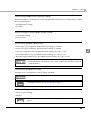
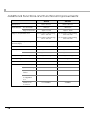
Printing Specifications
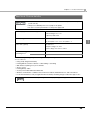
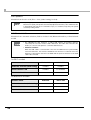
58 mm {2.28"} width paper printing
Printing method
Thermal line printing
Dot density
203 × 203 dpi
Printing direction
Unidirectional with friction feed
Maximum print speed*1
Receipt paper: 100 mm/s {3.94"/s}
60 mm {2.36"} width paper printing
Continuous label Paper: 80 mm/s {3.15"/s} (Recommended)
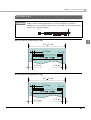
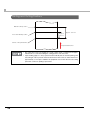
Printing width
52.5 mm {2.07"}, 420 dots
54.0 mm {2.13"}, 432 dots
Characters per line
Font A: 35
Font A: 36
Font B: 42
Font B: 43
Font C: 52
Font C: 54
Character spacing
Font A/B/C: 0.28 mm {0.01"} (2 dots)
Paper feed speed
Approx. 100 mm/s {3.94"/s} (when feeding with the Feed button)
Line spacing*2
Approx. 3.75 mm {0.15"}
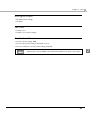
dpi: dots per inch
*1: The printing speed listed above are the values when using a new battery fully charged, the print density is
100%, and at normal temperature. The printing speed changes automatically depending on the battery remaining
amount and the head temperature.
*2: Initial setting. Programmable by commands.
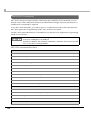
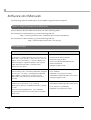
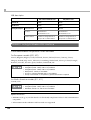
• When changing the paper width, you need to install or remove the spacer and to change
the setting for the paper width with the customized value. For details, see "Changing the
Paper Width" on page 35.
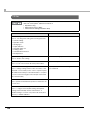
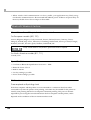
• The maximum printing speed listed above may not be achieved depending on the type
of interface, the data transmission speed, and the combination of control commands.
Especially, the printing speed may change automatically depending on the
communication environment if using a wireless interface.
• If the data transmission speed is slower than the maximum printing speed, or depending
on the battery depletion and deterioration conditions and environment temperature, the
printing speed may fluctuate, and the print result may become shaded and/or dot
displacement in paper feeding may occur.
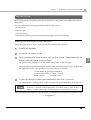
• If the data transmission speed is slow, intermittent printing may occur and white lines
may be formed when printing graphics. To avoid this, keep the print speed constant by
setting it lower. The print speed can be set with the customized value. To set the
customized value, see "Software Settings" on page 46.
24