1
Appendix E— Using Direct Graphics Mode
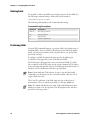
Using Direct Graphics Commands
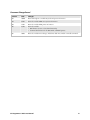
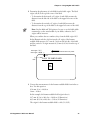
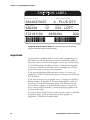
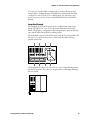
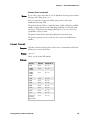
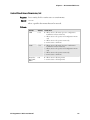
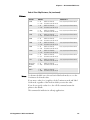
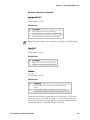
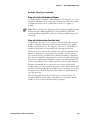
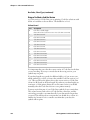
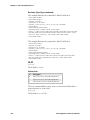
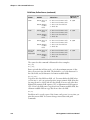
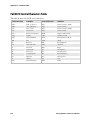
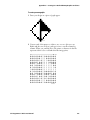
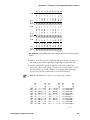
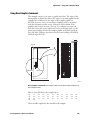
This example consists of two parts: a graphic and a line. The origin of the
direct graphic is defined the same as the origin of a normal graphic. In this
example, the coordinates for the origin of the complex graphic are
X0,Y450; however, once you enter Direct Graphics mode, your printer
loads the information in the reverse Y direction. Each column of the
graphic loads from the bottom to the top. Y coordinates now start at 0
from the bottom left corner and increase in size as the data loads. So, the
printer starts loading data for the complex graphic at X0,Y450 and loads
up to X0,Y425. Likewise, the data for the line starts loading at X19,Y450
and loads up to X19,Y0.
450
X0, Y0
25
25
24
24
23
23
22
22
21
21
20
20
19
19
18
18
17
17
16
16
15
15
14
14
13
13
12
12
11
11
Y 10
25
24
23
22
21
20
19
18
10
17
16
15
14
13
9
9
8
8
7
7
6
6
5
5
4
4
3
3
2
2
1
1
12
11
Y 10
9
8
7
6
5
4
3
2
1
0
0
1 2 3
4
5 6
X
19
X19,Y450
X0,Y450
0
0
0
1 2 3
4
5 6
X
19
3440A.001
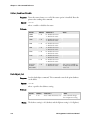
Direct Graphics Commands: This example shows how the printer loads information in
Direct Graphics mode.
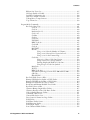
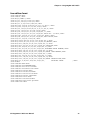
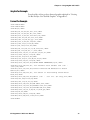
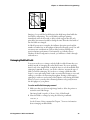
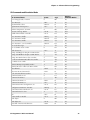
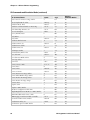
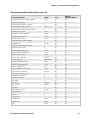
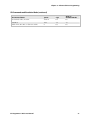
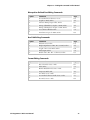
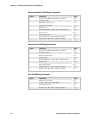
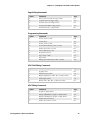
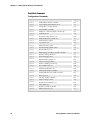
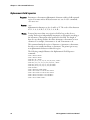
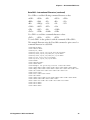
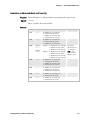
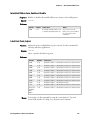
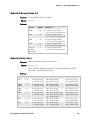
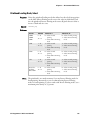
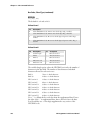
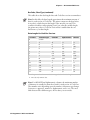
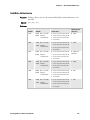
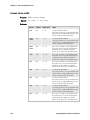
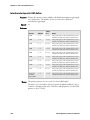
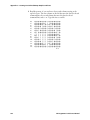
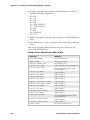
Here is a hex data file for the example above:
1B
90
24
C2
67
22
82
28
30
26
25
21
84
88
80
96
22
43
22
21
C2
22
93
27
26
43
90
8C
C2
A8
84
25
D5
22
43
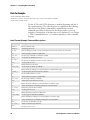
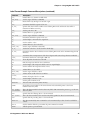
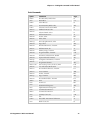
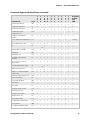
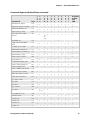
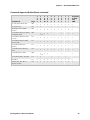
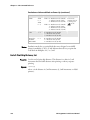
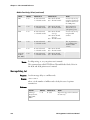
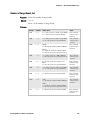
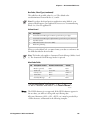
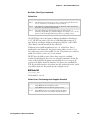
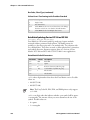
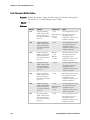
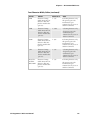
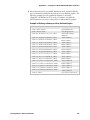
The next table explains the hex data file in the example.
IPL Programmer’s Reference Manual
245