1
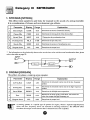
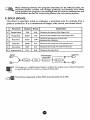
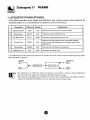
Each effect in the 9001 consists of up to six parameters (parameter 1 through 5 and
output level setting). Changing these parameters is called editing the program. To do
this, the 900 1 must bc in the Edit mode.
Activating the Edit Mode
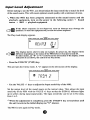
In the Play mode, select the program you want to edit and then press the
EDIT/CANCEL key.
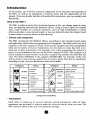
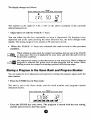
The 9001 is now in the Edit mode, and an "E"appears in the left section of the display.
ACOUSTK:
S N O l O DRUMS KEYB. PIANO GUITAR BASS VOCAL SOUND
r
'
4
When wishing to return to the Play mode, press the EDIT/CANCEL key once more.
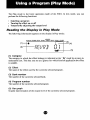
Reading the Display in Edit Mode
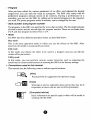
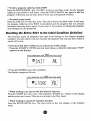
The following information appears on the display in Edit modc:
Acwsnc
STUDIO OAUMS KEYB. PIANO GUITAR BASS VOCAL SOUND
(1) Category
The category to which the effect belongs is indicated at the
understand icon.
"4mark by an easy-to-
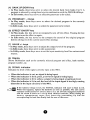
(2) Parameter
The name of the parameter (parameter 1 - 5 or output level setting) that is currently
selected for editing.
(3) Parameter value
The value of the paramctcr hat is currently selected for cditing.
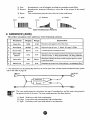
(4) Bar graph
Graphic representation of the value of the various parameters. The number of the
pararnetcr currently sclcctccl for editing flashes. (Immcdiately after aclivating thc Edit
modc, this is the paramctcr 1.)