1
Adept Technology, Inc.
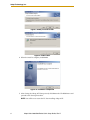
8. Click Open.
You will see the message “Working . . Please wait”.
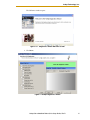
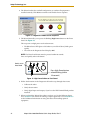
Figure 12. Connecting to the iCobra
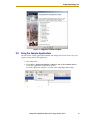
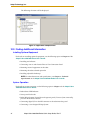
Use the Diagnostics Wizard
1. Double-click the iCobra object in the Folder pane of the Workspace Explorer.
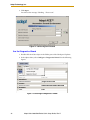
2. In the object editor, select Configure > Diagnostics Wizard. See the following
figures.
Figure 13. Selecting the Diagnostics Wizard
10
Adept Cobra i600/i800 Robot Quick Setup Guide, Rev D