1
Adept Technology, Inc.
8.0
Start-up Procedure
Turn On Power and Start Adept ACE
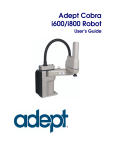
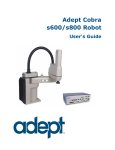
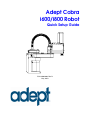
1. Manually move the robot joints away from the folded shipping position, similar
to the position shown on the cover of this Guide.
2. Turn on 200/240 VAC power.
DANGER: Make sure personnel are skilled and instructed refer to Chapter 2 in the Adept Cobra i600/i800 Robot
User’s Guide.
3. Turn on 24 VDC power to the robot. The Diagnostic Panel displays OK. The
Robot Status LED will be off. On older iCobras, it blinks green slowly.
4. Verify that the Auto/Manual switch on the Front Panel is set to Auto Mode. (See
Figure 16 on page 12.)
5. Turn on the user-supplied PC and start Adept ACE:
• Double-click the Adept ACE icon on your Windows desktop
or
• From the Windows Start menu bar, select
Start > Programs > Adept Technology > Adept ACE > Adept ACE.
6. Connect a serial (COM) cable from the PC to the robot interface panel.
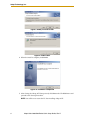
7. On the Adept ACE Startup menu:
• Check Create New Workspace for iCobra at:
to make the connection to the Adept robot.
• Select the COM port to match the COM port being used on your PC. See the
following figure.
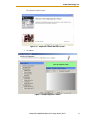
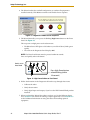
Figure 11. Adept ACE Startup Menu
Adept Cobra i600/i800 Robot Quick Setup Guide, Rev D
9