1
EP100G-L12 / EP100G-I12 User
1.3 Using the Large Screen Display
Your EP100G-L12/EP100G-I12 has a large screen display consisting
of six lines of 24 possible character positions per line. This provides
you with much more system information than can be presented on
two-line displays. This large display allows you many programming
options as well as quick and easy selection of the many features
available on your EP100G-L12/EP100G-I12. Your Speakerphone
has 13 interactive buttons for selecting or programming features.
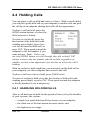
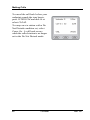
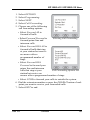
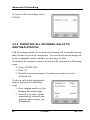
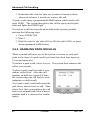
When your speakerphone is idle,
the first line in your display shows
the day, date and time while the
sixth line displays the word
OPTIONS. If your system is using
the voice mail option, this is also
indicated in the sixth line by the
word VMAIL. If your voice mail
has four messages for you, for
example, the VMAIL display is
replaced by 4MSG.
Lines two through four are used on
the idle display to indicate features that may be active (flashing),
enabled or set.
Feb ‘05
Comdial
21