1
EP100G-L12 / EP100G-I12 User
5. NONVERBAL MESSAGING
5.1 LCD Message Delivery
You can set system-supplied messages at your station to be received
and displayed by a calling LCD speakerphone.
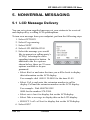
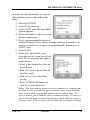
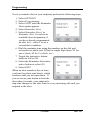
To turn on a message from your endpoint, perform the following steps
1.
2.
3.
4.
5.
Select OPTIONS.
Select Programming.
Select NEXT.
Select LCD MESSAGING.
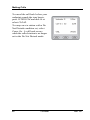
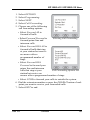
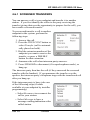
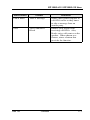
Select the message you would
like to appear in a calling party’s
LCD by selecting the corresponding interactive button. In
addition to the five options
shown below, there are 25 more
options available to be programmed.
• Select Back at and enter the time you will be back to display
this information on the LCD display.
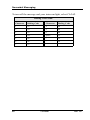
For example: dial #00 01 29 0405 for the time 01:45.
• Select Call to and enter the extension number to call to
display Call and the extension number on the LCD display.
For example: Dial #0907081502
0000 for the number 978-2200.
• Select out to lunch to display this on the LCD display.
• Select Take a message to display this on the LCD display.
• SELECT I will call back to display this on the LCD display.
6. Select EXIT.
Feb ‘05
Comdial
67