1
DigiPoS PH-6000B
Table of Contents
Preface .............................................................. 2
FCC Radio Frequency Interference Statement ................................ 2
Copyright Statement .............................................................. 2
Notice ............................................................................... 2
Safety Instructions ................................................................ 3
Overview ............................................................ 4
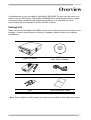
Package List ........................................................................ 4
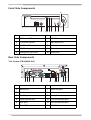
Front Side Components ........................................................... 5
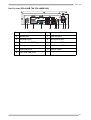
Rear Side Components ............................................................ 5
Making Connections ............................................... 7
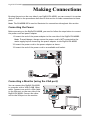
Connecting the Power ............................................................ 7
Connecting a Monitor (using the VGA port) ................................... 7
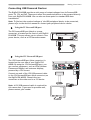
Connecting USB Powered Devices .............................................. 8
Connecting USB Devices .......................................................... 9
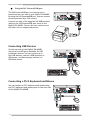
Connecting a PS/2 Keyboard and Mouse ....................................... 9
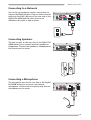
Connecting to a Network ........................................................10
Connecting Speakers .............................................................10
Connecting a Microphone .......................................................10
Using Your DigiPoS PH-6000B ................................... 11
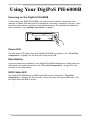
Powering on the DigiPoS PH-6000B ............................................11
Power LED .........................................................................11
Reset Button ......................................................................11
HDD Status LED ...................................................................11
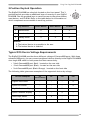
3-Position Keylock Operation ...................................................12
Typical POS Device Voltage Requirements ...................................12
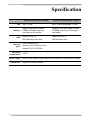
Specification ...................................................... 13
1