1
English
2 Position the Scanner
3 Install the Software
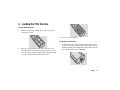
Place the scanner on a flat, stable surface, free of vibration. Leave
at least 2 inches (50mm) of space around all sides and the top of
the scanner for adequate ventilation, and leave room at the back
to reach the power switch on the rear panel.
1
Turn the computer on.
2
Close any applications that may be running.
3
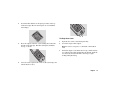
Insert the Polaroid PolaColor Insight CD into the drive.
Caution: As with any highly sensitive optical equipment, vibra-
Power Mac or Power PC
Windows 95, 98 or NT
tions or bumping the scanner during use may result in picture
defects. Locate the unit where it will not be disturbed during use.
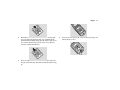
1 Select Polaroid
1 Wait for the install
PolaColor Insight
Installer.
program to start.
If it does not, select
Run from the Start
menu. Click Browse
and select
SETUP.EXE on the
CD-ROM. Click OK.
2 Follow the instruc-
tions on the screen.
3 If you want to install
the Photoshop plug-in,
double-click the Plug
In Installer in the
PolaColor Insight
folder and follow the
instructions on the
screen.
4
2 Follow the instruc-
Remove the CD from the drive.
tions on the screen.
5