1
GETTING STARTED USER MANUAL
DIM11 (Rev. 11.0)
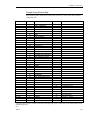
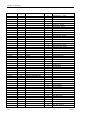
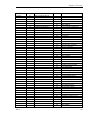
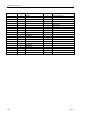
TABLE OF CONTENTS
Introduction to Getting Started................................................ 1
About This Manual...........................................................................................................1
Pick a System Manager....................................................................................................1
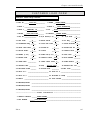
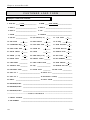
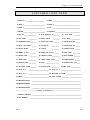
Ordering Forms, Paper & Supplies .................................................................................1
Implementation Process...................................................................................................2
The Phases of Implementation ........................................................................................3
Hotline Support ................................................................................................................3
Our Commitment..............................................................................................................4
Chapter 1. Hardware Training ................................................. 5
Site Planning Guide ................................................................................................................6
Temperature & Humidity Requirements........................................................................6
Adequate Air Flow & Cooling ..........................................................................................6
Noise ..................................................................................................................................6
Power Requirements ........................................................................................................6
Electrical Considerations .................................................................................................7
Phone Requirements ........................................................................................................7
Places to Avoid Locating the Computer ..........................................................................8
Cabling .......................................................................................................................................9
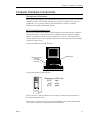
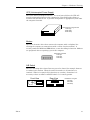
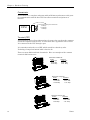
Computer Hardware Components.....................................................................................11
Descriptions & Illustrations...........................................................................................11
Care & Cleaning .............................................................................................................16
Chapter 2. System Training..................................................... 21
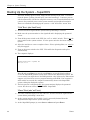
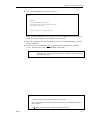
Booting Up the System – SuperDOS..................................................................................22
“Cold” Boot (aka “hard” boot) ........................................................................................22
“Warm” Boot (aka “soft” boot) ........................................................................................22
Booting Up the System – Unix ............................................................................................24
“Cold” Boot (aka “hard” boot) ........................................................................................24
“Warm” Boot (aka “soft” boot) ........................................................................................24
Passwords - SuperDOS .........................................................................................................25
Password Screen .............................................................................................................25
“Live” Data vs. “Play” Data............................................................................................26
Menus ..............................................................................................................................27
Passwords – Unix ...................................................................................................................29
Login Screen ...................................................................................................................29
“Live” Data vs. “Play” Data............................................................................................30
Menus ..............................................................................................................................31
Keyboard..................................................................................................................................33