1
Table of Contents
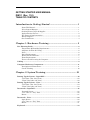
System Prompt (>) - SuperDOS ..........................................................................................35
BYE..................................................................................................................................35
M ......................................................................................................................................35
System Prompts - Unix .........................................................................................................36
exit ...................................................................................................................................36
m ......................................................................................................................................36
User Groups - SuperDOS......................................................................................................37
File Structure..........................................................................................................................38
File...................................................................................................................................38
Record..............................................................................................................................38
Field.................................................................................................................................39
Key...................................................................................................................................39
File Maintenance Guidelines ..............................................................................................40
Edit Options (A,V,E,?) ....................................................................................................40
Printing Reports ....................................................................................................................42
Batches .....................................................................................................................................45
On-Line Help System ............................................................................................................47
On-Line Help Files .........................................................................................................47
On-Line Help Programs .................................................................................................47
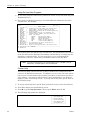
Using On-Line Help Programs ......................................................................................48
Custom Help ...................................................................................................................48
Guidelines for Backup ..........................................................................................................50
What Is a Backup?..........................................................................................................50
Why Do I Back Up? ........................................................................................................50
When Do I Back Up? ......................................................................................................50
How Do I Back Up?.........................................................................................................50
Where Do I Get the Backup Tapes? ..............................................................................50
How Do I Care for the Tapes?........................................................................................51
Backup Procedures (using “BACKUP” job)...................................................................51
Conventions Used in the User Manuals ...........................................................................52
Manual Organization .....................................................................................................52
Type Used in Dim3D (Rev. 10.0) User Manuals...........................................................52
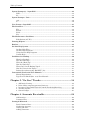
Chapter 3. “Go Live” Tracks .................................................... 54
1.
2.
3.
4.
5.
A/R Invoice Posting ...................................................................................................55
Point of Sale (computer-generated invoices)............................................................57
Inventory Control with Physical Count & Purchasing/Receiving ..........................59
Accounts Payable .......................................................................................................60
General Ledger ..........................................................................................................61
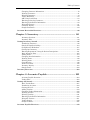
Chapter 4. Accounts Receivable ............................................. 64
A/R Overview ..................................................................................................................64
Customer Files................................................................................................................66
Getting A/R Started ...............................................................................................................68
Basic Customer Data......................................................................................................69
Numbering Accounts ......................................................................................................71
Getting into A/R..............................................................................................................74
Adding Customers ..........................................................................................................76