1
GETTING STARTED
Minimum System Requirements
Operating System: Windows 2000 SP4, Windows XP SP2 and Windows Vista
Memory: 128 MB RAM
Additional Requirements: IT Administration Privileges
Supplies
The ribbon and various print media for the DuraLabel LabPRO have been optimized
®
for compatibility and print quality. Only authorized supplies from Graphic Products
will print correctly in the DuraLabel LabPRO.
®
Prepare Printer
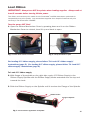
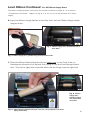
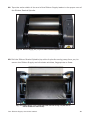
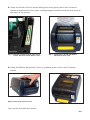
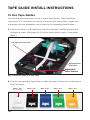
Instructions for unpacking, loading supplies and connecting your printer are located
in the Printer Manual (in electronic form). There is also an instructional video
included on the CD, that shows you how to load supplies. Please read and follow
those instructions carefully before continuing.
NOTE: To view the electronic version of the printer manual you will need a corresponding document viewer
(PDF or DOC). A suitable viewer is included on the installation CD - Adobe Acrobat Reader.
Please contact us for all your labeling needs. From standardized to custom
labels, we’re ready to provide the labeling supplies you need.
Call 1-800-788-5572 today to get your labeling problems solved.
-2-