1
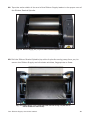
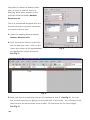
5. Align the labeling supply to fit underneath and in the grooved section of the Tape
Guide. This allows for optimal alignment and smooth dispensing.
Fig. 5 Tape Guide not completely pressed down with shrink tube
aligned under grooved section of Tape Guide
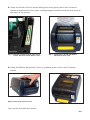
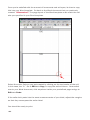
6. Press the Tape Guide down completely into place.
Fig. 6 Tape Guide pressed down into place and over shrink tube supply.
NOTE:
You may need to move the labeling supply slightly for the supply to move freely under the
grooved section of the Tape Guide.
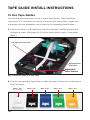
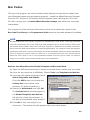
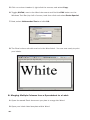
7. Move the Adjustable Label Guides towards each other until the Tape Guide
touches the right Adjustable Label Guide and the Adjustable Label Guides cannot
move any further. This aligns the shrink tube/label stock over the Media Sensor
and secures Tape Guide in place.
Fig. 6 Shrink tube fitted underneath and in the grooved section of the Tape Guide
Media
Sensor
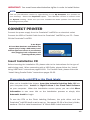
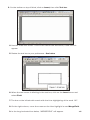
Fig. 7 Adjustable Label Guides pressed together, holding the Tape Guide in place with shrink tube
aligned properly over the Media Sensor and fitted in grooved section of the Tape Guide.
Close the printer cover and you're ready to print!
-16-