1
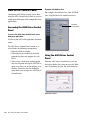
In any session, if you want to maintain absolute time alignment across all tracks you should always compensate for signal processing delays. Enabling Delay Compensation To enable Delay Compensation: Using Delay Compensation Pro Tools provides automatic Delay Compensation for managing delays from plug-in and hardware inserts, and mixer routing (bussing and sends). With Delay Compensation enabled, Pro Tools maintains phase coherent time alignment between tracks that have plug-ins with differing DSP delays, tracks with different mixing paths, tracks that are split off and recombined within the mixer, and tracks with hardware inserts. To maintain phase coherent time alignment, Delay Compensation should always be enabled during playback and mixing. Delay Compensation should also be used in most recording situations. With HD OMNI, Delay Compensation is not supported on Monitor output paths. Delay Compensation is only supported on physical output paths (those not assigned for the Monitor path). 32 Pro Tools|HD Native User Guide Select Options > Delay Compensation. When Delay Compensation is enabled, the Delay Compensation status indicator in the Edit Window Toolbar is displayed. Delay Compensation indicator Delay Factors With Pro Tools, delay is incurred when you perform the following processes: • Real-time processing with plug-in inserts. • Mixing and routing with hardware I/O (sends or inserts). For information on the delay amounts for plug-ins, refer to the Audio Plug-Ins Guide.