1
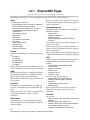
RAIDRebuildStatus
Displays the RAID1, RAID 5 or RAID 10 Rebuild Status
Summary. If no RAID groups are defined, the header
information is displayed with no data. The status
summary contains the RAID1, RAID 5 or RAID 10. The
RAIDRebuildStatus command has no effect on the state
of any rebuild in progress.
Member index and the following fields in tabular form:
Status, Sled Number, Current LBA, Maximum LBA,
Status.
Get syntax: RAIDRebuildStatus
RAIDResumeRebuild
Resumes a RAID Level 1, Level 5 or Level 10 rebuild
which had been previously stopped.
Immediate command: RAIDResumeRebuild [Sled
Number]
RebuildPriority
Sets the priority of a RAID Level 1, Level 5 or Level 10
rebuild. If you select High priority, rebuild I/O requests
are implemented before system I/O requests. I f you select
Low priority, rebuild I/O requests executes only when
there are no pending I/O requests. If you select Same
priority, rebuild I/O and system I/O receive equal
consideration.
Set syntax: set RebuildPriority [high|low|same]
Requires a SaveConfiguration Restart command
Get syntax: get RebuildPriority
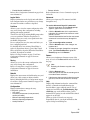
ResolveLUNConflicts
Re-numbers any conflicting Logical Unit numbers that
exist in the Diamond. Conflicts may occur when a unit is
taken from one Array and inserted into another Array.
Set syntax: ResolveLUNConflicts
RestoreModePages
Restores all mode pages to the factory set default.
Restarting the Diamond Storage Array is required for
settings to take effect.
Set syntax: RestoreModePages
SledFaultLED
Changes the state of the selected sled LED to the
indicated state.
Choices: enter sled number 1-12 or all, on or off
Default: off
Set syntax: set SledFaultLED [all|sled number] [on| off]
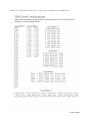
VirtualDriveInfo
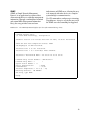
Displays the named Virtual Drive definitions. For
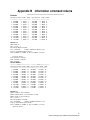
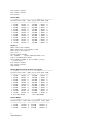
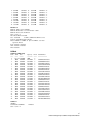
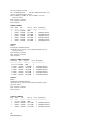
examples, refer to Diagnostic Commands on page 41.
Immediate command: VirtualDriveInfo [active|planned]
[Virtual Drive ID]
ZoneAddDevice
Adds one or more LUNs (devices) to an existing zone.
LUNs not added to zones are not available.To complete
this procedure, the ZoneState command must be entered
as enabled to activate the zone before using the
ZoneCommit command (which makes the Planned Zone
Configuration the Active configuration).
Zone syntax: ZoneAddDevice [zone_name]
[device_LUN...]
ZoneAddHost
Adds one or more hosts to an existing zone. The host is
the WWPN of the HBA attached to the system. To
complete this procedure, the ZoneState command must be
entered as enabled to activate the zone before using the
ZoneCommit command (which makes the Planned Zone
Configuration the Active configuration).
ZoneAddPort
Adds one or more ports [port_name] to an existing zone.
The port refers to the specific Host Interface Card on the
Diamond Storage Array, either 0 or 1.To complete this
procedure, the ZoneState command must be entered as
enabled to activate the zone before using the ZoneCommit
command (which makes the Planned Zone Configuration
the Active configuration).
Set syntax: ZoneAddPort [zone_name] [0|1]
ZoneClearAll
Removes all entries from the Planned Zone
Configuration.Removes any active zones if followed
immediately by a ZoneCommit command.
Set syntax: ZoneClearAll
ZoneCommit
Commits the current Planned Zone Configuration,
making it the persistent, Active configuration. To
complete this procedure, the ZoneState command must be
entered as enabled to activate the zone before using the
ZoneCommit command.
Set syntax: ZoneCommit
46
Configure drives with CLI commands