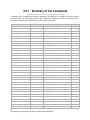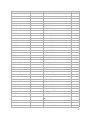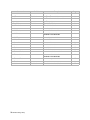
1
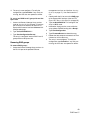
management services card (refer to Accessing
the Array on page 17). You should now be in
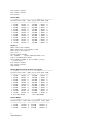
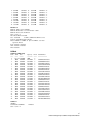
11 The array is now configured. To verify the
configuration, type DriveInfo. If any sleds are
missing, the sled slots are reported as offline.
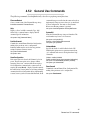
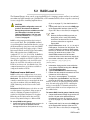
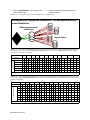
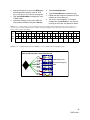
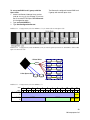
To set up one RAID Level 5 group with one Hot
Spare sled
1
Connect to Diamond Storage Array services
(refer to Accessing the Array on page 17) and use
the Command Line Interface or enter ATTO
ExpressNAV browser interface Advanced CLI
Configuration page.
2
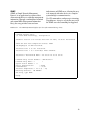
Type set QuickRAID5 ALL 1
3
Type SaveConfiguration Restart
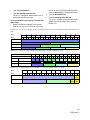
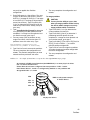
The array is configured into one RAID Level 5
group with one Hot Spare sled.
Removing RAID groups
CLI.
2
Continue with the CLI or access the RAID page
of the ExpressNAV interface (refer to ATTO
ExpressNAV: Browser-based Interface on page 25).
3
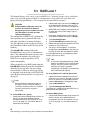
Type set QuickRAID5 0. This configures the
array in JBOD mode.
4
Information displays on the screen while the
array updates NVRAM ending with a Ready*.
5
Type SaveConfiguration.
6
Type FirmwareRestart to reboot the array.
7
Reboot the host computer connected via Fibre
Channel or SCSI to the array.
8
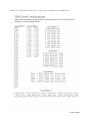
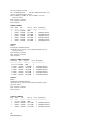
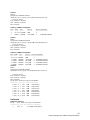
The array is now configured. To verify the
configuration, type DriveInfo. If any sleds are
missing, the sled slots are reported as offline.
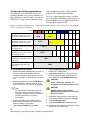
To remove RAID groups
1
Connect to Diamond Storage Array services via
the RS-232 port or the optional Ethernet
60
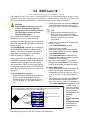
RAID Level 5