1
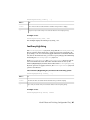
WARNING Never restart an application if there are still processes left over
from a previous session. If some processes persist after using the kill alias,
perform the following procedure to kill them individually.
Killing Processes Individually
Use the kill Linux command to kill processes individually, using their process
ID number.
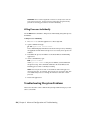
To kill processes individually:
1 Press Alt+F3 to send the application to the background.
2 Open a terminal and type:
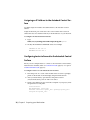
ps -fu<application account name>
This command displays information about all active processes, including
the application with which each process is associated, and a process ID
number.
3 Determine the process ID number of the Visual Effects and Finishing
application.
4 At the command line, type:
kill<process number>
where <process number> is the process number you determined in
the previous step. This command terminates the Visual Effects and
Finishing process that is currently executing.
NOTE There may be more than one Visual Effects and Finishing process
running at any time. For example, there may be one process per CPU, plus
some additional processes to manage the framestore. Kill each of these
processes.
5 Restart the application.
Troubleshooting Filesystem Problems
This section describes some common filesystem problems and steps you can
take to solve them.
216 | Chapter 6 Advanced Configuration and Troubleshooting