1
Chapter 2
Device Views
What Is in This Chapter
This chapter describes the following Device views and subviews for the
devices:
• Interface Device view
• Chassis Device view
• Physical Device view
See Chapter 1 for information on accessing views and subviews.
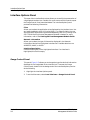
Interface Device View
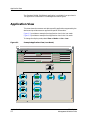
This view (Figure 2-1) provides dynamic configuration and performance
information for each interface on a device. If the configuration changes,
SPECTRUM modifies the Interface Device view after the next polling cycle to
reflect the new configuration. This view also provides a Device icon that allows
you to monitor the device’s operation and access other device-specific views.
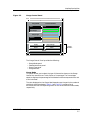
This section describes the Interface icons and Interface Options panel
displayed in the Interface Device view. The number and type of Interface icons
displayed on the Interface Device view depends on the device being viewed.
9031586 E3
2-1