1
ESG Family Signal Generators
Options UN8 and 202
I/Q Scaling
Softkey Reference
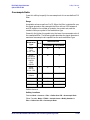
I
Use this softkey to adjust the amplitude of the I/Q outputs (for better
ACP). This adjustment is not available if you are using MSK or FSK
modulation.
Range: 1 through 10000%
Default Value
Custom: 70%
TETRA: 65%
Other Formats: 100%
Softkey Locations
Custom: Mode > Custom > Configure Hardware > I/Q Scaling
Other Formats: Mode > TDMA > desired format > Configure Hardware >
I/Q Scaling
IS-95
This key selects a standard cdmaOne IS-95 filter.
Softkey Locations
Custom: Mode > Custom > Filter > Select > IS-95 and IS-2000 > IS-95
Other Formats: Mode > TDMA > desired format > Modify Standard >
Filter > Select > IS-95 and IS-2000 > IS-95
IS-95 and IS-2000
This key accesses a menu of IS-95 and IS-2000 filters.
Softkey Locations
Custom: Mode > Custom > Filter > Select > IS-95 and IS-2000
Other Formats: Mode > TDMA > desired format > Modify Standard >
Filter > Select > IS-95 and IS-2000
IS-95 Mod
This key selects a modified version of the standard IS-95 filter. This
filter is modified for improved adjacent channel power performance.
The modification is done in a manner that meets the IS-95 error
function criterion.
Softkey Locations
Custom: Mode > Custom > Filter > Select > IS-95 and IS-2000 > IS-95 Mod
Other Formats: Mode > TDMA > desired format > Modify Standard >
Filter > Select > IS-95 and IS-2000 > IS-95 Mod
Real-Time I/Q Baseband Generator User’s and Programming Guide
3-109