1
ESG Family Signal Generators
Options UN8 and 202
Programming Commands and Examples
Programming Commands
TETRA
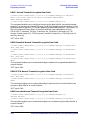
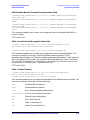
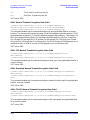
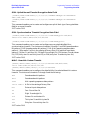
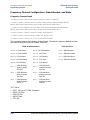
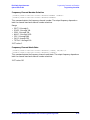
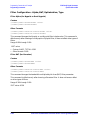
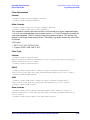
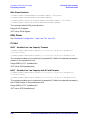
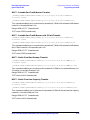
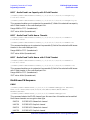
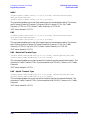
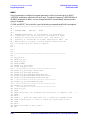
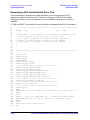
[:SOURce]:RADio:TETRa:SLOT[1]|2|3|4[:TYPE] UCUSTom|UC1|UC2|UNORmal|
DDNormal|DDSync|DCNormal|DCSync|DDCustom|DCCustom
[:SOURce]:RADio:TETRa:SLOT[1]|2|3|4[:TYPE]?
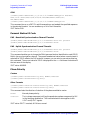
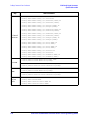
This command enables you to set the timeslot type for the selected timeslot. The choices
are timeslots 1 through 4 and Uplink Custom, Uplink Control 1, Uplink Control 2, Uplink
Normal, Downlink Discontinuous Normal, Downlink Discontinuous Synchronization,
Downlink Continuous Normal, Downlink Continuous Synchronization, Downlink
Discontinuous Custom, and Downlink Continuous Custom.
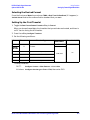
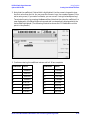
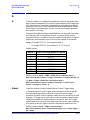
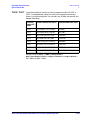
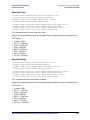
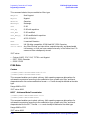
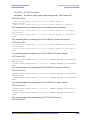
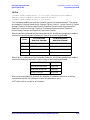
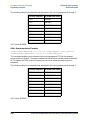
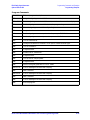
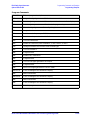
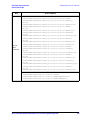
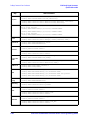
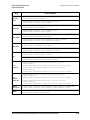
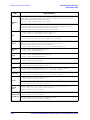
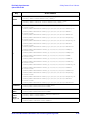
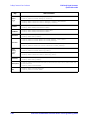
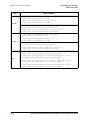
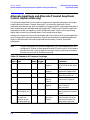
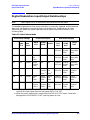
When Downlink is selected and the frame was Uplink, the following mapping is made to
convert the Uplink protocols to Downlink. Also, an error will be generated.
From
To (Continuous
Downlink Selected)
To (Discontinuous
Downlink Selected)
UCUSTom
DCCustom
DDCustom
UC1
DCCustom
DDCustom
UC2
DCCustom
DDCustom
UNORmal
DCNormal
DDNormal
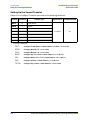
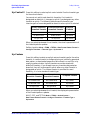
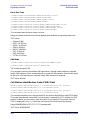
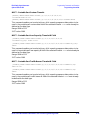
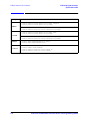
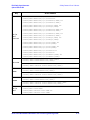
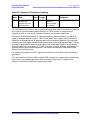
When Uplink is selected and the frame was Downlink, the following mapping is made to
convert the Downlink protocols to Uplink. Also, an error will be generated.
From
To
DCCustom/ DDCustom
UCUSTom
DCNormal/ DDNormal
UNORmal
DCSync/ DDSync
UCUSTom
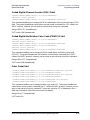
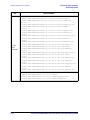
When continuous downlink protocols are selected, all timeslots must be on, and they
cannot be turned off. Any attempts to do so will generate an error.
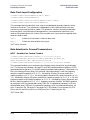
*RST value: uplink normal for all timeslots
Real-Time I/Q Baseband Generator User’s and Programming Guide
4-81