1
Sys Info Page
The Sys Info page contains information about
the hardware and firmware revisions on Control|24, as well as the Ethernet ID.
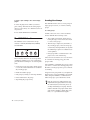
To access the Sys Info page:
■
Talkback Page
This mode allows you to specify the settings for
talkback mic operation. It provides a way to select whether the internally-mounted talkback
mic or an external mic is active. For more information, please refer to “Talkback and Listenback” on page 58.
Press UTILITY > Sys Info.
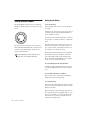
To select talkback mode:
1 Press UTILITY > TALKBACK.
Monitor Pages
The Monitor pages contain items which are specific to Control|24’s analog monitoring section.
To access the Monitor pages:
■
2 Choose External or Internal.
3 When finished, press EXIT.
Test Pages
Press UTILITY > Monitor.
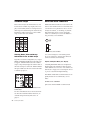
STEREO Page
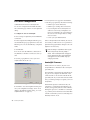
“Single” Mode In Single mode, only one monitor section choice can be active at a time while
in Stereo mode (i.e., while not in a surround
mode). This is the default mode.
“Multi” or Multiple Mode In Multi mode, you
can select multiple sources in an additive fashion, and thereby monitor multiple sources simultaneously while in Stereo mode.
The Test pages include menu items for testing
various components and sections on Control|24.
To access the Test pages:
■
Press UTILITY > Test.
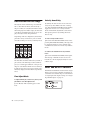
LED Test Pages
The LED test mode allows you to check that the
LEDs on the surface are functioning properly.
To set stereo mode:
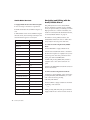
To access the LED test pages:
1 Press UTILITY > Monitor > STEREO.
■
2 Select Single or Mult.
3 When finished, press EXIT.
132
Control|24 Guide
Press UTILITY > Test > LED.