1
Appendix C: Meridian Modular Telephones add-on modules installation
Page 393 of 504
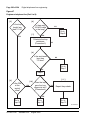
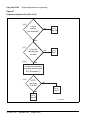
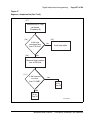
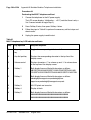
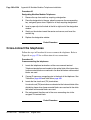
Procedure 70
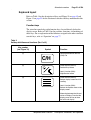
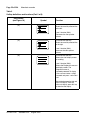
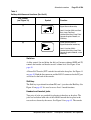
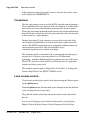
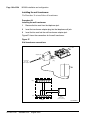
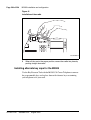
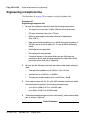
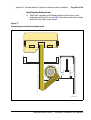
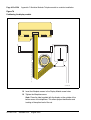
Installing and removing the M2006/M2008
Power Supply Board on NTZK sets
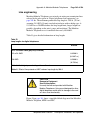
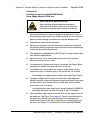
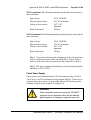
CAUTION
Damage to Equipment
Connect the optional Power Supply to the Meridian
Modular Telephones only. Equipment damage may
result from incorrect connections. Both the closet
power supply and the transformer are for use with the
Meridian Modular Telephones only.
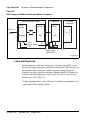
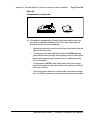
CAUTION WITH ESDS DEVICES
Before handling internal telephone components,
discharge static electricity from hands and tools by
touching any grounded metal surface or conductor.
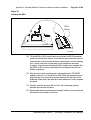
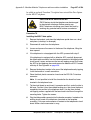
1
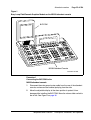
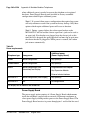
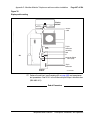
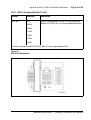
Remove the handset and place the telephone upside down on top of a
level, solid work surface (such as a desktop) covered with soft material or
paper to prevent damage to movable keys and the telephone face.
2
Disconnect all cords from the telephone.
3
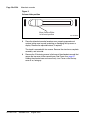
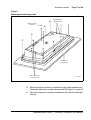
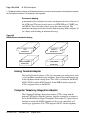
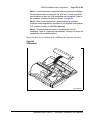
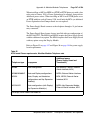
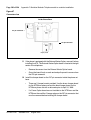
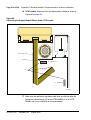
Remove the two screws from the footstand assembly and unsnap the
footstand assembly by pressing inward at the back of the footstand where
it meets the base and pulling upward.
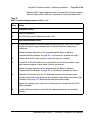
4
If the telephone is equipped with a Meridian Programmable Data Adapter
(MPDA) or Meridian Communications Adapter (MCA), unplug the data
cable from telephone’s base jack.
5
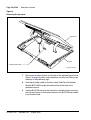
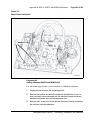
Remove the four screws securing the base of the telephone to the top
cover. Remove the base and set it aside.
6
If the telephone is equipped with a display, disconnect the display ribbon
cable from the display board and move it out of the way.
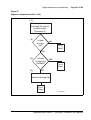
7
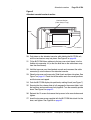
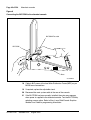
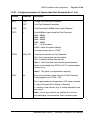
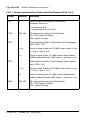
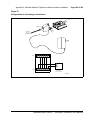
If the telephone is not equipped with the power supply board, remove the
jumpers from P1 connector pins on the main board. Go to step 9.
If the telephone is equipped with a power supply board, go to step 8.
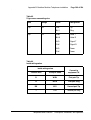
Telephones and Consoles
Description, Installation, and Operation