1
Installation and Operation Manual
IR_IP
1.
2.
3.
4.
5.
6.
Appendix D IR-IP Interface Module
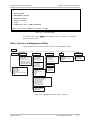
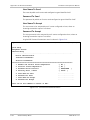
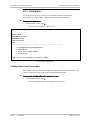
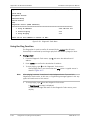
<IR-IP>
S/W Ver. 1.00 31/IR (date)
Quick Setup
Management Access
Advanced Setup
Device Control
View
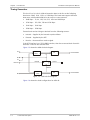
Diagnostic Tool (PING terminal)
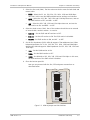
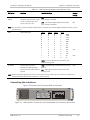
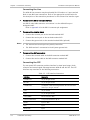
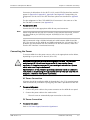
Press one of the numbers to select or ESC:
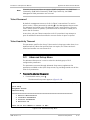
Figure D-5. IR-IP Main Menu
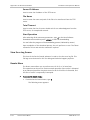
To end the utility, press <Esc> when the Main menu is displayed. This will also
end the Telnet session.
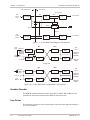
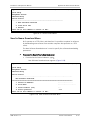
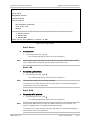
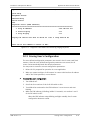
Menu Structure of Management Utility
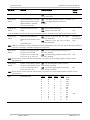
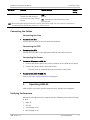
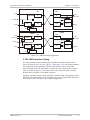
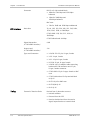
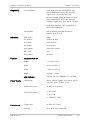
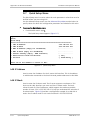
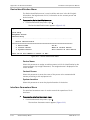
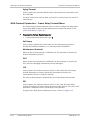
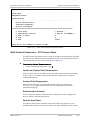
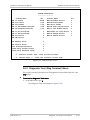
Figure D-6 shows the menu structure of the IR-IP management utility.
Main Menu
1. Quick Setup
2. Management
Access
1.Telenet Password
2. Telenet Activity Timeout
3. SNMP Access
4. SNMP Read Community
5. SNMP Write Community
6. SNMP Trap Community
7. SNMP Management Table
1. LAN IP Address
2. LAN IP Mask
3. WAN IP Address
4. WAN IP Mask
5. Default Gateway
6. Read Protocol From DIP Switches
7. Protocol
3. Advanced Setup
1. Device Identification
1. Device Name
2. Contact Person
3. System Location
2. Interface Parameters
1. LAN Status
2. WAN Status
3. WAN Throttle
4. Aging Timeout
3. Protocol Parameters (FR)
1. Self Learn
2. Maintenance Protocol
3. DLCI
4. CIR
5. EIR
4. Device Control
5. View
1. New Software Download
1. Server IP Address
2. File Name
3. Total Timeout
4. Start Operation
1. Configuration and Connection
2. ARP Tables
3. Multicast Groups Table
4. Statistics
6. Diagnostic Tool
PING Terminal
1. Ping IP Address
2. Start Pinging
3. Stop Pinging
2. View Error Log
3. Resets
1. Reset Device
2. Reset LAN
3. Reset WAN
3. Protocol Parameters (PPP)
1. Header and Control Field Compression
2. Protocol Field Compression
3. Authentication Protocol
4. Security Host/Guest
5. User Name To Send
6. Password To Send
7. User Name To Accept
8. Password To Accept
4. Multicast
1. Multicast Forwarding
2. Static Groups
Figure D-6. Management Utility, Menu Structure
ASM-40 Ver. 1.0
IR-IP Management Utility
D-11