1
8 SNMP
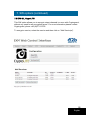
With FW from version 1.22 and later in the ECX-200 you are able to use the
SNMP Interface for monitoring the ECX-200. To enter the SNMP menu on the
unit, write: /snmp.html after the IP address in the web browser.
Example: 192.168.0.20/snmp.html
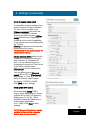
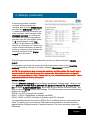
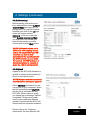
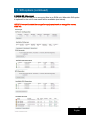
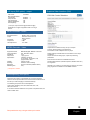
In the [SNMP agent] part of the menu you can start the SNMP agent, select
Listen port, Read community, Write community.
In the [SNMP traps] part of this menu you can select Dest. Address (IP
address to the PC that is listening), Dest. port and Community.
SNMP agent = the “agent” (SW) that
listens for GET or SET
Listen port = port to listen to
Read community = “password” for
Management System to be able to access
SNMP agents for GET commands.
“Public” as default.
Write community = “password” for
Management System to be able to access
SNMP agents for SET commands (not
implemented yet). “Public” as default.
SNMP traps= the “trap” (SW in EXM) that sends information to the
Management System when defined instances occur
Dest. address = IP address to host for Management System
Dest. port = port in MS host
Community = “password” for Management System to be able to access
SNMP traps. “Public” as default.
NOTE! To be able to use the SNMP you need to use a 3rd party program. One
program you can download for trial is http://www.ireasoning.com/mibbrowser.shtml .
Download the a2b-mibs.zip file that is found in the SNMP menu, unzip and copy
29
the two mib files into theMIB map in the 3rd party program.
English