1
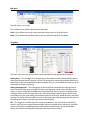
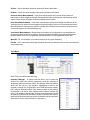
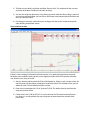
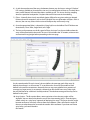
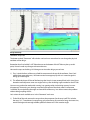
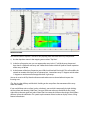
6) As with the top element of the array, the bottom element may also have a variety of “Greybox”
DSP settings available to it based on the size and / or configuration of the array. The drop down
menu under “Bottom” will reveal the choices available to you. This insures that any mapping
done for a particular loudspeaker / Greybox choice will be accurate in the modeling.
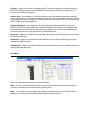
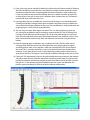
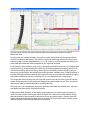
7) Flybar – Normally, there is only one default choice of flybar for any given enclosure selected.
However, there are exceptions such as the KF760 which has two generations of flybars. If this is
the case, the user may select which version of the flybar they are currently using.
8) Once the appropriate flybar is selected, the “Hang Style” must be defined. For KF740 there are
three choices, Front / Rear, Single-Point, Left / Right.
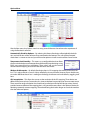
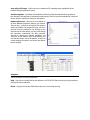
9) The last set of parameters on the first panel of “Array Assistant” has the user define where the
array will be placed within the model. The user is free to define the “X” location, minimum trim
and maximum hang height before proceeding to the next page.
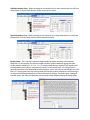
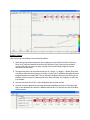
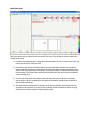
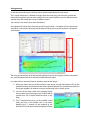
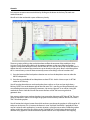
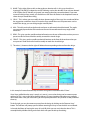
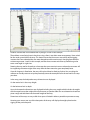
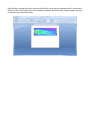
On the second panel of “Array Assistant”, the user defines the coverage goals of the array. By
default, the coverage is as close to zero “Z” as possible and as far out as the model has been
defined in the venue measurements. However, the user may want to define lesser amounts of
coverage in a larger venue. As an example, a theater that sells the full house on a Friday night
but only half-house for a children’s Saturday matinee? The absolute coverage of the array can be
defined on this panel.
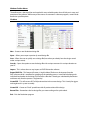
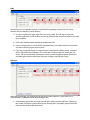
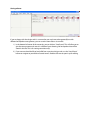
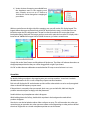
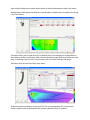
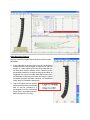
10) Array Options - The first option allows some restriction on how the array angles will be
deployed. You can select or deselect the use of “Non-Incrementing Splays”. Some designers
adhere strictly to a spiral-array” approach of deploying line arrays. This means that the angles
between enclosures will always increase from top to bottom. Others will allow the angles of
the array to adapt themselves to match the contour of the audience. If you choose to create
spiral arrays, you would deselect
this feature.