1
Acoustics
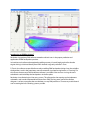
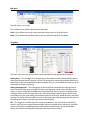
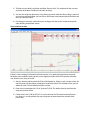
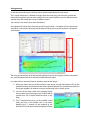
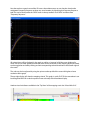
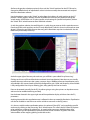
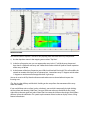
Let’s move on to even more acoustical data by clicking on the button in the Array Tab work area
marked “Acoustics”
We will revisit the mechanical aspects of the array shortly.
There are a variety of things that can be done here to affect the outcome of the model post Array
Assistant. The first being the addition of subsequent enclosures to the array. If the loudspeaker
supports a companion enclosure such as the KF730 or KF737 in the case of KF740, we can add AB7473
adapter bar and a number of these enclosures to our already existing array. Bear in mind though that
this is a manual entry so we will have to manually correct some things once we have done this.
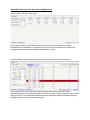
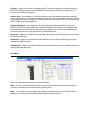
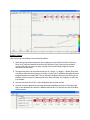
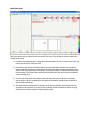
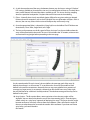
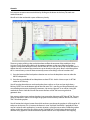
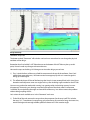
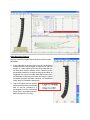
1) Go to the bottom of the loudspeaker selection area and use the dropdown menu to select the
AB7473 adapter bar
2) Go to the next available cell and dropdown to select KF730 – do this 3 times to put 3 x KF730’s
under our KF740 array.
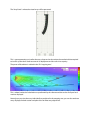
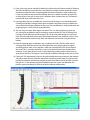
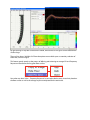
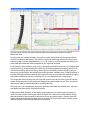
You will see that the enclosures are there but they have no focus as of yet and you might have a
flashing “ALERT” icon at the bottom right of the work area. This is warning you that mechanically you
are exceeding one or more mechanical parameters. No worries right now as we will be visiting the
mechanical data in a little bit. We will also correct the focus of the 730’s once we go back to
geometric data.
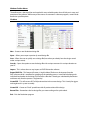
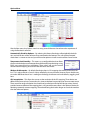
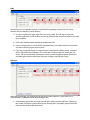
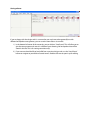
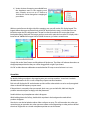
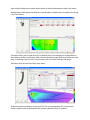
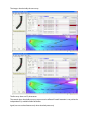
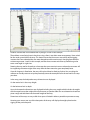
Now we must select a new greybox that takes into account the alignment of KF740 to KF730. The next
group of dropdown’s allows us to change the greybox we had currently selected. We will now select a
740 / 730 combo greybox.
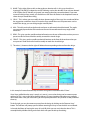
You will notice that it doesn’t matter from which enclosure we choose the greybox; it will change for all
enclosures in the array. This is because the feature is set to “Op Mode” lock which is probably the best
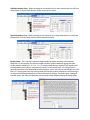
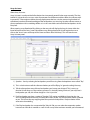
way for it to be for most applications. In certain situations, we might want to select 2 different greybox
settings within the same array. By clicking on the “Op Mode” lock / unlock button above the preset
selection area, greyboxes can be entered onto specific cabinets to be represented in the mapping.