1
Installation and Operation Manual
Chapter 4 Configuration
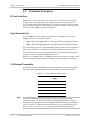
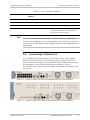
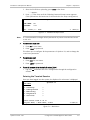
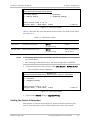
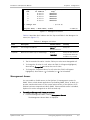
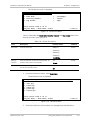
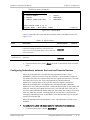
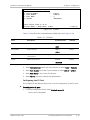
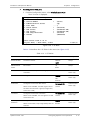
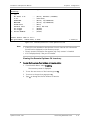
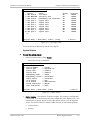
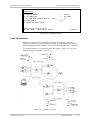
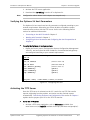
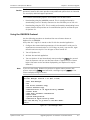
The Alarms menu is displayed.
Configuration>System>Alarms
1. Device Number
2. Alarms
3. Remote connection fail
>
>
>
(Local)
(Unmasked)
(Unmasked)
>
Please select item <1 to 3>
ESC-prev.menu; !-main menu; &-exit
1 user(s)
Figure 4-11. Alarms Menu
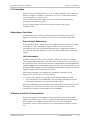
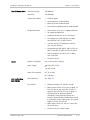
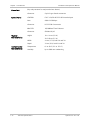
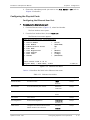
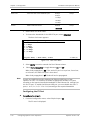
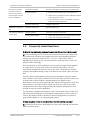
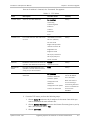
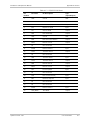
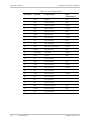
Table 4-9 describes the Local and Remote Alarm fields in the Alarms menu (see
Figure 4-11).
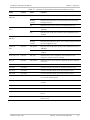
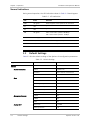
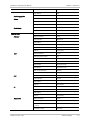
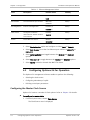
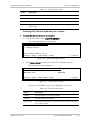
Table 4-9. Alarms Values
Field
Description
Possible Values
Visibility
Alarms
Masks or Unmasks the local/remote system alarms.
It prevents setting the alarms in the log file so no
trap is sent for these alarms and the dry contact will
not be activated.
Masked
Always
Masks or Unmasks the remote connection fail
diagnostic.
Masked
Remote
connection fail
Unmasked
Always
Unmasked
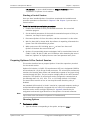
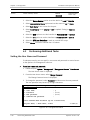
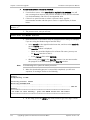
2. From the Alarms menu, select Alarms to mask or unmask the local or remote
alarm.
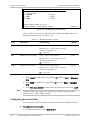
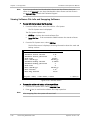
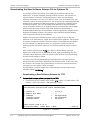
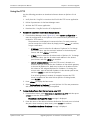
Configuring Redundancy between the Local and Remote Devices
When the redundant link is installed and the redundancy mode is set to
AUTOMATIC, Optimux-34 starts using the main link. It automatically switches to
the backup link when the selected main link fails (signal loss/sync loss). The LINK
A/B SYNC LOSS LED on the front panel indicates the deactivated link.
Optimux-34 switches back to the main link, when the signal is recovered.
When the redundant link is installed and the redundancy mode is MANUAL,
Optimux-34 starts using the main link. It automatically switches to the backup link
when the main link fails (signal loss/sync loss). The LINK A/B SYNC LOSS LED on
the front panel indicates the deactivated link. The backup link remains active even
when the main link recovers. Switching back to the main link is performed by
setting the redundancy mode to AUTOMATIC from the terminal or by turning the
system OFF and then ON.
When the management link-redundancy is OFF, the redundancy function is not
available.
³
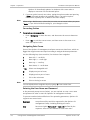
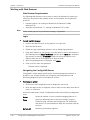
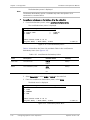
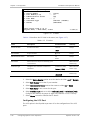
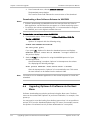
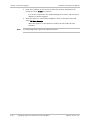
To configure the uplink redundancy mode for the local and remote devices:
•
Optimux-34 Ver. 2.81
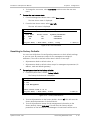
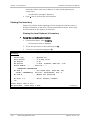
From the System menu, choose Redundancy.
Configuring Optimux-34 for Operation
4-11