1
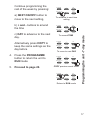
Continue programming the
heating/hot water ON and
OFF times for weekday
Events 4, 5 & 6 as in Step 2.
4.
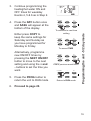
Press the DAY button once
and SASU will appear at the
bottom of the display.
Either press COPY to
keep the same settings for
Saturday and Sunday as
you have programmed for
Monday to Friday.
Alternatively, programme
new ON/OFF times by
pressing the NEXT ON/OFF
button to move to the next
setting and using the + and
- buttons to set the time you
want.
5.
6.
Press the PROG button to
return the unit to RUN mode
PROGRAMME
+
DAY
NEXT/ON/OFF
-
COPY
R/
To advance to next time
setting
PROGRAMME
+
DAY
NEXT/ON/OFF
-
COPY
R/
To amend TIME
PROGRAMME
+
DAY
NEXT/ON/OFF
-
COPY
R/
COPY previous event times
PROGRAMME
+
DAY
NEXT/ON/OFF
-
COPY
Return to RUN mode
R/
Programming the unit - 5/2 day mode
3.
Proceed to page 20.
19