1
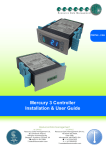
Mercury Coldroom Panel Installation Guide
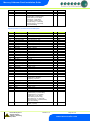
Table of Contents:
THE MERCURY RANGE ....................................................................................................................................4
Networks .............................................................................................................................................................4
Configuration .....................................................................................................................................................4
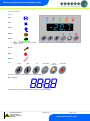
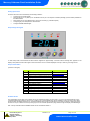
Front Panel Features .........................................................................................................................................5
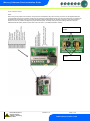
Connections .......................................................................................................................................................6
Mains Input and Outputs ..................................................................................................................................6
Probe and Alarm inputs....................................................................................................................................7
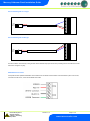
Internal Cable Diagram for LLV type ................................................................................................................8
Internal Cable Diagram for EEV type ...............................................................................................................8
RS485 Network Connection. ............................................................................................................................8
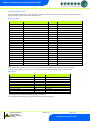
Input/Output Allocation Tables .........................................................................................................................9
Inputs and Outputs ...........................................................................................................................................9
Digital Inputs ......................................................................................................................................................9
Setting up the Panel ....................................................................................................................................... 10
Setup through the keypad ............................................................................................................................. 10
Setup Function Menu .................................................................................................................................... 10
Pin Menu Access .......................................................................................................................................... 10
Recommended set-up method ...................................................................................................................... 11
rtc. Real time clock (This will automatically synchronise on network systems) ............................................ 11
type. Set/view controller type ........................................................................................................................ 11
Unit. Set/view temperature unit and Probe type ........................................................................................... 11
Probe Types .................................................................................................................................................. 11
Display........................................................................................................................................................... 11
PArA. Set/view parameters (This can be achieved at the network front end) .............................................. 12
Parameter Table for Compressor/LLV type: ................................................................................................ 12
Parameter table for EEV Type ....................................................................................................................... 13
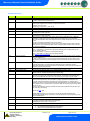
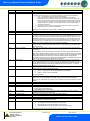
Parameters Description ................................................................................................................................. 15
Load Shedding ................................................................................................................................................ 18
EEV Control Using Pressure ......................................................................................................................... 18
Mercury Switch (PR0018-PHI) ...................................................................................................................... 18
Remote pressure Direct from a Plant Pack Controller .................................................................................. 18
Maximum Operating Pressure ...................................................................................................................... 18
Network Configuration ................................................................................................................................... 19
485 Legacy module ....................................................................................................................................... 19
IP Futura module ........................................................................................................................................... 20
Viewing ............................................................................................................................................................ 21
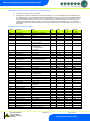
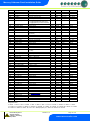
Input/Output table for Coldroom Panel with Compressor/LLV option ........................................................... 21
Input/Output table for Coldroom Panel with EEV option ............................................................................... 22
Switched Resistor Values ............................................................................................................................. 23
Alarm Messages ............................................................................................................................................. 23
Network Alarms .............................................................................................................................................. 23
Fans Only “FAnS” ......................................................................................................................................... 24
Case Off “CASE” ........................................................................................................................................... 24
Lights Only “Ligt” ........................................................................................................................................... 24
Probe Offset .................................................................................................................................................. 24
Remote Commands: ....................................................................................................................................... 24
Installation ....................................................................................................................................................... 26
Fixing ............................................................................................................................................................. 26
Display Remote Mounting ............................................................................................................................. 27
Display dimensions and fixing ....................................................................................................................... 27
Part Numbers .................................................................................................................................................. 28
Disclaimer: ...................................................................................................................................................... 28
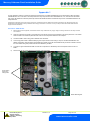
APPENDIX 1 .................................................................................................................................................... 29
Instructions – MCB Variants ......................................................................................................................... 29
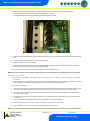
Instructions – Fuse Variants ......................................................................................................................... 30
Warning
Ensure that all power is
switched off before
installing or maintaining
this product
Revision 7.1b
Page 2 of 31
www.resourcedm.com