1
Mercury Coldroom Panel Installation Guide
The Mercury Range
From Resource Data Management
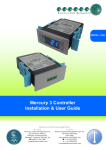
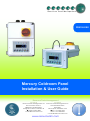
The Mercury Coldroom panel has been specifically developed to suit a variety of coldroom needs. The purpose developed enclosure has
a detachable display/keypad for applications where the main enclosure is required to be “out of reach”. The panel is available with or
without a main isolator switch. Each internal circuit has either fuse or circuit breaker protection.
Based on Mercury technology, the controller has parameters that give this product complete flexibility for controlling either produce (HT)
or freezer coldrooms (LT).
Coldroom lights can be configured for maximum energy saving by using a timer (local or remote) to enable the lights and using the “lights
on when door is open” feature. A front panel over-ride switch is available when the door needs to be closed and the lights are required to
be on.
NB – Please be aware new software builds are not compatible with some older versions of hardware. These can be identified by
controllers using V6.4 (E) / V6.3 (M) and below. With these older boards software V6.4 is the latest update.
Networks
The panel is capable of connecting to either a TCP/IP local area network (recommended) or a RS485 network or controlling in
standalone mode with no network output. The built-in communication options are determined by the part number of the coldroom panel.
See Parts Numbers section for more information.
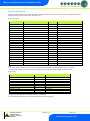
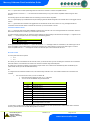
For non network versions it is possible to connect the Coldroom panel to the following network interfaces: -
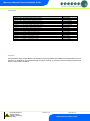
Description
IP Futura (Single Mercury to IP Interface)
RS485 Interface (Single Mercury to RS485 Interface)
Mercury IP Switch (IP support for 10 controllers)
Mercury IP Switch with Pressure/Humidity Inputs
Part Number
PR0016
PR0026
PR0018
PR0018-PHI
Configuration
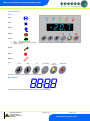
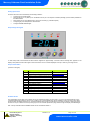
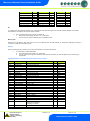
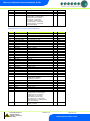
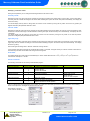
The Coldroom Panel (both the EEV and Compressor/LLV versions) has 2 types: -
Display value
1
2
Type
LT Coldroom
HT Coldroom
Warning
Ensure that all power is
switched off before
installing or maintaining
this product
Revision 7.1b
Page 4 of 31
www.resourcedm.com