1
Updated DOCs
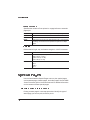
Remove Resource Command
Syntax
%%IncludeFeature:removeresource(resource id object id)
Purpose
Identifies an external object that is to be removed from the
printer system.
Notes
This is an obsolete DOC command that is identical to the
remove command, except that it does not allow specification of
an object type. The DOC string “removeresource(aaa bbb)” is
equivalent to “remove(aaa bbb *)”.
Variables
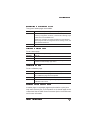
resource id
Purpose
Indicates the resource from which the object is to be
removed.
Range
0-6
Default
N/A
Format
Integer
Notes
This ID must be specified. It indicates the resource
from which the desired object is to be removed.
There is no way to specify “all resources.” If a
%%IncludeFeature:install command precedes the
%%IncludeFeature:remove command, the remove
command is ignored (these commands are mutually
exclusive). If the disk does not exist, PCL issues the
NO SPACE FOR FONT, MACRO, OR PATTERN
error message.
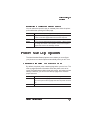
object id
Purpose
Specifies the ID of the object that is to be removed
from the printer system.
Range
*, -1 to 32767
Default
-1 (wildcard)
Format
Integer
Notes
If the object id is not specified, or it is specified as * or
-1, all objects on the specified resource with the
specified object type are removed.
Document Option Commands
C-11