1
Memory
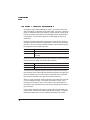
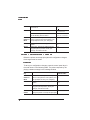
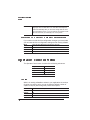
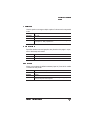
The memory is divided among users (or “clients”), each of which allocated a specific amount (or “block”) of memory. Each memory client is
dedicated to a specific printing and application purpose. Your QMS
1725 SLS Print System allows you to distribute its memory among the
various memory clients where it can best serve your specific printing
needs. The following sections provide information on memory management so you can get the most from your printer.
Generally, there are two main reasons for wanting to reconfigure your
printer’s memory:
n
n
To achieve maximum performance
To enable additional features
The ability to configure your printer’s memory doesn’t necessarily
mean that you must change your current configuration. If you’re presently using all the features you need and the printer is performing efficiently, you shouldn’t feel compelled to reconfigure your printer's
memory. Just remember that if your printing needs change, not only
do you have the ability to increase the amount of printer memory, but
you also can redistribute it where you feel it would best meet your
printing requirements.
QMS Memory Management
Managing the memory on your printer is much the same as managing
your personal income. In money management, you have a certain
amount of income and many ways of spending that income. You
decide where that money goes according to what’s important to you.
There’s no single correct way to manage money, but there is one best
way for you according to your financial obligations.
The same is true for managing the memory on your printer. There’s
no single correct way for everyone to allocate available printer memory. There may be, however, a best way to configure your printer's
memory for maximum efficiency in your specific printing environment.
For example, if you use a large number of PostScript fonts of various
point sizes, you may want to increase the amount of memory allocated to the area specified for PostScript fonts. Or you may want to
Printer Configuration
2-47