1
4
4.1
4.2
4.2.1
4.2.2
4.2.3
4.3
4.3.1
4.3.2
4.3.3
4.4
4.5
4.6
4.7
4.8
CBX ELECTRICAL CONNECTIONS ........................................................................ 41
Power Supply ............................................................................................................ 42
Main Serial Interface ................................................................................................. 42
RS232 Interface ........................................................................................................ 43
RS485 Full-Duplex Interface ..................................................................................... 44
RS485 Half-Duplex Interface..................................................................................... 45
ID-NET™ Interface ................................................................................................... 47
ID-NET™ Cables ...................................................................................................... 47
ID-NET™ Response Time ........................................................................................ 48
ID-NET™ Network Termination ................................................................................. 52
Auxiliary RS232 Interface .......................................................................................... 52
Inputs ........................................................................................................................ 53
Outputs ..................................................................................................................... 56
External Lighting Systems ......................................................................................... 58
User Interface - Host ................................................................................................. 59
5
5.1
5.2
5.3
5.4
5.4.1
5.4.2
5.4.3
5.5
5.5.1
5.5.2
5.5.3
5.6
5.7
5.8
5.9
5.10
25-PIN CABLE ELECTRICAL CONNECTIONS ....................................................... 60
25-Pin Connector ...................................................................................................... 60
M12-D 4-Pin Connector (Ethernet) ............................................................................ 61
Power Supply ............................................................................................................ 61
Main Serial Interface ................................................................................................. 61
RS232 Interface ........................................................................................................ 62
RS485 Full-Duplex Interface ..................................................................................... 63
RS485 Half-Duplex Interface..................................................................................... 64
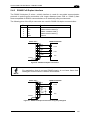
ID-NET™ Interface ................................................................................................... 66
ID-NET™ Cables ...................................................................................................... 66
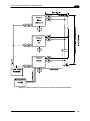
ID-NET™ Response Time ........................................................................................ 67
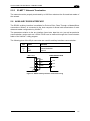
ID-NET™ Network Termination ................................................................................. 71
Auxiliary RS232 Interface .......................................................................................... 71
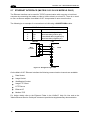
Ethernet Interface (Matrix 210 21x-x1x models only)................................................. 72
Inputs ........................................................................................................................ 73
Outputs ..................................................................................................................... 76
User Interface ........................................................................................................... 78
6
6.1
6.2
6.2.1
6.2.2
6.3
6.4
6.5
6.6
6.7
TYPICAL LAYOUTS................................................................................................. 79
Point-to-Point ............................................................................................................ 79
Pass-Through ........................................................................................................... 82
Pass-Through on RS232........................................................................................... 82
Pass-Through on ID-NET™ ...................................................................................... 83
ID-NET™ .................................................................................................................. 84
RS232 Master/Slave ................................................................................................. 90
Multiplexer ................................................................................................................ 91
Ethernet Connection ................................................................................................. 92
USB Connection ....................................................................................................... 94
7
7.1
READING FEATURES ............................................................................................. 95
Maximum Line Speed Calculation ............................................................................. 96
8
8.1
8.2
8.3
8.3.1
8.4
8.4.1
SOFTWARE CONFIGURATION............................................................................... 98
VisiSet™ System Requirements ............................................................................... 98
Installing VisiSet™ .................................................................................................... 98
Startup ...................................................................................................................... 99
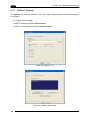
VisiSet™ Options .................................................................................................... 100
Configuration .......................................................................................................... 102
Edit Reader Parameters.......................................................................................... 103
iv